
On Sale: GamesAssetsToolsTabletopComics
Indie game storeFree gamesFun gamesHorror games
Game developmentAssetsComics
SalesBundles
Jobs
TagsGame Engines

Does TwinStep teach opposite movement clearly? [Free browser puzzle]

A topic by twinstep-games created 46 days ago Views: 190 Replies: 5
Viewing posts 1 to 5

Looking for first-time players to test whether TwinStep teaches its rules clearly.

Play: https://twinstep-games.itch.io/twinstep

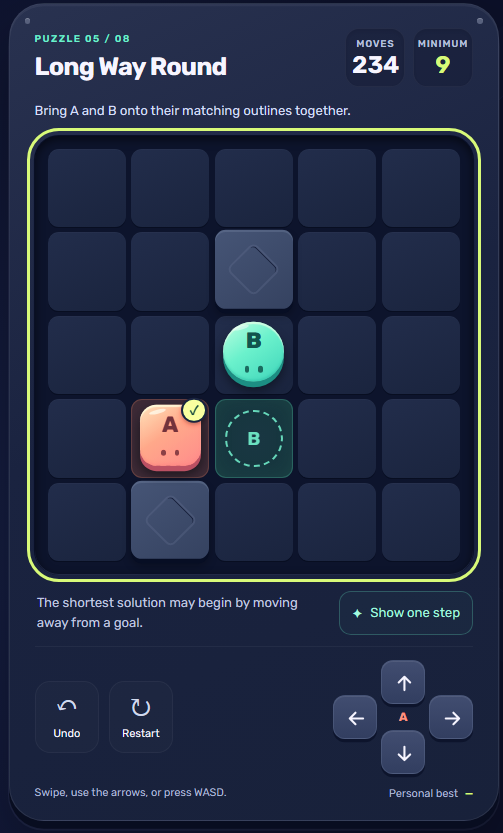
It is a free eight-puzzle browser game. A follows your direction; B tries the opposite way. Walls and edges can hold one piece still. There is no timer, with Undo and a one-step hint.

Please try the first three puzzles before watching the demo. I would especially value feedback on:

1. When did the wall/edge rule click? Was the explanation clear?

2. Which puzzle first felt confusing or unexpectedly difficult, and why?

3. Did Undo or Show one step help you understand the puzzle, or only get past it?

Please include a puzzle name/number and what you expected to happen. For control issues, mention your device/browser. This will help prioritize changes to the introduction and difficulty progression.

Disclosure: developed with AI assistance for code, interface text and visuals. Thanks for honest feedback.
Hi! I played TwinStep for a little while and really enjoyed it.


I really liked the clean, easy-to-read design and the UX. The game itself was fun too. Of course, that doesn’t necessarily mean I’m good at it!

As for feedback:

I understood the wall/corner mechanics pretty quickly and started using them from Stage 3.

The puzzles started getting significantly harder around Stage 4.

I couldn’t beat Stage 5... maybe I’m just bad at puzzles, haha

I played the game in Chrome, and everything worked perfectly on my end.

If you have some time, I’d really appreciate it if you could also give my platformer a try.

/t/6965861/feedback-wanted-honmoon-prototype-2d-action-platformer...

Thanks so much for playing and for the thoughtful feedback, Dogma122! Really glad you enjoyed it and liked the design and UX. Knowing the wall mechanic clicked by Stage 3, and that the difficulty jumped around Stages 4–5, is especially helpful. Getting stuck definitely doesn't mean you're bad at puzzles 🙂 Undo and the one-step hint are there if you fancy another go. Thanks for sharing Honmoon too, and best of luck with the prototype!

Deleted post

AI-assisted browser check from NextGenRunGames: I completed puzzles 1–3 using the on-screen buttons. Puzzle 1 demonstrated the opposite movement in one press. In Puzzle 3, Show one step named both outcomes ('B stays; A moves') without advancing the move counter; later the status changed to 'A stays put; B moves' when A hit a wall. That made the blocking rule explicit in this automated sample. I haven't tested later difficulty or human first-time comprehension.

On the “rule unclear in puzzle 1” reports: don’t rely on text alone for opposite-move.


Forced beat that works for twins: puzzle 1 should make the *wrong* direction visibly fail in one press (A moves toward goal, B walks into a wall and stays), with a half-second highlight on the pinned piece. That pairs “opposite” + “edge holds one” before players mash to a lucky clear.


By puzzle 3, if Undo only skips the lesson, show one step *after* a fail, not before the first attempt — otherwise it becomes a skip button. Difficulty jump at 4–5 is fine once puzzle 1 actually teaches.