

October 2026
Hello again
It has been more than a month since my last update. I have since developed the following:
The playable segment of my prologue with proper polish of the environment.
- New enemies with unique spritesheets and basic behavior.
- HUD elements, notably a Diamond button with contextual functions based on game state.
- I have created a YouTube demo showcasing these elements:
Some elements showcased are still placeholders: some character sprites I have yet to draw and most story-related dialogue.
The demo is purely gameplay for now as story elements are still in development.
Design Details
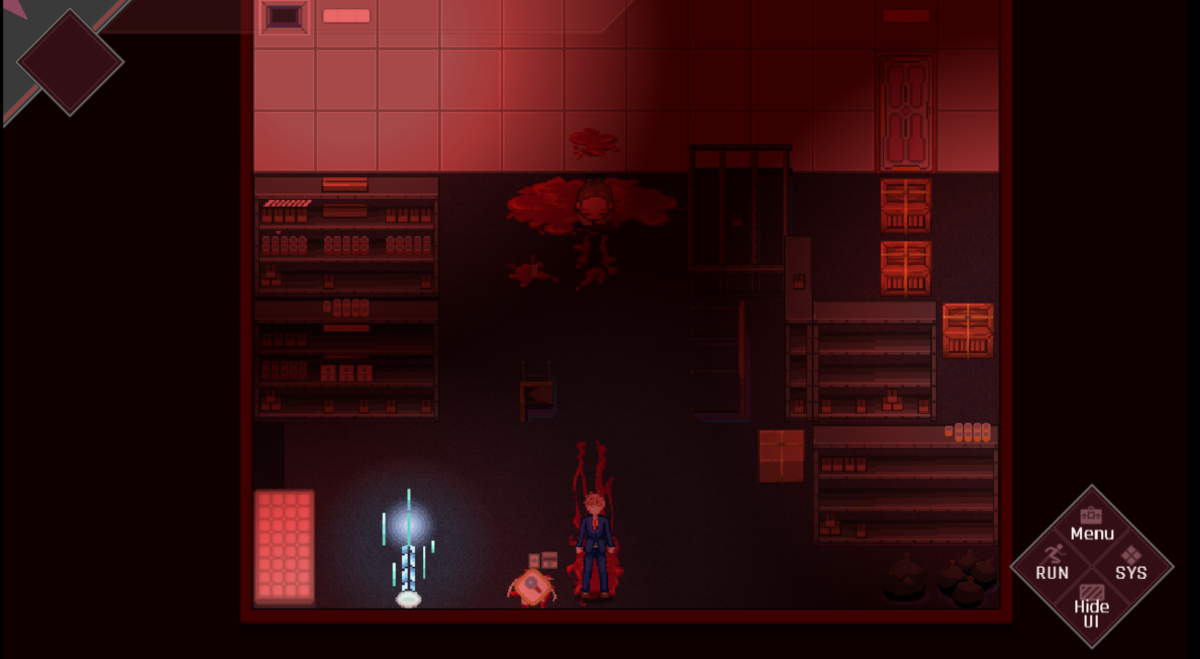
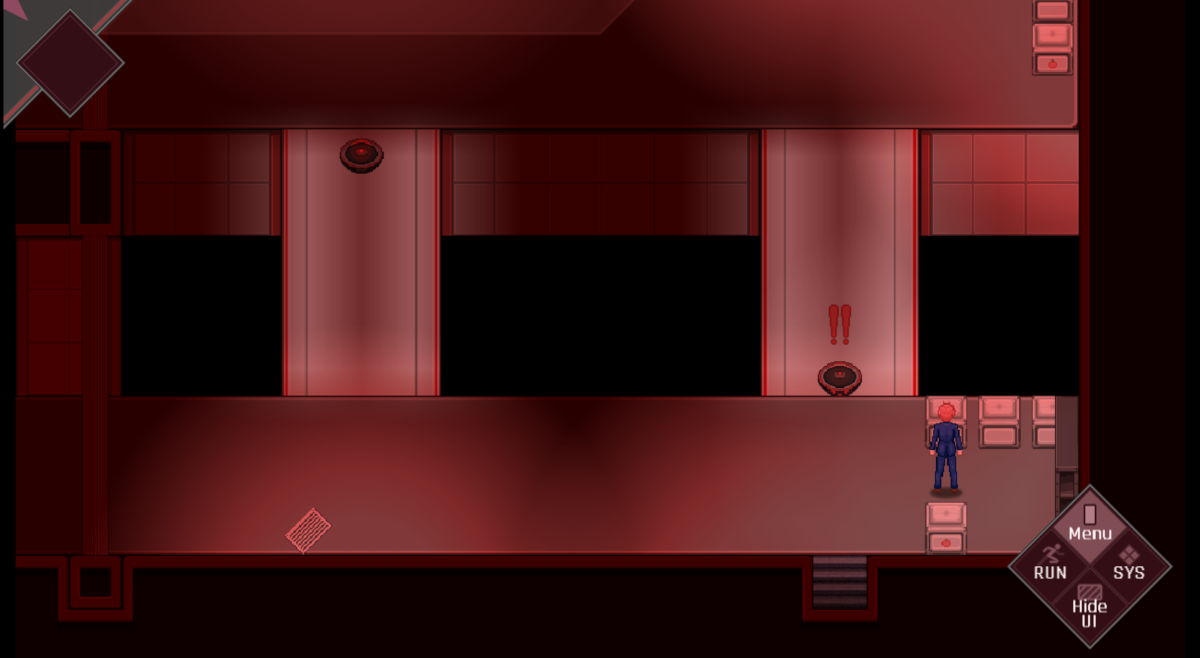
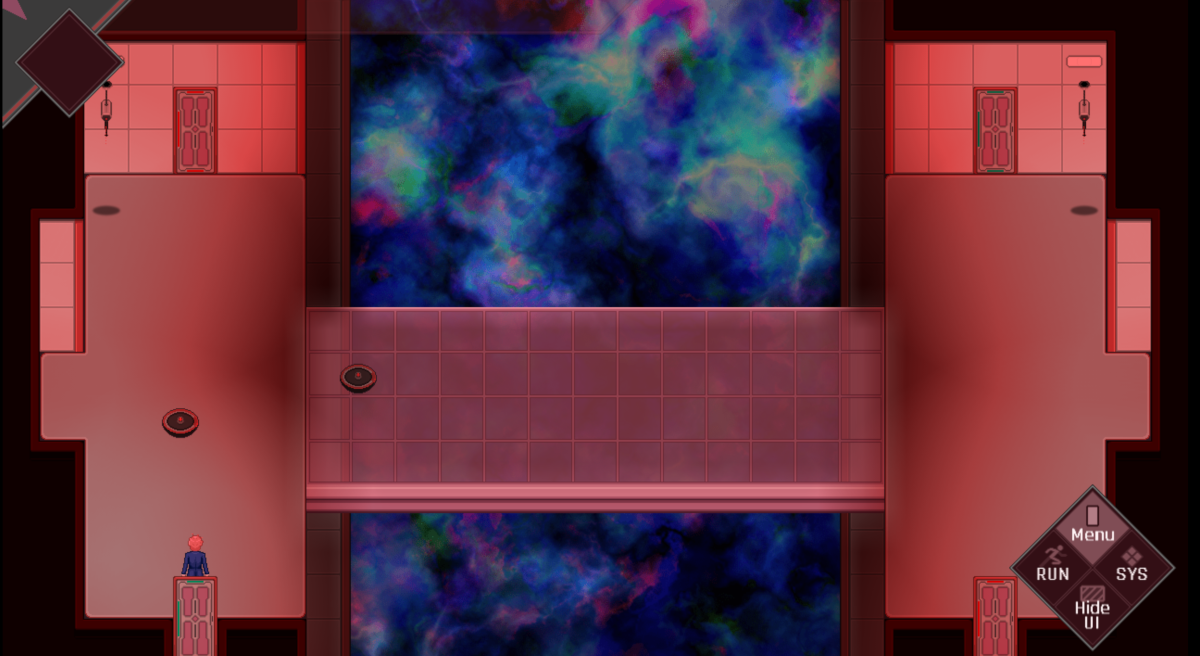
For the environment, I have created new assets for walls, floors, and props to fully align with my art direction. Some purchased assets are still used sparingly with heavy modifications.
Sound effects are royalty-free assets downloaded from Pixabay and Mixkit.
HUD elements have been drawn then coded into the game by me.
- The Upper Left HUD is still empty, but it's intended to contain Date and Time indicators similar to the Persona series.
- The Bottom Right Diamond updates its context based on game state (more on this later).
Enemy behaviors are basic
- The circular robots have basic patrol patterns with an attached proximity event check. Getting too close results in offscreen death.
- Some rooms have cameras with mounted guns which check for fast movement. The player gets one warning about "NO RUNNING!" Violating it a second time results in offscreen death.
- Since my game will feature no combat, gameplay will primarily be environmental puzzles and dodging enemies on the map. Failure will often result in Game Over, but I eventually plan on placing convenient checkpoints so players do not lose a lot of progress.
VisuStella plugins handle some key functionalities
- Camera work, lighting, and sound effects that help improve gameplay immersion.
- Visual Novel staples like Auto-play, Skip, Hide, and Logs. Their functions have been wired to my Diamond button.
- Event processing for pushing and pulling objects, as well as behaviors like proximity checks.
- Text pop-ups as well as Tutorial pop-ups.
Diamond Button
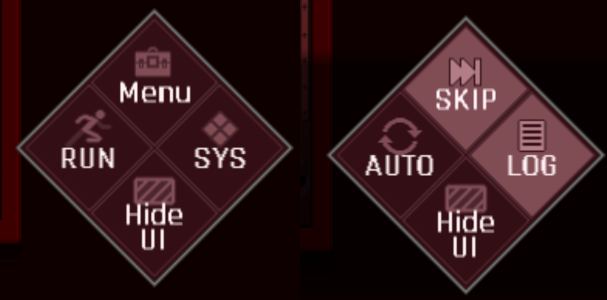
The Diamond button primarily has two modes: Free Move and Message.
- During Free Move: Top button opens standard Menu, Right button opens system Menu, Left button primarily toggles walking and running, and Bottom button hides my HUD.
- During Message: Top button does fast Skip, Right button opens Logs, Left button toggles Auto-play, and Bottom button hides the message box and my HUD.
Touch, Keyboard, and Controller Support
As RPG Maker MZ already handles multiple ways to play the game, I also made sure my custom functionalities work properly regardless if players prefer to play on a touch screen (which also includes mouse clicks), keyboard, or controller.
At the moment, I do not have plans to accommodate full control rebinding, but I may consider limited options in the future.
Next Plans
I plan to implement a supplementary module that will help me write strings more conveniently. VisuStella already has a functionality for storing strings in TSV files and just calling those strings through keys. This infrastructure sounds promising as my game will feature a large amount of dialogue. The base RPG Maker engine is rather clunky when it comes to modifying messages in Show Text, so having an efficient way to update strings is a worthwhile investment.
Afterwards, I will continue polishing the next playable segments of my game, notably the school grounds section featured in my previous demos. I may not be able to create new spritesheets for a while, but my characters do have placeholders I can use for the time being.
That is all for this update.
Thank you for your time reading my devlog.