Your players just cleared a boss, found a secret room, or got jump-scared in a dark hallway — and the moment is gone the second they alt-tab to post about it.
Social Share MZ adds a Photo Mode to your game, the kind you see in Ghost of Tsushima or Spider-Man, crossed with the in-game phone camera from found-footage horror games. Players hit one key, get a shutter flash, style the shot with filters and frames, write a caption, and post it to a real account — without ever leaving the game. Every photo is auto-branded with your game’s title, so their posts advertise your game for you.
It works on the map, mid-dialogue, in the middle of a troop battle, and during cutscenes. Whatever is happening pauses while they compose, then resumes exactly where it left off.
Features
For players
One-key capture (default F9) with shutter flash and sound 11 filters: Mono, Sepia, Vivid, Warm, Cool, Vintage, Noir, Night Vision, VHS, Dread, or none 5 frames: Polaroid (caption handwritten on the bottom), Phone, Film Strip, Thin Border, none Zoom and pan framing like a real photo mode “Show HUD / Dialogue” toggle — both a clean shot and a HUD shot are captured at the same instant Caption presets with {game} {map} {player} {playtime} {date} tokens, or free typing Gallery of recent photos to re-edit and re-share later
Where they can post
Bluesky — directly, with the image attached, using their own account (one-time app-password login inside the game) Device share sheet on mobile builds — Instagram, X, WhatsApp, Messages, anything installed Discord channel via webhook — image and caption posted for real X / Twitter, Threads, Facebook, Reddit — opens a pre-filled compose page; the photo is already on the clipboard Your own server — receives the photo as JSON, so you can wire up Instagram/Facebook Graph API posting server-side (example Node server included) Copy image to clipboard · Save to device
For developers
Works with zero configuration — install and press F9 Auto watermark text and optional logo image, plus a map/date/playtime stamp Reward hooks: photo count variable, share count variable, “shared” switch, and a common event — hand out an “Influencer” achievement or an item Set Photo Style command locks the camera to a look (e.g. Night Vision + Phone frame the moment the player picks up a camcorder; unlock it later) Disable Switch for scenes you want protected; separate toggles for battle / dialogue / events Every label exposed in one localization parameter Filters have a pixel-level fallback so they render on iOS Safari Everything on window.SocialShare for scripting Why there’s no “Post to Instagram” button
Posting to Instagram, Facebook, or TikTok on a player’s behalf needs OAuth with a client secret, and nothing inside a shipped game is secret. Any plugin that claims to do it client-side is either broken or leaking your keys. Social Share only uses approaches that are actually safe: the player’s own account (Bluesky, the mobile share sheet), public compose URLs, Discord webhooks, or your own backend holding the tokens. The included server.js shows exactly how to do the server side if you want real Instagram/Facebook posting.
Screenshots
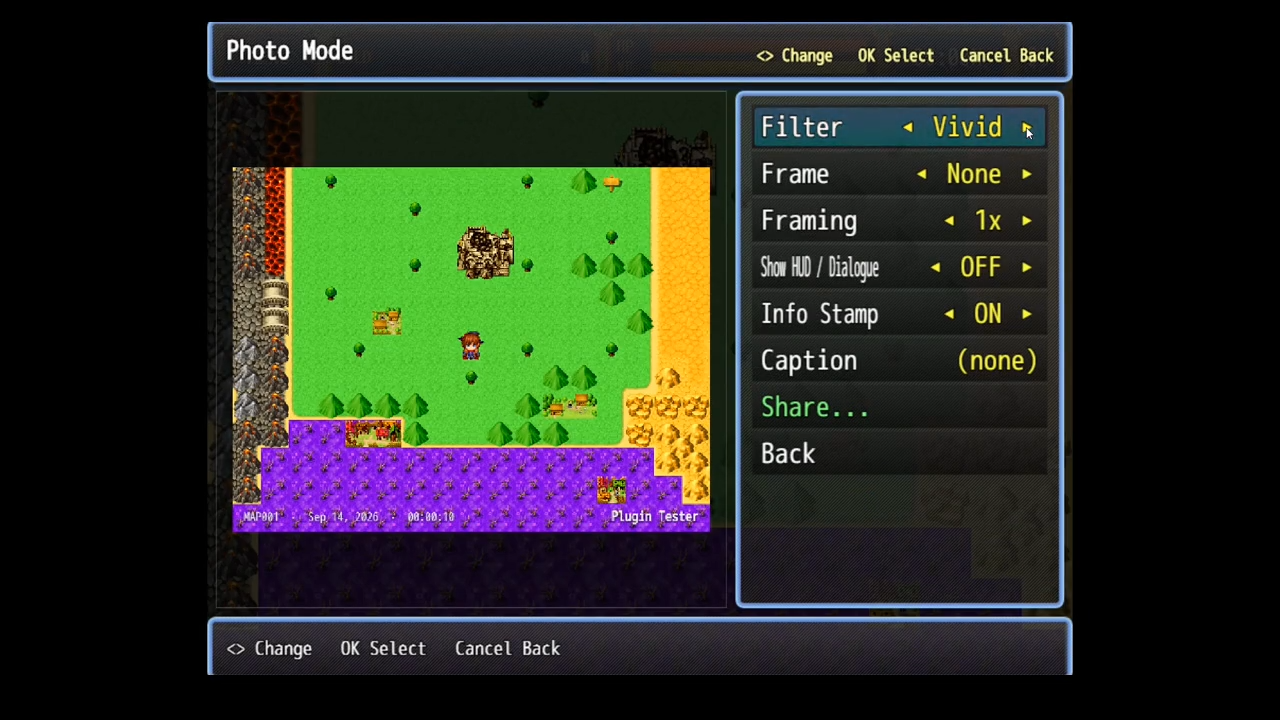
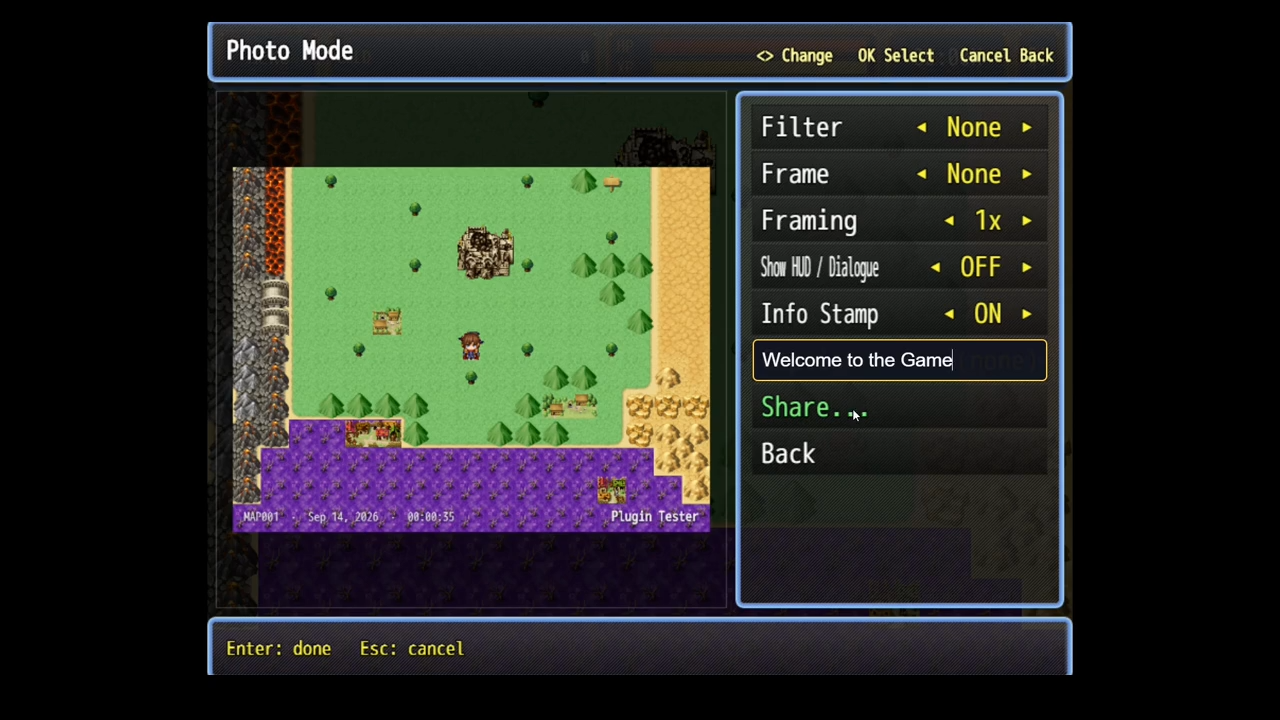
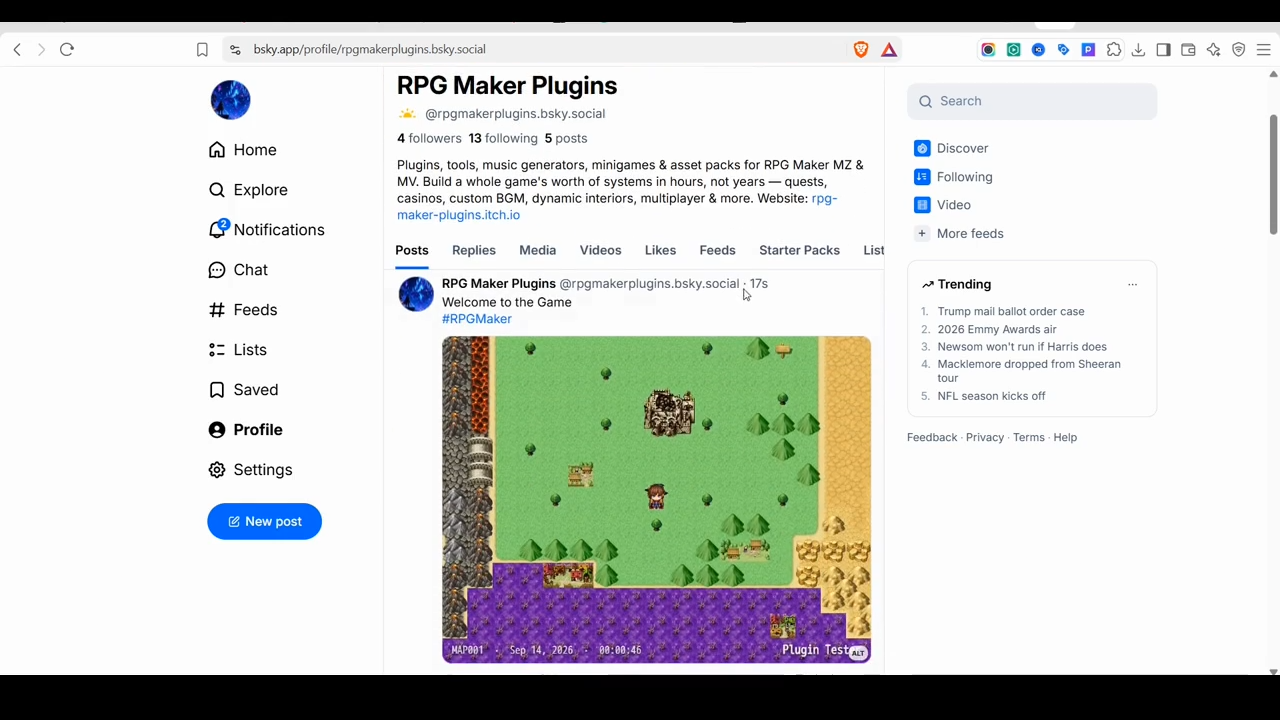
How to use Copy SocialShare.js into js/plugins/, enable it in the Plugin Manager. Playtest, press F9. That’s it. Optional: set Game URL and Default Hashtags so posts link back to your store page; paste a Discord webhook URL to enable “Post to Discord”.
Full setup, the platform-support table, and the server example are in the README.
Compatibility RPG Maker MZ (tested on [YOUR MZ VERSION]) — NW.js desktop, browser, and mobile wrapper deployments Tested alongside [VisuStella Core Engine / OTHER PLUGINS YOU TESTED WITH] Place it below core/battle plugins in the Plugin Manager Not compatible with MV Terms of use
Free for commercial and non-commercial projects. Credit [YOUR NAME] in your game’s credits. You may edit the plugin for your own project; please don’t redistribute modified versions as your own. [ADJUST IF YOU WANT DIFFERENT TERMS]
Download
[https://rpg-maker-plugins.itch.io/social-share-mz]
Support & feedback
Bug reports are much easier to fix with the DevTools console output (press F8 in a playtest) — the plugin logs everything it does with a [SocialShare] prefix.
Changelog 2.2.0 — Photo Mode is now an overlay: works in battles, dialogue, and cutscenes; captures HUD and clean frames simultaneously 2.1.0 — Native Bluesky posting with image attached 2.0.x — Photo Mode rewrite: filters, frames, framing, gallery, rewards, localization; capture fixes for projects with plugins that expand the stage bounds 1.0.0 — Initial release
Did you like this post? Tell us


Leave a comment
Log in with your itch.io account to leave a comment.
Bump
Bump