
Indie game storeFree gamesFun gamesHorror games
Game developmentAssetsComics
SalesBundles
Jobs
TagsGame Engines
(+1)

Seemed basically interesting, but I couldnt figure out how to rotate that shuttle. I could see how to operate the gizmo and even how to burn my fuel up, but I couldnt figure out a way to rotate the shuttle, hence I got nowhere.

Instruct how to rotate that shuttle and I would be interested in giving this another go.
Thank you very much for your feedback! 

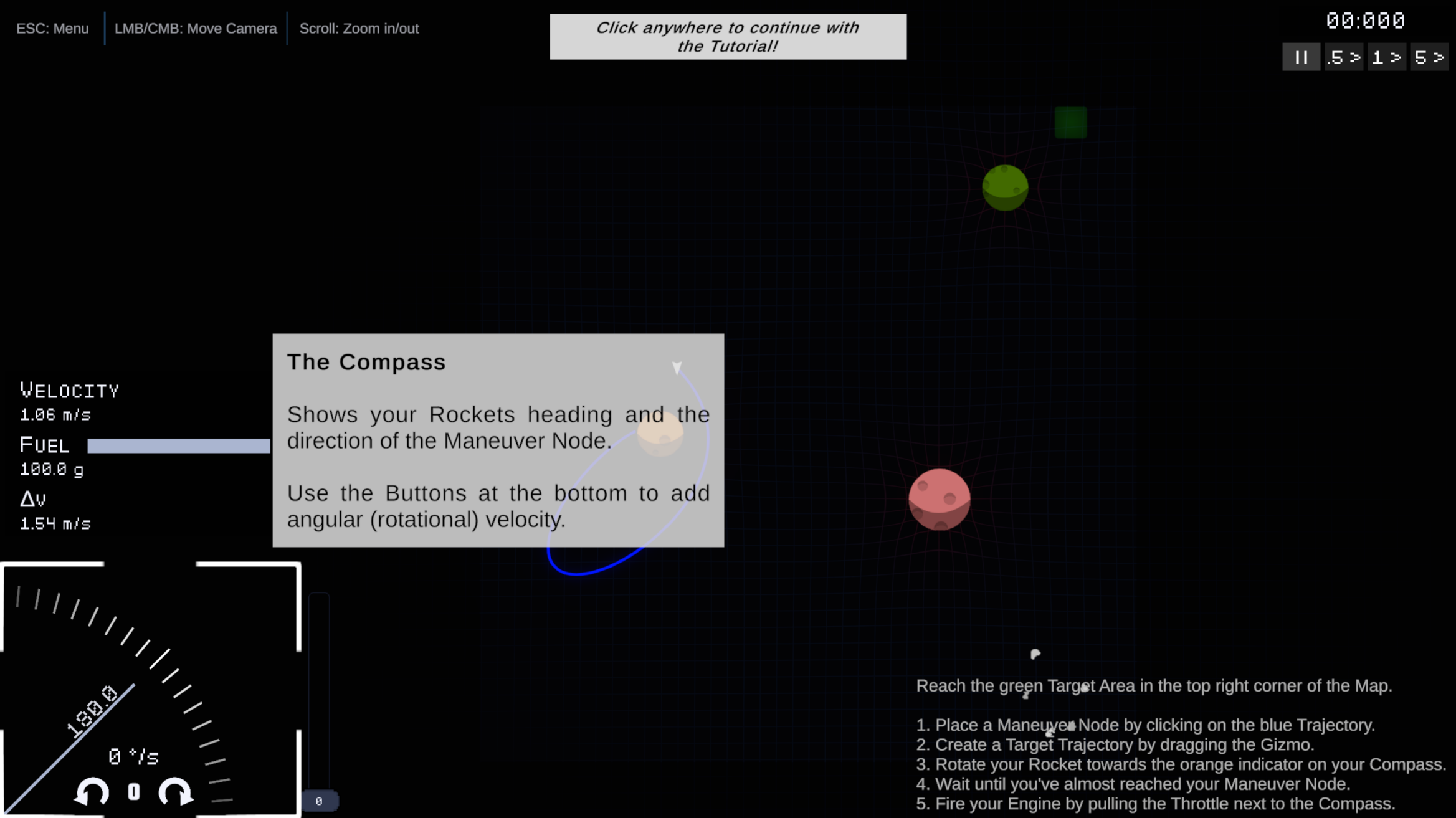
I have added a simple "tutorial" to Tiny Orbit to explain the UI a bit. I hope this makes it a bit clearer until I figure out how to make the UI more intuitive.

(+1)

Thanks. Tutorial helped, although, I wonder how did I not understand those two circle kind things were buttons. I must have looked them as some sort of graphics instead of symbols representing buttons, since now they seem pretty obvious.

That small tutorial was useful in sense that it pinpointed exactly those buttons, so I couldnt miss them anymore.

It still took a moment to learn things, but nothing that bad, as in, you can work to make it better, but it already works as it is.

But two things that happened to. First one was the turning. I now understood it was a button, but at beginning I kept clicking on one of the arrows and kept the mouse button down, instead of clicking repeatedly. As it turned with 5 degree speed, I thought that was the point, that turning is simply slow. I think it was only on the second game that I realised that actually I am supposed to keep clicking continously, as in, ship keeps turning with certain speed, until I make it back to zero.

Second, even less of a problem was the target. It might make sense to change the earth into something else, since when you mention you need to reach green target zone, and earth is green, and you might have zoomed in, like I did the first time, then you might not see the target green area, until at a last moment.

However, as I said, that is very minor problem, since, yes, it does likely happen to many players once, but with that one time you already learn your misunderstanding. So wouldnt take too much time figuring out alternative to it, since level is anyway short, so not really any harm done there.

I guess this is supposed to have more levels in the future, but right now just one?

At least when I clicked the only button available after succeeding, "Back to map" (or something like that), it just kept throwing me back to same level.

I found this basically interesting, and would have liked to try couple more levels, but I also probably wouldnt be interested in trying out more, than maybe 5 levels or something, after that the newness brushes off, unless there comes more of a reason to play, as in, maybe new objects with different effects, and good levels.

(+1)

Wow thank you for the great and detailed feedback! I never thought about things like the green earth next to ththee green target. 

As this is only a kind of proof-of-concept the tutorial is not in its final form. It will be more interactive in the future, but that is not a priority at the moment.

After finishing the new design, I will now work on the rogue like elements (stores, map generation (hence the button "Back to Map"), etc.) to keep the game engaging and add replayability to it. In the future the levels will not be "hand-made" and increase in difficulty as you progress through the game.