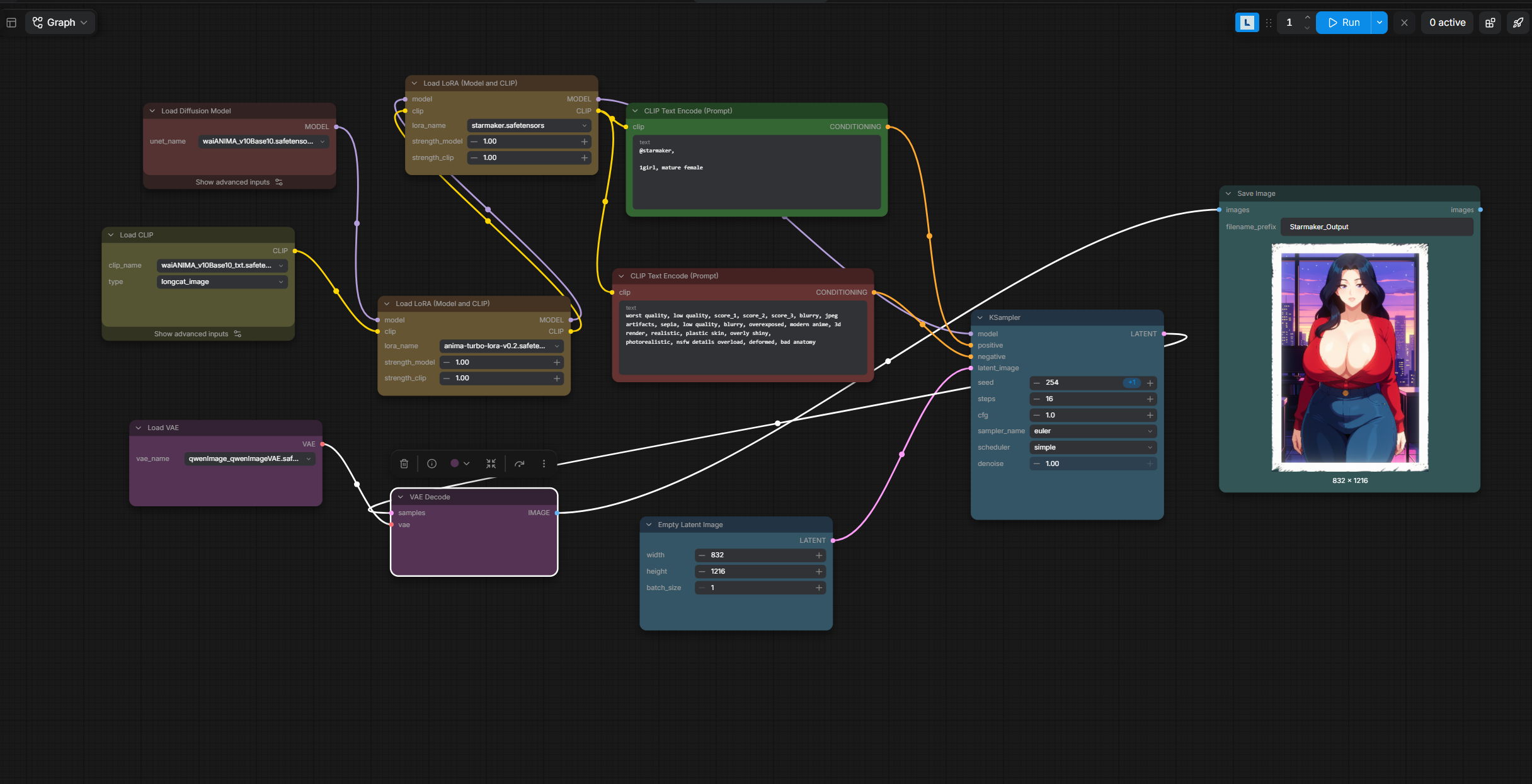
You're very welcome! To be honest, I'm pretty new to this whole thing too. I keep my setup super simple so far and just type my prompts directly inside the green Positive Prompt box (clip text encode). As you can see in the screenshot, I just connect its output straight into the positive input (the little dot/slot) on the KSampler, and the red Negative Prompt box (also a clip text encode) goes into the negative input on the KSampler.