On Sale: GamesAssetsToolsTabletopComics
Indie game storeFree gamesFun gamesHorror games
Game developmentAssetsComics
SalesBundles
Jobs
TagsGame Engines

Shining Redux

A free fan remake of Sega's Shining in the Darkness: first-person dungeon crawling for PC, Android and retro handhelds. · By Dean Ray Games

Crash after launch

A topic by imkrut created 5 days ago Views: 54 Replies: 6
Viewing posts 1 to 5

Couldn't even get the graphics to show, just a windows pop up and nothing else after. Didn't try on my main PC, so maybe is a hardware issue? still odd.
Developer

Thanks for trying it, and sorry it didn't work! Which download did you use (Windows, Linux, Android or the handheld one), and on what device? If it was a computer, could you tell me the graphics card? Inside the game folder there's a "logs" folder. If you can share the newest file in there, I can see exactly where it stopped. If you don't mind emailing me the log file it could be a huge help. Thanks! deanraygames@proton.me

It's a NVIDIA GeForce GT 1030. Maybe it's because I'm using multiple monitors? or the unconventional resolution in sort of 4:3


INFO: >> display: monitor 0 is 1280x1024, 12 video modes

INFO: >> display: start: monitor 1280x1024, window 1280x720 units, framebuffer 1280x720, content scale 1.00, 1.00 px per unit, mode windowed, draws at 1280x720, platform x11, Crostini no

INFO: >> display: monitor 0 is 1280x1024, 12 video modes

INFO: >> display: asking for fullscreen 1280x1024

INFO: TIMER: Target time per frame: 16.667 milliseconds

INFO: >> surface: window 1280x1024 monitor 1280x1024 viewport x1.00 hidpi 0


What's that "adult pack" on the log file, lmao.

Developer

Thanks, that helps a lot! You're probably right: it switches to fullscreen on your 1280×1024 monitor right before it stops, and that's a setup I haven't tested well, evidently. Could you try starting it in a window instead? Open a terminal in the game folder and run:

SD_WINDOW=1280x720 ./play

If that works, it narrows it down to the fullscreen switch. Could you also send the whole newest file from the "logs" folder, not just the top? The lines after the part you pasted would show where it stops.

The "adult pack" line is just leftover developer logging for something that isn't part of the game at this time. It doesn't need to be present for the game to function 100% normally. 

Developer

v0.9.2 is out and should fix this: the game now opens as a borderless window instead of switching your monitor's mode, and if a start ever fails, the next launch falls back to a safe window automatically. If it still shows black, hold Shift while it starts, or press F11. Please let me know how it goes!

Finally got around to trying it:

Here are some bugs/suggestions/misc.
1)BUGS:
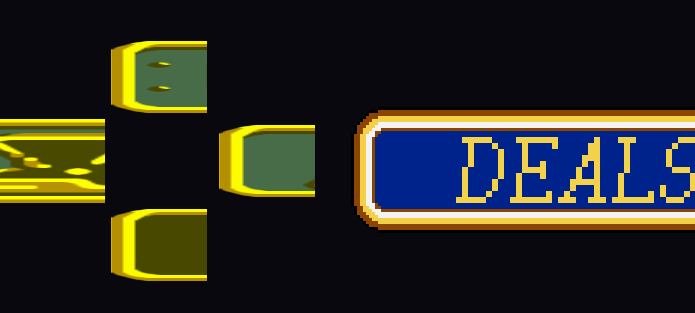
a) The Icons graphics are bugged all through the game (dungeons too)
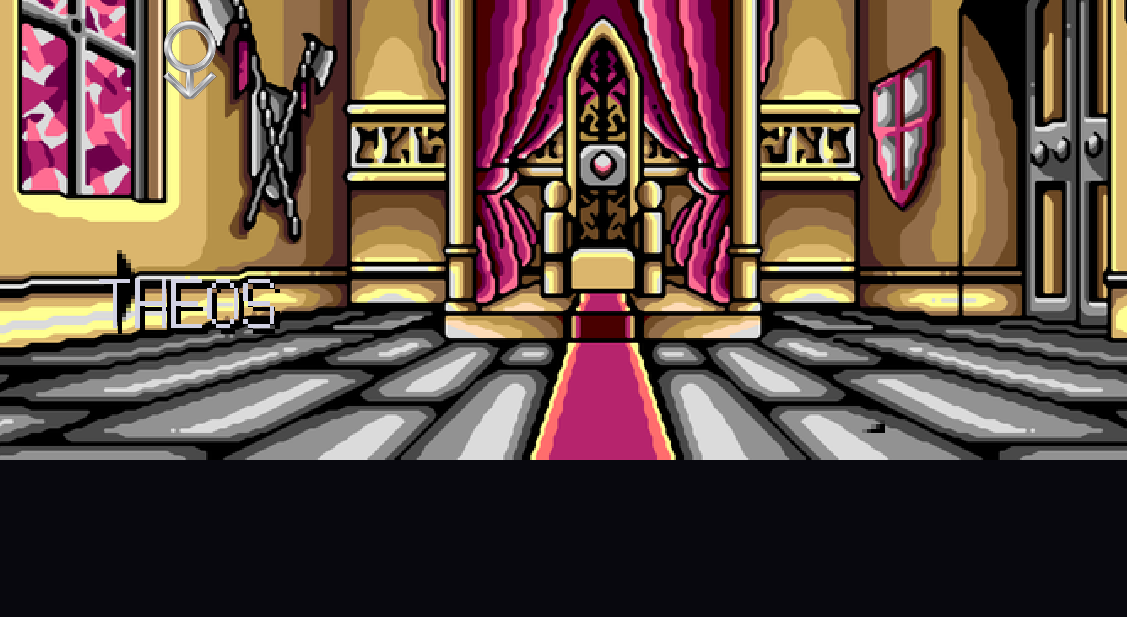
b) Going back to the castle with no remastered art shows empty throne room with garbage graphics popping up


2) Toggle button for the graphics. One thing I really like about remakes based on the same engine is the ability to go back and forth with the graphics and being able to compare on the fly (Monkey Island or Halo for example)
3) Give the option for pure pixelart without filters 
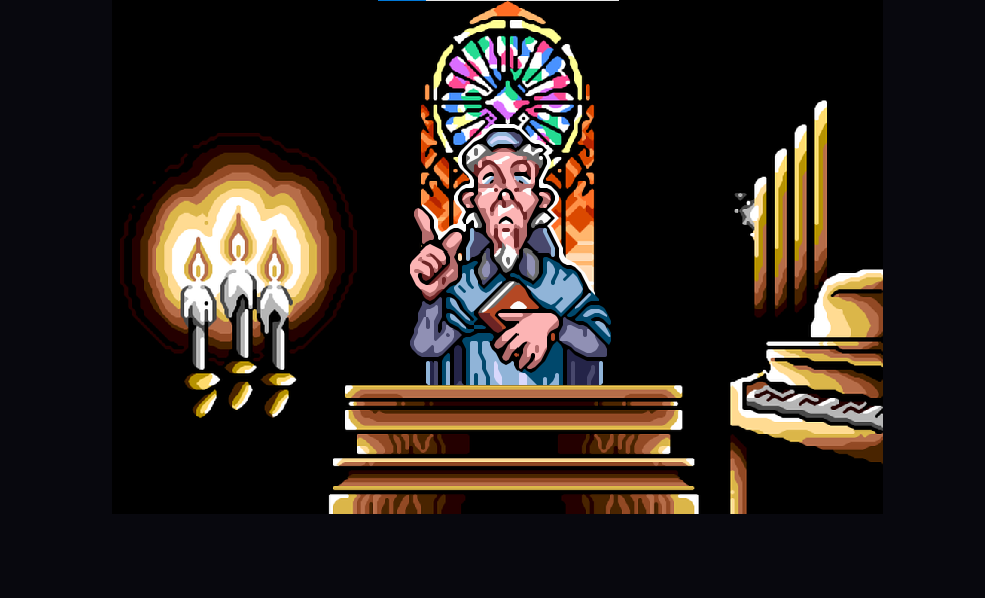
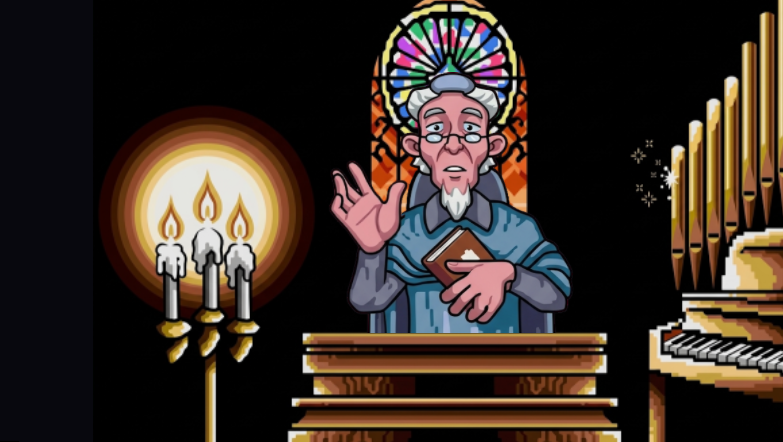
4) There's mixed resolution between the graphics (some look more crisp than the others). Also there's a design problem with them, they lack coherence, almost made in different styles (some more cartoony than others). I would follow the art style of the Guide book https://retrocdn.net/images/b/b6/Shining_and_the_Darkness_Strategy_Guide_JP.pdf  or SF2 for example (https://archive.org/details/shining-force-ii-the-ancient-seal-game-guide-book-tv...). Other than that, the proportions are all over the place like you can see on the screenshot, compare their heads size for example.
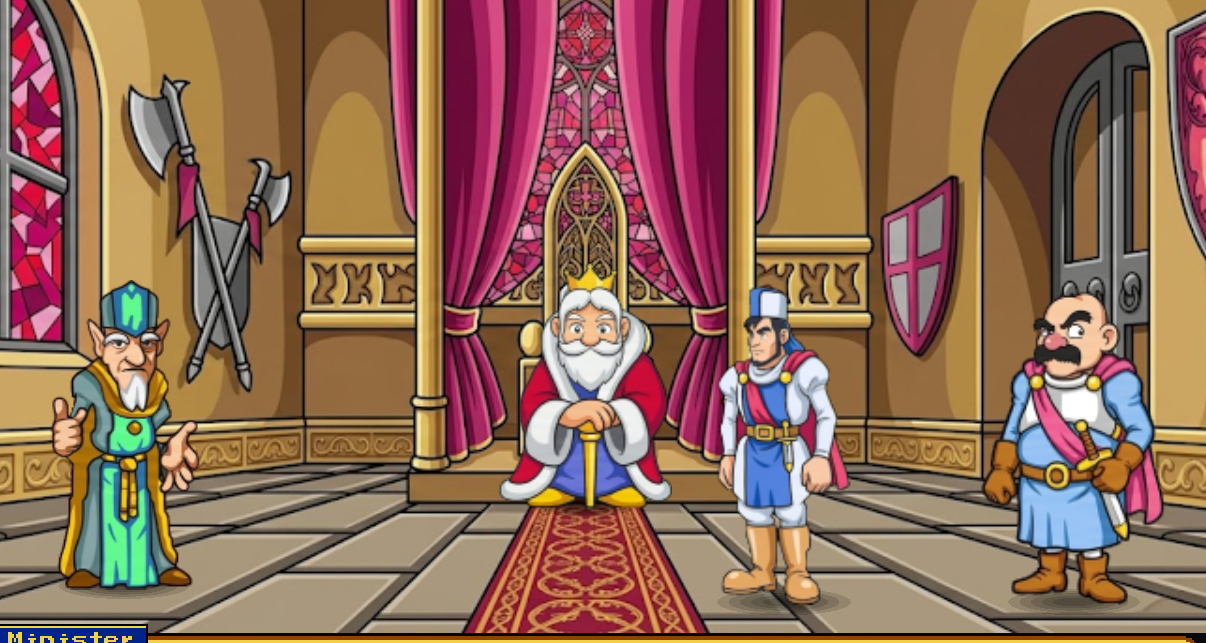
I went through the guide for example and plucked out the original designs for the characters  and improved the colors so it's easier to read
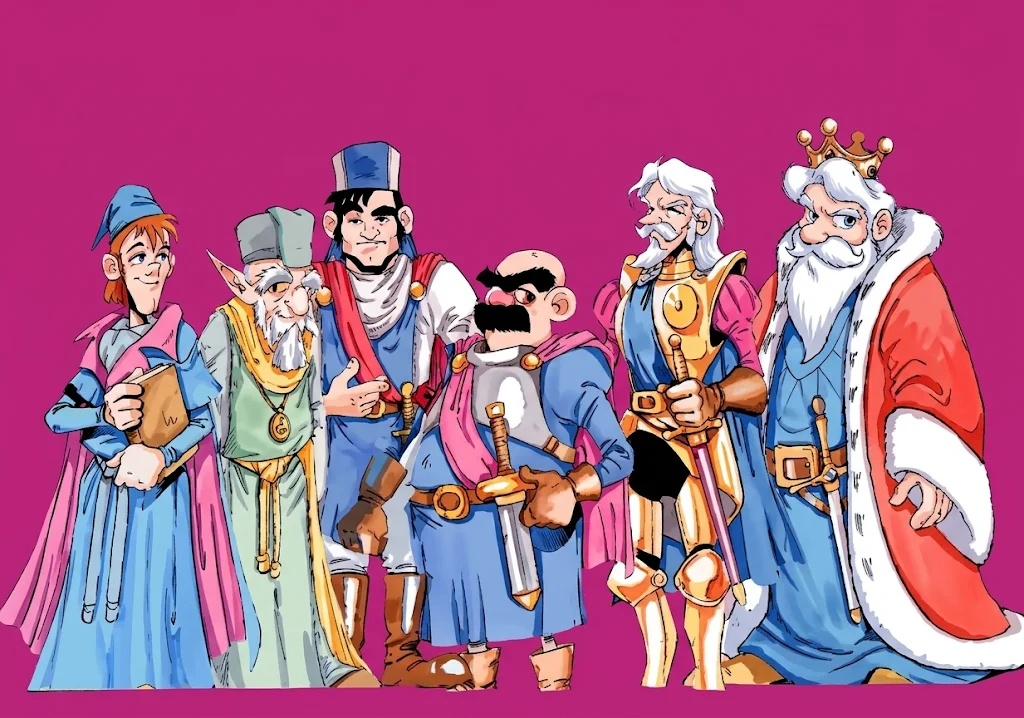
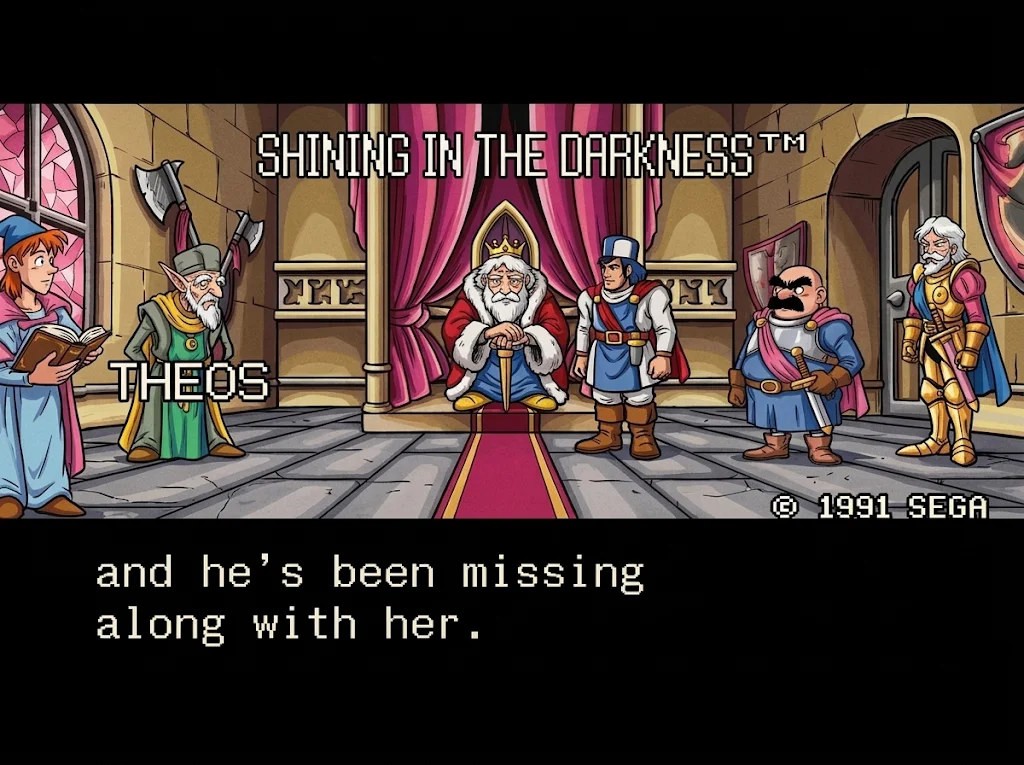
(fed them to AI to recreate the throne room)

5) the mixed graphics (some are remade on top of filtered but also the remade graphics have pixelart shading)  are really off-putting
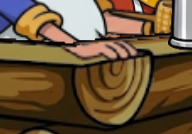
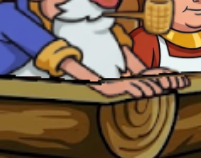
6) the hands on the tavern
 

Developer

Thanks so much for writing all of this up, and for the screenshots. They should really help a lot. To your points:

1a) Those icons are definitely broken, and I'm fixing them now, along with every other spot in the game where they show up. I've never seen this error in my playtesting, and couldn't reproduce it on my devices, but just knowing that it happens might be enough to get it solved. 

1b) Never saw this happen either, and not sure why it's happening on your device, but I'm having Claude look into it based on your feedback and screenshots. 

2) Love this idea, and it's coming. You'll be able to put a one-button HD/classic swap on R3 or L3, and there'll be a two-button combo for controllers that don't have stick clicks.

3) Classic right now uses smoothed upscales of the original art (so it's not an active filter). This was done because I believed that just using the original, low-res pixel art wouldn't look good at modern resolutions. Claude assures me, however, that I'm mistaken. I'm adding an option to show the original pixels sharp, with no smoothing at all. So with classic mode on, you'll be able to choose from "sharp" and "upscaled" options, which hopefully will give you an asthetic you like!

4) Thank you for your discerning, artistic eye! I'm going to line up every HD character side by side at the same size and compare proportions and style. Thanks for digging out the guidebook art, it's a really good reference. I tried my best to follow them, but obviously didn't do a great job. This is a big undertaking, redoing all the NPC art so that proportions are consistent, styles, and quality are all consistent. So won't be in the next update, but I'll work on it. 

5) I think I see what you mean: the shrine's HD background is drawn in a pixel-art style, and the priest in front of it isn't. I'll look at all the backgrounds together with the characters.

6) This is a regression and I'm not sure when it happened. That black line did not used to be over his hands, and recently all my testing has been in classic mode where I don't see it. But I've reproduced it on my playtesting and will be correcting it. 

If you could send me any logs directly to my email, that could also be really helpful in sorting out the bugs: deanraygames@proton.me

Thank you SO much for your detailed feedback. It really means a LOT to me.