
Indie game storeFree gamesFun gamesHorror games
Game developmentAssetsComics
SalesBundles
Jobs
TagsGame Engines

You must be 18+ to view this content

Gain Factory Reloaded may contain content you must be 18+ to view.

The creator of this page has specified that it contains mature themes and content. Please enter your birthdate to verify you are 18 or older:

or Return to itch.io

Gain Factory Reloaded comments Sticky

A topic by kittykiller kuriosity created Jul 29, 2023 Views: 15,021 Replies: 586
Viewing posts 121 to 140 of 224 · Next page · Previous page · First page · Last page
(1 edit) (+2)

ok im still playing but i still dont "get" how the gates work.  I think I need the step by step for dummy version of how they work

Developer

You select a position before placing the gate by control left clicking, and then as long as there is an item at that position, the gate will stay open. You can control right click the gate after it has been placed to invert it. This means that it will be open for as long as there isn't an item at the target position. The gate can also detect the state of the inspector panel, and the inspector panel changes state based on what it is observing. 

(+1)

Yeah...that's... Nope, I'm in the dark, too. This is pretty much how it's described in the game. I still don't get how they work. If you could dumb it down a few notches (or provide a visual guide?) that might help.

I have no idea what the "logic" behind these things is (I never was good with computers) so it's even more confusing when you introduce the inspector panels. All I understand is that they show a value (like how much of something, such as fuel, is in a certain place), but that's it.

Developer (3 edits) (+2)

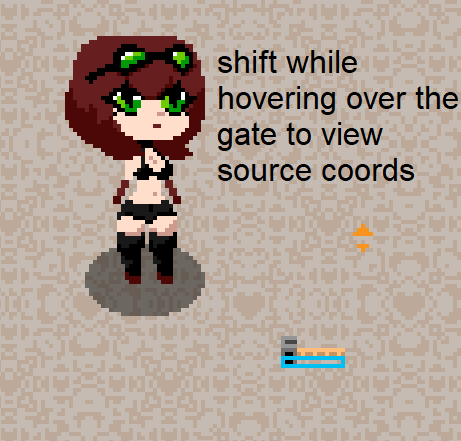
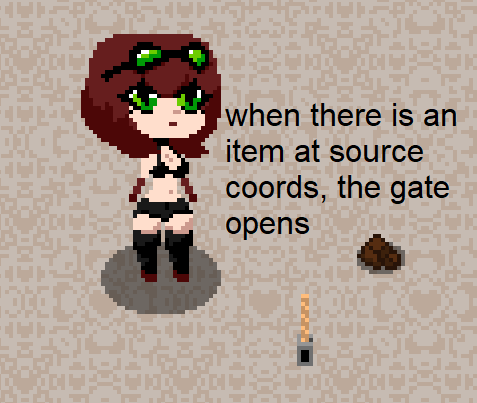
Here is a little guide on how to use the logic gates:

Hold the logic gate

Set its source by control right clicking
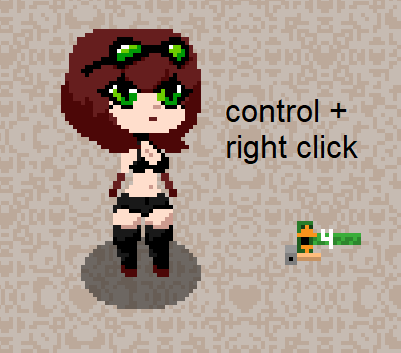
Place the logic gate

You can view its source coords by hovering over the logic gate
The gate stays open for as long as there is an item at source
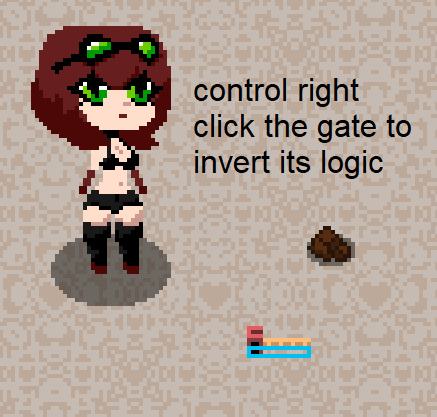
Inspector panels can be used alongside the logic gates, as they can detect information about structures and react to it. You can have a panel detect if there is an item inside the press, and a gate that detects if the panel has detected something.

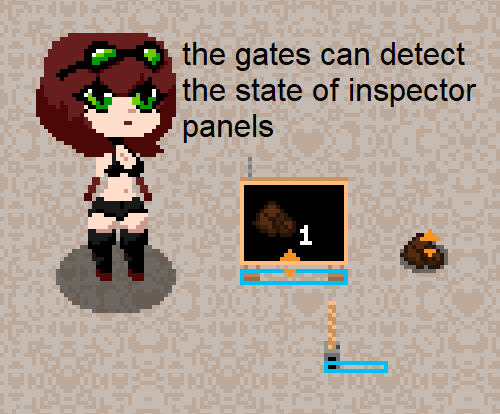

I hope this helps

(+3)

i'd like to make a mod for the game but i don't know were to start,

i have already modified the sprites to customize how to game looks but i'd like to add new things like an electric furnace or more growth stages but i don't know how to decompile the game 

can you help me ?

or anybody else ?

Developer(+1)

I was actually looking into how I could add mod support a while back, but I couldn't figure out a good way to do it. I have been considering just releasing the source files when I release the next update, and in that case, you won't need to decompile the game yourself.

Getting the source files would be awesome. Honestly, you could make a Gain Factory 2 or make some updates and people would pay money for it if you want to get some money out of your work

(+1)

Is There like a walktrough for the game? I want to see what do i do further in the game because im lost

Developer

I haven't had the time to make a proper walkthrough, though there are some posts here in the comments for the game that may be useful. The weightgaming thread for the game also has some.

I don't think there are any walkthroughs, but I suggest looking at the game's page on Weight Gaming for any help. I can also help if you need any guidance on what to do next. 

I don't think there are any walkthroughs of the game (or at least I haven't seen any). You can check the forum on Weight Gaming that might be able to help. Where are you in the game right now I might be able to help with where you should go.

From what I've seen I don't think there are any walkthroughs of the game but the forum on Weight Gaming can probably help you a bit. Where are you in the game right now I might be able to help you progress.

Ok, my nearest oasis has started exclusively growing mushrooms...

nvm

(+1)

How can i automate eletricity production?

Developer

You can make this setup for automatic chocolate and hook it up to a stirling engine. 

(+1)

soooo when are we getting an other update 

Developer(+2)

It should be out before the summer. I have a few more features to implement, as well as bugfixing and polishing, but it shouldn't be too long left now.

(+1)

Can you no longer spawn items in cheat mode?

Does it only give you infinite buildings?

Developer

I haven't changed the cheat system in v10.2 so you should still be able to spawn items. You should be able to use the arrow keys to change the item count and item id, otherwise you can try toggling cheat mode and see if it works.

(+1)

how do i grow mushrooms ;-;

Developer

You have to convert them into spores, and then you plant the spores in the pot

how do i get later versions of it

Developer

The newest version that is currently out is 10.2, and you can download it from this page.

how do i get older versions of it i mean

Developer

I don't have a proper version archive anywhere, though I should maybe set one up. For the time being, you can contact me on discord and I can send you the version you need.

ok mine is themadhacker99

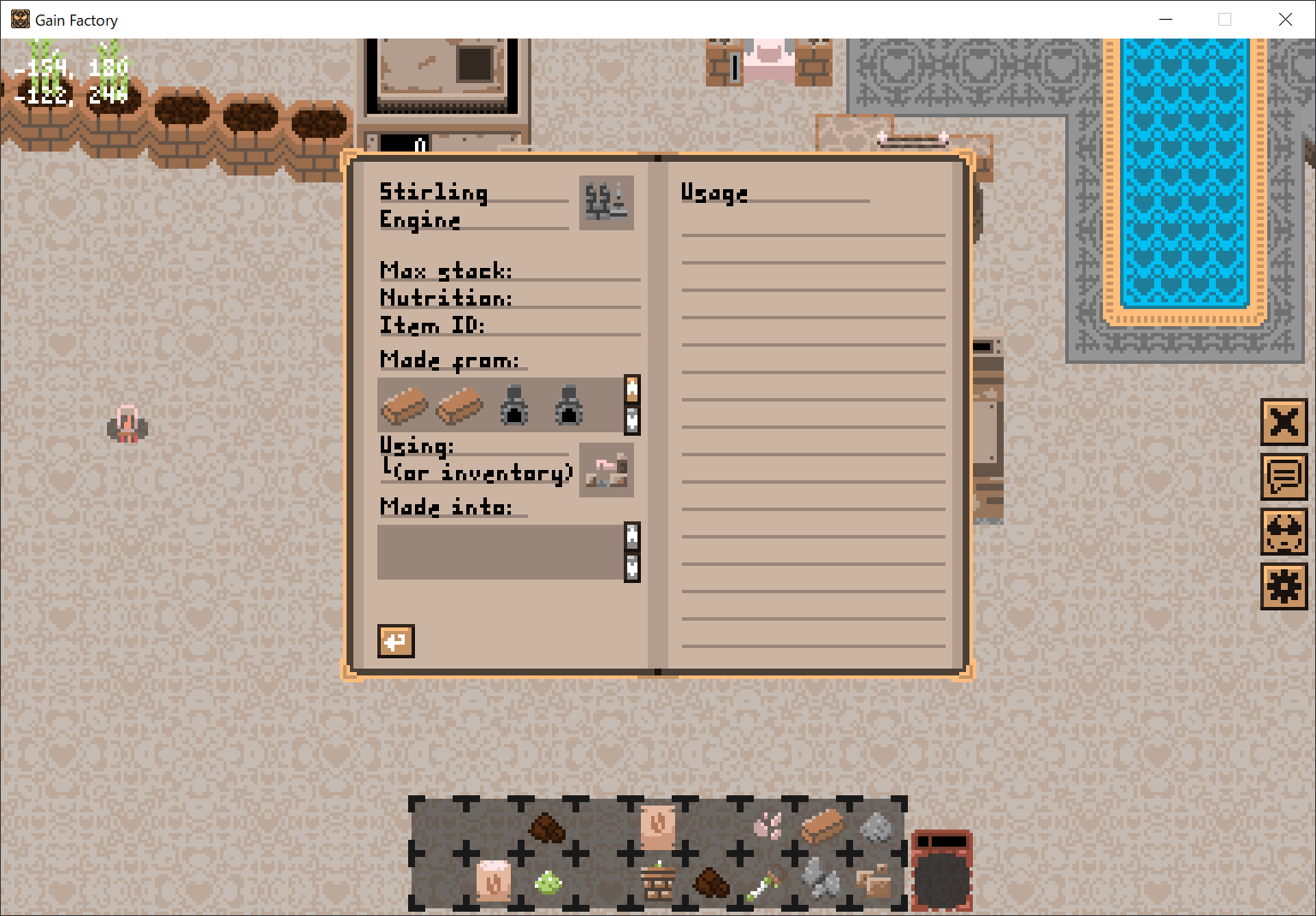
For some reason I cant make a stirling engine in the inv. Is this not the right way or is it bugged?

If it is bugged does someone know how to fix it?

Developer

I think the issue you're having is that some items require 6 items to craft, and the recipe book only shows 4 at a time, but you can scroll using the arrows to the right of the list. It's weird design on my part. The stirling engine should take 2 bricks, 1 cog, 1 glass, and 2 ovens.

i would love if there was a way to see scematics or a way to place "ghost" items like in factorio

so I've been playing for a little bit and was curious if there was a way to get an electrical furnace because having cooking items also be used as fuel is definitely a choice...

There will probably be an electrical furnace either in the next update or shortly after via mods (as the developer has stated they'll probably release the source code for the game). 


But going back to the issue you're having there is a way to make it work (it's a little complicated). I will probably show the blueprint of how to do it shortly.

Deleted 2 years ago

umm... would love to view this link but apparently it's against google terms of service

(1 edit) (-1)

Tried to make a burner email account to upload the PDF but Google thought I was a bot, sorry about that.


Managed to take this screenshot of it. You'll have to open the image in a new tab because of how small it is.
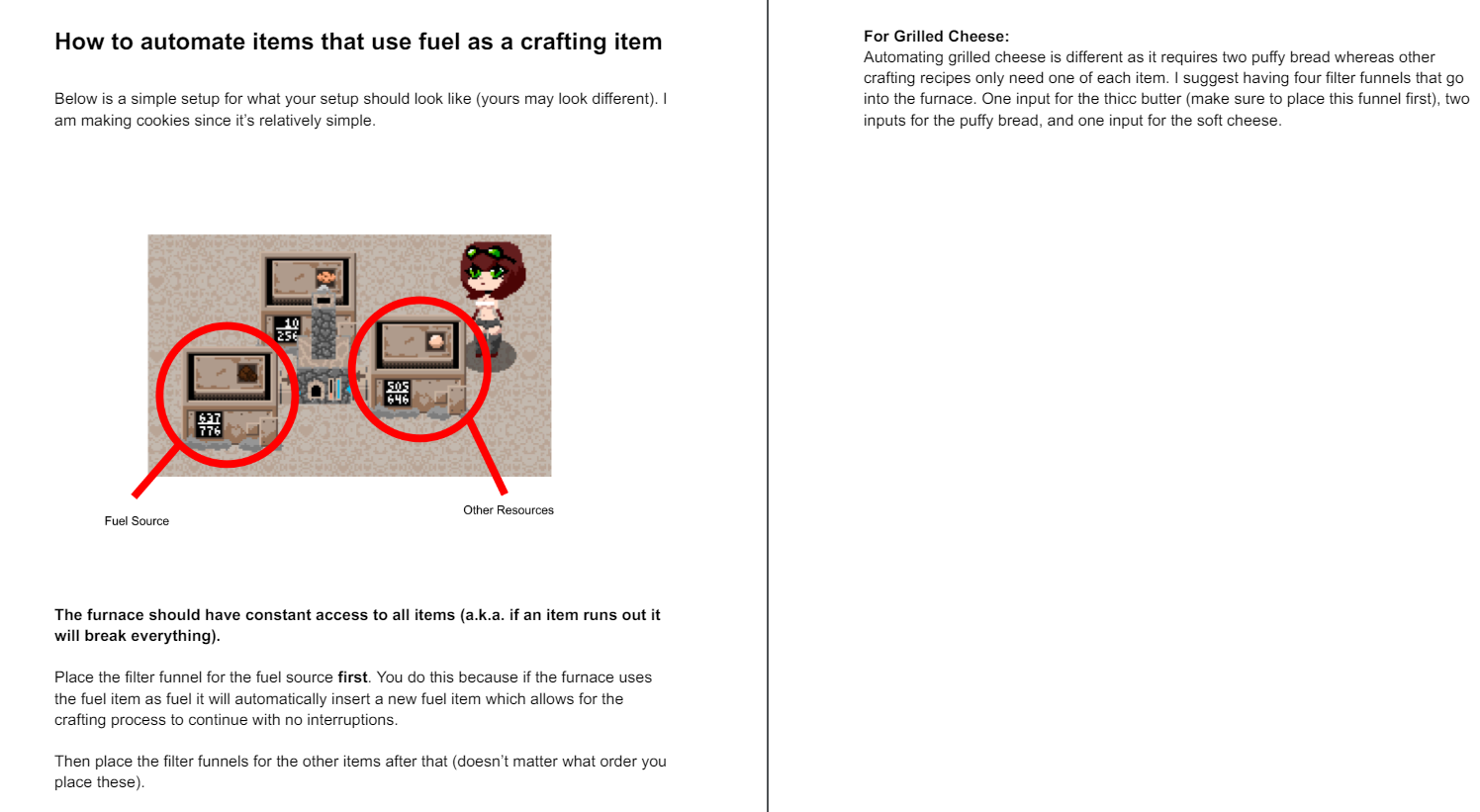
(+1)

i've been messing around with the iron chest and was wondering if there was a way to detect when it's unable to accept any more items, i know that there's the screen and logic gate but it only seems to detect if there's something at all in there

Developer

You can probably make a system that detects backlog at the funnel or belt leading into the chest, but I don't think there is a way to use the inspector panel to detect if the chest is full. In the next update, there will be a way to configure the inspector panel, so then you will be able to set its threshold to the capacity of the chest and detect fullness in that way.  For now, fullness has to be detected indirectly.

You could probably have a logic gate detect if there are items on the input belt and start some sort of timer contraption, then if the items haven't been cleared out by the end of the timer, it means that the chest is full.

(1 edit)

so, i developed automated caramel mass but every so often the fuel doesn't get added in time or something and i have no idea what the problem is, i've had similar issues with similar machine's and was wondering if it was a screen loading issue or something? since it only ever seems to happen when they're out of frame (the automated banana-toast on frame can also have a similar issue)

edit: just realize it's not obvious but the screen next to the iron chest is linked to the furnace, which is linked to all the gate's used by the setup not that it's all that important 
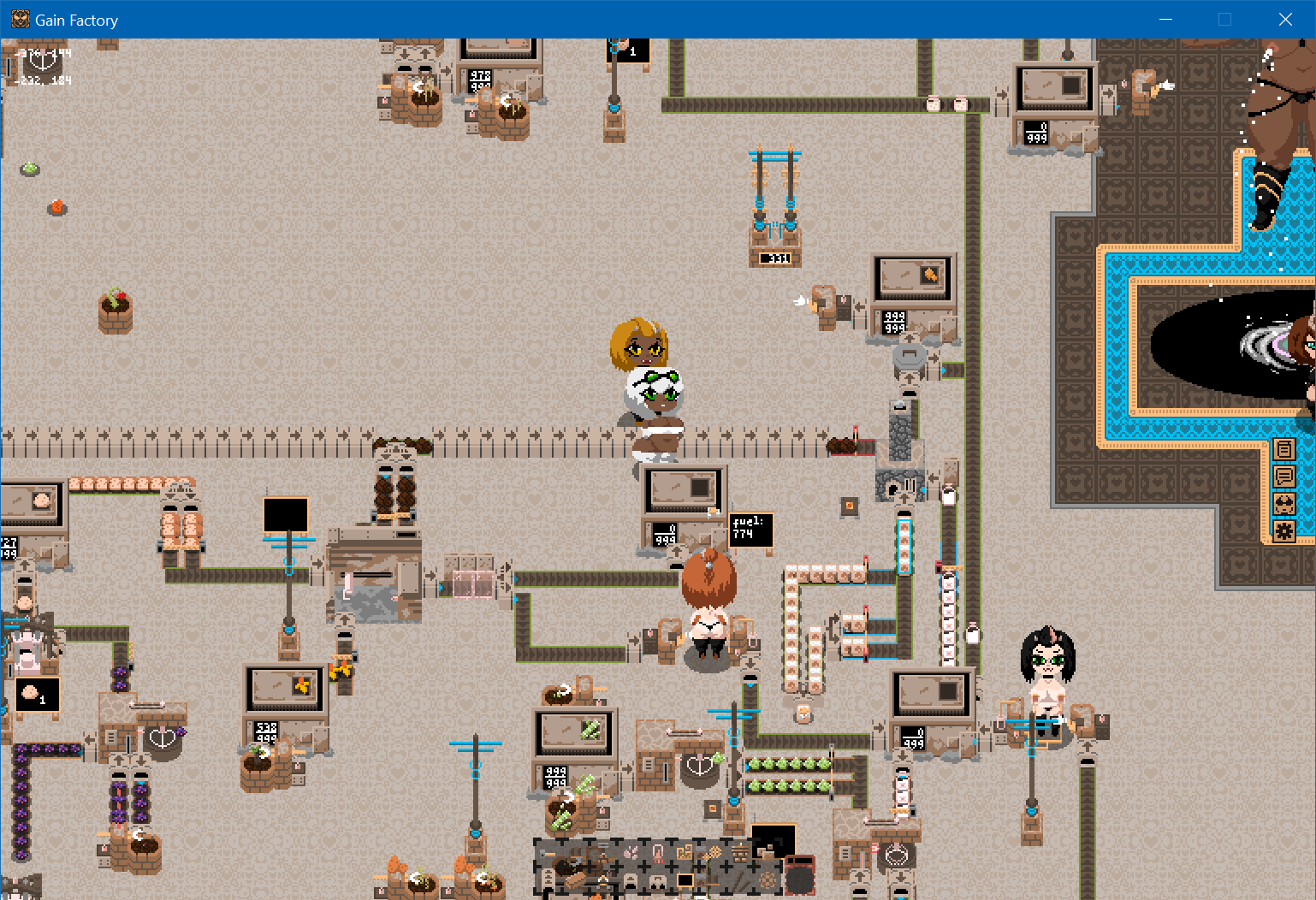
just found out i was needlessly complicating and delaying things by using a screen, will do a splitter setup that detects only one caramel when cooked and see how that goes

(+1)

dear developer, is there any possibility to translate the game into another language?

if not, can you add Ukrainian/Russian?

I beg you because I really liked your game, but I can’t fully enjoy it because I don’t know English :(

Developer

I have wanted to add support for translations of the game, and I think it would be a good thing. I myself don't know russian or ukrainian, so I wouldn't be able to translate the game myself, but I think I definitely should make a system where people can make translations for it. I can't promise anything yet tho, but I have been considering it.

(+1)

ok, thanks for the answer, I hope for a new update)

(2 edits) (+2)

Don't mean to rush the game at all, but will the next update be soon? I know you mentioned it should be out before the summer and that's coming up pretty soon. I'm just really excited to see what's next for this game. Thanks and keep up the great work.

Developer(+2)

I am currently doing the last of the playtesting. It is basically done, just a few more things to polish up before release. If all goes well, it should be out within the next week.

WE ARE SO BACK

(+1)

The game looks fun and i would really want to try it out but my s key doesn't work on the keyboard... I don't really know if it is hard to create a bind change in the settings, but if it is possible i would be glad if you could add it in the next update, will be waiting!

(1 edit)

If you want to play ASAP, I'm pretty sure you can reassign a key on your keyboard to bind to 'S'. I found this tutorial if you're on Windows 11. But honestly it'd probably be better if you just got a new keyboard I couldn't imagine how annoying it'd be to type something and have to autocorrect everything because I couldn't use 'S' lol.

Developer

The point is valid, tho. The game should have a way to rebind controls. I'll look into it at least. I can't promise that it will be implemented before release, but it's a thing that I would ideally want to have in the game.

Yeah that's fair. Honestly if keybinds/other languages are implemented into Gain Factory it should honest to god be a Steam game because I've played $10-$20 games with much less accessibility/content than this one.

Hi im having troubles finding out how to use inspector panels and gates to automate recipies in the different crafting stations and was wondering if it is possible to get quick guide for dummies. My main problem with panels is that I dont get how I set them to a struckture because all I get is a questionmark

Inspector panels are really useful for furnaces.

With inspector panels, you are able to detect if a furnace is out of fuel. This is useful because you can have a logic gate 'connected' to the inspector panel that can allow for fuel (such as chocolate fossil) to be inserted into the furnace. I really haven't found any other uses for the inspector panel.

Logic gates are one of the most useful items in the game.

The majority of my earlier designs use logic gates. I used them to detect when an object is created from any machine and allowed for its crafting items to be inserted into the machine. Just make sure that you do not run out of a crafting item, as if you do it could potentially ruin your whole setup. I suggest over-producing items for all your setups, and any overflow just destroy it with a trash can.


Please let me know if you have any questions with what I said (or anything else). I want to write a guide for this game after the update gets released, as this game is honestly an 11/10 but I know some people are not familiar with factory games so any feedback will be appreciated. 

I don't know if this is a glitch or just me being dumb, but I am unable to remove any building. I am holding space and then left-clicking on the building, is that correct?

Yeah that’s totally correct - weird.

(1 edit)

 Can`t make a stirring engine .


(2 edits)

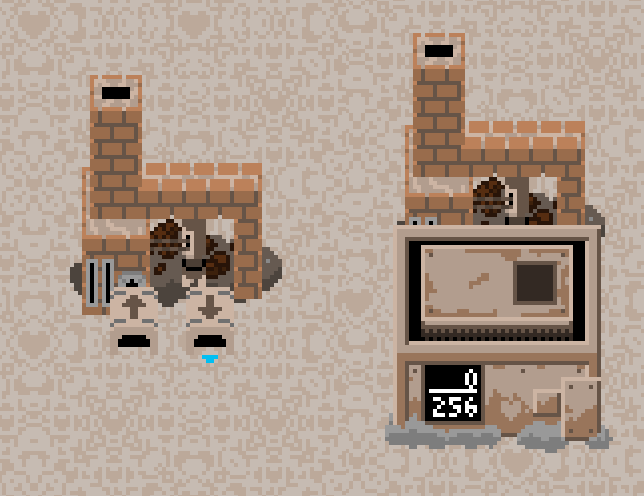
A sterling engine has 6 items for its recipe. You can view the other items with the brown up arrow next to the furnace in the crafting book. 

EDIT: I felt like I was missing something and I was. Sorry I thought you didn't know that you could 'scroll' through the items (it looks like you already did). Hope you found out what was wrong. I've seen some people experience the same issue but I'm not too sure if it's a game bug or user error.
Viewing posts 121 to 140 of 224 · Next page · Previous page · First page · Last page