

你好,第三章有存档覆盖过去的方法,可以继承,谢谢支持❤️
Ouji
Creator of
Recent community posts
Thanks for asking! I’ve already stated on the game page that the backgrounds are AI-generated. The other visual assets are not AI-generated.
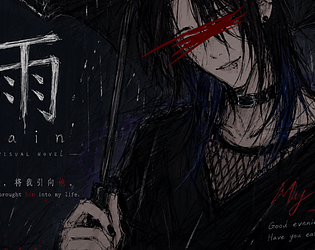
The NPC silhouettes are edited from free assets I found, and Azrael’s character artwork is drawn by me.
The story and dialogue are originally written by me in Chinese. English is not my native language, so I use AI tools to assist with polishing and English translation. That may be why some of the English sounds a little stiff sometimes, and I’m still working on improving it!
Thanks for playing and for liking the game. <3
Yes! I just tested it on Android. 🖤 If you're using the bilingual (Chinese/English) version of Chapter 2, you can install the Chapter 3 version directly over it without uninstalling the old version first. I tested it myself, and my save data carried over and loaded normally! Please make sure not to uninstall the previous version before installing Chapter 3. 🥹 If you're not sure which version you have, let me know and I'll try to help!
Ah, I see! Sorry for the confusion! 🖤 The language selection screen doesn't appear immediately when you launch the game. From the main menu, click “Start Game” first. You'll see a short information/disclaimer section, and after that, the language selection screen will appear. You can choose English there! I recently released a new version as well, so I'd recommend downloading the latest version if you haven't already. 🖤
Hmm, that's strange 🤔 The language selection screen should appear automatically when you launch the game. What happens when you start it? Does the language selection screen not appear at all, or does choosing English not work? If possible, you can send me a screenshot too, and I'll try to figure it out! 🖤
Hi! Thanks for wanting to play the Android version! It's totally understandable that it's a bit confusing at first — the game is distributed as a .zip file, so it needs one extra step before you can install it.
Here's how to get it running:
Download the .zip file to your phone.
Open your phone's file manager app (most Android phones have one pre-installed).
Find the downloaded .zip file and tap on it — then select "Extract" or "Unzip".
Inside the extracted folder, you'll find an .apk file. Tap on it to install.
If your phone shows a warning like "Install from unknown sources", just go to settings and allow installation from this source, then try again.
The two files you mentioned are normal — one is the .zip and one might be the extracted folder. You only need to keep the extracted folder and install the .apk inside.
Let me know if you still run into any issues! 🖤
Thank you so much for coming back to tell me this — and I'm really glad the installation worked!
It means a lot that you took the time to play through both routes. And the fact that you felt the claustrophobia in the imprisonment route? That's honestly one of the best compliments I could receive.
About the last two CG slots in the gallery — they're currently empty on purpose. They'll be unlocked in Chapter 3, so they're not missable, just not available yet 😅
Thank you again for giving the game a chance, and for such a thoughtful message. I hope Chapter 3 lives up to your expectations 🖤
Hi! Thank you so much for your interest in the game — and I really appreciate you letting me know about this.
You're absolutely right — the Android version is currently distributed as a .zip file, which does require an extra step to install.
Here's how to get it running on Android:
After downloading the .zip file, use a file manager app to extract/unzip it.
Inside the extracted folder, you'll find an .apk file. Tap on it to install.
If your phone shows a warning like "Install from unknown sources" or "Blocked by Pure Mode", you'll need to go to your phone settings and temporarily allow installation from unknown sources (or turn off Pure Mode).
I know this is more complicated than downloading from an app store, and I really appreciate your patience. If you still run into any issues, feel free to let me know and I'll do my best to help.
Thank you so much for wanting to play 🖤
Hi! Thank you so much for wanting to try the game — and I'm really sorry you ran into this issue.
From your screenshot, it looks like the UI and buttons are working fine, but the images aren't rendering. That usually means the game logic is running, but something is blocking the visual layer.
If you're playing on PC, could you try:
- Changing the game resolution (in the settings menu, or from the launch window)
- Switching between fullscreen and windowed mode (some PCs have trouble with fullscreen rendering)
If you're playing on Android, could you try:
- Checking that the game has storage permission enabled in your phone settings
- Turning off any "game booster" or "performance mode" if your phone has one
If it still doesn't work, could you let me know whether you're on PC or Android? That would help me look into it further.
I really hope you get to play it — and thank you for being so patient 🖤
Thank you for your kind words and for asking! I did think about it quite a bit before deciding to use AI for the backgrounds.
The story takes place in a fictional town that isn't really part of any specific country, and it was surprisingly hard to find existing photos that matched the exact mood and atmosphere I had in mind. Using AI helped me bring those scenes to life more quickly, and it also let me focus more of my time on the characters and the writing.
I really appreciate you asking in such a gentle way — thank you 🖤
Thank you so much for this incredible comment — it really means the world to me. It's not every day that someone takes the time to share such detailed thoughts, and I honestly read it more than once.
The fact that you played it a second time just to catch those subtle details… that's something I never expected, and I'm truly grateful.
About the music — all of the background music in the game comes from Audionautix (https://audionautix.com) by Jason Shaw, and the track that plays during the Thomas confrontation scene is called "DubstepLight".
As for the eye detail you noticed — yes, you're absolutely right! The eye covered by his hair is intentionally darkened, and it only becomes visible again in moments when he's genuinely happy. I'm so glad you caught that.
And the red text bug you found — thank you for pointing it out! I'll make sure to fix it in the next update.
Thank you again for playing, for replaying, and for leaving such a thoughtful message. It truly made my day 🖤
Thank you so much for your incredibly kind words — they honestly made my day 🖤 I'm so glad you enjoyed the art and atmosphere enough to replay it multiple times!
And about the two missing pieces in your gallery — I have a confession to make 😄 They were never there in the first place! Those two slots were left empty intentionally (maybe for future content? who knows 👀). So you've actually collected everything that currently exists in the game. You're already a true completionist 🖤
Thank you again for playing, and for taking the time to write this. It means a lot ❤️
Muito obrigado pelo seu comentário! Fico muito feliz que tenha gostado do jogo mesmo usando tradutor 🖤 Sobre a tradução para o português — está nos meus planos, mas infelizmente não vai acontecer tão cedo. Ainda assim, saber que você chegou até aqui com um tradutor me dá muita vontade de acelerar esse processo. Muito obrigado de verdade ❤️
Muito obrigado pelo seu comentário! Fiquei muito feliz em ler isso. Também estou usando um tradutor para te responder, então se algo soar estranho, foi o tradutor, não eu kkkkk. Fico muito feliz que você tenha gostado da história, e pode ficar tranquilo, não vou desistir do projeto. O Capítulo 3 está a caminho ^_^
Thank you so much for your kind words and support!
I’m really happy to hear that you’re interested in an English translation of Rain: Silent Night. I do plan to make an English version in the future, most likely after Chapter 2 is released.
Thank you again for your patience and encouragement — it truly means a lot to me!❥(^_-)
