Indie game storeFree gamesFun gamesHorror games
Game developmentAssetsComics
SalesBundles
Jobs
TagsGame Engines

cake-icing

10
Posts
A member registered 29 days ago

Recent community posts

I'd want to bump this question again. Maybe there are new developments. Saving a deck as an HTML file is neat, however, the web version of Decker struggles with cards where there are multiple animated widgets – it's just super slow. So, I was pondering on the same question as the author – how can I bundle my decks as a single _windows_ executable.  I've heard that people release games made in Decker on Steam – so it should be possible. 

I experimented a bit with the Enigma Virtual Box – it lets package an executable (Decker) + virtual FS (with a deck file) as a single exe file. But I wasn't entirely successful. It's also a pain to run windows software on wine in MacOS   (I know, it's self-inflicted pain, but I have what I have :) ).
Got it. I liked `zazz.march` exactly because of its simplicity :) The only thing lacking for my use case is "halting" the animation (or all animations currently managed by zazz) . I don't know how it fits with your architectural vision for the zazz module, but it would be nice if it exposed some kind of a `purge` method that just stops any active animations managed by zazz (by purging its internal state). Or, better off, a method for "unregistering" individual targets that are currently being animated. 

Anyway, I'll be looking for workarounds. Thanks!

I have a zazz question. (I couldn't find a separate forum post dedicated to this module). I'm using `zazz.march` to move a canvas through several points. How do I programmatically "stop" the marching animation? Or put in on hold and resume later?

That's an excellent starting point! Thank you for taking time to break it down for me.

And one more question, somewhat related this one. The "map" card aside from the image, has some field widgets with text – I used field widgets purely as labels. Simply because it lets me align text (center it) and easily move it around. Is there a programmatic way to convert the text in a label (with all the fonts and alignment) to an image? The only way that comes to mind is to create a canvas widget, assign it the same font as in the field, and then call the `.text[]` method – but then I'd need to split multi-line strings and calculated positions and anchoring every time.  

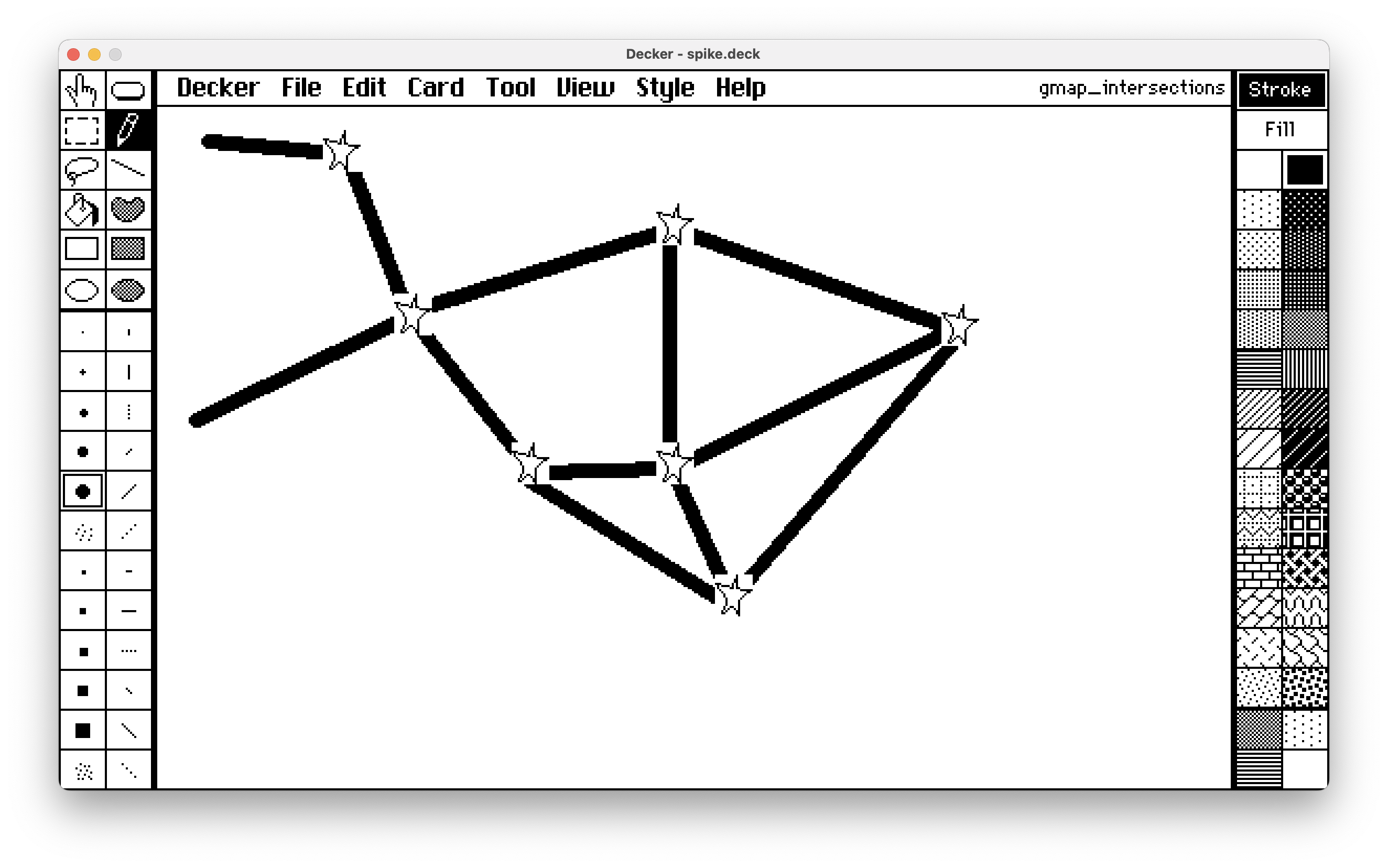
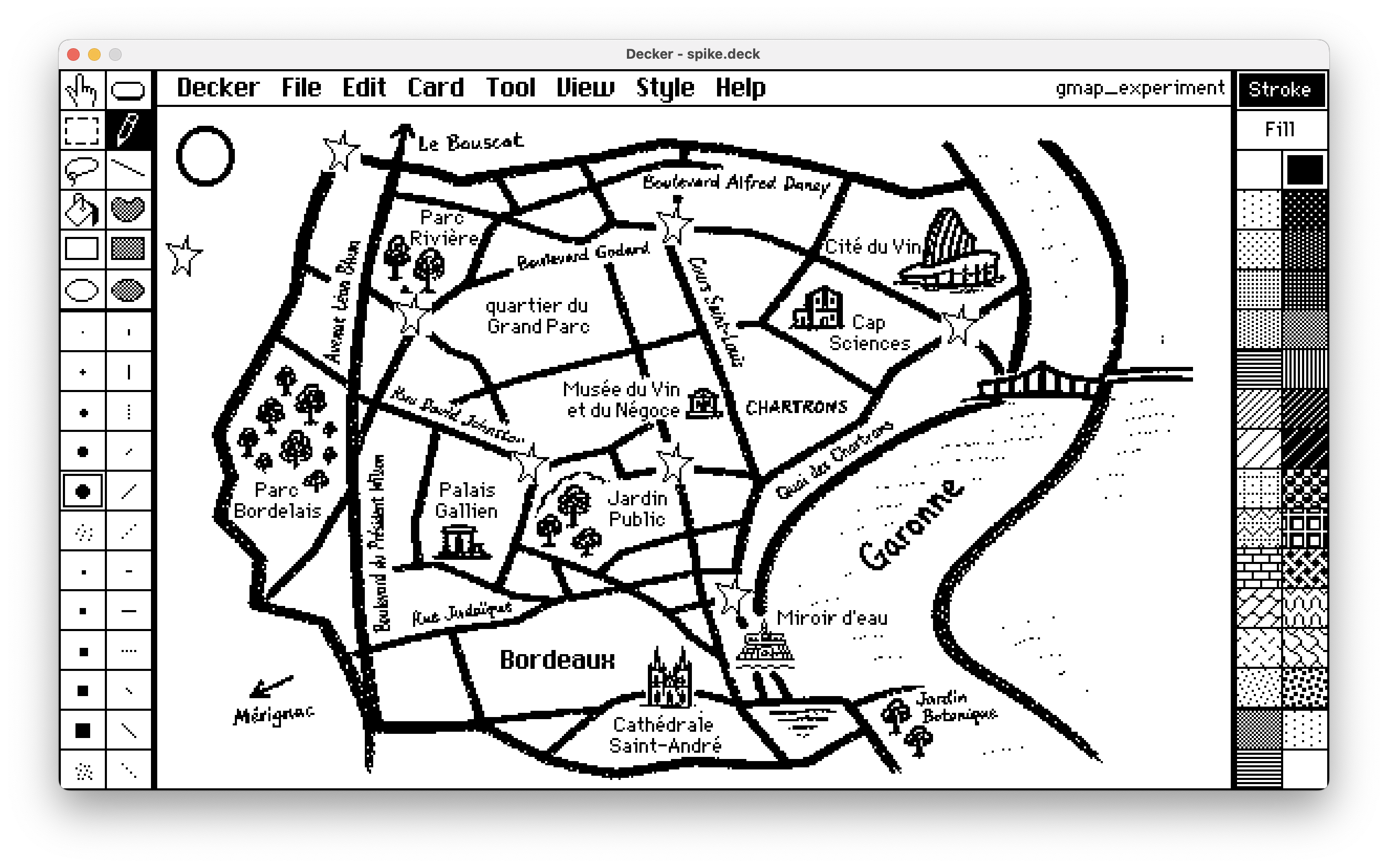
I have two cards. The first one is a "map":

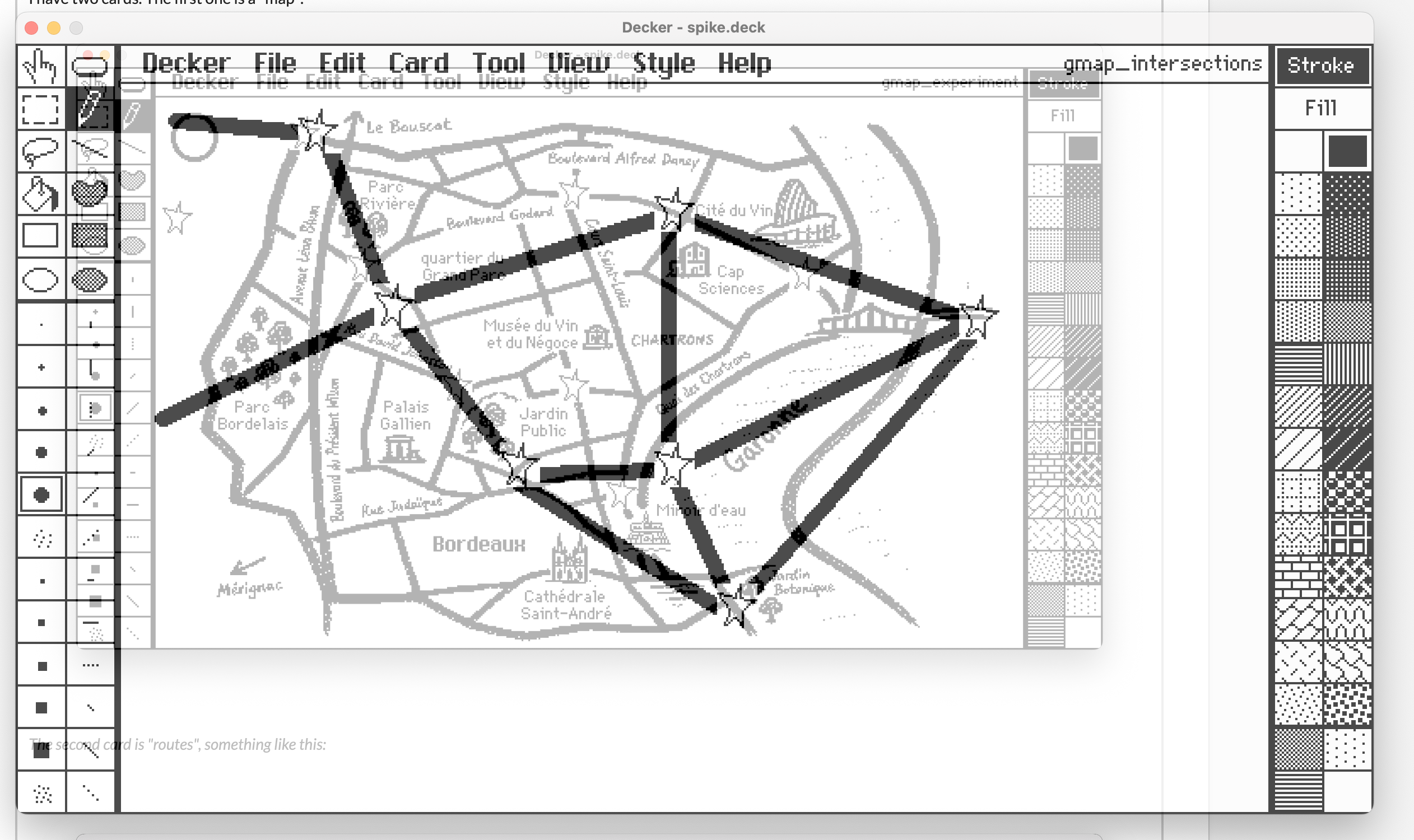
The second card is "routes", something like this:

I want to bring the the "map" card image as a background to the "routes" card by some user event. The caveat is that I want this background "dimmed down".  Ideally, to achieve something that decker provides with the "Style->Tracing Mode":


   I would appreciate any suggestions. Thanks!

(1 edit)

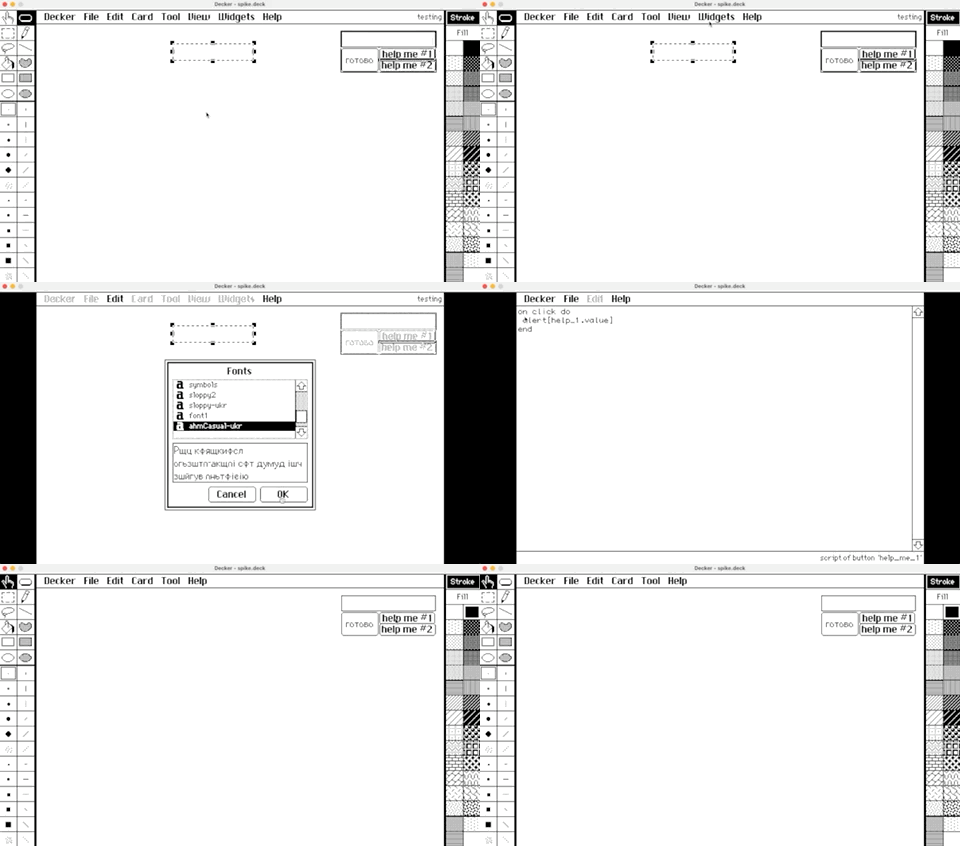
Hi IJ. It seems like alert[source.value] doesn't respect the source's font. Also, thank you so much for answering all our questions! 

Now it all makes sense. Thank you!

(3 edits)

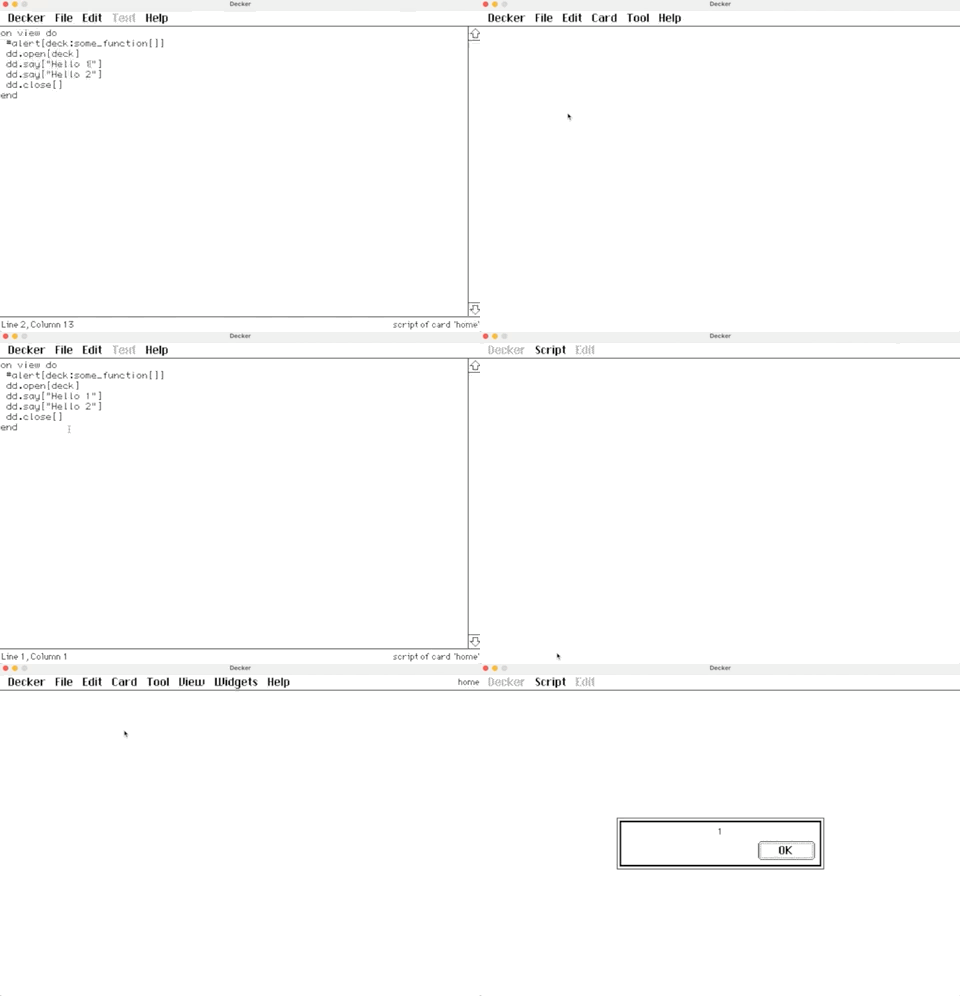
In my game, I moved some of the common logic to the deck-level script. However, when I make a call to one of the function from the deck (e.g., deck:set_progress[me 2]), it breaks the Dialogizer altogether.  The `dd.open[deck], dd.say[...], etc, dd.close[]` just stops working. So weird.

I created a very simple deck where I reproduce the behavior: 

I would appreciate any advice on this. 

Thank you!

alarm.event["view"] 

does exactly what I need. The event pumping is something I missed when I was looking through tutorials. Thanks again. 

(1 edit)

I've been implementing a simple visual novel game using the Dialogizer module. I wonder if I could render an animation in a canvas using the zazz.flibook while in the "dialog" mode? Let's say I have the following code

`on view do

 alarm.animated: 0

 alarm.show:"none"


 dd.open[deck]

 dd.say[deck.cards["intro_dialogs"].widgets["dialog"].value]

 dd.close[]

end

`

While in `intro_dialogs:dialog` I have something like

`

Phrase 1

Phrase 2

!play:track

Phrase 3

!alarm

`

There is a command handler in the card's script:

`

on command x do

 # alert["" fuse "intro:got command:", x]

 if x like "play:*"

  track:(":" split x)[1]

  if !(track = "stop")

   play[track "loop"] 

  else

   play[0 "loop"]

  end 

 end

 if x~"alarm"

  alarm.animated: 1

  alarm.show:"transparent"

 end

end

`

Where `alarm` is a canvas with the `on view` handler that runs a zazz.flibook. 

Upon reaching the `!alarm`, the alarm canvas becomes visible but no animation. And only after `dd.close[]`, the zazz kicks in. I read in the tutorial that `dd.say` is synchronous – it blocks the global event loop – while it would still call the `on animate` handler every now and then. But, I guess, I can't use zazz in this handler?