Thanks for the feedback! Really appreciate it!

Heroicbanana151
5
Posts
3
Topics
3
Followers
A member registered Mar 09, 2021 · View creator page →
Creator of
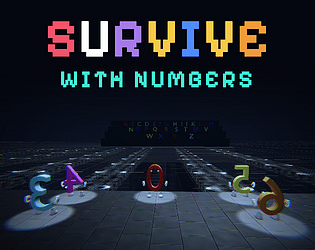
Objective is to identify the Lucky Number through physical observation and clues, then reach the safety zone.
Puzzle
Play in browser
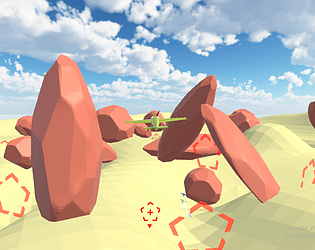
A Journalist investigating a series of murders/suicides, leads to a skeptical application named 'virtual art gallery'.
Simulation
Recent community posts
Date: 8/11
Today's objectives:
- Set up
.gitignore. - Create a map for the prototype:
- Create platforms and safety zones
- Create tile path to safety zone
- Create the TV prefab
- Create the barrier
- Create the Toxins below
- Proceed with prototype:
- Set up the player controller interaction with TV.
- Create the NPC prefab and spawn nine unique numbers.
- Use round robin or some other similar algo for assigning the numbers and spawning 10 characters including the player.
- Implement Lucky Number assignment, including both possible cases:
- Player is Lucky.
- One NPC is Lucky.
- Implement basic NPC movement using predefined paths.
- 5 NPCs with physical quirks and 4 or 3 normal NPCs that are unlucky
- Implement the seven quirks using temporary models or simple animations.
- Implement the five-minute timer.
- Implement barrier movement
- Implement Death screen and Victory screen
- Implement other UI aspects like main menu with play button
Completed:
Problems encountered:
Solutions:
Spillovers:
- Set up
.gitignore. - Create a map for the prototype:
- Create the barrier
- Create the Toxins below
- Proceed with prototype:
- Implement the seven quirks using temporary models or simple animations.
- Implement barrier movement
- Implement Death screen and Victory screen
- Implement other UI aspects like main menu with play button
- Implement timer UI elements
Tomorrow's objectives:
- Set up
.gitignore. - Create a map for the prototype:
- Create the barrier
- Create the Toxins below
- Proceed with prototype:
- Implement the seven quirks using temporary models or simple animations.
- Implement barrier movement
- Implement Death screen and Victory screen
- Implement other UI aspects like main menu with play button
- Implement timer UI elements
Deliverable: A playable prototype in local machine
Date: 7/11
Today's objectives:
- Create itch page for the prototype build
- Create Unity project and configure input, rendering and basic settings.
- Set up Git repository and
.gitignore. - Create a clean folder structure: Scripts, Scenes, Prefabs, Materials, Models, Audio, UI.
- Set up the player controller: movement, mouse look and interaction.
- Block out the arena using cubes and simple geometry.
- Create the ten numbered paths.
Completed:
- Created itch page for the prototype build
- Created Unity project and configure input, rendering and basic settings.
- Set up Git repository.
- Set up the player controller: movement and mouse look.
Problems encountered:
- Bugs for scripts
Solutions:
- Go through the written code.
Spillovers:
- Set up
.gitignore. - Set up the player controller interaction.
- Block out the arena using cubes and simple geometry.
- Create simple map and Create the ten numbered paths.
Tomorrow's objectives:
- Set up
.gitignore. - Set up the player controller interaction.
- Block out the arena using cubes and simple geometry.
- Create simple map and Create the ten numbered paths.
- Create the NPC prefab and spawn nine unique numbers.
- Ensure the player's number is missing.
- Implement Lucky Number assignment, including both possible cases:
- Player is Lucky.
- One NPC is Lucky.
- Implement basic NPC movement using predefined paths.
- Implement the seven quirks using temporary models or simple animations.
- Implement the five-minute timer.
Deliverable: A rough prototype of the observation mechanic. No final art required.
Date: 6/11
Today's objectives:
- Brainstorm ideas with AI
- Design the GDD by today
- Setup the unity project and setup version control
- Setup plan for the next 7 days
- Include everything in the planning - prototyping, dev, sounds, animations, models, inputs from keyboard mouse and controller, design game for webpage and other platforms if needed.
Completed:
- Brainstorm ideas with AI
- Designed GDD
- Setup plan for the next 7 days
Problems encountered:
Solutions:
Spillovers:
- Setup the unity project and setup version control
Tomorrow's objectives:
- Create Unity project and configure input, rendering and basic settings.
- Set up Git repository and
.gitignore. - Create a clean folder structure: Scripts, Scenes, Prefabs, Materials, Models, Audio, UI.
- Set up the player controller: movement, mouse look and interaction.
- Block out the arena using cubes and simple geometry.
- Create the ten numbered paths.
Deliverable: A player can move around a basic arena and interact with objects. Git is working.


