Indie game storeFree gamesFun gamesHorror games
Game developmentAssetsComics
SalesBundles
Jobs
TagsGame Engines

Aluminati Studios

15
Posts
7
Topics
3
Followers
25
Following
A member registered Jan 30, 2026 · View creator page →

Creator of

Recent community posts

War Pigs community · Created a new topic Changelog V0.0.3

Changelog V0.0.3

Powerup System

Added

  • Manual powerup system with one stored powerup available at a time
  • Recon — reveals the enemy's next card before the round begins
  • Reinforcements — moves the player's current top card to the bottom of their deck
  • Sabotage — moves the enemy's current top card to the bottom of its deck
  • Shield — prevents the enemy from receiving the pot after the player's next loss
  • Powerup activation via the E key
  • HUD display showing the currently stored powerup
  • Protection preventing a new powerup from replacing one already held
  • Battle Hardened — awards a random powerup every 10 completed rounds, with delayed rewards if a powerup slot is already occupied
  • Last Stand — guarantees a Shield when the player reaches 10 or fewer cards, with delayed activation if a powerup slot is already occupied
  • Hot Streak — activates Double Down after three consecutive player victories
  • Double Down — pulls additional real cards from the enemy deck into the player's next winning pot
  • Tracking for completed rounds, consecutive wins, Battle Hardened milestones, Last Stand activation, Shield status, and Double Down status
  • Debug logs and on-screen messages for powerup rewards, activation, waiting conditions, Hot Streak, Double Down, Battle Hardened, Last Stand, and Shield usage
  • Dedicated HUD notifications showing the name and effect of newly acquired powerups
  • Separate Powerup Hint widget introducing controls at match start, with auto-fade
  • Outlined powerup notification text for readability against the game environment
  • Separate HUD text blocks for powerup titles and descriptions for independent styling

Changed

  • Last Stand now always awards Shield instead of a random powerup
  • Shield persists through victories and is only consumed after preventing a loss
  • Double Down remains active through losses until the player wins a round
  • Double Down removes actual card actors from the enemy deck instead of just adjusting displayed totals
  • Recon-revealed enemy cards are no longer re-revealed during the normal round sequence
  • Entire War sequences now count as a single completed round
  • HUD updates immediately when a powerup is received or consumed
  • Battle Hardened milestones advance in increments of 10 only after a successful reward
  • Shield-protected pots are destroyed and removed from the match rather than awarded to either deck
  • Powerup HUD redesigned from a single status label into a two-line title + description notification
  • Powerup descriptions rewritten as concise instructional text
  • Powerup HUD resets to "Powerup: None" immediately after activation/consumption
  • Initial gameplay hint layout separates the powerup tutorial from main gameplay instructions
  • HUD layout adjusted to reduce overlap between gameplay info and powerup notifications

Fixed

  • Shield being consumed on a player victory without protecting anything
  • Double Down card totals now draw bonus cards directly from the enemy deck
  • Double Down no longer remains active after successful use
  • Consecutive-win tracking now resets correctly on losses
  • Hot Streak counter resets after Double Down activates
  • Last Stand no longer repeatedly checks its threshold after the reward was already granted
  • Last Stand now correctly grants Shield instead of Recon, Reinforcements, or Sabotage
  • Battle Hardened rewards no longer lost when the powerup inventory was occupied
  • Stored powerups no longer overwritten by newly awarded powerups
  • Recon cards no longer produce repeat reveal behavior in the following round
  • Long powerup descriptions no longer overflow the HUD (separate title/description blocks with word wrapping)
  • Powerup notification readability improved via text outlines and sizing adjustments
  • Deck counts remain correct after normal rounds, Wars, Sabotage, Reinforcements, and Double Down
  • Shield correctly reduces cards remaining in circulation when its protected pot is discarded

Removed

  • Temporary powerup award used during BeginPlay() testing
  • Code that cleared Shield after any completed round
  • Random powerup call from Last Stand
  • Temporary Last Stand testing threshold (restored from 25 cards back to 10 cards)

Multiplayer Controls

Added

  • Multiplayer controls section in the Control Menu

Settings Menu — Unsaved Changes Handling

Added

  • Check for unsaved settings changes (currently supports VSync toggle only; other graphics settings not yet covered)
  • Apply and Discard logic for unsaved settings changes

Changed

  • Multiplayer HUD updated to match new inputs
  • Debug messages updated to match new inputs
  • Settings slider now plays audio after release
  • Pause menu background track changed
  • Win/loss audio implemented for both full-game and round-level outcomes in multiplayer mode

War Card Freeze & Visual Fixes

Added/Fixed

CardActor.cpp

  • RevealCard(): added a modulo-based fallback index so a card always updates its sprite even when CardID exceeds the CardSprites array bounds, preventing silent no-op reveals
  • Added clearer error/warning logs distinguishing an empty CardSprites array from an out-of-range index versus a null sprite entry

DeckActor.h

  • Changed DrawTopCardActor() signature to accept an optional USceneComponent* SpawnPoint = nullptr parameter

DeckActor.cpp

  • DrawTopCardActor(): now calls RestackAllCardVisuals(SpawnPoint) after removing the top card (when a spawn point is passed in), so the next card in the stack is repositioned to the correct visible height instead of staying buried at its original spawn offset

WarPigsDefaultGameMode.h

  • Added bool bWarOccurred to track whether the current round escalated into a War, used to control result messaging
  • Added void MoveCardToPot(ACardActor* Card, int32 PotStackIndex, bool bIsPlayerCard); declaration for repositioning drawn cards away from the deck stack

WarPigsDefaultGameMode.cpp

  • PlayBattleRound(): split into iterative PlayRoundStep() / ResolveRoundStep() flow (using RevealDelayTimer) instead of resolving instantly, so reveals are visibly paced
  • ResolveRoundStep(): passes Table->PlayerDeckSpawnPoint / Table->EnemyDeckSpawnPoint into DrawTopCardActor() calls (including War burn loops) to trigger the deck restack fix
  • ResolveRoundStep(): calls new MoveCardToPot() on every drawn/burned card so it's visually offset to its correct side of the table midpoint instead of overlapping the opposing card or the deck stack
  • MoveCardToPot() (new): computes offset direction from actual PlayerDeckSpawnPoint/EnemyDeckSpawnPoint positions (not spawn point rotation) to reliably place player cards toward the player side and enemy cards toward the enemy side
  • FinishRoundAfterReveal(): added bWarOccurred = false; reset and a Table null-check guard to prevent stale War state and null dereference carrying into the next round

Added

  • Difficulty increase upon winning an AI game

Unsaved Changes Popup

Added

  • New class for Unsaved Changes Popup
  • ToggleButtons function added to Settings Menu

Auto Play & HUD Animation

Added

  • Auto Play controls and gameplay support
  • Auto Play HUD notifications using the existing HintText widget
  • Auto Play enabled and disabled feedback
  • Tick-based HUD fade and pulse animations
  • Round result color coding
  • Round result pop animation
  • War round state tracking
  • Special War pot-capture messaging
  • Card rank information in reveal debug logs

Changed

  • Updated the gameplay hint to show that A toggles Auto Play
  • Preserved separate multiplayer HUD instructions
  • Replaced timer-based hint animation with tick-based animation
  • Updated player round victories to display in green
  • Updated enemy round victories to display in red
  • Updated War results to display in gold
  • Improved War results to show which side claimed the pot
  • Updated War messaging to display the total number of captured cards
  • Improved card comparison and reveal logging
  • Disabled the VisualStudioTools plugin for successful project builds

Fixed

  • War results now display the correct total pot size
  • War rounds now visually differ from normal round victories
  • Fixed unclear feedback after tied card comparisons
  • Fixed Auto Play hint fading and pulsing behavior
  • Fixed War result formatting so Pot.Num() supplies the displayed card count

Unsaved Changes Screen Blueprint

Added

  • Unsaved Changes Screen Blueprint

Changed

  • Controls on Controls Menu

Fixed

  • Squished text on Results Screen

Auto Play System Implementation

Added

  • ToggleAutoPlay and IsAutoPlayEnabled functions to AWarPigsDefaultGameMode to allow rounds to be played automatically without manual card clicks
  • AutoPlayTick, a repeating timer callback that checks bRoundInProgress before simulating a click on the top player card via HandlePlayerCardClicked, ensuring auto play never fires mid-round
  • AutoPlayIntervalSeconds exposed as an EditAnywhere property so pacing between automatic clicks can be tuned without recompiling
  • Exec-marked AutoPlay function added to AWarPigsPlayerController, allowing auto play to be toggled directly through the in-game console
  • Bound a new AutoPlayToggle input action to AutoPlay inside SetupInputComponent, giving players a dedicated hotkey to enable or disable auto play during gameplay

Verified

  • Toggling behavior correctly starts and stops the repeating timer, and on-screen debug messages accurately reflect the current auto play state

Auto Play Auto-Disable on Game End

Fixed

  • Fixed a bug where AutoPlayTimer continued running after the match ended, causing the game mode to keep attempting to click cards behind the win/lose results screen
  • Updated CheckForGameEnd to detect when either deck is depleted and immediately clear AutoPlayTimer and set bAutoPlayEnabled to false before triggering HandleWin or HandleLose
  • Ensured the auto-disable happens directly rather than through ToggleAutoPlay, avoiding any risk of the flag being flipped back on if the end-game check runs more than once

Verified

  • Enabling auto play, playing through a full match, and reaching the win/lose screen now correctly halts all automatic card clicks with no further on-screen auto play messages appearing

Added

  • Audio for win/loss for both full game and per-hand outcomes implemented for play vs. CPU

Quality Options & VSync

Added

  • Quality Options and functionality
  • VSync check and functionality

HUD Layout Refactor & Texture Asset Consolidation

Fixed

  • Refactored HUD anchor and alignment logic to properly center core UI elements within the viewport across varying aspect ratios
  • Adjusted widget positioning offsets and pivot points on the HUD canvas to ensure consistent centering behavior at runtime rather than relying on static editor placement
  • Audited the texture asset directory to identify and resolve duplicate references, reducing redundant asset loads and cleaning up the content pipeline
  • Reorganized texture files into a consistent folder structure to improve asset lookup and reduce future duplication risk

Verified

  • HUD centering and texture references confirmed in-editor and in a live play session with no regressions to existing UI or material bindings

Screen Resolution Settings

Added

  • Screen resolution graphics settings, applied when save button is clicked

Windowed/Fullscreen Settings

Added

  • Windowed/Fullscreen options, with functionality for saving and applying settings

Diner Floor Material

Added

  • Floor material representing a diner floor

Cleaned Up

  • Duplicate textures removed
(2 edits)

War Pigs Devlog: Auto Play Not Stopping When the Match Ends

Author: Jeremy Cahill

The Problem:

Auto Play was built as a toggleable repeating timer that automatically clicks the top player card every few seconds, so testers wouldn't have to manually click through every single round. The issue was that this timer had no awareness of when the actual match ended. Once a player's or enemy's deck hit zero cards and the win/lose results screen appeared, the timer kept firing in the background, still trying to click cards that no longer mattered, essentially fighting with the results screen that had just taken over the input mode.


The Fix:


The real fix was making sure the same function that already detects the end of the game is also responsible for shutting Auto Play off. CheckForGameEnd() runs at the end of every single round already, so it was the natural place to intercept this before the win/lose screen ever shows up.


void AWarPigsDefaultGameMode::CheckForGameEnd()
{
    const int32 PlayerCount = PlayerDeck ? PlayerDeck->GetRemainingCardCount() : 0;
    const int32 EnemyCount = EnemyDeck ? EnemyDeck->GetRemainingCardCount() : 0;
    if (PlayerCount <= 0 || EnemyCount <= 0)
    {
        if (bAutoPlayEnabled)
        {
            bAutoPlayEnabled = false;
            GetWorldTimerManager().ClearTimer(AutoPlayTimer);
            UE_LOG(LogTemp, Warning, TEXT("AutoPlay DISABLED automatically due to game end"));
        }
        UAudioManager* AudioManager = GetGameInstance()->GetSubsystem<UAudioManager>();
        if (APlayerController* PC = UGameplayStatics::GetPlayerController(GetWorld(), 0))
        {
            if (AWarPigsPlayerController* WPC = Cast<AWarPigsPlayerController>(PC))
            {
                if (PlayerCount <= 0)
                {
                    if (AudioManager)
                    {
                        AudioManager->PlayBasicSound(GetWorld(), PlayerGameLoseSound);
                    }
                    WPC->HandleLose();
                }
                else if (EnemyCount <= 0)
                {
                    if (AudioManager)
                    {
                        AudioManager->PlayBasicSound(GetWorld(), PlayerGameWinSound);
                    }
                    WPC->HandleWin();
                }
            }
        }
    }
}

The flag is set directly to false and the timer is cleared right away, rather than routing through the normal toggle function. This avoids any chance of the toggle logic accidentally flipping Auto Play back on if the end-of-game check happens to run more than once in a single frame.

Other Fixes That Went In Alongside This:

  • Auto Play round safety: the auto-click tick already checks whether a round is currently resolving before firing, so it never tries to click mid-War or mid-reveal. This end-of-game fix closes the one remaining gap where it kept running past the actual end of the match.
  • Hotkey toggle: added a dedicated input action so Auto Play can be switched on or off with a single keypress, in addition to typing the toggle command into the console.

What's Next:

With Auto Play now correctly respecting both round state and match state, the next pass is tuning how fast it plays so it feels like a natural pace instead of either too slow or too rushed during longer test sessions.

Thanks for following along!

(1 edit)

 War Pigs Devlog: Fixing the Hover/Collision Bug and Card Round Flow

Author: Jeremy Cahill


The Problem:

The card actors were using a hover feature (scaling the card up and lifting it slightly on mouse-over) to give visual feedback before a click. The issue was that every card actor kept collision enabled all the time, regardless of whether it was actually the top card of the deck or buried underneath other cards.

That meant hover and click events could fire on cards that were stacked below the real top card, since collision never got turned off for them. This eventually snowballed into a full stalemate bug: after enough rounds, the game's internal tracking of "which card is on top" could point to the wrong actor, so a valid click on the real top card got silently rejected.

 The Fix:


Instead of leaving collision always on and just changing visuals on hover, `SetSelectable()` now fully toggles collision on and off based on whether a card is actually the current top card of its deck.

void ACardActor::SetSelectable(bool bNewSelectable)
{
    bIsSelectable = bNewSelectable;
    if (CardSpriteComponent)
    {
        if (bIsSelectable)
        {
            CardSpriteComponent->SetCollisionEnabled(ECollisionEnabled::QueryOnly);
            CardSpriteComponent->SetCollisionResponseToAllChannels(ECR_Ignore);
            CardSpriteComponent->SetCollisionResponseToChannel(ECC_Visibility, ECR_Block);
        }
        else
        {
            CardSpriteComponent->SetCollisionEnabled(ECollisionEnabled::NoCollision);
        }
    }
    if (!bIsSelectable && bIsHovered)
    {
        OnCardHoverEnd(this);
    }
}


On the deck side, `UpdateTopCardInteraction()` makes sure only index 0 of the deck (always the true top card) is ever selectable:


void ADeckActor::UpdateTopCardInteraction(bool bAllowInteraction)
{
    for (int32 i = 0; i < CardActors.Num(); ++i)
    {
        ACardActor* Card = CardActors[i];
        if (!Card)
        {
            continue;
        }
        const bool bIsCurrentTopCard = bAllowInteraction && i == 0;
        Card->SetSelectable(bIsCurrentTopCard);
    }
}


I also removed a separate `TopIndex` counter that used to track the top card independently of the `DeckArray`/`CardActors` arrays. That counter could drift out of sync over time, which was the deeper cause of the stalemate. Now `DeckArray` and `CardActors` stay index-aligned, so index 0 is always guaranteed to be the actual top card, no separate tracking needed.

 Other Fixes That Went In Alongside This:

- Card shuffle: our shuffle was sampling from the whole deck array on every swap instead of just the remaining unshuffled portion, which is a statistically biased shuffle, not a true Fisher-Yates. Fixed to shrink the sampling range properly, which also cut down on abnormally frequent Wars.

- Card flip timing: cards were being revealed and then hidden again in the same frame, so players only ever saw card backs. Added a short delay before hiding/moving cards so both flips are actually visible.

- Deck sinking off-screen: after enough rounds, both card piles slowly drifted below the table and out of camera view. This was caused by an unbounded stack-height counter. Replaced it with a recalculation that's always bounded by the deck's current size.

 What's Next:

With the click/collision/stalemate issues resolved, next up is implementing War animations itself.

Thanks for following along!

War Pigs community · Created a new topic Changelog V0.0.2

UI / Menus

Changed

  • Button image and text alignment
  • Button alignment on Main Menu and Pause Menu

Added

  • Button hover and unhover animations
  • Controls Menu that opens when the Controls button is clicked on the Main Menu or Pause Menu
  • Settings Menu opens when the Settings button is clicked on the Main Menu or Pause Menu
  • Settings Menu sub-buttons open placeholder settings panels
  • Settings Menu Close button dismisses the menu
  • Volume sliders with live text blocks displaying current slider values; audio slider functionality implemented in code
  • Placeholder entries in the Graphics Settings menu

Fixed

  • Bug where multiple Controls Menus could be spawned if the Controls button was clicked while the Controls Menu was already open
  • Bug where the Controls Menu button hover and click sounds increased in volume each time the menu was closed and reopened
  • Bug where buttons on the Pause Menu or Main Menu could be clicked while the Controls or Settings menus were open
  • Duplicate audio file that was overlooked during dynamic audio system setup in the CodeTesting map

Audio

Added

  • Card flip sound implemented and routed through the Audio Manager PlaySimpleSound method
  • Audio system configured for Settings Menu and Pause Menu; pauses current music track and plays the relevant menu audio track

Changed

  • Default volume levels restored for both music tracks; default volumes can still be adjusted without breaking code
  • Volume slider state saving implemented; audio settings are persisted to a text file using two new save/load functions called across appropriate locations

Gameplay — War Card Game

Fixed

  • Click/round flow fix and card reveal timing rework:
    • Cards now spawn face-down (bStartFaceUp = false) on both PlayerDeck and EnemyDeck
    • HandlePlayerCardClicked rejects clicks while bRoundInProgress is true
    • PlayBattleRound now calls RevealCard on both top cards before comparing ranks, fixing premature or missing reveals
    • War tie loop correctly burns WarBurnCount cards per deck into the Pot and re-reveals new top cards each pass
    • SetSelectable(true) is applied to the next player top card immediately after AddCardsToBottom, removing the 1.5s click-block window
    • CleanupRound removes the stray RevealCard call that was pre-flipping the enemy's next card before the player's click
    • GetCardRank changed from a hardcoded 52-entry RankTable[] to arithmetic: (CardID % 13) + 2, eliminating risk of mistyped table entries
  • Bug where Z-fighting caused mouse input to detect buried card actors instead of the true top card:
    • SetSelectable() now toggles collision (QueryOnly + Visibility when selectable, NoCollision otherwise); only the top card of each deck is interactable
  • Timing bug where RevealCard() and the hide/move step ran in the same frame, making flipped cards invisible to the player:
    • Added RevealDelaySeconds (default 1.0s) timer between card reveal and hiding/moving cards to the winner's pile
  • Biased card shuffle corrected:
    • WarPigsDefaultGameMode and DeckActor both updated from a full-range RandRange(0, Num()-1) to proper Fisher-Yates using RandRange(0, i) (counting down), producing a uniform distribution and reducing abnormal War frequency

Added

  • Player can now choose between AI or Player-controlled enemy

Changed

  • Slide Down animation on card buttons now plays only after the Slide Up animation fully completes

Player Controller & Pause System

Changed

  • Replaced BindKey with Action Mappings
  • Implemented proper pause/resume toggle on P
  • Added UPauseMenu forward declaration and CurrentPauseMenu pointer
  • Fixed compile errors related to missing type references
  • Corrected module dependency from PaperZD to Paper2D
  • Cleaned up input mode handling and pause menu creation
  • WarPigsPlayerController.h: Restored correct include order so WarPigsPlayerController.generated.h is last, fixing UHT errors; added UPauseMenu* CurrentPauseMenu and bool bIsGamePausedByController members
  • WarPigsPlayerController.cpp: Updated constructor to initialize new members; reworked HandlePause to own pause behavior — on P press, pauses game, loads WBP_PauseMenu, adds to viewport with Game+UI input and visible mouse cursor; tracks state via bIsGamePausedByController
  • PauseMenu.cpp: Rewired buttons (Main Menu → CodeGameInstance::LoadMainMenu, Resume → ResumeGame, Controls → OpenControlsMenu); reimplemented TogglePauseMenu, PauseGame, and ResumeGame to delegate unpause to AWarPigsPlayerController::HandlePause, restoring GameOnly input on resume; updated OpenControlsMenu to use typed LoadClass

Config & Packaging

Added

  • Config/DefaultGame.ini:
    • Added GameInstanceClass=/Script/wegaming.CodeGameInstance under [/Script/EngineSettings.GameMapsSettings]
    • Added [/Script/UnrealEd.ProjectPackagingSettings] with +DirectoriesToAlwaysCook=(Path="/Game/UI") to ensure PauseMenu and ControlsMenu are cooked into the build executable

HUD

Added

  • C++ WarPigsHUD widget class
  • Gameplay HUD displaying player card count, enemy card count, and round result text
  • Timed clearing of round result text after each battle
  • Pulsing animation on gameplay hint text
  • Automatic hint text removal after five seconds

Changed

  • Connected WarPigsDefaultGameMode to update HUD after every completed round
  • Connected WarPigsPlayerController to create and display the gameplay HUD
  • Reparented WBP_TempHud to the WarPigsHUD C++ class
  • Converted HUD root to a Canvas Panel for improved positioning and future expansion
  • Updated WBP_TempHud anchors and layout to scale correctly with viewport size
  • Adjusted hint pulse scale and pivot for a cleaner stationary animation
  • Improved placement of player card count, enemy card count, and round result labels

Fixed

  • Gameplay HUD not updating card counts during rounds
  • Round result text remaining on screen indefinitely
  • HUD widget bindings mismatched with C++ implementation
  • HUD elements shifting to incorrect positions on window resize
  • Hint text appearing to drift/move while pulsing
  • Hint text remaining visible for the entire game session

Title: Enemy deck is not visually consistent
Author: Jeremy Cahill
Posted on: July 10, 2026

Part 1 - The Problem:

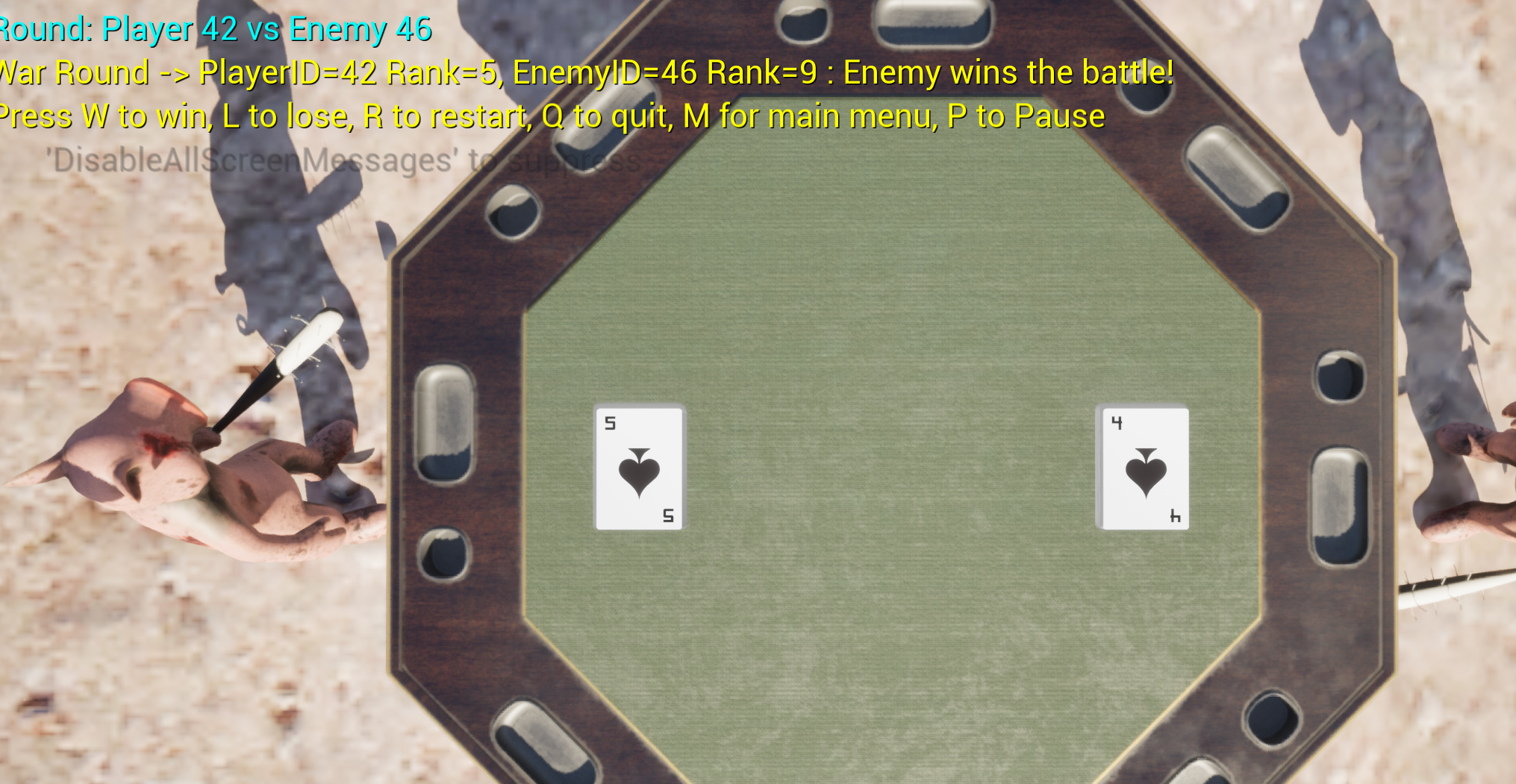
This week I ran into a visual and logic bug where the enemy deck does not reliably show the front of its card during rounds. When the player clicks their card, the correct enemy card is usually selected and the round result text shows the right IDs, but the enemy card on the table stays face down in about 20 percent of the rounds. From a user’s perspective that makes it look like the enemy is not playing a card and it breaks the feeling of a fair War game even though the compare logic is mostly working. Joyce, my teammate, also pointed out that the cards might be spawning or revealing in reverse order, which could contribute to the confusion. On top of that, the War condition only triggers sometimes when ranks match, so edge cases in the round logic still need more work.

Part 2 - The Solution:

I started by tightening the debug output around the round flow and the reveal function so I could see exactly which player and enemy card IDs were being used every click. The logs confirmed that RevealCard() was being called for both cards most of the time and that the enemy card’s sprite was being set, which means the bug is tied to how sprites are mapped to IDs or how the enemy deck orders its cards. I updated RevealCard() to validate indices and use the card ID modulo the sprite count, then added checks for empty sprite arrays so I can catch any cases where the enemy deck is missing visual data.

To improve consistency, I added a simple configuration flag on the deck actor that controls whether a deck starts face up or face down and applied that to the enemy deck when spawning its cards. The GameMode still drives the round flow by taking the clicked player card, selecting the top enemy card, revealing both, comparing their ranks, and starting a short timer before cleaning up the table. With these changes the enemy card now flips correctly in the majority of rounds and the War outcome text is visible when ties happen, but there are still intermittent cases where ordering or tie detection does not behave as expected. My next step is to step through the deck arrays during play and verify the exact order of card IDs so I can fully fix the remaining 20 percent of rounds that still feel wrong to the player.

PresentFox,
I updated the game and would like to send you a new version. Shoot me an email.
- Jeremy

Thank you so much, I appreciate your feedback! This is very helpful and I thank you for helping me make Mooncraft a better product!


- Jeremy

(1 edit)

Thank you! I haven't tested the controller input in a while, and it is not finished. I am doing that absolutely last but keep testing I would love to hear your feedback!
Thank you for buying! When I update the game next, I will email you the updates until my Steam release. Email: aluminatirecords@icloud.com

I will add you to my mailing list.

- Jeremy

👀👀👀

Thank you!

Bugs fixed and suggestions implemented :)

Thank you MadGrace for your support.

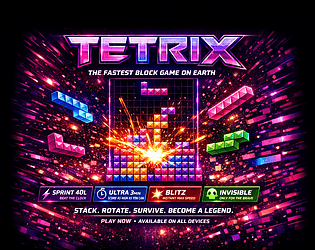
TETRIX — UPDATE LOG

====================

VERSION 1.01 — May 3, 2026

----------------------------

BUGS FIXED

----------

1. BLOCKS FALLING THROUGH FLOOR

   - clearLines() was using splice() on wrong row indices mid-loop

   - Fixed: collect all full rows first, sort descending, then splice

   - Prevents board corruption that caused pieces to pass through placed blocks

2. PIECES FREEZING MID-AIR

   - lockTimer was incrementing even when piece was not grounded

   - Fixed: lock timer only starts when tryMove(0,1) fails (piece is actually on floor)

3. ONLINE GARBAGE NOT SENDING

   - After clearLines rewrite, garbage table referenced old variable 'n' (now 'cleared')

   - garbageTable[undefined] always returned undefined — zero garbage sent to opponent

   - Fixed: updated reference to garbageTable[cleared]

4. P KEY NOT RESUMING GAME

   - handleKeyDown() had early return when gs.paused=true

   - P key check came AFTER the guard, so press was swallowed

   - Fixed: P/Escape checked first before any pause guard

5. A AND D KEYS NOT WORKING

   - Only ArrowLeft/ArrowRight were in the keydown handler

   - KeyA and KeyD were never bound

   - Fixed: A/D now mapped to left/right movement + DAS repeat included

6. SPACE BAR SPAM CRASHING GAME

   - hardDrop() had no guard against being called while paused/game over

   - Spamming space during freeze caused multiple lockPiece() calls corrupting state

   - Fixed: space key and hardDrop() both check game is running before firing

7. ZEN MODE BOARD OVERFLOW

   - No game over in zen mode meant board could fill past top, looked broken

   - Fixed: when board tops out in zen, top 6 rows auto-clear with "✨ Cleared!" popup

8. SELECT MODE SCREEN CUT OFF

   - screen-mode used justify-content:center, pushing top row off screen when 10+ modes shown

   - padding: var(--space-6) was overriding has-topbar 48px padding-top

   - Fixed: justify-content:flex-start, overflow-y:auto, padding-top:calc(48px + var(--space-6))

9. DESKTOP SCORE PANEL CUT OFF

Also since this game was released yesterday make sure to have an online friend ready to test online vs mode. I tested myself and it works. 

Thank you I will fix these bugs! 


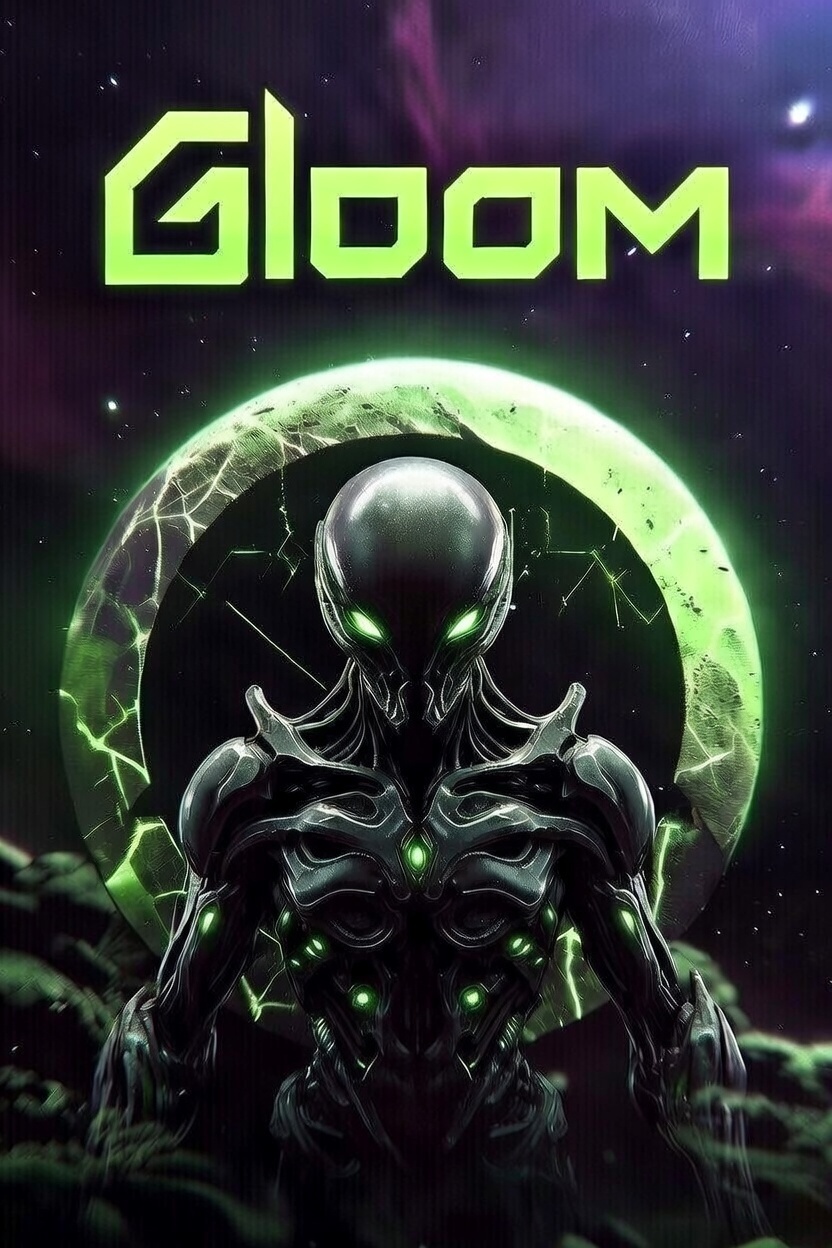
GLOOM Biomech corridors. Living weapons. Mechanical horrors. Synopsis Enter GLOOM, a tense, retro-inspired first-person shooter built entirely in HTML5 Canvas and JavaScript. Traverse eerie, procedurally lit biomechanical mazes across 8 increasingly nightmarish levels from the shadowy Gloom Corridor to the pulsating heart.  Arm yourself with the Pulse Splicer, Grave Maw, and Core Eviscerator to blast through hordes of relentless enemies: agile Necro-Drones, stealthy Void Stalkers, hulking Mecha-Ghouls, and the colossal final boss.Hunt, dodge, and survive. Clear all enemies in each area to advance. Collect ammo, health pickups, and weapon upgrades dropped by fallen foes. Throw grenades for crowd control, jump over hazards, and use the minimap to track threats. One wrong turn, and the machines consume you. Can you escape the Gloom? How to Play

Open in any modern web browser (Chrome, Firefox, Safari, Edge).

Click ENTER THE GLOOM to begin.

Lock your mouse for full FPS controls (click canvas in-game).

Supports keyboard/mouse, gamepad/controller, and touch/mobile.

Performance Note: Runs smoothly at 60FPS on most devices. Fullscreen recommended.ControlsKeyboard & Mouse (PC)

ActionKeys
Move WASD or Arrow Keys
Look Mouse (pointer lock)
Shoot Left Click or Ctrl
Jump Space (tap)
Grenade G
Switch Weapon 1/2/3 or Mouse Wheel
Pause ESC

Controller (Xbox/PS/Gamepad)

ActionButton(s)
Move Left Stick
Look Right Stick
Shoot RT or A
Jump B
Grenade LB
Switch Weapon X (next) / Y (prev)
Pause Start/Menu

Touch (Mobile)

  • Left Side: Virtual joystick for movement.
  • Right Side: Drag to look + auto-shoot.
  • Pause via on-screen button.

Features

  • 8 Levels: Themed biomes with unique walls, floors, and enemy counts (8-16+).
  • 3 Weapons: Varying fire rates, damage, spread, and ammo costs.
  • Enemies: 3 types + boss with patrol/chase AI, health bars.
  • Powerups: Health, ammo, weapon unlocks.
  • Mechanics: Raycasting renderer, jumping, grenades (bouncing/explosive), invulnerability flashes.
  • HUD: Health/ammo/grenade bars, score, minimap, enemy/ weapon info.
  • Audio: Procedural beeps for immersion (Web Audio API).
  • Settings: Adjustable mouse/stick sensitivity (saved locally).
  • Progression: Inter-level rewards + "Area Cleared" screen.

Levels

LevelNameEnemiesTheme
1 Gloom Corridor 8 Rusty organics
2 Blood Furnace 10 Crimson heat
3 Shadow Vault 12 Neon blues
4 Rust Crypt 13 Corroded maze
5 Frost Reactor 14 Icy circuits
6 Grave Engine 15 Purple decay
7 The Maw 16 Flesh-metal
8 The Core 1 (Boss) Golden horror

Screenshots(Embed or host images here for GitHub Pages)Credits

  • Developer: Inspired by classic FPS like Doom/Wolfenstein.
  • Engine: Custom JS raycaster + billboard sprites.
  • Music/SFX: Procedural square-wave audio.
  • Playtested: Keyboard, controller, mobile.

License

Copyright © 2026 Aluminati Studios. All rights reserved.

Enter the Gloom. Rip and tear.

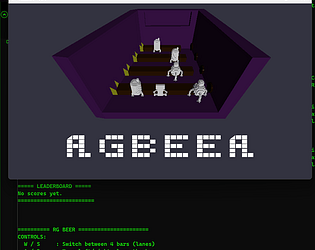
RGBEER by Billy-Gatez
RG BEER is a fast‑paced bartending gauntlet where you juggle four chaotic bar lanes, impatient customers, and the constant threat of running out of lives. You play as the lone bartender in a packed medieval tavern, racing to grab empty mugs, fill them at the taps, and slide them down the bar before customers lose their patience. Every served drink earns points. Every mistake — spills, delays, or missed customers - costs you a life. The deeper you get into the night, the faster the crowd grows and the more frantic the bar becomes. Survive the rush, keep the drinks flowing, and push your score as high as you can before the tavern overwhelms you. When the night ends, you can restart instantly and chase a new high score. RG BEER is all about rhythm, speed, and flow - a pure arcade loop built for quick runs, tight control, and that “one more try” energy. RG BEER - Controls Overview Keyboard Controls W / S Move between the four bar lanes (up and down) A / D Move left and right along the current bar J Interact Pick up empty mug Fill mug at tap Serve filled mug to customer P Pause the game 0 Quit to desktop R Restart from Game Over ENTER Start game from Main Menu ESC Restart from Game Over (same as R) Xbox Controller Controls Left Stick (LS) Move between lanes (up and down) Move left and right along the bar D‑Pad Same as left stick movement Up / Down: switch lanes Left / Right: move along bar A Button Interact Pick up empty mug Fill mug Serve mug LB / RB (Left Shoulder / Right Shoulder) Restart from Game Over (mapped to the same logic as R / ESC / ENTER restart) Start / Menu Button Pause the game X Button Quit (mapped to keyboard 0) Game Flow Main Menu Press ENTER or A to begin In‑Game Serve customers, manage lanes, avoid spills Pause Menu Press P or Start to pause Press again to resume Game Over Press R, ESC, ENTER, LB, or RB to restart Then press ENTER or A to begin the next run