On Sale: GamesAssetsToolsTabletopComics
Indie game storeFree gamesFun gamesHorror games
Game developmentAssetsComics
SalesBundles
Jobs
TagsGame Engines

KamilKiri

4
Posts
1
Topics
A member registered May 10, 2021

Recent community posts

(3 edits)

Thanks for the reply, I checked my registry and extracted the data

I attached my DISPLAY.reg here:
https://pastebin.com/e6hwf7K6

My displays share a very similar base instance path, differing only by the UID at the very end. 

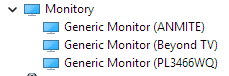
Main Monitor (PL3466WQ): IVM761A\5&2cd6120d&1&UID37121

Side Monitor (ANMITE): RTK1920\5&2cd6120d&1&UID37124

TV (Beyond TV): TCL9653\5&2cd6120d&1&UID37120 (this one is disabled for now)

There are other unique identifiers inside these registry keys that you might be able to use to disambiguate:

Address: They have unique hex addresses (00000111, 00000114, and 00000110 respectively).

ContainerID: Each display has a completely unique GUID assigned to it.

2. EDID Uniqueness

Yes, the EDID hex blocks inside the Device Parameters are 100% unique for each individual display. They do not overlap at all:

IVM761A EDID starts with: 00,ff,ff,ff,ff,ff,ff,00,26,cd,1a,76...

RTK1920 EDID starts with: 00,ff,ff,ff,ff,ff,ff,00,4a,8b,20,19...

TCL9653 EDID starts with: 00,ff,ff,ff,ff,ff,ff,00,50,6c,53,96...

Hopefully, this helps you adjust the display identification logic! Let me know if you need me to test a beta build.

PS. I noticed one more detail. My main monitor (IVM761A) actually has two different subkeys in the registry: 1&8713bca&0&UID0 and 5&2cd6120d&1&UID37121. One of them is an active profile, and the other is an inactive "ghost" entry (likely created when I changed a cable or GPU port in the past).
1. Can't wait! It would be awesome!

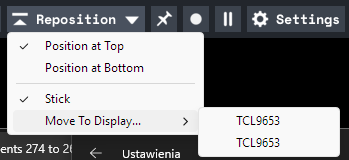
2. Somehow Minimeters sees both my monitors as the same exact ID of my third screen (TV), not sure why it happens...

I use:
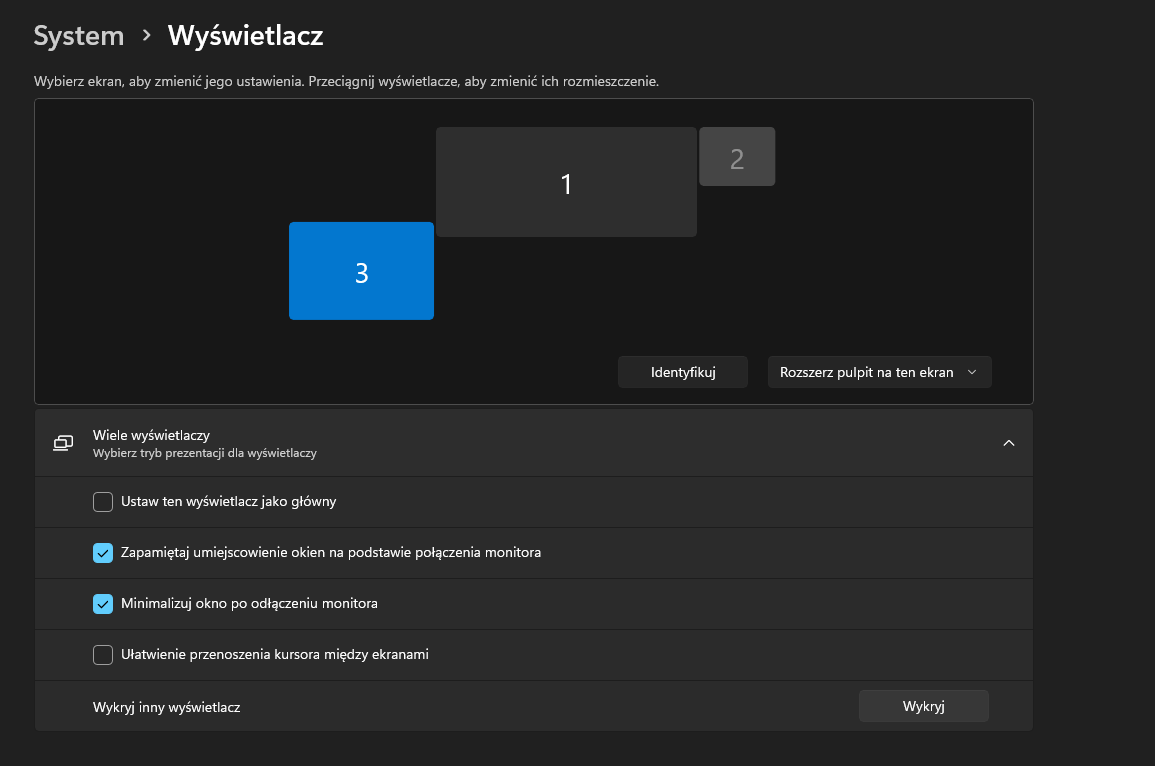
1. main monitor iiyama (active)
2. secondary ANMITE (active)
3. TCL TV (inactive)

And the minimeters detect 1 and 2 both with the name of 3 :D

TCL9653_211455111 would be Beyond TV here


[INFO] HorizontalBar: Connected displays at window creation:

[INFO]  TCL9653_211455111

[INFO]    rect:            0.000000x0.000000, 3440.000000x1440.000000

[INFO]    visible rect:    0.000000x0.000000, 3440.000000x1392.000000

[INFO]    bounds:          0.000000x0.000000, 3440.000000x1440.000000

[INFO]    visible bounds:  0.000000x0.000000, 3440.000000x1392.000000

[INFO]    scale:           1.000000

[INFO]    current monitor: false

[INFO]    primary monitor: true

[INFO]  TCL9653_211455111

[INFO]    rect:            -1920.000000x1240.000000, 1920.000000x1280.000000

[INFO]    visible rect:    -1920.000000x1240.000000, 1920.000000x1280.000000

[INFO]    bounds:          -1920.000000x1240.000000, 0.000000x2520.000000

[INFO]    visible bounds:  -1920.000000x1240.000000, 0.000000x2520.000000

[INFO]    scale:           1.500000

[INFO]    current monitor: false

[INFO]    primary monitor: false

[WARN] Couldn't find the preferred display from the preset.

(1 edit)

 Can you please add:
1. Auto input (simple logic: if audio-server plugin not detected then set main outputs and vice-versa)
2. always open on side monitor in the same position, autostart

I'm about to buy but I need to change inputs from audio server to outputs everytime I'm closing FLStudio (because I'm using my interfaces asio drivers in FL)

Why this almost perfect kick plugin stopped getting updates?

I'm really missing:
- individual punch pitching
- individual punch / tail swapping, maybe adding swapping like here but better:
https://mt-sounddesign.com/