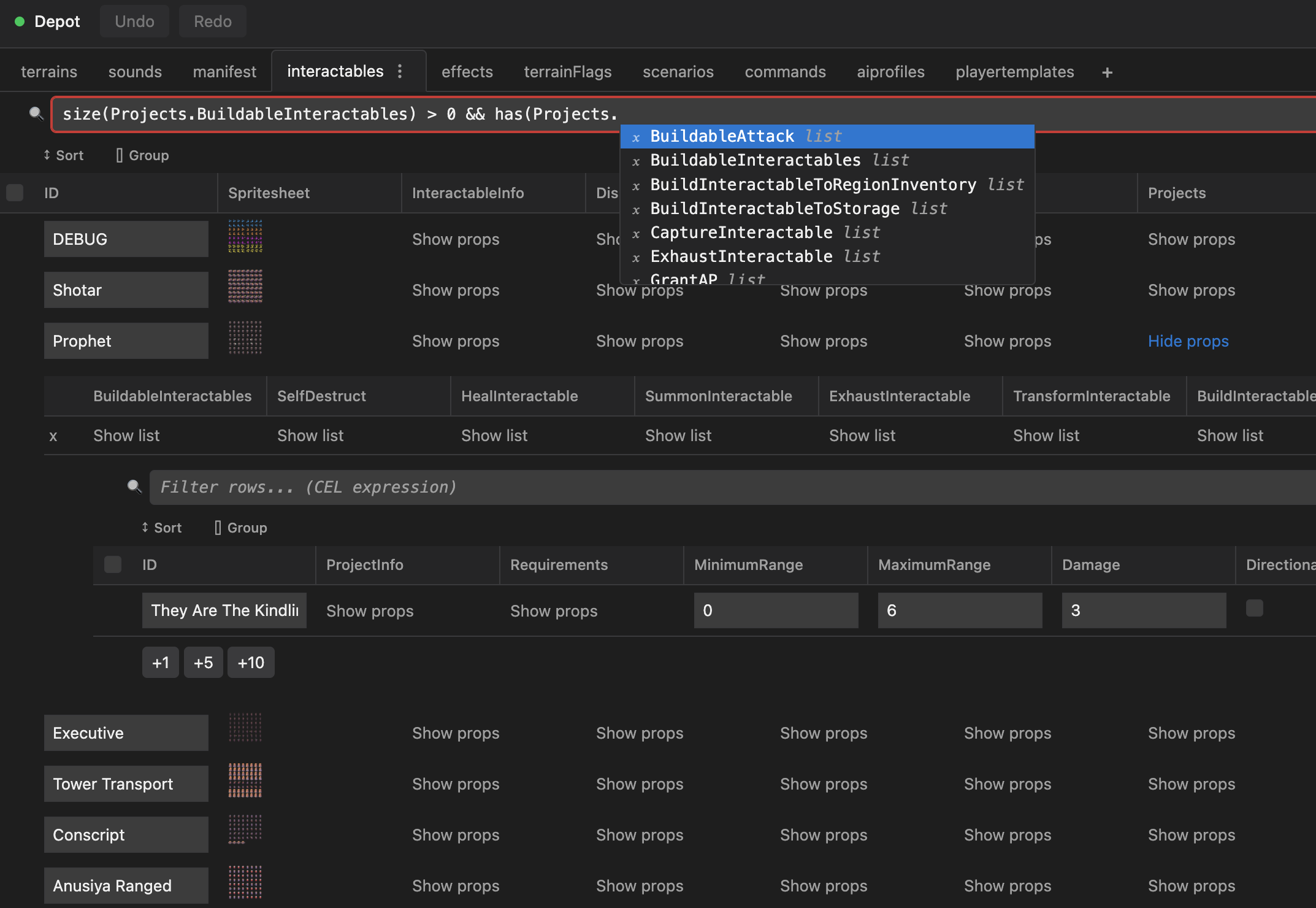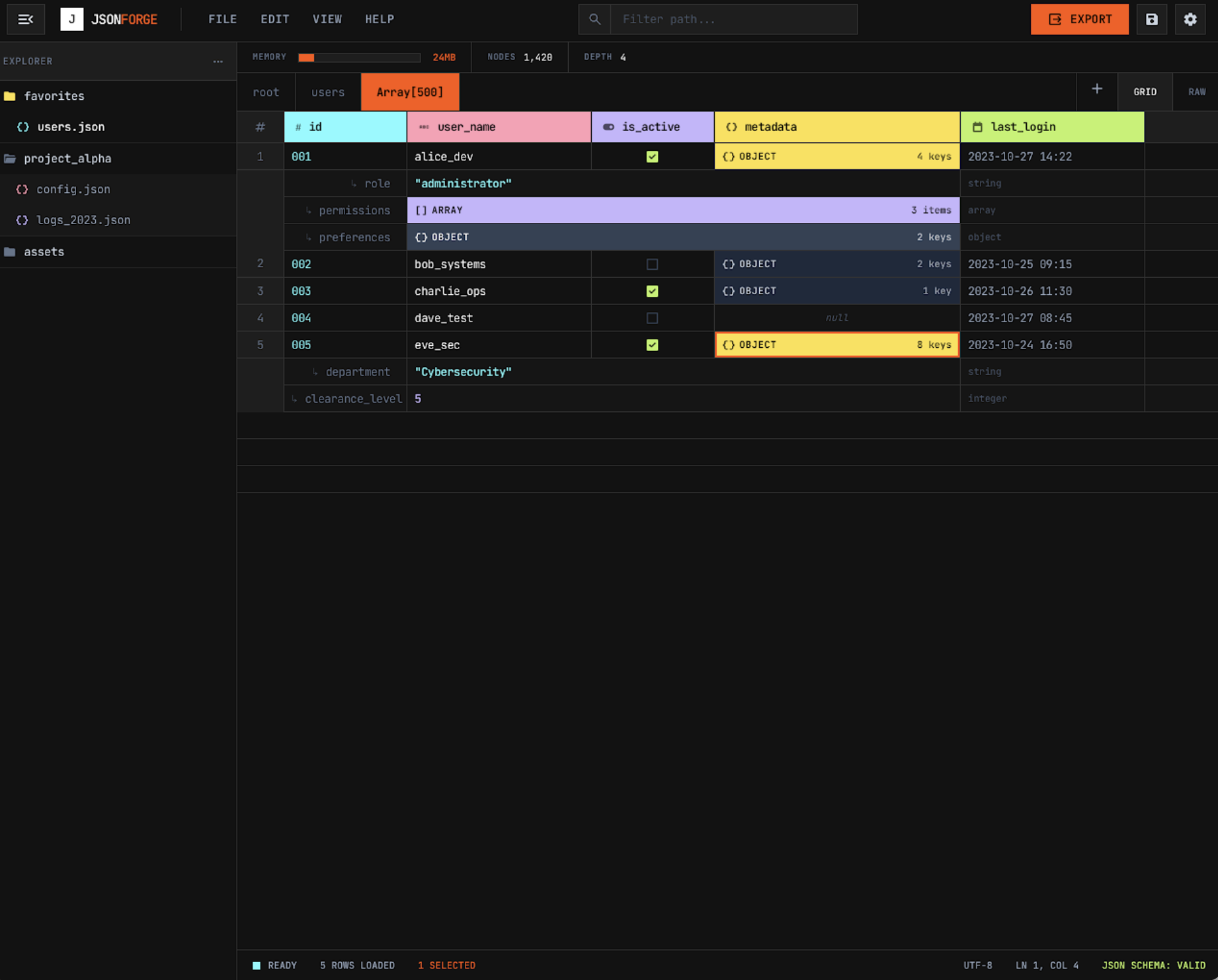



giving Depot some new paint plus:
- A status bar at the bottom now shows you some nice things (connected port, filename, size, api toggle, number of records currently visible)
- formula fields in and working!
did a lot of thinking/back end work recently about something that depot never had that I knew I wanted: groupings/sortings/formula fields. currently, sorting was implemented as a client side thing. this meant that sort/grouping/etc. cleared on reload. however, I envisoned new depot having something more akin to server-synced "views" (airtable-syle) that would act as ways for people to be able to look at just certain slices of data consistently, and share those views with others.
this meant though that these views would need to be persisten in some way.
the obvious candidate here was the primary .dpo file that Depot loads, but I also knew I didn't necessarily want to muck up the context of that file. In my mind, a .dpo file maintains a promise that it can be directly deserialized in your game/engine, and contains only useful information for that context. you will be able to customize other exports from depot (and maybe also have them server-synced), but I still want the primary .dpo file to largely be all-signal.
this means that I needed a different construct for the view-related settings. this also rubs a bit agains the thing I brough up earlier, which is trying to lean into what new depot can do with its new architecture that wasn't so easily possible in the vscode days. sidecar files weren't really possible (iirc) when I was doing og depot (though now seem more possible), so now given that I can do more or less whatever I want opens up new possibilites.
to that end, I came up with the idea of a file called .depot that lives alongside your actual data.dpo file. the idea of the .depot file is that it holds all depot-specific state, but doesn't hold any actual data. you could delete the .depot file and your data wouldn't be affected at all. the .depot file is synced as part of the same mechanism that syncs the data file itself though which means that as you add/remove fields and such that config file knows how to manage all of that with regards to its own values.
but what are those values?
this is one of the things I've been REALLY interested in finally diving into with new depot. it starts unrelated to sorting, but we'll get there.
in old depot, I knew it would be really nice to be able to filter the data. ie, give me all things like X or where X.attack > 0. old depot couldn't do this, so I would actually write little scripts on the side to analyze the data with either jq or, one of my favorites, Visidata. this worked (and still works!), but I knew that having that functionality built into depot itself would not only save me time, but also empower others to do their own little analyses against the data.
the other part of this though was that I knew that Depot isn't meant to be a generic data viewer. It is specifically looking at rows in a database, so whatever sort of filtering/querying I allowed would need to be able to sort of lock to the idea of being able to return rows in some way.
to that end, I looked at a LOT of json "languages":
jsonpath / jless / jsonata / CEL / jmespath / jq / jnv / miller /yq
to talk about the plusses and minuses of all of these would take too long for the scope of this (increasingly long) blog post, but to just shape my own thinking I came in here with a few high level goals:
now, as I said above, when I started this effort I was thinking about filtering, but then had a bit of an insight that I could actually extend whatever I chose for filtering into a general purpose solution for basically all of depot's filtering/querying/sorting/grouping/expression needs. all of a sudden, things like forumla fields made a lot more sense (it's just evaluating the expression!)
writing to the .depot file itself then became trivial, it just serializes the expression!
i'll abbeviate my own thought process here, but of all the options, I was really leaning on JSONPath for a while, as it is purely a query language, which was, ostensibly, what I wanted. however with the insight that I actually maybe wanted something slightly more capable such that I could use it also for formula fields I (JSONPath doesn't have arithmetic) , I started to look into JMESpath more. JMESpath doesn't have arithmetic specifically, but it does have macros like sum(), min(), etc.
I was about to pull the trigger here, until I looked more in CEL. If someone wanted to add two values in JMESPath, they would need to do something like sum(@.field 1, @.field2). This started to rub my "syntax not for normal people" senses — if someone wants to add two fields, they should be able to just add those two fields like field1 + field2. and so I quickly looked at CEL, which was mentioned as an option before. and lo and behold, it can do exactly that! CEL is a lot more powerful than just that though, but importantly doesn't do any sort of transformative writing back to the source data. So CEL gives you "simple" data expressions that just make sense for how you would expect to be able to talk about json data, but then also you get a suite of other options for forumulas (and the eventual evaluator context for ad-hoc analysis).
going back to sorting/grouping then, this also means the group can easily be expressed by the column name (well, guid) itself at a baseline, but also could easily make custom groupings that are the results of expressions (think something like "high-powered enemies" being a top level group that is the result of data.damage > 10 && data.isEnemy). but also you could instead just make that a filter and save it to a view. Or make it a forumla column for IsHighPoweredEnemy and return true/false, then sort/group on that.
what's nice is that this shared language means that all these paths share all the same underlying logic and serialization structure, which makes things easy to maintain and extend, but also means that you only need to learn one scripting paradigm for all of Depot!
As a little tease then, here's an image of the groupings (and sub-groupings) in action!
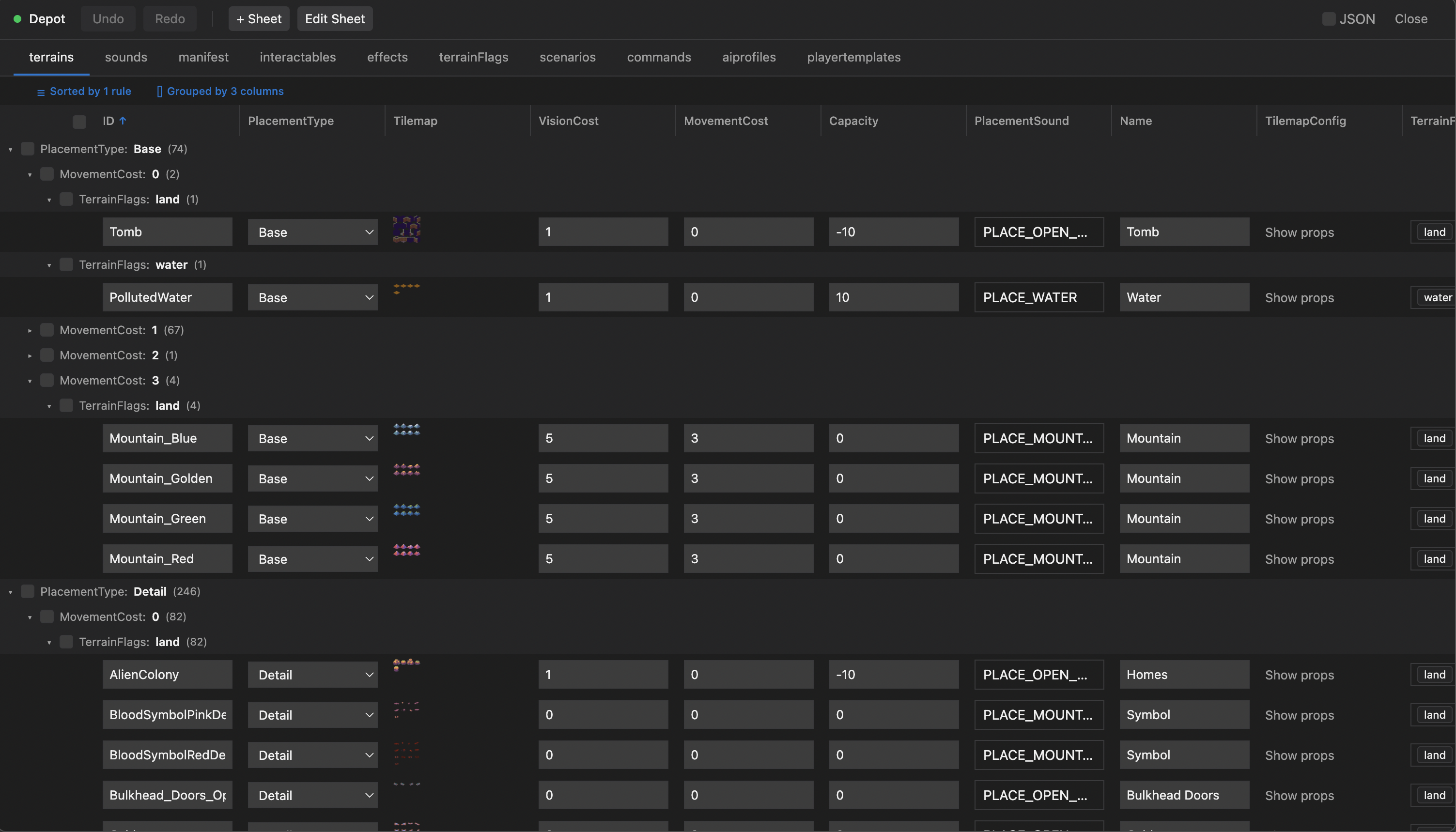
And here's the backing data in the .depot file:
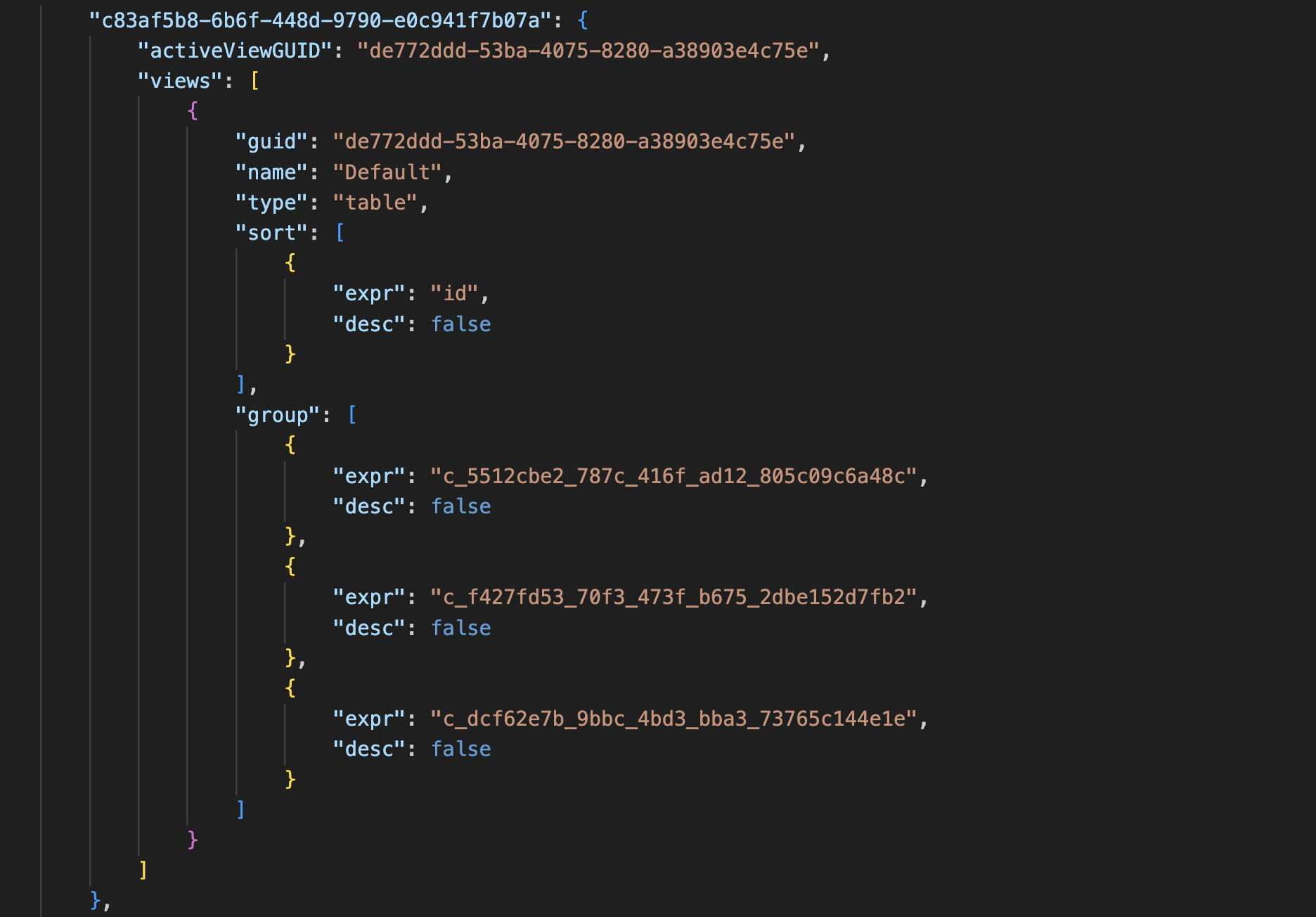
pretty nice! views are saved per-parent sheet, and then given a unique guid for each view itself. that view then can express itself in terms of sortings, groupings, and (soon!) filters. the expr for everything is resolved as a CEL expression. I use guids here to be stable, as column names themselves can change.
look forward to getting to play with all of this soon(-ish)! thanks for reading!
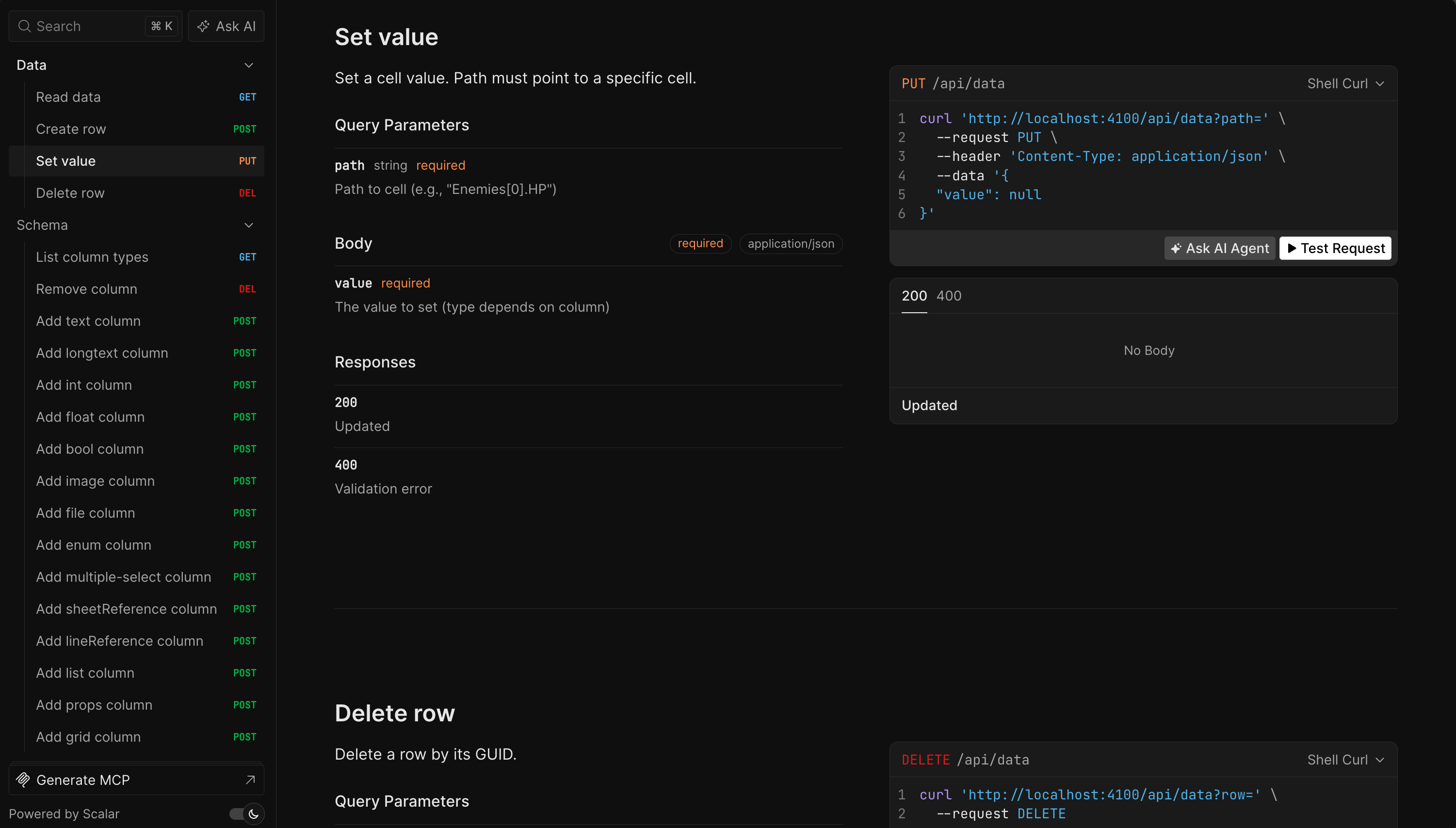
another thing that I wanted to add in was a REST client. I want other tools to be able to easily communicate with running Depot instances, so now the server that serves the images also provides a REST api so other tools can hit the endpoint to do stuff! there is still the websocket connection that the client uses, but REST is easier to understand and setup (you can just use curl!) so I've been loving it.
cool things possible here are things like dev builds being able to write data back to the db itself, either to tweak values, write in new entries/etc. whatever you want!
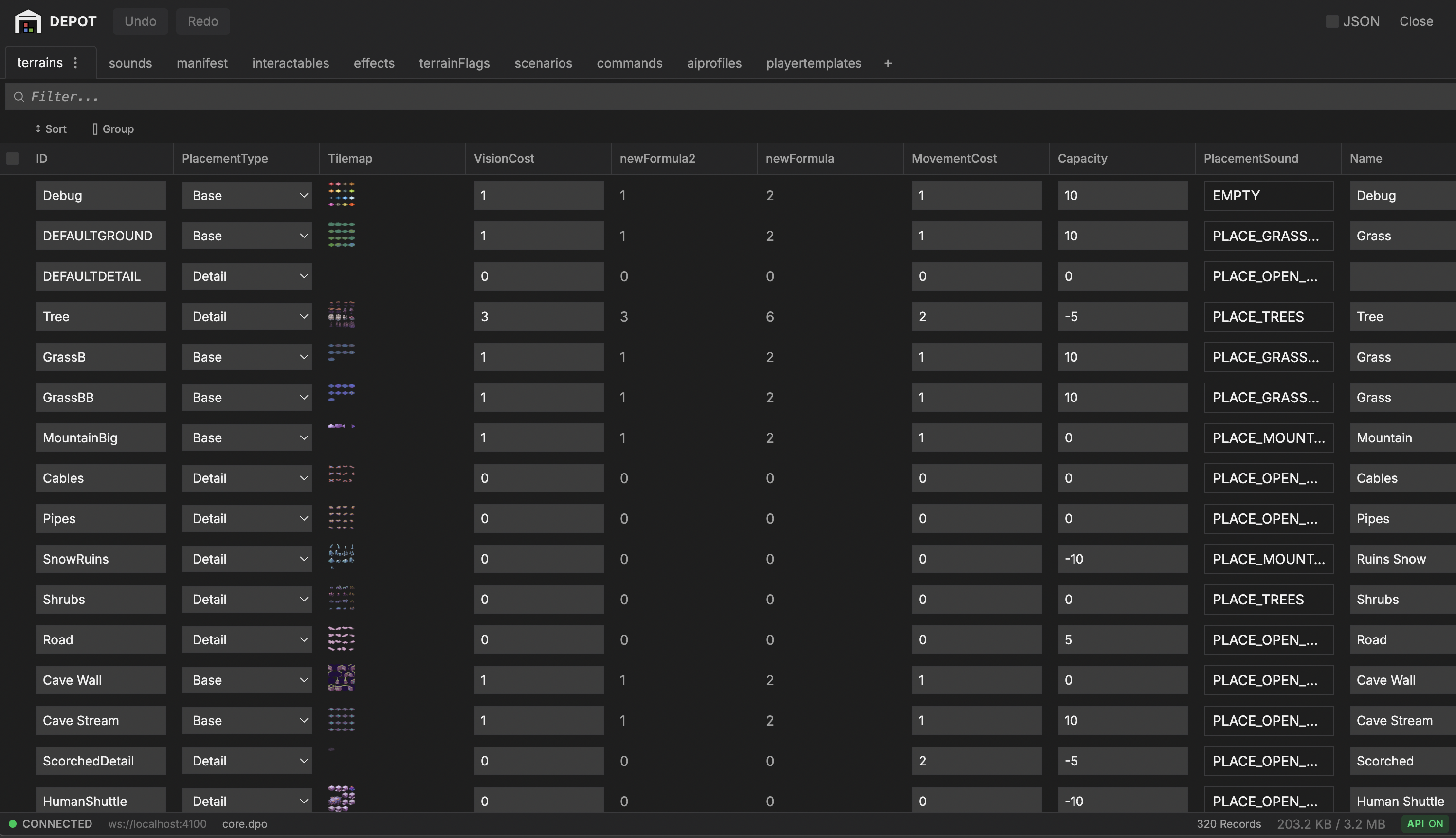
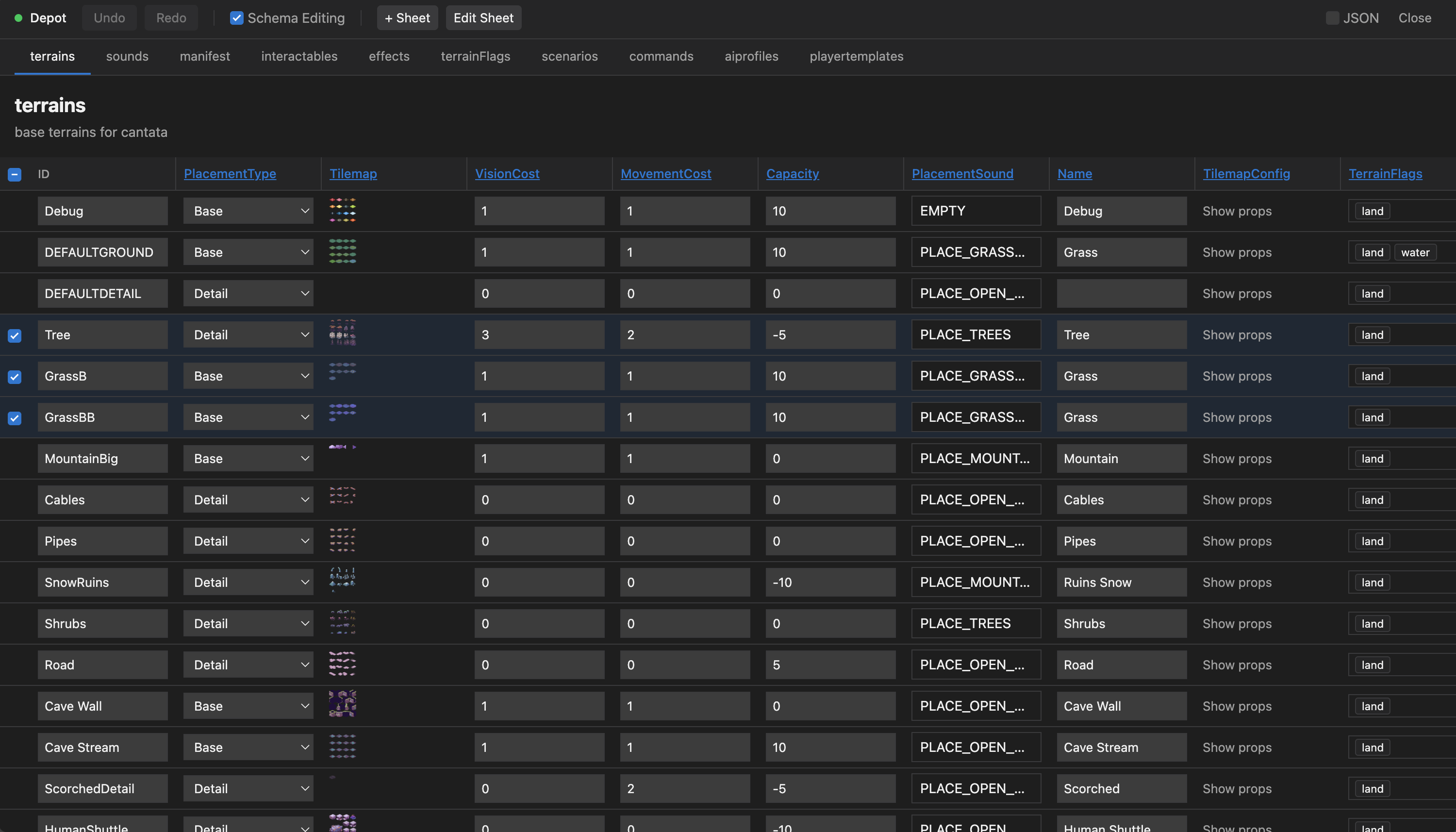
took some time to clean up the UI a bit, mainly unifying row size. also been very inspired by linear/supabase recently for UX stuff and added in linear-style row selection to clean up the little "x"/"c" buttons. now you can select rows, delete them with delete, or duplicate them with cmd+d. it all just works. oh also there is undo/redo! im using the giant cantata depot file here (~3MB), loads almost instantly and no lag in the interface for scrolling/operations/etc.
so first step here —getting Depot up and running with Svelte 5 in electrobun. it works! needed to fix images but this is just validating that the tool operates and can open an existing .dpo file. i'll likely update the depot schema itself in this process and auto-upgrade stuff that's imported, but for now it works!
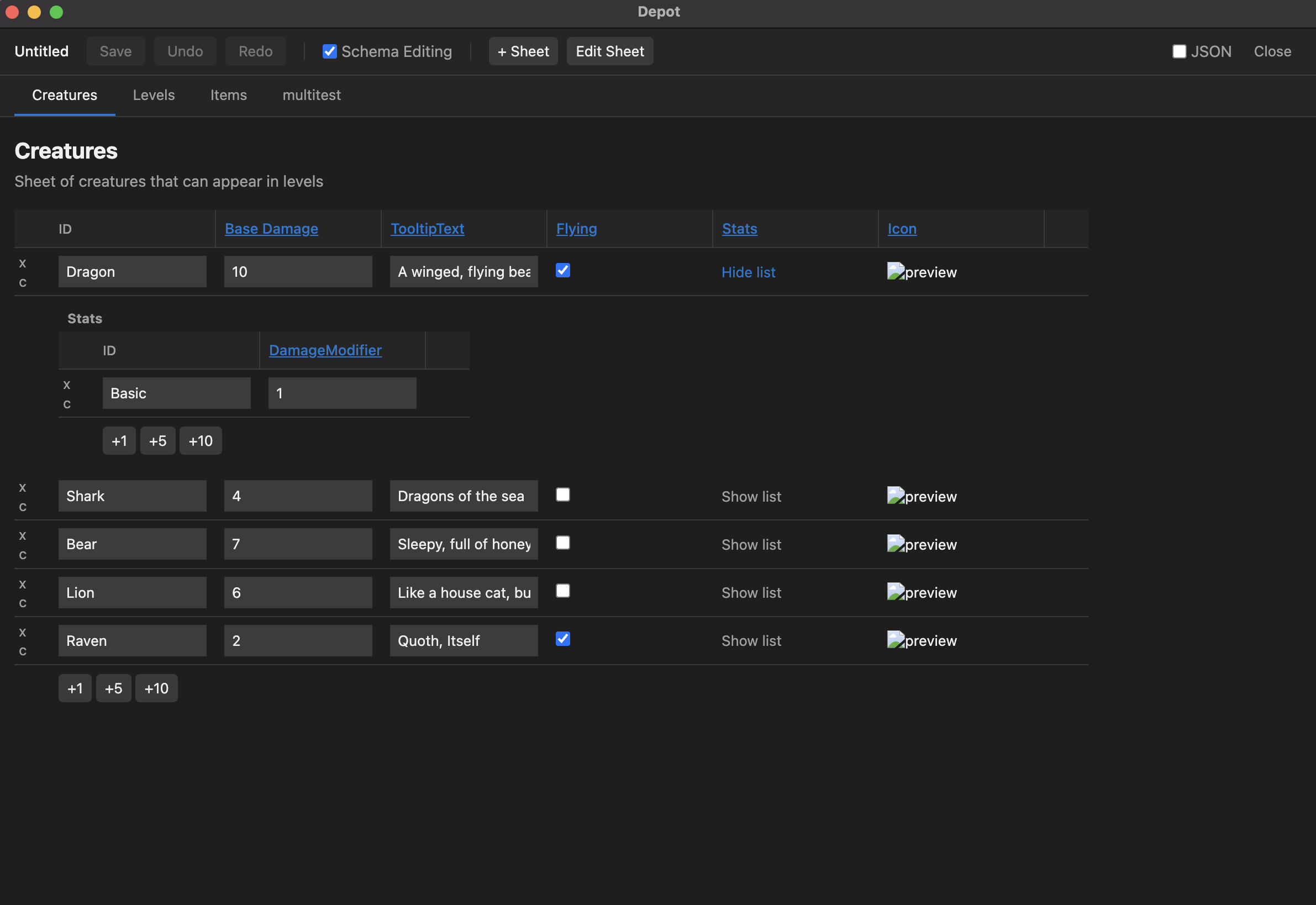
also for reference, here is the same sheet opened up in old depot:
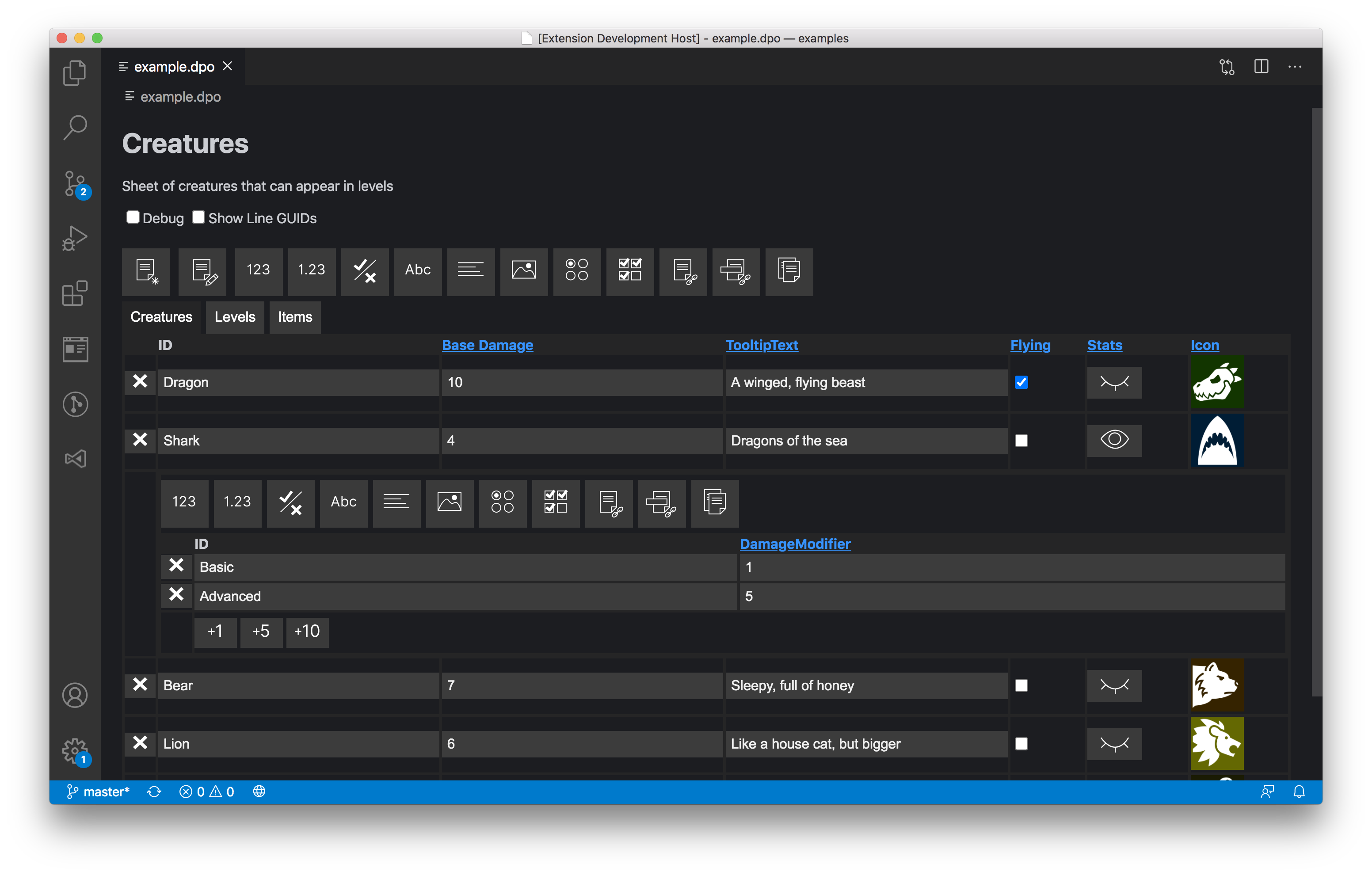
one thing on my mind as I do all this is trying to think of all the ways I did stuff in the first Depot, and trying to determine if those ways are intrinsic to how depot should operate (like nested views), or are things that were done due to how vscode worked (like file-centric operation), or are things that were more the limits of my own coding ability (like no re-arranging columns) or my own product-thinking ability (like the big chunky field buttons). we'll see what stays/goes!
Well that was an adventure. I just coded a Hearthstone-style rules system in a few days, only taking d8 psychic damage in the process.
But I think it's pretty cool. Here's the basic "entry" for the rules logic for a given action:
public void Wait(Action onComplete = null) {
    Depot.Generated.dungeon.logicTriggers.wait.Emit(Systems.Logic.RootEvent, postExecution: e =>
    {
        Dungeon.Track.Act(e);
    }, onComplete:onComplete);
}
This is doing a few things. First is that that long string of Depot path is the type-safe data emitted from my Depot integration that allows me to reference whatever I put in this, directly:
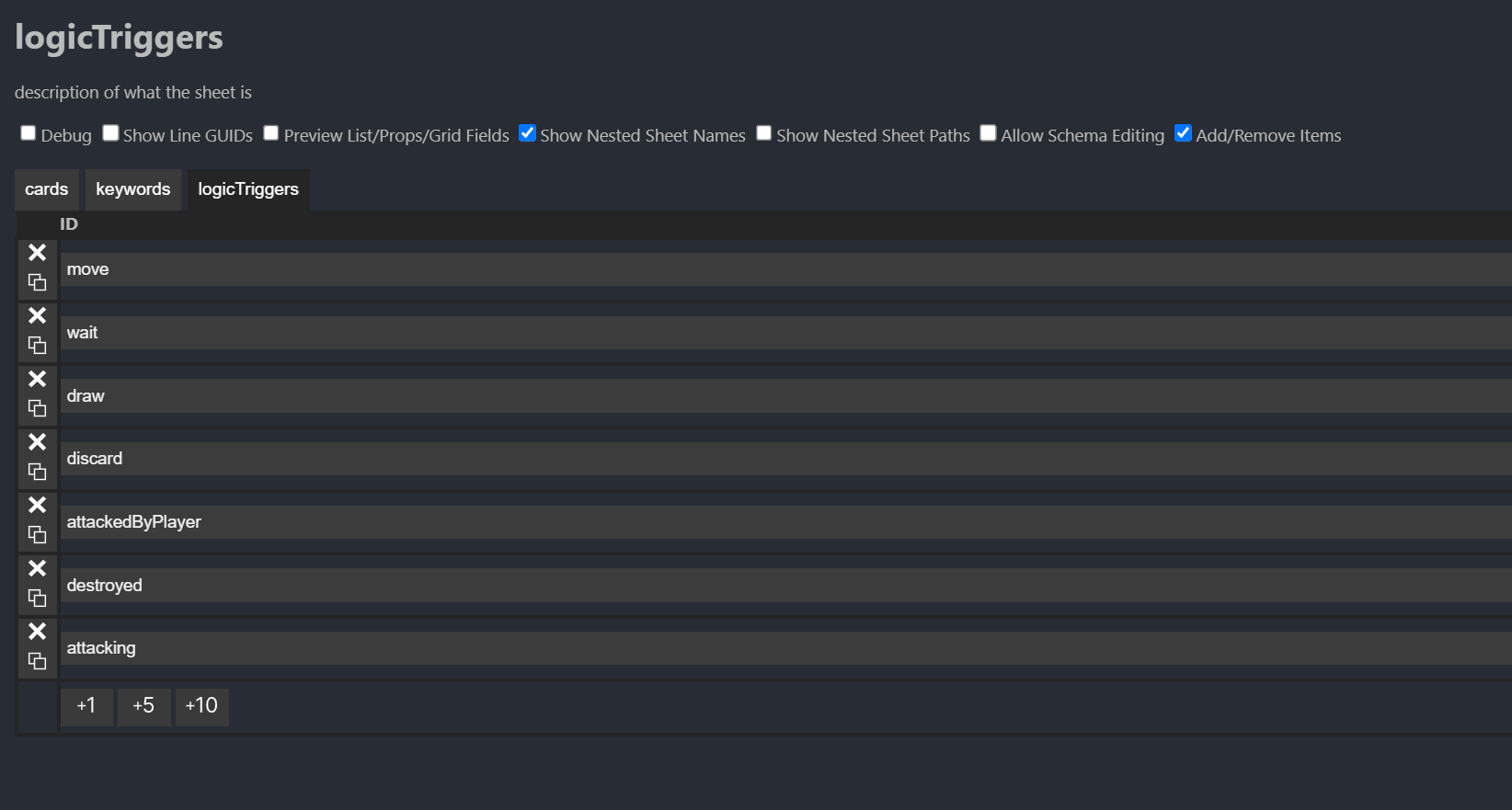
On top of that I then wrote extension methods that actually "Emit" the event into the action graph (again channeling this blog). I had a stroke of genuis for this bit that I think is worth a proper standalone blog about, and maybe as its own follow up to that blog I'm referencing, but basically what I do is bind the keywords themselves to a static dictionary that maps to "loose" static IEnumerator functions.
"Adding an event to the graph" then basically creates and underlying Event object that saves the references IEnumerator, and then invokes it when it's the events turn. The other thing I did on top of this was tie in sensible event lifecycle callbacks to modify the action graph as it runs, primarily through OnExecuted and OnComplete.
OnExecuted runs when an action graph node has been executed... which is a perfect time to add side-effect nodes as children of that node! The event polling system finds the new children, and executes as normal. What's also cool is that when you use the Emit function, it scans for matching keywords from cards such that it will also then tack on the "Will Do X" events to a node before execution, ensuring they update first.
OnComplete is called when a node is FULLY complete, as it has no more un-executed children. Tying into here can basically surface top-level callbacks for actions that may have had hundreds of reactions, etc. Here's a more robust example of how to trigger the "basics", and keeping in mind that under the hood all the graph event stuff is being automatically generated!
public void Move(Action onComplete = null) {
    Depot.Generated.dungeon.logicTriggers.move.Emit(Systems.Logic.RootEvent, postExecution: e => {
        Depot.Generated.dungeon.logicTriggers.discard.Emit(e,new Systems.Logic.EventData(Dungeon.Track.Cards[0].ID),
            postExecution:e =>  {
                Dungeon.Track.MoveTrackCardsToLatestTrackPositions();
                Depot.Generated.dungeon.logicTriggers.draw.Emit(e,onComplete: () => {
                    Dungeon.Track.MoveTrackCardsToLatestTrackPositions();
                });
        });
    }, onComplete:onComplete);
}
The idea is that you have a unified entry point for all the main actions in the game that have pre-determined steps that execute, but at the same time any cards with interesting keywords/effects can automatically tie into this to build out a more robust graph of effects!
What's ALSO cool is that, to debug stuff, I tied in a simple way for the graph to report itself using Mermaid, so I can basically (visually) peek at the internal graph at any time. I'll set a breakpoint in the middle of that function above, and here's what the graph spits out:
flowchart TD 0[_0]-->7[move_7]
7[move_7]-->9[discard_9]
9[discard_9]-->10[draw_10]
0[_0]-->8[DeathReap_8]
Which visually resolves to:
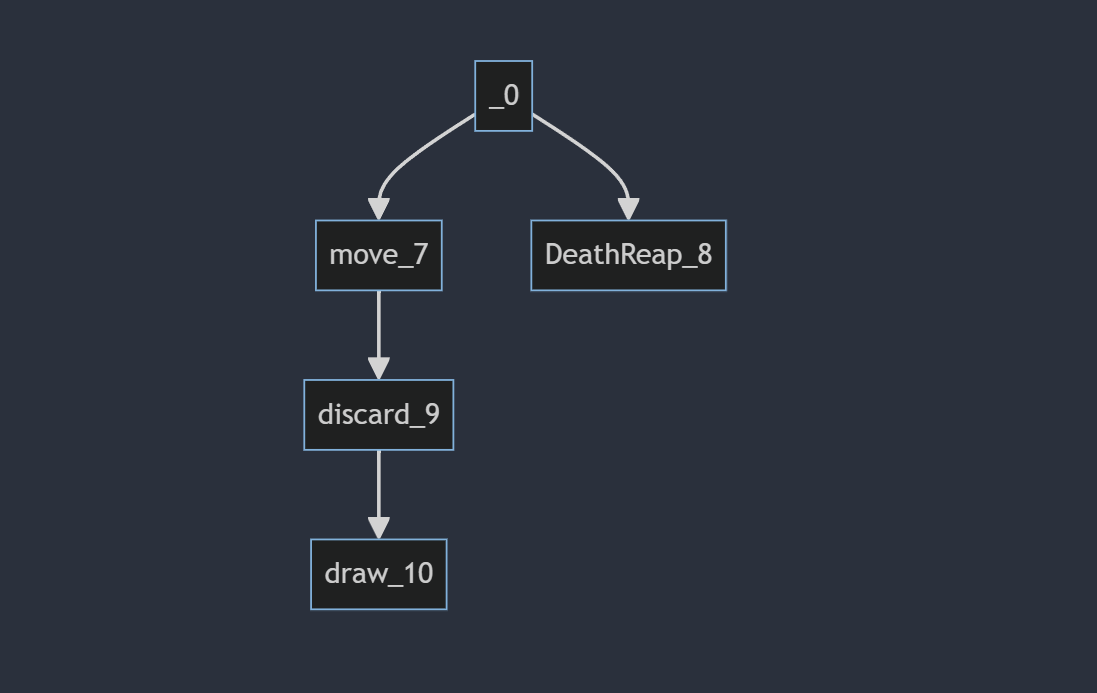
This is a pretty simple state to visualize but it's cool to see it all working!
With this in place a ton of things are now possible so I'm hoping to actually crank on content between now + deadline and get some real gameplay in. Oh and I guess and inventory... and some spells.... we'll see!
I've had an idea gestating for a while that I realized I wanted to make for 7DRL - the idea is to make a mystery dungeon style game (basically... a traditional roguelike) played through cards. But unlike other card action roguelikes like Slay the Spire or card-driven roguelikes(likes) like Forward: Escape the Fold or Card Crawl, I wanted to focus more on the deck itself and treat it like a "Room" that you encounter and "move" through. Then also trying to do things where you're seeding/upgrading a deck over time based on deck "primitives". It's maybe weird to explain but in practice I think works really well.
Another game worth mentioning that was a bit of an inspiration is https://store.steampowered.com/app/2338240/Searching_For_Rest/ - a (based on reviews) mostly unplayed game that I think has some really good design ideas in it.
So I put together some paper ideas for the game:
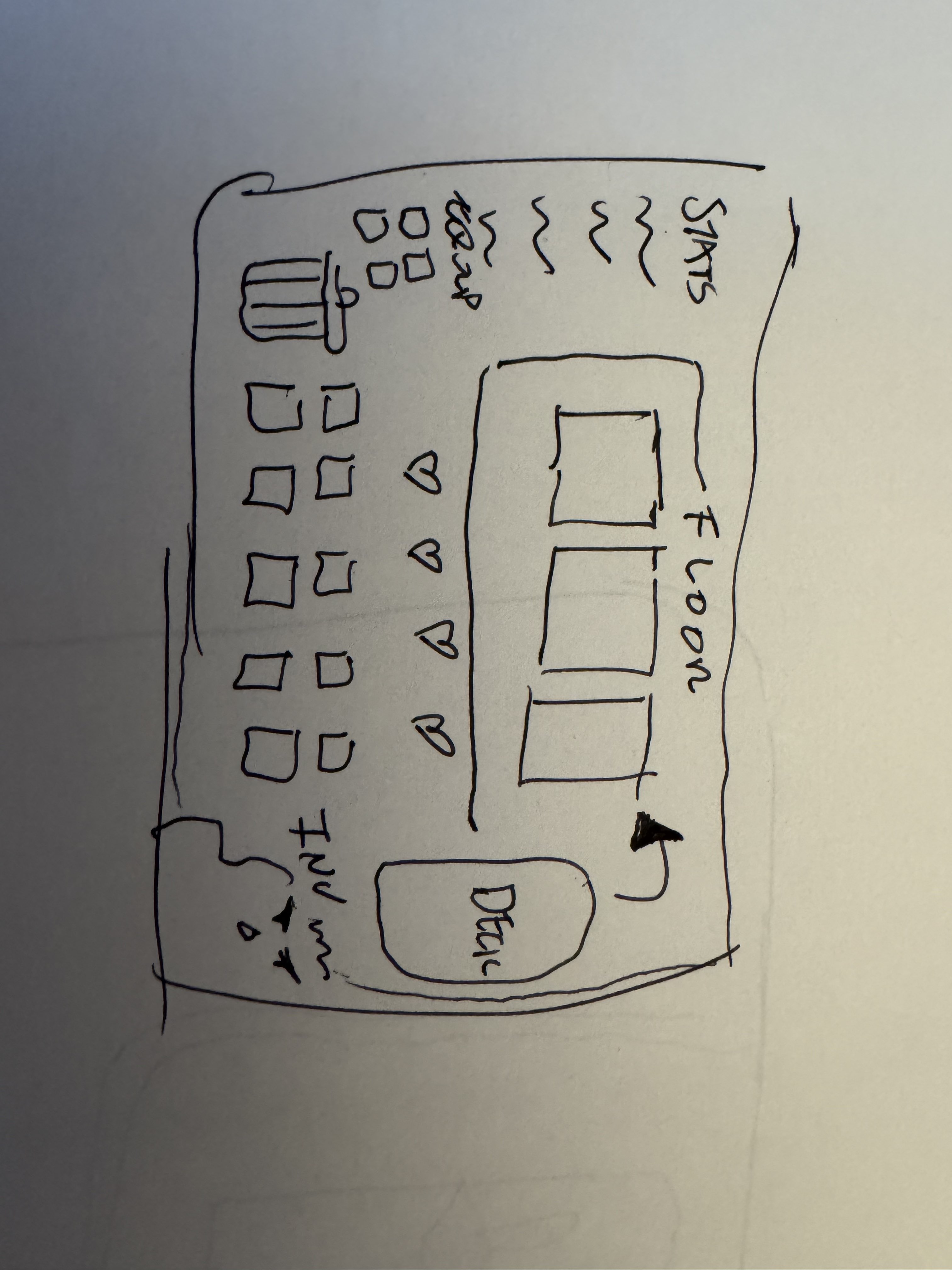

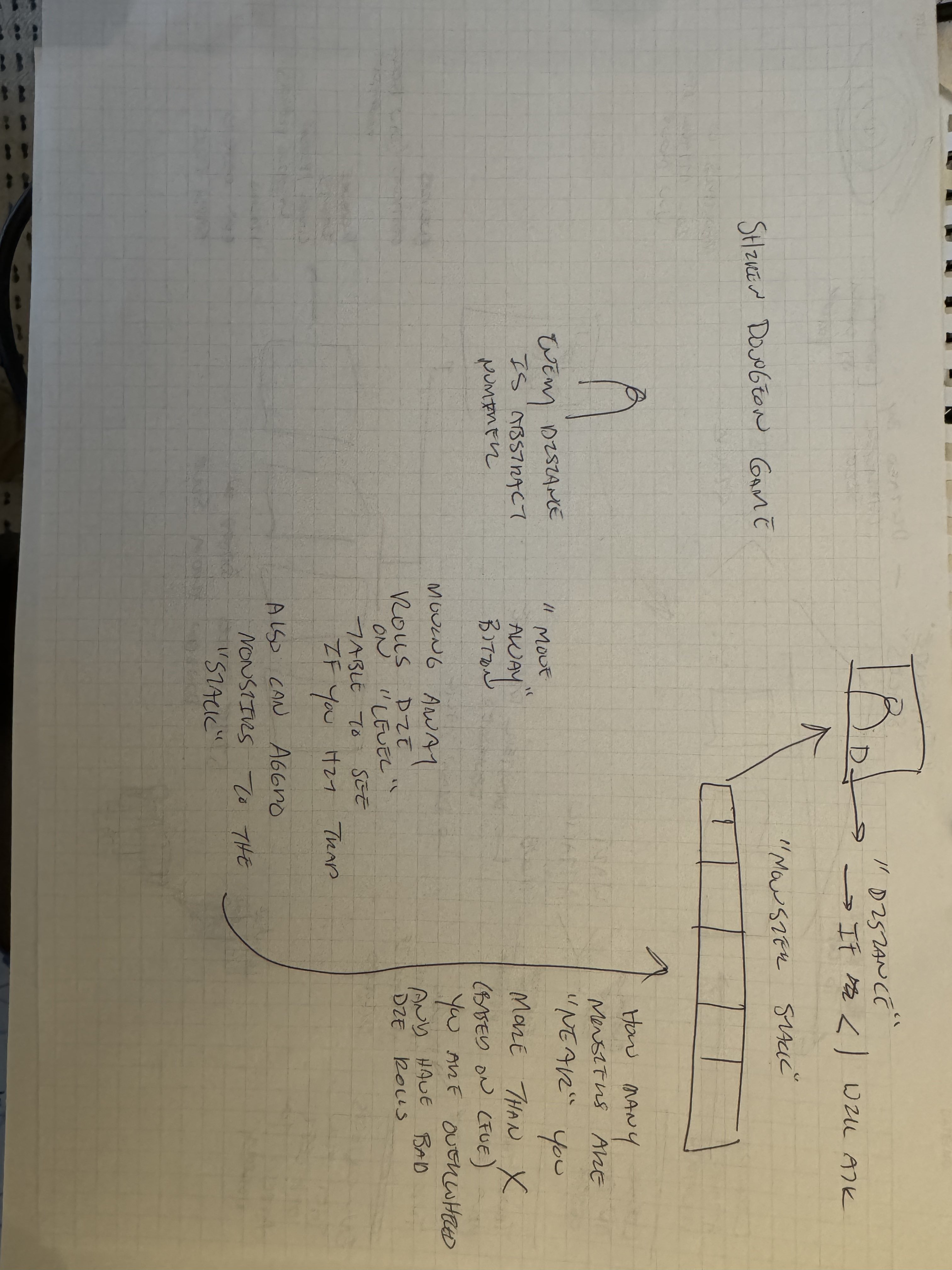
I don't expect too much of those docs to be legible, but thought they were fun to share anyways!
The other big part of this is that I'm doing all of the game in my own C# 2D game framework called Dinghy. It's a fully custom thing, built on top of Sokol + STB, and I think it's pretty cool. Here's some demo videos of what the engine itself can do:
The whole idea of the engine is that it's meant to be something like Heaps/Cermaic/HaxeFlixel but for C#. And it's specifically targeting trying to be able to quickly put games together with nice-to-have basics that can then tease out to be more robust. So for an example here's how easy it is to get a sprite on screen:
//Program.cs - seriously this is it
Dinghy.Engine.Run(new (800,600,"dinghy",
    () => {new Sprite()},
    () => {Console.WriteLine("update");}
));
It's got a fair number of nice things as well, including source-generated integration with Depot files and Heaps-style type-safe access to res/ files, meaning you can type-safely reference stuff like this (imagine you res/monster.png exists):
new Sprite(Res.Assets.monster) // no strings!
I'm using 7DRL to really put the engine through its paces for the first time, and am learning/adding a lot along the way already. Dev updates will probably be split between engine/game stuff as well to just talk about both as they evolve.
The biggest stretch goal for me for this jam is seeing if I can get it all compiling to wasm for the web. The tech stack allegedly supports it, but the compile toolchain for it all will likely need a days worth of time to even figure out if I can do it. But here's hoping!

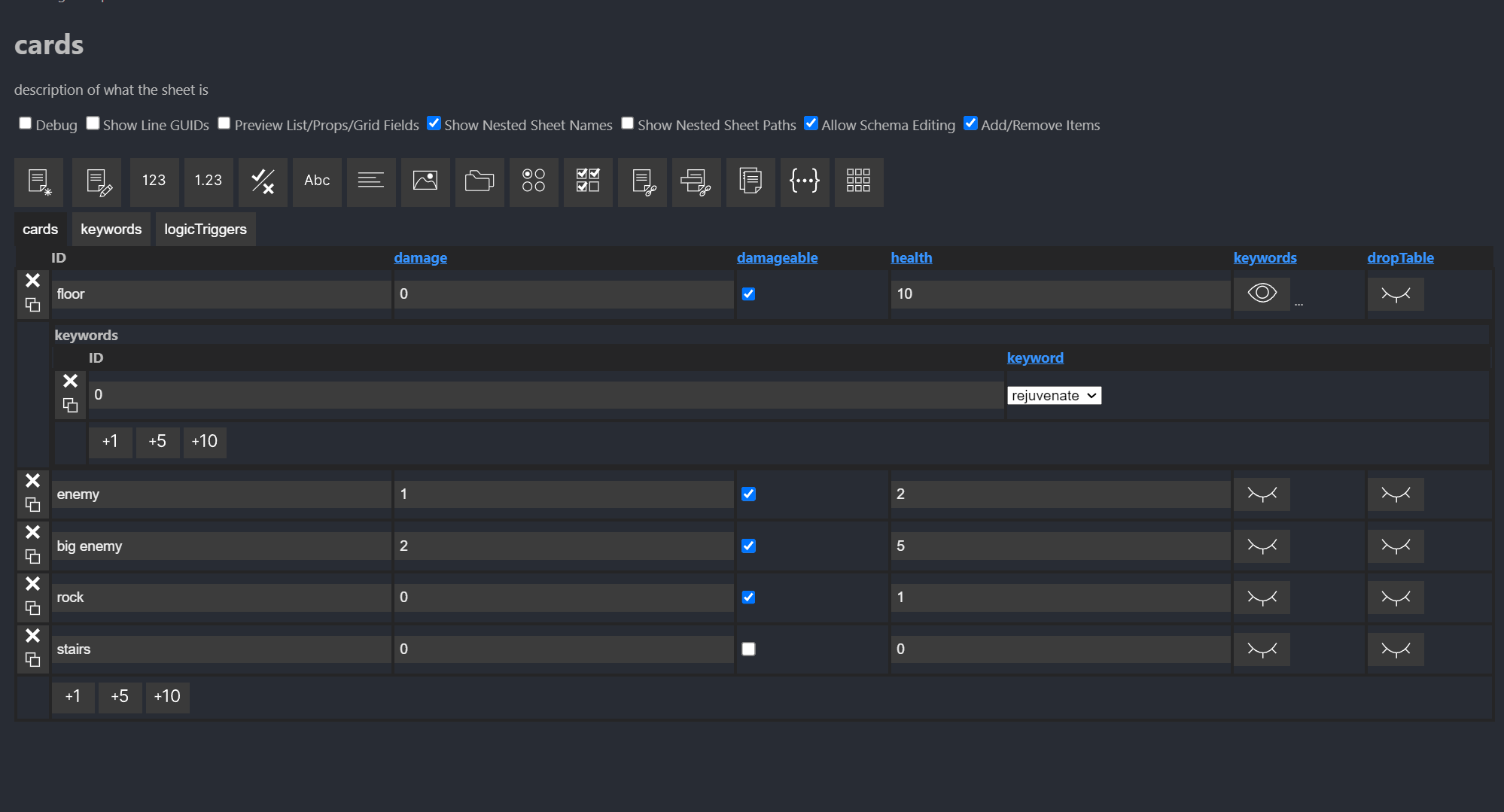
Here's where we're currently at. I've got all the data hooked up with Depot which is populating the cards above:
I also got text rending working in the engine, but tbh on tying it up properly.
My current task is making the logic ECS proc properly in a card-action type way. Dinghy's backend ECS uses Arch so I'm tying into that a bit, but also doing some nice "I have access to Depot" type stuff for Logic event procing:
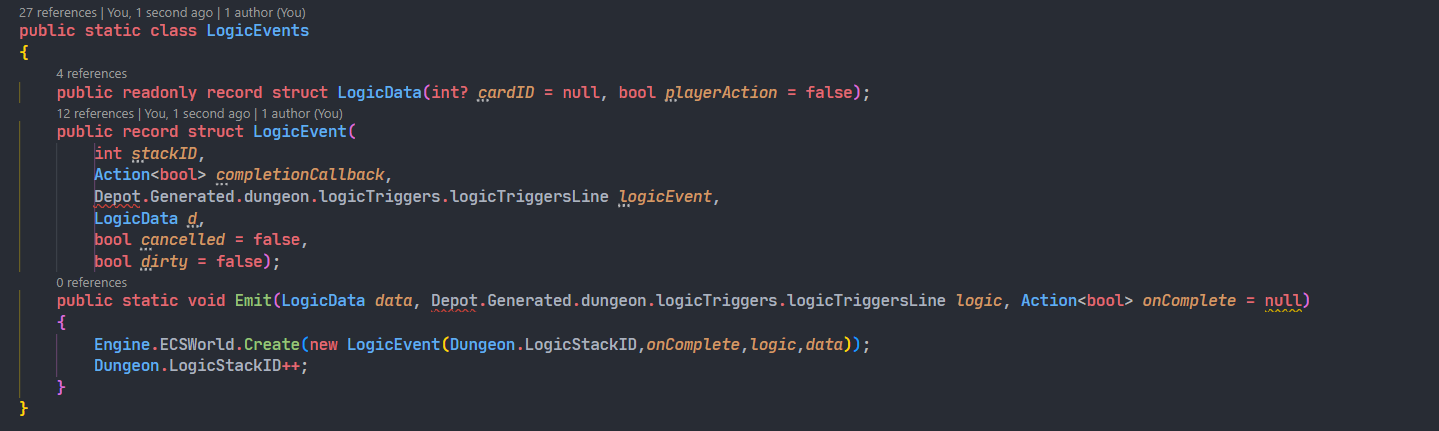
What this means is that from code I can then directly emit a "logic" event based on the type-safe logic triggers I get access to from Depot:
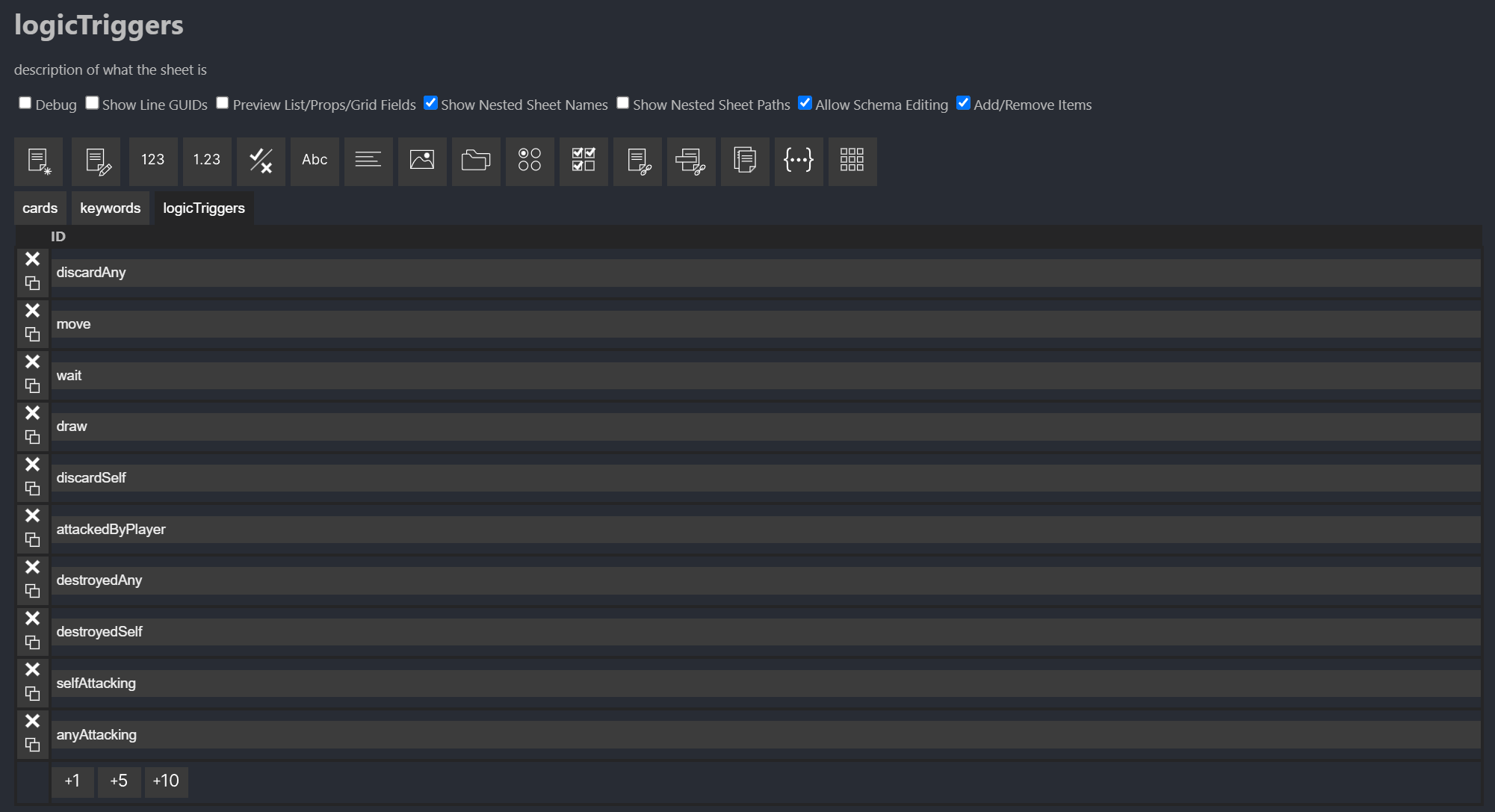
And then you can emit these events like:

What's nice is that again the logic event is type safe, so you can easily check Card keywords that respond to the logic events with a direct equality check, no strings required (they are literally the same "logic"!).
I'm excited now, but this is also the third iteration already of trying to get this stuff to work so I'm a bit in the doldrums of converting the old logic code to this. However once it's all setup, there's no code maitence required for incorporating new words/triggers. The only thing I'll need to do is just emit the logic even where it happens and everything else will just work as normal!
Off to coding, and hoping to report back more later tonight!