Indie game storeFree gamesFun gamesHorror games
Game developmentAssetsComics
SalesBundles
Jobs
TagsGame Engines

LazyChinchilla

3
Posts
1
Followers
1
Following
A member registered 69 days ago

Creator of

Recent community posts

Thank you so much for breaking all of this down! :D Your suggestions for the specific tutorial phrase replay is a great idea instead of looking for "between mosquito spawns" window. It could behave exactly like the mobile version does (tap and hold 2 finger anywhere anytime to restart) where we change this to click with both mouse buttons for 3 seconds anytime to restart from the tutorial phase and change the whole function to tap once to hear again this tip or double tap to continue with the next tip. 

Regarding the whoosh sound and cursor tracking: thank you for pointing out how tricky it feels on desktop without a continuous radar. To share a bit about how it's designed under the hood, it follows the mosquito's logarithmic volume gain so you hear the missed sound exactly where it happened to help with triangulation. Because spatial audio relies so heavily on your setup, it can sometimes be tough to catch without headphones.

To give some context on the design intent for the "gulp" sound effect: when the mosquito lands, it triggers a 2-second heartbeat that is your "Mosquash" window, and the gulp only plays if you don't double tap and fail to kill it. That said, your alternative idea about a prickling or rising-pitch sound instead of a human-like swallowing sound is super interesting and this could be a live draining situation. Instead of giving player 2 second heartbeat it could become a 5 second heartbeat plus high-pitch water flow or slurping draining 1 HP per second instead of direct -5 HP and "gulp" sound effect. The end of loop "gulp could become a sound like satisfaction of drinking blood sound, like a sound effect after drinking when you were extremely thirsty. I don't know how to explain :) This gives us a lot to think about for sound design!

Thank you again for taking the time to share such thoughtful feedback—it means the world to us as we work to make the game better.

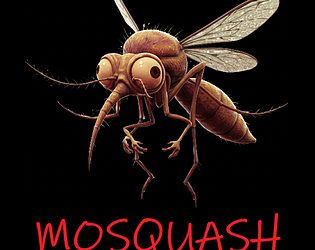
Hello Patricia! Thank you for playing Mosquash :)

Your feedback is much appreciated, and it actually highlights why Mosquash is primarily designed as a mobile game. On a touch screen, you have the whole playground right under your fingers, whereas mouse tracking on a computer introduces unique challenges for blind and visually impaired players. The aim here was to create a fast-paced audio-based action game, but a desktop experience is evidently not easy to achieve unless we change the input method or add a radar-like continuous sound effect to the pointer (maybe it could also give a short audio cue if the mosquito is in the catch area). However, that is not what we wanted for the Mosquash desktop version.

Here are a few notes on your points:

1) Recap instruction:

Actually, there is a way to review instructions! It was mentioned both in the game description page and during the tutorial phase in-game: "In case you want to restart from the tutorial phase, click and hold the mouse left button for 10 seconds between mosquito spawns (keep pressed after hearing your stats)." We apologize if it wasn't emphasized enough! We will update this part in the description with bold font.

2) Mouse pointer tracking & 3) Keyboard support:

You are right! To be honest, I don't know why your pointer was invisible but it was not related to game or how it is developed. Either way, tracking a mouse pointer without a continuous radar sound is very difficult for a blind player on desktop, and keyboard-only play would completely alter how the game flows and feels. This confirms our concern that a PC version misses the fluid experience of mobile tapping. This is a main issue, not just for Mosquash, but for any fast-paced action game that has drag-and-click as a main mechanic. In the mobile version, you just tap where you think the mosquito is, and it is fun. If it lands on you (when you hear the heartbeat), you just double-tap to avoid the gulp sound and -5 HP.

4) The sound effects:

Thank you for sharing your feeling about this! Just to clarify, there is actually no swallowing of the mosquito by the player (though we loved your imagination) :D. The "gulp" sound effect happens when a mosquito lands on you—it drains your blood and then vanishes if you don't "Mosquash" it with a quick double-click anywhere on the screen! Maybe you missed this part in the tutorial, so you experienced the continuous blood-draining sound, which was designed to create a sense of urgency and a small punishment for not double tapping in order to keep the player in reward/punishment loop. It is unfortunate you were not able to experience this because you never Mosquashed. While we wanted it to feel pressing,  we certainly didn't mean for it to cause genuine discomfort or disgust! Knowing it had that effect on you is very valuable insight. Yet we think that an action game against irritating mosquitoes is a better motivator than catching harmless butterflies :)

We truly appreciate you taking the time to test it out and share such detailed thoughts. Thank you again for playing!

Hi Patricia! Thank you for letting me know. Sorry about that—since I'm new to itch.io jams, I missed adding those details at first! I've just updated the submission now.