


Hey, thanks for updating me! I'm still having errors with my graphics though . . . I also already installed the latest webview2 runtime as it suggested, however, even after multiple restarts it still won't budge :((
I also want to note that I am using a different SSD now, from my kingston to WD green, not sure if that would be significant though.
AnimLab Bug Report
Version: 0.2.27
Runtime: Tauri
Screen: 1920x1080
Viewport: 1400x900 DPR: 1
Max touch points: 0
CPU: AMD Ryzen 7 7700 8-Core Processor, 16 logical cores
GPU / adapter capabilities: AMD, AMD Radeon(TM) Graphics, driver 32.0.21045.16010, WebGPU
RAM: 15477 MB
AnimLab Input Diagnostics Report
User agent: Mozilla/5.0 (Windows NT 10.0; Win64; x64) AppleWebKit/537.36 (KHTML, like Gecko) Chrome/157.0.0.0 Safari/537.36 Edg/157.0.0.0
No pointer events captured yet - move or draw on the canvas, then reopen this dialog.
== Log ==
Full log file: C:\Users\Manta\AppData\Local\com.animlab.studio\logs\animlab.log
== Session log (latest 200 entries) ==
2026-11-21T15:24:23.686Z [error] event=engine_start_failed operation=Start engine code=AL-1016 cause=AL-1032 kind=device_request_rejected stage=device_request failure_class=shader_compiler_unavailable backend_attempted=webgpu navigator_gpu=true webgpu_adapter=true adapter_obtained=true gpu_vendor="AMD" gpu_name=unavailable gpu_driver=unavailable gpu_backend="WebGPU" webview_major=157 attempts=1 version=0.2.27 platform=desktop
2026-11-21T15:24:23.690Z [info] event=device_info operation=device_info_capture cpu_model="AMD Ryzen 7 7700 8-Core Processor" cpu_cores=16 ram_mb=15477 gpu_vendor="AMD" gpu_name="AMD Radeon(TM) Graphics" gpu_driver="32.0.21045.16010" gpu_backend="WebGPU" version=0.2.27 platform=desktop
Graphics Needs a Repair. Error Code: AL-1016 (AL-1032)
{
"code": "AL-1016",
"cause": "AL-1032",
"kind": "device_request_rejected",
"version": "0.2.27",
"platform": "desktop",
"stage": "device_request",
"failureClass": "shader_compiler_unavailable",
"webviewMajor": 157,
"backendAttempted": "webgpu",
"navigatorGpu": true,
"webgpuAdapter": true,
"adapterObtained": true,
"gpu": {
"vendor": "AMD",
"name": null,
"driver": null,
"backend": "WebGPU"
}
}
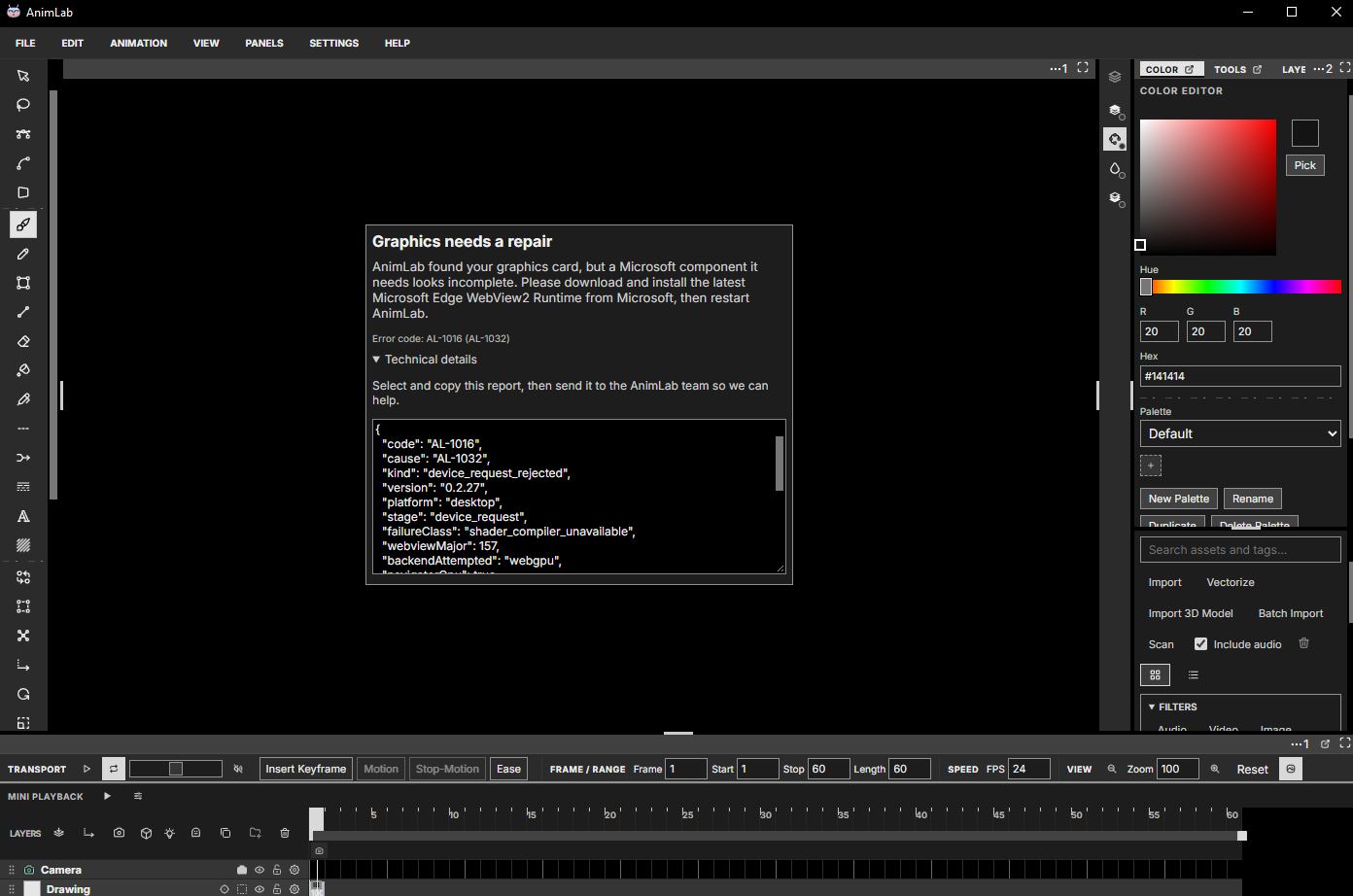
I really want to try this program out because I don't want to keep using my ToonBoom crack just for personal projects ;-;
Thank you very much for your hard work!!!