Indie game storeFree gamesFun gamesHorror games
Game developmentAssetsComics
SalesBundles
Jobs
TagsGame Engines

MasterPuppet

83
Posts
291
Followers
151
Following
A member registered Sep 03, 2022 · View creator page →

Creator of

Recent community posts

No, I only have Paypal, but the payment should be going through Itch.io not Paypal.

"Não sei quais arquivos você usou, mas, se utilizou os arquivos "Meshless", tente usar os arquivos "Anima" em vez deles — especialmente para o Unreal —, pois, pelo que ouvi dizer sobre o Unreal, não é possível importar uma animação do tipo "meshless"." - Google Translate

It's important to keep in mind, the Animations are made primarily for Unity and were made in Unity, I don't know what files you used, but if you used the Meshless files, try using the Anima files instead, especially for Unreal, because from what I heard about Unreal, you can't import a meshless animation.

I don't know anything about iClone, but I would assume the FBX files should work if you can import FBX models with animations. Based on what I see online about the "no compatible avatar for conversion" error, iClone can't recognize the rig. try checking to see if the imported model is imported as a prop or a custom mesh instead of a Humanoid Character, then you need to set the bones to the right place in the settings,  if it's being imported by going to File > Import, then you need to Import as Character / Humanoid. if you are using the meshless(No Mesh File) file try the Anima file and see if that works. As for the refund you have to ask for a refund, by asking Itch.io's support team.

Detailed instructions on the no compatible avatar for conversion error fix:

Select the mesh, go to the Modify Panel, and look for Convert to Character. The most reliable route is to open the FBX file in Character Creator (CC4), select Humanoid, and use the Characterization tool to quickly map the bones. Once mapped, click Send to iClone and retry applying the animations.

Yes, there are 3 main positions and each have variations.

(1 edit)

Yes, you are free to use any of my animations in your games and Yes, it is 36 total, so 18 for male animations and 18 for female animations.

(2 edits)

Yes, you are free to use any of my animations in commercial projects, just no reselling the animations themselves.

I've been busy with other things and just haven't gotten around to recording the animations. If you use Unity, the Demo Animations have two free animations you can use as a preview.

I think they, Exported the Animations from Unity to Unreal, with a Unity Asset Name "UMotion". I'm assuming they imported the animations into Unity, baked them on the Unreal Mannequins' FBXs using UMotion then imported the baked FBXs to Unreal.

I don't know what exactly you're referring to, but I would assume they probably use some type of Animation Blending between poses/animations.

The next Animation pack is a long way away from being released, so I haven't fully decided on it 's content yet, I have an idea, but it could easily change, so I want to leave it a surprise.

The Gangbang Pack(A part of the Party Pack) is the only pack with blowjob animations and it has 1, 1 on 1 blowjob animation, however you should be able to adjust(with IK) some  of the other blowjob animations to be 1 on 1.

(1 edit)

I don't use Godot, but from what I heard from Keralewd there is a tool to import Unity packages to Godot, I don't know if I can help more than that because I'm unfamiliar with Godot.

The Armature is the root of the model, Anima doesn't have a spine_04 or spine_05 and to add them would involve re-rigging, I should be able to fix the naming issues, I didn't make the rig with IK in mind, as you can usually add that in the game engine. I do not have vmd files for the the animations.

(1 edit)

I updated the Anima Animation files, I can't use a Mixamo skeleton for the animations, because the animations are exported from Unity, but the Animations should look much better than the FBX Alt files, let me know if you need anything else.

(1 edit)

This is just how Blender imports bones, I can't really do anything about that, the animations should still work correctly despite how it looks. I'm going to have to adjust the Anima FBX Animation files to be imported into Blender, I'll let you know when I update them.

(1 edit)

If you  mean the Synty models, yes, they should work.

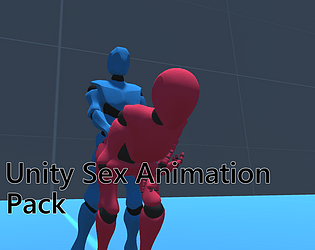
They should as long as the model is set up right, if you're using Unity you can just use the Unity package(Unity Sex Animation Pack), if not use the "Unity Sex Animation Pack Anima Mesh[FBX] files."

I'll consider adding a Gif.

(2 edits)

These packs are intended to be for Unity, unfortunately I don't really intend on having the FBX files be demos, I may change my mind in the future, but it still is a Unity based product.

(1 edit)

I'm glad you like this pack, the Anima file under "Download Demo" should be a Model without Animations, I do plan on making more. The Animations are made primarily for games and not Cinema.

(1 edit)

I just tested the download and didn't get an error, make sure you have WinRAR or 7zip to unzip and open the files, if you do or it doesn't fix the problem try redownloading it.

Jack and Jill are stand alone characters, if you're looking for Anima, she should be free  to download under the demo clips. Jack and Jill were made to give people generic adult models to use in their game projects.

(1 edit)

The Root is the root bone.

You're Welcome!

I just Updated the Anima files,  I removed the twist bones and changed the "root_x" to "pelvis".

(2 edits)

Yes, the Anima Model is supposed to be for retargeting the Animations to the model.

Yes, "Unity Sex Animation Pack Anima Mesh[FBX]" is the correct one, I'll update them to remove the extra bones and see if that helps.

I can see if I can remove the extra bones, but from what I'm seeing in Blender  the extra bones are also in the Animation files. Which Animation FBX zip are you using?

Ok, From what I see, the problem might be "root_x" not being named "Hip" or "Pelvis" as "Root" is the Root bone for both the character and the Animations rigs, so try renaming "root_x" to "Hip" , "Pelvis" or something else and see if that helps.

(2 edits)

I don't know how that's possible as the bones are both the same in Blender when I imported both  the Animation FBX and the Character's FBX, and I also Exported  them from the same file and have not touched the bone names. Can you show me an error or something?

I added the model, it should be "Anima" in the download files.

Ok, I should be able to do that, I can't really test it in Unreal because I don't use it .

(1 edit)

So do you think adding the character's FBX without animations will help? because all of the tutorials I've seen on importing say you need the unanimated  character to import them.

(1 edit)

Thank you for letting me know, I don't know how much this will help, but the bone "root_x" is more like the Hips or Pelvis, "Root" is the root of the character, I don't know if or how this can be adjusted in Unreal, but if you can this may help fix the issue, let me know if this helps.

I added a mesh to the FBX Animations.

I added a mesh to the FBX Animations.

I added a mesh to the FBX Animations.

(1 edit)

Currently, the FBX files probably won't work in Unreal(unless you give them a skeletal mesh) which I'm working on fixing soon, I don't have plans to release a demo for the FBX files or to make a Female Masturbation Pack, but I'll think about it in the future.

Thanks for the explanation, I think this will really help me fix the problem with the FBX files, you don't need to provide the files, I think I can fix the problem now.