Indie game storeFree gamesFun gamesHorror games
Game developmentAssetsComics
SalesBundles
Jobs
TagsGame Engines

NSY Studio

4
Posts
1
Followers
A member registered 50 days ago · View creator page →

Creator of

Recent community posts

Thanks, this helps. You shouldn’t need to clear signals by hand: a Route rule clears its signal itself, but each rule only covers one signal. Try a second rule for the other signal. I’m also making the tutorial rule cover both, and the game will say when a rule can’t run.

Thanks for sticking with it for 30 minutes, and sorry it was so confusing.

You’re right on both counts: the editor shows internal names like sig_a that mean nothing on screen, and the tutorial stops just when it should walk you through your first rule. Both are being fixed. The editor will use the same names as the board (Signal 1, Platform 1), and the tutorial will build a first working rule with you.

Quick tip for now: pair sig_a with P1, and sig_b with P2.

I’ll post here when the update is out.

Thanks for playing.

You’re right on both counts. The lever lock is stricter than it should be: the points stay locked until the train reaches the platform, when they should free up as soon as it’s past the junction. That’s getting fixed. And rules are the heart of the game, so they shouldn’t be hidden behind 20 minutes of manual sorting. The next demo update will let you start building rules almost straight away, with manual switching as a short intro rather than the main loop.

One question if you don’t mind: once you got a rule slot (or if you didn’t), was there anything about the rule editor itself that put you off?

I’ll post here when the update is out.

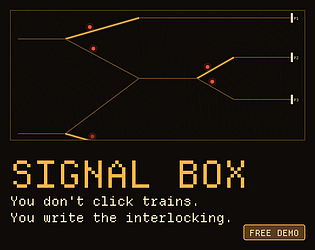
Thanks for trying the demo. It is the first slice of a Steam game about writing signal interlocking rules. Two questions: did the tutorial tell you enough to build your first rule, and did the pace feel right between the first purchase and the first Rule Slot (about 20 minutes)? Tell me where you stopped.