
Indie game storeFree gamesFun gamesHorror games
Game developmentAssetsComics
SalesBundles
Jobs
TagsGame Engines

Opti_Prime

10
Posts
3
Topics
18
Following
A member registered Aug 08, 2021

Recent community posts

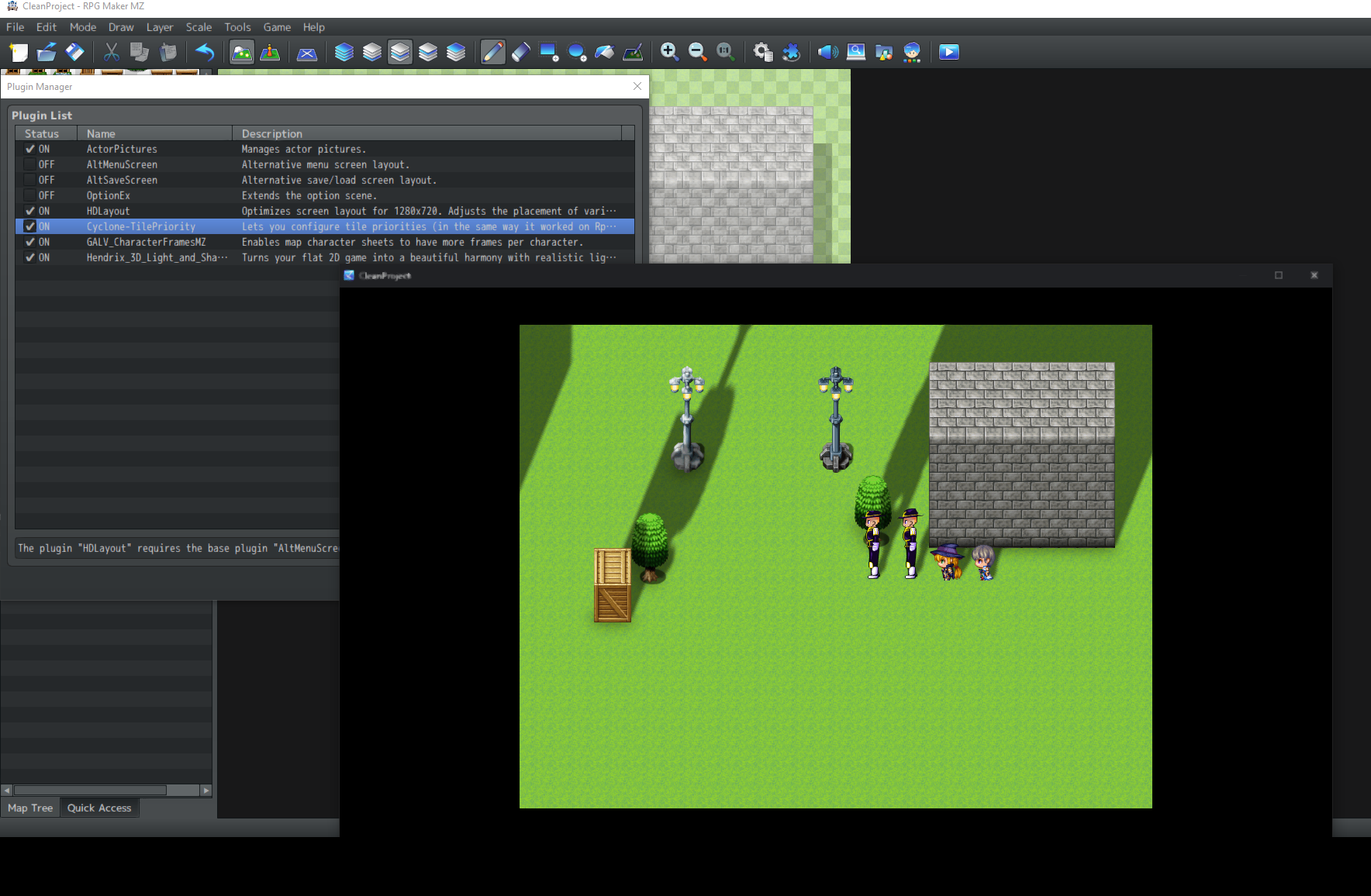
Hello! Been fiddling with a plugin quite a bit. Works really well, despite me running a few dozen other plugins. However I did find a few issues, tested them with a clean project with standard starting plugins, GALV's pluging to increase character sprite numbers and Cyclone's TilePriority plugin (your version with the performance optimalisation). Added a screeenshot.

1. When making a house, shadows don't cast themselves on the house walls, even if the setting "Shadows on wall faces" is turned on. Don't know if this is me misreading that toggle tough.

2. Object marked as 3D start ignoring the Tilepriority plugin. So character sprites get cut-off again. If thery're not marked 3D, plugin keeps working.
Downloaded the latest version. Imported my RPG Maker MZ project which is using a lot of plugins (especially Visustella) and playtested. Everything worked like a charm so far. Looking forward to diving deeper into it.

Just a few tidbits:

- I don't use Paypal, but I want to donate some money for the effort so far, any alternative way?

- Maybe a small list what the major improvements are if you import your olders RPG Maker project. Are there performance benefits? Run more events in parallell? I have seen Tilesets have 2 more tabs then in MZ...which is a small god sent! Sell this engine!

- I noticed it is Chromium-based, which can create blurry text artifacts depending on people's GPU settings, it did with mine up to the point of it being unplayable. I went in my Nvidia GPU Control Panel => 3D Settings => added the executable to the list => turned of all the anti-aliasing options for the engine => restarted the apllication and presto, no more blurry text.

- any plans to have shadows be auto-generated for 2D?

Re-did in a new project to make sure. seems I was wrong. If done properly, the overpass plugin does work as intended.

Region ID recognition works like a charm now if using the pixel hitbox method. The standard 48x48 way keeps working with a massive delay or moving around on the Region ID's.

Only non-Visustella plugin-incompatibility I found within is with the Overpass plugin https://en.plugin-mz.fungamemake.com/archives/9397 which makes making bridges quite easy.

Characters just stop at the the Region ID  assigned as the Bridge/Overpass entrance/exit, so they never enter the bridge.

Even Touch also does not seem to work properly, I have event that run towards to start combat, they just bump into the player and start twitching up and down. Fiddling with the settings has not produced a good outcome. If you can give some recommended setting to test, would be great!

Just tested the new version, just to be sure, used a new project with it being the only active plugin.

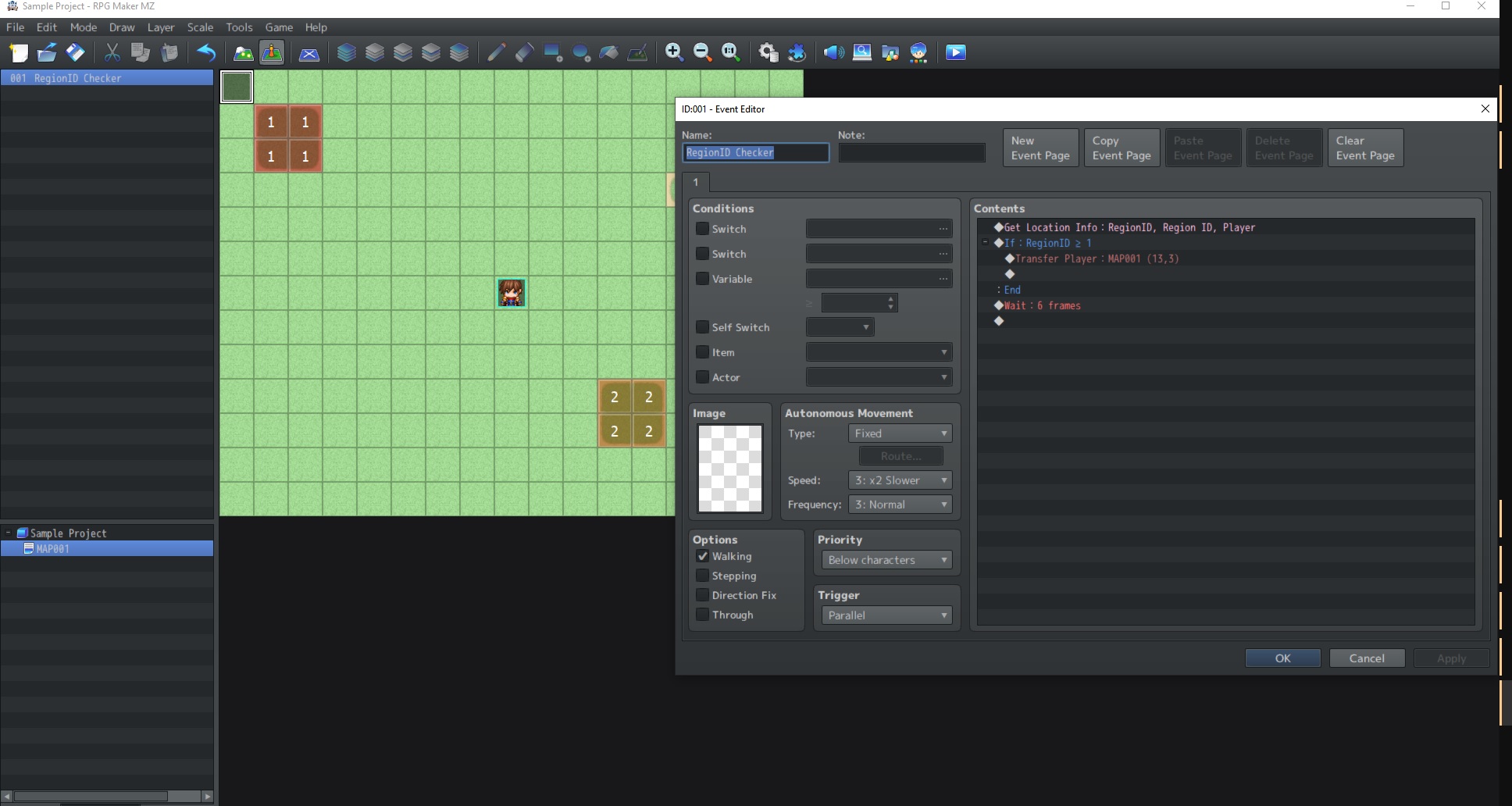
Added Region 1 and Region 2 and an Event that just makes them teleport to a bush upper right. Playtested, entering region 1 or 2 basically does nothing, standing on it sometimes does trigger the event after a massive delay of seconds. Moving within the region sometimes does trigger the event. It's very inconsistent though.

My completely uneducated geuss is that the plugin messes up Region ID of the player (maybe also events) detection in general. If that could be fixed... this would work wonders!

(1 edit)

Hello! Tried out the plugin. Pixel movement works quite good, gives everything a bit of a smoother vibe.
However, the plugin breaks other plugins who use region ID's to facillitate or block movement.

Couple of examples: 

1) The Overpass Tile plugin for making bridges and overpasses doesn't work (uses region ID's to detect the entrance/exit of the bridge and the actual bridge.

2) EventsMoveCore plugin from Visustella. Uses Region ID's to block movement, is now entirely ignored

3) Also EventMoveCore plugin from Visustella. When certain Region ID's are in fron of the player and the player presses OK, this can deploy the boat/ship. Allows me to control where players can actually embark and disembark on their boat.

Tracking the Region ID through Common Event still works, which I use to teleport the player or trigger certain things, depending on the map. Those use-cases still work.

Edit: After fiddling around a bit more, even standard Common Events based on Region ID's seem to go wonky. Had a logic linked to Region ID 2 fire of on Region ID 30, while walking on Region ID 2 did nothing. Turned of your plugin... then everything worked again.

(1 edit)

Hi, is it possible to also have credit card as a payment option?

I refuse to use Paypal after they tried to put "spreading misinformation gets your account killed" terms in their legal notice. Off course, without any definition what constituted "misinformation".

(1 edit)

Not a problem. A first step would be to change them into ControlNet images. I would send those even to you if you want to re-distribute them.

Question: can we use these portraits as a base for IMG2IMG or ControlNet based AI-generation?