

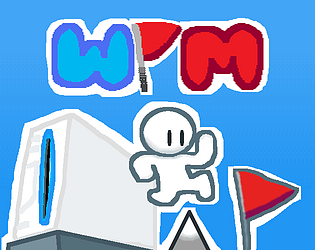
This tool was made in Turbowarp, and the fully compiled project in WiiLÖVE, an implementation of LÖVE2D for the Wii :)
Pixel Dimension
Creator of
Recent community posts
Hello!
This tool has updated a lot, congrats on those awesome updates!
I am currently having a weird issue where I can't save my projects (i don't know if it's the same thing for loading one).. when clicking Save As, got this:
Error while saving project SecurityError: Failed to execute 'showSaveFilePicker' on 'Window': Cross origin sub frames aren't allowed to show a file picker.
If you could fix it, it would be very helpful. Thanks! ^_^
This new update is AMAZING!! :0
I really liked the new score, bars and rom size additions! :)
I have a suggestion, maybe make it supported on tablets/phones. When I access it on a phone, it kinda works, but the emulator disappears when I drag a block, and when Javatari goes fullscreen and I leave the game, it also exits the tool...
Hello! ^_^
Thanks for reaching out, I am REALLY excited seeing you, I'm blown away!! :0
I also appreciate you looking into the audio bug for a future update :)
And oh my gosh, I would absolutely be honored to have Funkin' GBA screenshots on the App Store!! 0_0
Let me know if you need anything on my end if the update is ready.
Once again, thank you so much!!! :D
Thanks :D
Wow, you've been playing on the Apple Watch!?! That is really cool, didn't know there were GBA emulators for it :0
I think Pico might be in v1.2 (once i start development), but I don't know if story mode is gonna come out since I need to save variables across different scripts (so I have to use SRAM, something I don't know.. yet)
Stay tuned tho :)
Hello, sure! :D
First, you need to set up a variable to get the wiimote:
local wiimote = love.wiimote.getWiimotes()[1]
Then, to get the input, just use the following command:
wiimote:isDown()
Inside the parentheses, you should put a string with the specified button you want to check. The buttons are "up", "left", "down", "right", "a", "b", "1", "2", "+" and "-".
Example program:
local wiimote = love.wiimote.getWiimotes()[1] -- defines wiimote 1
function love.draw()
if wiimote:isDown("a") then -- checks if A is being pressed
love.graphics.print("A is being pressed!", 10, 10)
end
endHope this helps :)
I made a quick test map for it, here it is
https://andredarcie.github.io/tiny-rpg-studio/#vy.oyXQAB_4CAgYACAgICAgICAgICAgIC...
I was trying to import it from the exported .html file, but no luck
Hey, this is becoming a really nice tool! :D
Just some QQs, when will you implement the other things you need?
Also, I don't know if you haven't implemented it yet, but for some reason, I can't change any of the sprites' designs. I can do it in the tool, but it doesn't change it in the ROM.. could you try fixing that in the future?
Thanks :D
Hey Haroldo! This is a really nice tool and I really liked playing around with it! I have some suggestions on how you can use audio within the ROM:
- Build a converter that checks the notes in the audio files and convert it into a format the Master System supports. (For example: "Coin Collected" --> Converter sees notes G and C --> Converts notes to format for the Master System)
- Let the user upload a file format that is supported by the Sega Master System (example: .smps or .vgm)
- Make a music and sfx editor like GBS Music (https://music.gbstudio.dev)
- Make your own SFX and remove the View > Sound tab.
I embed the game using EmulatorJS. You can generate a .zip online with the .html and the ROM file, which can be put on itch.io.
Hi, thanks for the feedback! ^_^
I tried testing it on dolphin, with the files for Wii and a designated .elf file for dolphin, but no luck. I only managed to run it on real hardware, by loading the game folder into apps/ on the SD card, and running it on the homebrew channel. I think you can try porting it to PC by changing the input method (from love.wiimote to love.keyboard), removing the rumble functions, and changing the aspect ratio (love.window.setMode).
The button you press to jump is '2', because the game was designed to hold the wiimote horizontally.
When I was trying out WiiLÖVE, I did not know how to use fonts, so I thought there was no way to put text.. Then sometime later, after testing the love.graphics.print() function alone, it worked, but you have to tostring() every single variable, and I think that would be a little bit messy. But, who knows, maybe I might remake this tool one day, and make better physics and optimizations.


