Indie game storeFree gamesFun gamesHorror games
Game developmentAssetsComics
SalesBundles
Jobs
TagsGame Engines

Sang Hendrix

992
Posts
9
Topics
2,697
Followers
116
Following
A member registered Feb 14, 2014 · View creator page →

Creator of

Recent community posts

Hi!

Currently there's no way to add bubble image behind the critical damage text yet, but I'll add that feature to next version of RPG Maker Action Combat.

Hello, can you send me a video of the first issue to the Discord channel?

It supports weapons, item, armor, skills. You gotta setup the type of hotbar slot then it'll open the right menu.

That I don't know. I haven't used it yet.

Hi, currently, it's not on my plan yet as to make a multiplayer plugin that is friendly to users, it requires a lot of backend work and time on my end.

Hi, this plugin won't add multiple owner to the shop. It's a very simple plugin that comes as is.

Hi! Currently, it doesn't support  playing on terrain tag or a region id but you can make them play on those through many eventing techniques.

Hello, your update is ready. Please test it and see if it works.

https://sanghendrix.itch.io/hendrix-hud-designer-rpg-maker-mz-plugin/devlog/1615...

Ah. This can be done. I'll put that to to do list!

Ah, I notice the log also showed a missing file. I do have a theory and will test it when I get back to work. I'll give you updated.

Don't forget to join the Discord channel so we can contact in realtime.

Hmm, I've just tested again and everything is still working properly. Can you create a very new blank project and put just Hendrix HUD Designer there and test and see how it goes?

Perfect! 

I'm glad you found a solution. ☺️

Hi. Currently it doesn't and supporting multi effect is very hard to achieve, as certain effects modify the same properties. It can be implemented but if it's done, not all effects can work together.

(1 edit)

Hi, how many actors did you initially have? I have like 20 but it stills when fine.

Hello, currently it doesn't bind bar to event.

It allows you to display a weapon sprite on your character like putting it in the back, on the head, but not swinging animation or stuff like that.. This plugin is purely for fashion.

Hello, your suggestions have been added to the upcoming  1.0.2 update. Please update to this version when it's available. 

Yes, you can do the same thing to events as well. They follow the same steps as when you do for player.

Hi,

Beginner bundle is a collection of 2025 plugins, while Must Have includes only the best plugins and have stricter requirement on what plugin can be included in here.

Must Have is a better bundle.

Hi, this plugin is entirely just to build UI, it won't handle gameplay well. I can't promise it'll suitable for your case.

That isn't related to this plugin anymore, haha. Its job is just like what I mentioned: See more of map or see less of it without changing game resolution.

Map Zoom plugin only zoom in closer to character, which is common for nearly all camera plugin.

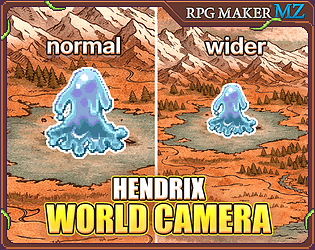
World Camera plugin can also do that but it also zoom out so you can see more of everything, as demonstrated in the trailer. 

What you're wanting to do is what this plugin does: Adjust the view however you want regardless the game resolution size.

Both are fine. World Camera can reduce your game resolution size (if you want) whilst still keeping your game view look wide (or closer, depends on you). The benefit of having a smaller game resolution size is it helps improve performance on plugins like Post-Processing.

Oh thank you! It was actually one of my first practice but I'm really glad you liked it. 😁

That I don't know. I don't use Visu plugins.

Hello, the plugin is for map only. :D

Hi, 1.6.5 for Steam is still under development. Due to the sample project of Steam is different to itch.io's one so it'll take some time. I thank you for your patience. 🙏

Hi.

You just need to write it like this:

if ($gameSystem.isCRTEffectsEnabled()) {stuff}

Hello, can you record me a video? Feel free to visit Discord cuz it's more convenience there in term of technical.

(2 edits)

Hi, there are plenty of video tutorials available. You can start out with them. If you need more help, pls let me know.

For preset library, it'll take a while to build them, but eventually it'll be there.

If you only want RPG Maker Action Combat then you can get just RPG Maker Action Combat. Bundle is a collection of a lot of plugins with a cheaper price, only get that if you need the plugins included.

Hi, you can check the Showcase page or join Discord server to see farming and survival games created by other users. 

For tutorial, I still focus on real time action. The plugin upgrades eventing system so most of the time, users who are good with eventing just know how to use the plugins to create other genres.

And it's fixed. Do tell me if it works: https://sanghendrix.itch.io/realtime-parallax-map-builder-rpg-maker-mz-plugin/de...

Ah, I know what you mean now. It is a bug and I'll fix that asap.

(1 edit)

Hi. Please try turn off all other plugins the test again.

Hi, are you constantly calling Show Text command? You must be using parallel trigger but didn't add an end point to stop that parallel from looping.

And thank you for using the plugin. ❤️

Hi. Right click on a recipe (result product) and choose Visibility Config. In here, you can control when the recipe is shown in the menu. Curently, we have 2 options: When a switch is enabled or when a variable is at certain value.

Hello. Yes, tile based collision is actually already added in the plugin and you can use it by clicking on the brush icon.
And your update is ready, do tell me if it works.

https://sanghendrix.itch.io/hendrix-crafting-master-rpg-maker-mz-plugin/devlog/1...