

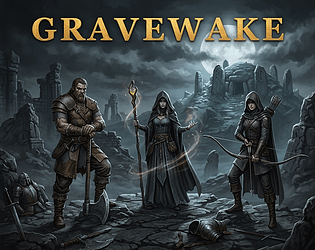
Fun game. Could use a bit more UX work (just for example, when maximizing to play in browser, hitting Esc to dismiss will minimize the game) and a bit more clear objectives for the first 3-5 minutes just so players can get their bearings, but once you learn the loop it's pretty addicting.

threnodyes
13
Posts
7
Topics
A member registered 8 days ago · View creator page →
Creator of
Recent community posts
Gravewake Idle community » Development » Devlogs · Created a new topic Gravewake v1.2 - Runic Supports Overhaul + Update
Gravewake v1.2 Runic Supports Update
This update adds over 2 dozen new Runic Supports, reworks about a dozen, removed about 20, and rebalanced passives and monsters. Runes are now owned by default, and you can choose your Rune setup freely. The only runes locked behind RNG or time are Chase runes, which are achieved from Zone and Labyrinth bosses.
I have also done some serious UI changes and stylistic polish, and I hope you enjoy them.
Runic Supports Overhaul
- Runic Supports overhaul. Secondary Runes are now the main way to shape a build, much like support gems: every rune still works with any skill and any Core Rune, but each one shines when your skill, tree and gear feed it (Physical, spells, attacks, Strikes, Slams, bolts, single target, area, ailments, defences turned into damage, and more).
- Secondary slots are now a free choice from the whole normal pool (61 runes), grouped as Hit, Ailment, Stat, Clear, Utility and Minor Runes. No more random offers or rerolls there. Changing a socketed rune still costs the respec Gold.
- Core Runes are unchanged: still a random offer with rerolls.
- Seven Chase Runes are never offered, only found. Rune of the Endless Echo, Grimrot's Rune, Tare's Rune and Rune of the Trophy drop in the Act zones (rarely from Rare monsters, more often from the campaign bosses). Rune of the Atanhoa, Laak's Rune and Rune of the Twin Core come from Boss Key and Labyrinth Depths bosses. Found runes are kept per character in the new Rune Collection (a small button under your skill name on the paperdoll) and can then be picked like any other.
- Existing characters: every Secondary slot is emptied once so you can re-pick for free. Chase runes you already had socketed go straight into your Collection.
- Monsters are tankier to match the new rune power: from Zone 2 on they have more Life, rising by zone (Caves +10%, Blighted Marsh +20%, Forsaken Keep +35%, Cinder Wastes +50%). Labyrinth maps and the campaign gate bosses build on the Cinder Wastes and zone monsters, so they are tankier too. Monster damage is unchanged.
- The rune window and the Rune Collection now use the game's stone-black windows and warm cards.
- Choosing a Secondary Rune now has a search bar: type a rune's name, a stat, an ailment (Ignite, Bleed…) or a category to narrow the list.
- Two buttons on the side of the rune window switch between All Runes (every choice, by category) and Recommended Runes: first the runes that raise your skill's damage, then the ones your Core Rune makes stronger, each with roughly how much damage it adds for your build. Explosion runes are recommended when your skill or Core Rune applies their ailment.
UI Changes
- The Inventory paperdoll has a new backdrop, drawn by the game instead of a fixed picture: warm brown-grey stone with raised mouldings and iron rivets, a triple moon sigil behind the weapon, the Waking Eye between rune bands, two carvings of the Labyrinth Sentinel (one great eye under a brass crown, stone tentacles fanning from its back, glaive in hand), a carved seal behind the body armour, and the rune star under your Runic Supports. A few old, wispy cobwebs are strung across the corners of some slots, drawn over the top of whatever you wear. It is drawn to fit your window, so it stays sharp at any size, and every slot sits where it did before.
- Runic Supports on the paperdoll: the Core Rune now sits in the ring at the centre of the rune star, with the Secondary Runes on the star's points around it. The lines linking the rune sockets are gone. The Respec button is about 10% smaller so it no longer clips the rune circle.
- The Loot column in the Inventory now matches Detailed Stats. Pick Up, Currency and Treasures each have a centred heading between thin gold lines, and every entry has its name on the left and its count on the right. Gold sits at the top of Currency in gold lettering and is no longer in a box. Mote names keep a softer version of their colours, and the lines between rows are gone. The custom filter's On/Off now sits beside a smaller Settings… button under the Equipment Filter. Treasures are listed one per line instead of folding into a drop down. Right-click a Treasure to open it, as before.
- The Labyrinth's Map Device has a new look, in forged iron like a Path of Exile map device. The map slot sits in a heavy iron frame with gold-ringed rivets at its corners and a thin gold lip. The frame now fits the slotted map exactly, so it grows and shrinks with the map's modifiers. An iron neck joins it to the four Tome slots, which now sit two by two in their own iron-framed box. "Open Map" is now "Traverse", an iron plaque with a gold rim and gold lettering. "Won't complete" warnings now sit clear of the button. Everything still fits the middle column at 720p, 1080p and 1440p.
- Quick crafting beside the map in the Map Device is now a small iron-framed grid of Mote sockets, two across and six down, matching the device. Each socket shows a short name in the Mote's colour (Sub, Aug, Hav, Holy…) and how many you hold. Motes that can't be used on the map are dimmed, and hovering a socket still shows its full name. With every kind of Mote it now fits beside the map instead of running down the column and off its edge. The map card is a touch narrower to make room.
- Quick crafting beside item cards (when you hover an item) has the same iron Mote sockets in one slim column, with the short name on the left and the count on the right. It is about half as wide as before, and the item card no longer stretches down to the column's length.
- Detailed Stats gets light, muted colour coding on its numbers only (the names stay grey): Life in soft red, Energy Shield in pale teal, Mana in dusty blue, Armour and Block in bronze, Evasion in sage, damage and crit in pale gold, each resistance in its element's colour, and the attributes in their own colours. Item mod text uses the same muted colours, and its base text is a quieter sage, so mods no longer pop against the rest of the page.
- A Tome in a Map Device slot now reads just its short name ("Moteweaver's", "Treasurer's", "Horde"…), its quality and its uses, so long names no longer spill out of the slot. Hovering still shows its full name and effect.
- Resistance hovers now show your true uncapped resistance after the current zone's (or map's) penalty. In a zone that takes 25% elemental resistances, 130% Fire now reads "Fire 77% [max] (105%)" instead of (130%). Detailed Stats' resistance rows read the same way ("total 105% after −25% here"). The "This zone: …" line under the quick stats is unchanged.
- The Well readout under your hero in Town ("Well 5/5 [+10% XP]") is hidden once you reach level 50, since experience no longer matters there. Below level 50 it shows as before.
- Detailed Stats now shows more beside three of its numbers: each Resistance shows its uncapped value after the zone's penalty in brackets whenever it differs from what you have, e.g. "77% (105%)"; Armour shows how much it reduces a typical hit from this zone's (or map's) monsters, e.g. "4,200 (38.5%)"; and Evasion Rating shows your chance to evade, e.g. "3,100 (42%)".
- The Minion Management panel (Raise Army) has a new look: a sarcophagus lid in the paperdoll's own warm stone, hung right under the paperdoll and centred, with cut corners and a carved border. "Minion Management" sits on a dark plaque at the top. Skeletons, Mages and Wraiths are three ringed stone medallions with a carved figure in each, joined by an engraved line. The army you've chosen is rimmed in gold, lit from within, and named in gold. The Mages' Fire, Cold and Lightning choice is three small seals under their medallion. Your army size is now a strip of skulls, one for each minion you can raise and lit for each one raised, with − and + at either end. How many are raised, the Mana you reserve and See stats sit along the bottom. It works as before: changes in Town only.
Feel free to leave any feedback below.
Gravewake Idle community » Development » Devlogs · Created a new topic Gravewake v1.2 - General Update
Gravewake Idle: v1.2 Release Notes
This update to v1.2 features the War Chest overhaul, much better UI scaling and aesthetics, and QoL upgrades. Implementations and updates to front end UI/UX have been done that incur the move to v1.2.
Saves from v1.1 are compatible and data has been properly migrated.
UI Overhauls:
- The Stash is now the War Chest: one stash shared by every character in a mode, free for everyone (the War Chest button at the top). Your old Hoard moves in automatically the first time each character loads: Uniques go to the new Unique tab and the rest to Tab 1. Anything that doesn't fit waits in a Remove-only tab until you take it out. Your old Warband gear and map tabs become Tab 1 and Maps 1.
- War Chest tabs look like Path of Exile's. Tab 1 is free, and Tabs 2-5 cost 50,000, 100,000, 250,000 and 500,000 gold. Maps 1 is free, and Maps 2-3 cost 50,000 and 100,000 gold. Bought tabs are shared by all your characters.
- Map tabs show one tier at a time with I-X tier buttons, plus a Uniques section for Unique maps.
- New tabs: Uniques (unlimited, sorted by slot with icon buttons), Tomes (by category and tier) and Treasures (by kind). For Tomes and Treasures, click to move all of a kind or Shift-click to move one.
- A search box looks through the whole War Chest: matches glow, tabs show how many they hold, and picking a result (or pressing Enter) takes you straight to it.
- War Chest Gold: type how much gold the War Chest should hold and press Set Gold. The difference comes from your character or goes back to it, so any of your characters can take out what another put in.
- Text and buttons are larger at 1080p and smaller windows. The game now keeps everything close to its 1440p size and fits the layout around it, instead of shrinking the whole screen. 1440p and 4K look the same as before.
- The title screen no longer shows the three exiles. Instead, monsters from every zone slowly wander along the shore, a few at a time, coming in from one side and walking off the other. They keep wandering, softly blurred, behind every New Game screen.
- The rune circles on the Inventory paperdoll now sit on the points of the carved hexagram: the Core Rune on the top point, Secondary Runes top left, top right, bottom left and bottom right. The sixth socket (Haureth's Chain of Office) takes the bottom point.
- Uniques now fit on the Crafting Bench, for Enchant and the new Unique Infusion only (the craftable Labyrinth Depths Uniques still craft like Rares). Unique Infusion has four crafts:
- Borrowed Infusion (free): consume a duplicate of the Unique to re-roll its unique effects, favouring high rolls.
- Unpredictable Infusion (50 Augmentation + 50 Twisted + 50,000 gold): its random mods become Holy mods, and it corrupts.
- Predictable Infusion (50 Havoc + 25 Augmentation + 25,000 gold): re-roll its random mods around a mod tag you choose.
- Destructive Refusion (50 Twisted + 50,000 gold): turns it into a random different Unique of the same slot, and it corrupts. A Legendary Unique of that slot turns up 1 in 2,000 Refusions.
- Rune rerolls: an open rune slot's offer can now be rerolled for gold, 2,500 for the first reroll, then 5,000, then 10,000 (Reroll button under the offer, click twice to confirm). After three rerolls that slot has none left: choose a rune, and respeccing it later gives the slot its three rerolls back. Changing skill also resets the Core slot's rerolls.
- Every Unique map now has its own Battleground backdrop: a beached treasure galleon in Tarnan's Folly, the Eldersquid's watching eye in Dweller's Depths, a ruined sunset temple in Forgotten Paradise, a bone aerie on the mesas in Peregrine's Landing, a drowned survey camp in Cartographer's Bog, a slit-eyed blood moon over Azini's Nightmare, a Havoc vortex tearing open the sky in Chaotic Maelstrom, a fanged lair in Apex Predator Hideout, a city hanging in pieces in Delirious Ruins, and a crowned mausoleum in black water in Flooded Royal Cemetery.
- Labyrinth Depths now counts toward your Infinite Tier rank: every pack slain on a Depths path counts as one pack, the same as in an Infinite map (500 packs per rank). As in maps, bosses don't count.
- The Passive Tree is no longer stretched sideways: the web keeps its true round shape, its nodes sit a little further apart, and it opens closer in on the Heart, so you pan and zoom to explore it (or zoom all the way out to see the whole web).
- Brilliance end-node names sit a little lower, so they no longer clip the bottom of their diamond.
- Loot toasts (item, map, currency, Treasure and Tome drops) no longer pop up while the Inventory is open, so they don't cover its buttons, and any showing are cleared when you open it. System toasts on the left still show.
- The Mote Guide (the ? on your Currency Hoard) now opens during combat too, just like Tutorials and the Codex, and its window uses the same warm stone-black colour as the other windows.
- New Treasures, found only inside maps: Delver's Hoards, which hold Labyrinth Tomes. Right-click one to open it. A Spoiled Delver's Hoard (about as common as a Relic Box) grants 2 random Tomes, mostly Tattered. An Intact Delver's Hoard (half as common) grants 4, often Prime. An Immaculate Delver's Hoard (a quarter as common) grants 8 Prime or Exquisite Tomes, never Tattered.
- Tutorials are much shorter and easier to read, and most of the grey hint lines under window titles are gone. The Mote Guide, welcome message, Crafting Bench, Company and Labyrinth Depths texts were trimmed too.
- The headstones on Choose Your Hero and the Town hero card, and every stone button, now use a rougher old-fieldstone texture with faint cracks and lichen, instead of the dotted grain.
- The Load Game window now uses the same warm stone-black colours as the other windows. If you have characters in two or more Modes, a drop down lets you view one Mode at a time or All Modes; it opens on the Mode of the character you last played.
- The Loot drop down in the Inventory now matches the rest of the game: a stone button that opens a grey, see-through list, so it reads apart from Custom Filter Settings. The text on stone buttons is also a touch darker, so it's easier to read, and Custom Filter Settings is now a gold button.
- A small headstone with a waking eye cut through it now sits beside the Gravewake title, on the title screen and at the top of the game.
- In Town, the Blacksmith, Herb Garden and Cult upgrades now stand in a column over the left edge of the Expedition Map, rising from your Tarefall gold (Cult lowest, Blacksmith on top), and Vendor, Mote Merchant and Crafting Bench sit centred under the map.
- The game is now version 1.2 (shown on the title screen and in About). Your v1.1 characters, War Chest, Company, Codex and loot filters all carry over as they are.
Feel free to leave any feedback below.
Yes! When hovering over a map, you can click Sell. In the Labyrinth tab, you can also sell a map after inserting it into the Map Device. It follows sell pricing ranges for normal -> rare.
I plan on adding a map stash cleaner [sell all normals/magics/rares], but I'd suggest purchasing your Warband Hoard in the Stash tab as soon as you can afford it, as overflow maps will begin automatically transferring there once your character's map inventory tab is full. For now though, you'll just have to manually sell.
New Title Screen, Character Creation and Tutorials
- Title screen
- Game art behind New Game, Load Game and Tutorials in one row. Should provide a much cleaner, cohesive aesthetic look to the game.
- New Game Overhaul
- Pick a mode (each with its description), see the classes side by side and their stats underneath. Clicking a class opens a sidebar with its skills; hover a skill to see it in in the visualizer. Last screen shows your mode, class and skill with your hero and starting gear.
- Load Game lists your characters from every mode in one list, tagged by mode. Loading one switches to its mode.
- Town screen:
- The Expedition Map now fills the screen, and a hero panel beside it shows your Exile (in your current zone, wearing your gear), level and XP, skill, and key stats. More work is planned to streamline this and make it appealing.
- Hero bar: Codex and Tutorials sit in the top row; the Currency Hoard (with its ? Mote Guide) sits at the end of the top buttons.
- Zone details always on show: in Zones, the top of the Expedition Map shows a compact card for your current zone (monster level and power, scaling, resistances, dying, an example enemy and loot). Clicking another zone on the open map shows its details there, with Begin Combat. Begin Combat for your current zone hangs right under that card. The Town bar under the map is centred, with bigger, raised buttons. The Well count moved under the XP bar in the hero panel, with its bonus (for example "Well 3/5 [+6% XP]").
- P opens your Passives, like I opens the Inventory (the button now reads Passives (P)).
- Tutorials anywhere: a Tutorials button sits next to the Codex. It opens over the game without leaving it (Back to Game or Esc closes it), and the welcome message points to it.
- New fonts: titles across the game use IM Fell English SC, with Georgia for body text.
- Tutorials open on a directory of topics with short summaries. Pick one to read just that topic, and switch with the tab row above it.
Overall UI Rework & Overhaul [Active WIP]
- UI pass: buttons now come in two styles only, the raised plate from the map's Town bar for game actions (top bar, start screens, Begin Combat, Buy, Return to Town, Training) and a smaller plate for settings and window controls (Close, Codex, Tutorials, Speed Up, Respec and the like).
- UI pass: Item cards, the zone strip, the Codex and the Training card show the name first with its details under it; section heads use the title font.
- UI pass: drop toasts show the item name first (in the title font) with "Rare Item Drop" under it, and at most 3 stack at once.
- UI pass: the in-game GRAVEWAKE logo matches the title screen. Change Skill, the Mote Guide's Crafting Bench, the combat Your Exile panel and Detailed Stats no longer nest boxes inside boxes (stat colour coding stays).
- UI pass: the combat screen now fills the window below the top bar. Quick stats sit on the left (one per row on tall screens) with Return to Town at the foot, the Battleground grows to fill the middle, and your Inventory runs the full height on the right.
- UI pass: long grey instruction paragraphs were cut (Passive Tree, Crafting Bench, Hoard, Labyrinth, Change Skill); the Tutorials cover the rules.
- UI pass: solid borders on empty slots, cells and tabs. The Brilliance area under the passive tree is purple with a solid frame.
- UI pass: the Labyrinth's Tome and tier rails are plain words with a marker on the picked one (Tome categories are no longer abbreviated). The Mote Merchant lines up counts and buttons in columns, with slightly larger buttons.
- UI pass: Tutorials now use the game's own backdrop and panel, and every topic tile and tab is a raised plate like the rest of the buttons (the open topic is gold).
- Combat: the Battleground keeps one size and position whatever the pack's mods, ailments or bleeds; the box under it grows with its text instead.
- Resolution scaling: the whole game now scales with your own resolution. It is laid out for 1920x1080 and zooms down to fit 1280x720 / 1366x768 screens (nothing falls below the bottom edge any more) and up for 1440p and 4K (text and buttons grow with the screen instead of staying small around a huge map).
- Town: your Gold now shows in the Town bar beside the Tarefall upgrades, in full up to 9,999,999 and as 12.3M / 4.56B beyond that (hover for the exact amount).
- The Endless Labyrinth now fills the screen like the Town map: the Map Device sits in the middle, and the Tome and map lists run down to their footers and scroll inside.
- One name for the world map: the buttons that open it (Town bar and the Labyrinth's corner) now read "See Gravewake Map", so they can't be confused with the Labyrinth's "Open Map".
- Labyrinth: bigger map and Tome slots and a bigger Open Map button. Checkboxes everywhere are now a black box with a golden check.
- UI cleanup: flat fills instead of gradients on panels, buttons, cards, stat rows and bars; the stat rows, enemy box and zone strip lose their inner boxes; removed the "Your Exile" heading in combat, the "Buffs", "Equipment Filter" and "Tier N biomes" labels, and instruction lines that said the obvious.
- Crafting Bench: the Heirloom slot stays hidden until you've met Heirlooms, as in the Inventory.
- "Pack" is now "Inventory" everywhere you read it.
- Combat: floating damage numbers draw under names, life bars and barks. System messages (Codex, runes, Brilliance, Labyrinth tiers and other notices) now pop up bottom left, apart from loot and currency on the right.
- Display text now uses Georgia digits, so 1 no longer reads as I.
- Passive Tree and World Map work in place: drag to move, scroll or +/− to zoom, Reset to return home, and click nodes to allocate passives or zones to pick them, all without maximizing. Maximize (top right of each) spreads either one over the screen at the same view you were looking at; Minimize (or ✕ / Esc) puts it back; the Town bar's map button is gone, since the corner button does the job. Searching the tree centres it on the node instead of maximizing.
- Skill changes: changing your skill in Town is now always free in Zone 1. In every other zone your first change is free, and each change after that in the same zone costs 20,000 gold (click twice to confirm). The Change Skill button shows the price. Changing skill still removes your Core Rune.
- Motes are always picked up: the Currency list in the Inventory no longer has tick boxes for the common Motes, and old saves that had Motes unticked now collect them again. Currency filtering will return with a later Loot Filter update.
- Inventory: worn item cards on the paperdoll now let the carved stone show through and carry their item icon in the corner, as on the Crafting Bench.
- Main menu: About now sits centred under New Game / Load Game / Tutorials, and its note opens below it so it stays inside the window.
- The Combat Log is gone; your Inventory takes its place in combat. The right-hand column of the combat screen is now your 24-slot Inventory: each item shows its name, type and icon, hover it for the full card and Motes, double-click to equip, and the ▲ upgrade arrows, locks, Identify All and Sell… work there too. Inside the Labyrinth the map's details sit above it. Detailed Stats and the paperdoll stay on the Inventory page (I). The messages worth reading now pop up bottom left: a death and what it cost, portals left or a lost map, a full Map Stash, a stalemated monster retreating, an underfed army, a Special Craft unlocking, Hoarded Spoils and Echo copies, an Attunement Shrine, and a fall in the Labyrinth Depths. Depths bosses call out their mechanics over their heads (Winding up a slam!, Reflect Shell, Cursed ground, Enraged!, Warded, Splits into Shades, Rises again!, Returns!). Drops already have their own pop-ups, and items your loot filter skips are simply left behind.
- Combat: Equipped Skill now has its own fixed section under your quick stats, so it no longer jumps when buffs and charges come and go (they now list below it). Under the skill name sits your rune setup: the Core Rune and each Secondary Rune as its rune circle with what it does; hover a line for the rune's name and full text.
- Fixed: the Battleground could stay black after minimizing the window or switching tabs until you maximized or minimized it. It now rebuilds its picture every time it comes back into view.
- New Game: class descriptions now stay visible after you click a class, beside the skill list.
- New Game: each class now stands in a carved headstone on a plinth, with its sign cut into the crown (a fist for the Marauder, a brain for the Witch, a winged foot for the Ranger). The stat boxes have their own borders too: riveted iron for the Marauder, a runic inscription for the Witch, and twisted twine for the Ranger.
- Town: your Exile in the hero panel now stands in the same headstone, with your class's sign carved into it.
- Headstones: a class's sign fades to gold while your mouse is over its headstone (New Game and the Town hero panel). The Town hero panel no longer has a class-name heading above the headstone.
- Buttons: every non-gold button is now weathered headstone stone, to match. The gold buttons and the skill list in Change Skill are unchanged.
- Town: the Expedition Map and your hero sidebar no longer sit in boxes. Both stand on the page, split by a thin gold rule, and the Town background is now a warm stone-black that suits the stone buttons. Maximize and the Labyrinth look as before.
- Hero Bar: its text is now in IM Fell like the buttons, and the bar is a lighter stone-black than the page so it stands out. The GRAVEWAKE title above it now uses the same gold as the panel headings.
- The whole game now uses the warm stone-black backdrop from the Town.
- Inventory, Passive Tree and the Endless Labyrinth no longer sit in boxes. They are laid onto the page, split by thin gold rules like the Town. The Passive Tree keeps its own frame. Milestones and Brilliance sit on the page, and your Brilliance Path now has a faint purple glow and drifting motes behind it, a quieter version of the Passive Tree's. Maximized views keep their frames.
- Stash and Change Skill windows use the Hero Bar's stone-black, and the Stash tabs are see-through again. The Options menu is now a plain stone-black list with a gold edge and gold hover. In Tutorials, the topic text sits on the page instead of in a box.
- The Crafting Bench, Vendor, Mote Merchant, Codex, Expedition Company (Settlement) and Lifetime Stats windows now use the same stone-black as Stash and Change Skill, with warmer item cards to match.
- Combat: your stats, the Battlefield and the Inventory no longer sit in boxes. They stand on the page, with a thin gold rule between the Battlefield and the Inventory. Inventory item cards are warmed to match.
- Codex: its text is now set in IM Fell. Entry text uses the regular lowercase cut for easier reading, and Relics keep the item font.
- Fixed: the hero in the Town panel could turn black after minimizing the window or switching tabs. It now redraws its backdrop when the game comes back into view, like the Battleground.
- The Labyrinth now shows your hero panel beside it, just like the Town, divided by the same thin gold line.
- The Labyrinth now has small Vendor, Mote Merchant and Crafting Bench buttons at its top left. The Expedition Company window no longer has its Tarefall services card.
- Fixed: the Expedition Map opened from the Labyrinth ran past the bottom of its window, which hid Tarefall, the Training Grounds, the Settlement and the Town bar. It now fits like the Town map and pans all the way down.
- The maximized Expedition Map window now uses the same stone-black as the other windows.
- Combat: the hero column and the Inventory now keep the window's height, so Return to Town no longer slips below the screen when the pack's details grow. Only the Battlefield can run past the bottom. With Runic Supports set, the quick stats and buffs sit two to a row so everything fits.
- The game now always keeps room for the page scrollbar, so the GRAVEWAKE title and the Hero Bar no longer jump sideways when a screen grows taller than the window.
These features are all heavily WIP and subject to massive change.
Feel free to leave your feedback below.
Thanks for the feedback.
The combat log is a holdout from an older version of the game, and was for dev purposes, so I've been working on a graceful way to remove it and repurpose its real estate for other things.
As for your other suggestions, great ideas. I am currently working on the UI heavily right now, and I 100% agree with your complaints, so I'll fold your suggestions into what I'm currently doing.
By the way, you'll find that eventually you may want to stop picking up some motes as they become extremely plentiful, but I do plan on reworking the tick system and currency/map sorting into the existing loot filters.
I hope you continue playing and enjoy the development of the game!
Gravewake v1.1 - Patch 1
Previous game version saves are compatible. Simply reload and play.
New
Training Grounds
A new node on the Expedition Map, just south of Tarefall.
- Test your build on your current zone's monsters, at your level.
- Pick what you fight: Normal, Magic or Rare packs, or a Boss (6× Life, 1.2× damage).
- No experience, gold or loot, and no dying: a lethal hit revives you and counts as a fall.
- The enemy card shows your measured DPS, average kill time and falls.
- On-kill effects still trigger, so kill-based buffs work as they would in a real fight.
- Return to Town to stop. A session isn't saved: if you reload mid-session, you load back in Town.
Name your settlement
- The Ruins of Yarged become the "Ruins Settlement" once you found the Expedition Company.
- Rename it anything you like (up to 24 characters) from the Town tab.
- The name shows on the Expedition Map and in the company window, and is shared by every character of that mode.
Changes
Keystones now unlock one at a time
- Your first Keystone at level 30, a second at level 40 and a third at level 50.
- Characters holding more Keystones than their level allows get those points refunded when they load.
Vendors are cheaper
- Rajan's Rares and the Mote Merchant's Motes cost 10% less.
- Rajan's Uniques cost 25% less.
- Chase-mod items keep their price.
- Stock Rajan already has on offer is repriced too, so you don't have to wait for a restock.
- Sell and Break Down values are unchanged.
No more scroll snapping in combat
- The page no longer snaps between the Battlefield and the Inventory as you scroll; it scrolls freely.
- The Inventory ▼ / Battle ▲ button still jumps between them.
Upgrade estimates on NPC offers
- Every item in Rajan's stock and in the Roamer's selection now shows the same verdict as the item comparison, for the slot where it would help most. For example:
- "20% Upgrade (DPS)"
- "Trade-off: +8% DPS, -5% EHP"
- "Can't equip yet"
- Hover the verdict to see which item it was compared against.
Balance
Skills
- Molten Strike damage raised: damage scaling 1.45 → 1.7 (mastered 2.75 → 3.2), about 17% more damage. It was the slowest Marauder skill to level 50 by over an hour.
- Glacial Spike damage raised: damage scaling 1.36 → 1.6 (mastered 2.82 → 3.25), about 16% more damage. It levelled about 45 minutes slower than other Witch spells.
Endless Labyrinth is now a gear check
- Every map monster has 1.5× Life and 1.3× damage from Tier 1 up.
- Labyrinth bosses have a further 2× Life and 1.25× damage, so each boss tests your gear before the next tier opens.
Map loot is fewer and juicier
- Map kills now give 3× the items of a Wastes kill (was 5×).
- Map kills give 2.5× the Motes, Treasures and gold of a Wastes kill (was 5×).
- Expedition Company mapping follows these rates.
Classes
- Titan's Grip (Marauder) now also grants 0.6% of hit damage leeched as Life.
- Ranger now regenerates 2% of maximum Life per second (was 1%).
Fixes
- Crafting Bench UI polish: clicking a two-click craft (such as an Augmented craft or a Targeted Augmentation) partway down a scrolled mod list threw the list back to the top, so "Confirm?" landed somewhere else and your second click missed. The list now stays exactly where you scrolled it through confirms, crafts and the confirm timing out, and a button switching to "Confirm?" no longer changes width or pushes the rows around it.
- World Map from the Labyrinth: opening the World Map from the Labyrinth improperly placed your perspective in the top left, and didn't allow you to pan or zoom until you clicked "Reset". The map now draws itself and the player's perspective properly each time.
- Time in combat (Global Stats) always showed 0m. It now shows your real time in combat.
Feel free to give your thoughts below.
Features/fixes/implementations I intend on adding but aren't yet in the game.
As of v1.2 -
[In progress]
- UI overhaul, much cleaner UI with easy accessibility and faster navigation. [In Progress]
- Robust in-depth Stash/Hoard system with unique/map/currency/item tabs, sorting, filtering, etc. [In Progress]
- A Unique crafting system to reroll modifiers on Uniques or upgrade them. [In Progress]
- More rare mods, and more options for crafting. [In Progress]
[Planning]
- More skills, as well as an aura (selectable permanent Buff that affects you and nearby allies [including minions]) system. [Planning]
- A "hideout" system where you reside after completing the Zones that replaces the main UI and acts as an all-in-one hub. [Planning]
- Loadout system with quick swaps that tell you total Gold cost for respec. [Planning]
- More horizontal loot generation systems (scarabs/tomes, temporary upgrades, utility, QoL items). [Planning]
- More robust and just more Gold/Currency sinks. [Planning]
[Benched]
- League mechanic system similar to PoE's, only in the Labyrinth, with its own seasonal economy & save resets (your characters will go to Legacy and won't be lost!). [Benched]
- Core tower defense mechanic (works well in idle format). [Benched]
- Mod systems & mechanics that replace/alter passive tree or Brilliance trees. [Benched]
- Cloud saves. [Benched]
- Leaderboards. [Benched]
- Achievements. [Benched]
- Potentially an asynchronous trade system / Auction House. [Benched]
Gravewake v1.1: First Public Release
Gravewake is now open to everyone. Earlier builds were private dev builds, so v1.1 is the first public version, and it's free in your browser.
What It Is
Gravewake is an idle ARPG made for the weeks or months between Path of Exile leagues. Your hero fights on their own while you handle the parts that matter: crafting gear, planning passives and pushing your build into the endgame.
What's in v1.1
- Three classes. The Marauder, the Witch and the Ranger, each with their own skills and playstyle.
- Five zones to level 50, from The Beach to The Cinder Wastes.
- The Atanhoa Web passive tree, plus three Brilliance Paths per class once you start killing Labyrinth bosses.
- Mote crafting with prefixes, suffixes and mod tiers from Lesser to Holy, and a Crafting Bench for targeted crafts.
- 138 uniques, including a handful of Legendary items.
- The Endless Labyrinth endgame: map tiers 1 to 10, Infinite tiers past that, Labyrinth Tomes, bosses and the Labyrinth Depths.
- The Expedition Company, where you settle the Ruins of Yarged and build it up.
- A custom loot filter, a Lore Codex, and four modes: Standard, Hardcore, Tormented and Hardcore Tormented.
Before You Play
- Saves are kept in your browser. Press Save Game under Options before closing the tab, and use Export Backup in the Load Game window now and then to keep a copy.
- Gravewake is built for desktop browsers with a mouse and keyboard.
Feedback
This is the first time Gravewake has been in other people's hands, so I'd love to hear how it goes. Bug reports, balance thoughts and "this felt bad" notes are all welcome in the comments. If you note down your class, level, and skill, I can track things down quicker.
Thanks for playing, and good luck, castaways!
- Jojo/Threnodyes
Gravewake Idle community » Bugs & Feedback » Bug Reports · Created a new topic Format for Bug Reports
Bug reports must have this format, or the thread will be removed.
Title: [Bug; tag] Short description of the problem
Version:
Mode: Standard / Hardcore / Tormented / Hardcore Tormented
Class / Skill / Level:
Brilliance Path (if any):
Where: Town / Zone name / Map tier (+ Depths?)
Browser and OS:
What happened:
What I expected:
Steps to reproduce:
1.
2.
3.
How often: Every time / Sometimes / Once
Screenshot:
Anything else (recent actions, Tomes slotted, a second tab open, etc.):