Indie game storeFree gamesFun gamesHorror games
Game developmentAssetsComics
SalesBundles
Jobs
TagsGame Engines

Vinark117

197
Posts
2
Topics
110
Followers
7
Following
A member registered Mar 05, 2020 · View creator page →

Creator of

Recent community posts

The minigames and especially the sound design is very good (Though the go sound not matching the text is annoying). I had quite some fun with trying to as much minigames as I can. It is a bit hard to read the highscore text when it pops up so unfortunately I didn't catch my highscore. 

The rolling after the launch is a great idea, and adds a lot to both the gameplay and the narrative, but it's too long in my opinion. I skipped it after most of the launches because it took too much time.

Bonus points for having a tutorial. I unfortunately didn't have the time to implement that in my own game.
Thank you! This was the first card game I've made, so it's nice to hear this from someone who has more experience with the genre.

Thank you, I'm glad you enjoyed it. I originally wanted a tutorial, but unfortunately a proper tutorial wouldn't have fit in the time constraint, so I spent the time on balancing instead. Still could've used more though.

The game mechanics are pretty hard to understand, even with the explanation. That might need some rework. The graphics, UI and sound effects are simple but they serve the gameplay well. I especially liked the shuffering animation at the end, gave me a good laugh.

Nice and simple. My only criticism is that the audio does not line up with the actual timing, I had to ignore the audio and focus solely on the bar.

The game is very unique and fits the theme nicely. It gets quite challenging on the later levels, requires some genuine multitasking. Even though I could cheese the focus slider with an infinitely scrolling mouse wheel, it was still a bit of a challenge.

One improvement this game could use is a place to see your previous attempts or highscores.

The graphics and UI are pretty nice, my only issue with it is the static background. It felt like the ship was not moving at all but circling around the center like a joystick. Even after realizing that the ship is moving, the movement felt really slow. I spent all my upgrade points on speed at it was still feeling slow.

The idea of having a constantly changing weapon is cool and fits the theme nicely. I especially liked the melee mode.

I'm sorry, but that wouldn't be fair to anyone who bought the asset in the Unity Asset Store, as it costs more there. 

The release features are identical in both versions, the itch version even gets the updates sooner because it doesn't have to go through a review process. And the beta version is not available on the asset store.

Thanks for the feedback! The apples were added so the player has something to achieve apart from just finishing the levels, but we didn't have any other plans with it since we were already tight timewise. If we update the game, I'd definitely want to add some incentive to collect them.

Thank you! The attacking aspect was planned for later levels, but unfortunately we had to reduce the number of levels that were planned after we realized how much time it takes to design the levels (this was the first 3D platformer I made, so I didn't really have a good idea on the amount of time designing a level takes), and decided to focus on the platforming instead. You can even see the lion model that was supposed to be one of the enemies in the world map.

I'm glad you enjoyed the game.

The tool is built on 2D extras, so the performance won't be better. Since it has a lot of custom logic, it will be slower. You can see some comparisons in this Github issue: https://github.com/Vinark117/BetterRuleTiles-Support/issues/15#issuecomment-1986... (Look at the 2nd table)

Sorry for the late answer, I don't check on itch quite often. Unfortunately not, the tiles cannot check for other tile maps so they can't connect to them. 

You can assign GameObjects to sprites, just head to the "Sprite Override Settings" window.

You can check the documentation for more detail.

It is possible, but not within the Better Rule Tile Editor. To place tiles on a tilemap you need a reference to the tilemap object you want to place it on, but tiles are scriptableobjects, which can't store scene objects. You could make the tool inside the scene, but it can't be built in to the editor.

If you select the image file (that was sliced into multiple sprites) and drag that into the editor it will keep the layout of the sprites. When selecting multiple individual sprites and dragging those in, the tool treats them as just sprites, and does not recognize that those sprites are part of the same texture, so it just lays them out from left to right.

If the problem is still present after trying this please report back to me, because in that case it is a bug.

The preset blocks could work as long as there are no trees with the same shape. If I had to make something like this I'd instead make a prefab with the sprites, that's the easiest way to add sprites to the tilemap as a whole.

Thank you for reporting the issues. The error messages are something that I'm actively trying to get rid of and already managed to remove a lot of them, but there are still some edge cases. When rebuilding the scripts in unity the editor loses the references to every private object I've created, so when that happens I have to recreate those lost objects. Normally I check for them before I use those objects, but there are a few things that I still need to add checks for, but if the errors do show it only happens for one frame, than the objects get recreated.

About the MacOs bug, unfortunately I can't test that out as I don't have a mac, but if you know how the problem could be solved, please let me know, so I can fix the issue.

(1 edit)

Thank you for reporting the issue, I'll look into it and get back to you once I find something.

Edit: I've found the cause of the issue, and the bug should be fixed in the next update.

Thank you again for reporting these issues. A new update is now available with fixes.

(1 edit)

Thank you for reporting the issues, I'll change the colors of the backgrounds when in light mode so the UI will be readable.


Also you were right about the the code snippet, this is what it should've been from the start:

var cell = _grid.Find(t => t.Position == tiles[i].Position);
if (cell != null) _grid[_grid.IndexOf(cell)] = tiles[i];
if (cell == null) _grid.Add(tiles[i]);

You unintentionally reported another bug with this, as this was the reason why pasting and moving things over already placed tiles didn't behave as supposed to have. So thanks for reporting this as well.

(1 edit)

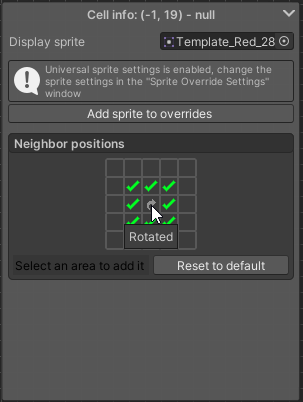
If you're not using the preset blocks feature, you could actually set rotation the same way you could set it by default. You just need to a tile with the tile inspector tool (E for shortcut) and clicking the center square in the neighbor positions.

I have to admit I actually forgot about this when creating the preset blocks, but I can bring back the option with a quick patch.

So a fix should be coming in the upcoming days.

Thank you for reporting the bug. It seems like I forgot to do that, will be fixed in the next update.

Thanks! Unfortunately we didn't have time for a tutorial, so we had to hope the things we added were clear enough to not be confusing. I have to admit a small indicator that you have to long press the camera wouldn't take much effort  to add. I'm glad you figured it out tho.

Thanks, I'm glad you liked the game! We did want to add a retry button to both the end screen and during game, we were also thinking about adding flashing lights or something that would reveal the thief for a split second, but we decided not to add them because we were already low on time. For a future version we'll definitely try to improve on these aspects.

Overall a nice game.

The visuals are simple but really good and quite unique, especially the effect overlay on the screen. It really makes the game stand out among all the other pixel art games.

I also liked how the player interacts with the environment, it's always these small details that make a game world feel more alive.

The gameplay itself is good, but there are two issues that make the game less enjoyable:

  • I don't like how I have to wait for the jump to charge every time I want to move. I feel like a system where you click and drag the mouse (like in angry birds for example) would be better. That way you can be fast but also precise if you want, and it would make the game better to speedrun.
  • If you go to a new area (especially if that area is above you) you don't know what's on the other side so there's a high chance you'll land somewhere you don't want to, or when you're going up there's a high chance you'll just fall down all the way to the bottom. And it's frustrating that you have to go back to where you started because of something you couldn't see beforehand. (Which could be made better if it took less time to go back)

Some audio effects like jumping or sounds for interacting with the environment would've been good to make the game more immersive, but I doesn't effect the gameplay so it's not really a complaint. Again, a very nice game overall, good job!

Thanks for reporting the issue. I'll try fix it in the next update.

I haven't thought of this, because in most cases you want them to be in sync (like water for example), but I can see where it could be useful.

I'll see what I can do.

(1 edit)

Hello! I'm happy to notify you that I added the feature you requested!

I haven't updated the documentation yet, but you can find the post about the new update here, which briefly explains how to get it going. If you have any questions or need help don't hesitate to post it here on itch, or you could also join my discord where I get notifications much sooner, and I can respond faster (if my time allows it).

I hope you can get the most out of the new feature.

Hey! Thanks for purchasing the package!

If I understand correctly what you're saying. You want something similat that's in this gif:


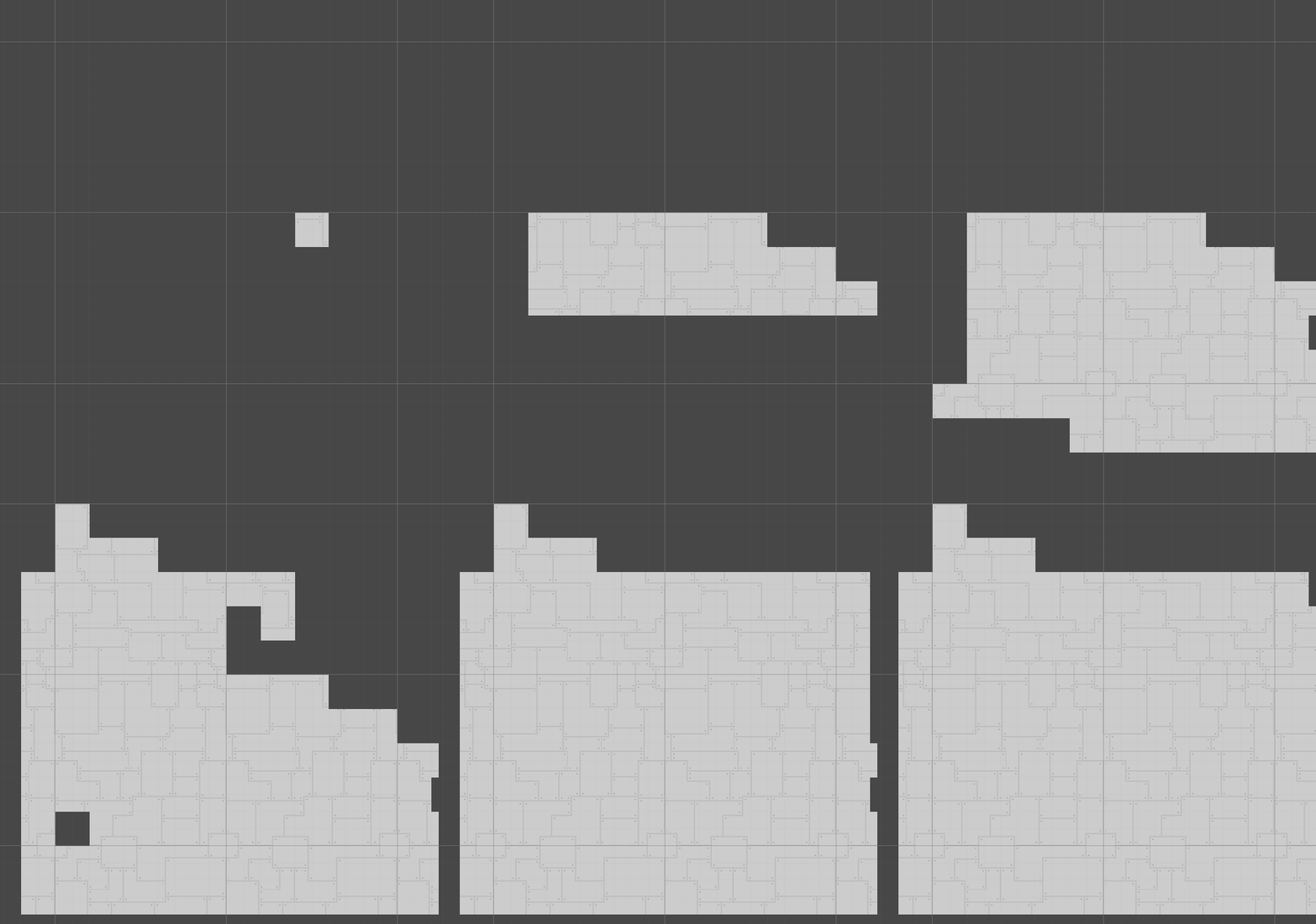
It basically takes a bigger grid of sprites, and based on the coordinate it repeats that pattern, you can look at the code here: https://github.com/Vinark117/Tutorials/blob/main/CustomScriptedTiles/VariableTil...

This example is not a rule tile, but it wouldn't take long to implement it with the rule tiles. If you can wait a few days I can add the feature, so you could use it with the editor.

If you have any other requests feel free to post it.

You could join my discord server (https://discord.gg/DKpbVKk), from there you can contact me directly.

(3 edits)

Bug reports moved to https://github.com/Vinark117/BetterRuleTiles-Support/issues

You feel like there's a feature missing that would improve the workflow, or just have an idea for a cool new feature? Post it in this thread.

Thanks! I'm still thinking what the pricing should be, this is the first asset I'm going to sell so I have no experience haw much people would pay for assets. What do you think, how much would you pay for the asset? If I may ask.

As of right now I'm focusing mainly on square tiles, but there's a high chance I'll add support for isometric tiles too.

Nice little game, but I feel like the random mechanic didn't really effect how I played the game, I would've made 90% of the shots without the mechanic... unless I was stuck in sand, where your only chance was to roll the max power increase.

At first I didn't realize what does the cube faces have to do, but after I realized... I have to say I love the take on the cube rolling puzzle game.

I've also made a cube rolling puzzle game, I'd be glad if you'd check it out.

Nice game! It's similar to my game in a way that it's a cube rolling puzzle game, but other than that it's a completely different take on the idea, I like it. One thing that annoyed me that I had to wait for the animation to finish before making my next move, and that really slowed down the gameplay.

I'd be glad if you could try out my game as well.

Nice little game. 

My issue is that after you use up the two dice, there's not hing you can do. If your bullets ran out, the game's pretty much ever. Also, without a highscore, or something to play towards the game feels a bit aimless, that could be fixed by just displaying a score after you die.

I'd be happy if you could try out my game too, thanks!