


I just need some more testing, finish a second game with it, and better demonstration maps, then I can finally release the v0.12.0. Will be far from ideal and will have some missing features (editor will just go back to mostly feature parity with the old one, no mask editing or vertex paint), as I decided I have to draw the line somewhere for now at least.

ZILtoid1991
12
Posts
5
Topics
21
Followers
31
Following
A member registered Sep 25, 2020 · View creator page →
Creator of
5 pixel tall bitmap font with variable witdth
Engine for retro pixelart games
Recent community posts
itch.io Community » Game Development » Help Wanted or Offered · Created a new topic [Open source]Looking for testers for my game engine project
itch.io Community » Creativity & Art » 2D Art · Created a new topic Looking for graphics assets for an Asteroids clone
PixelPerfectEngine community · Created a new topic Setting up the ADK to work with an external sequencer, like a DAW
Due to lack of time and manpower, I couldn't even think about writing a MIDI editor for the engine's ADK. However, I made it possible so that an external MIDI source, such as a DAW or a MIDI editor.
First, you need to install a MIDI loopback driver. It'll enable you to send MIDI commands between two applications. I'm using loopMIDI for testing purposes, but in theory any other MIDI loopback driver should suffice.
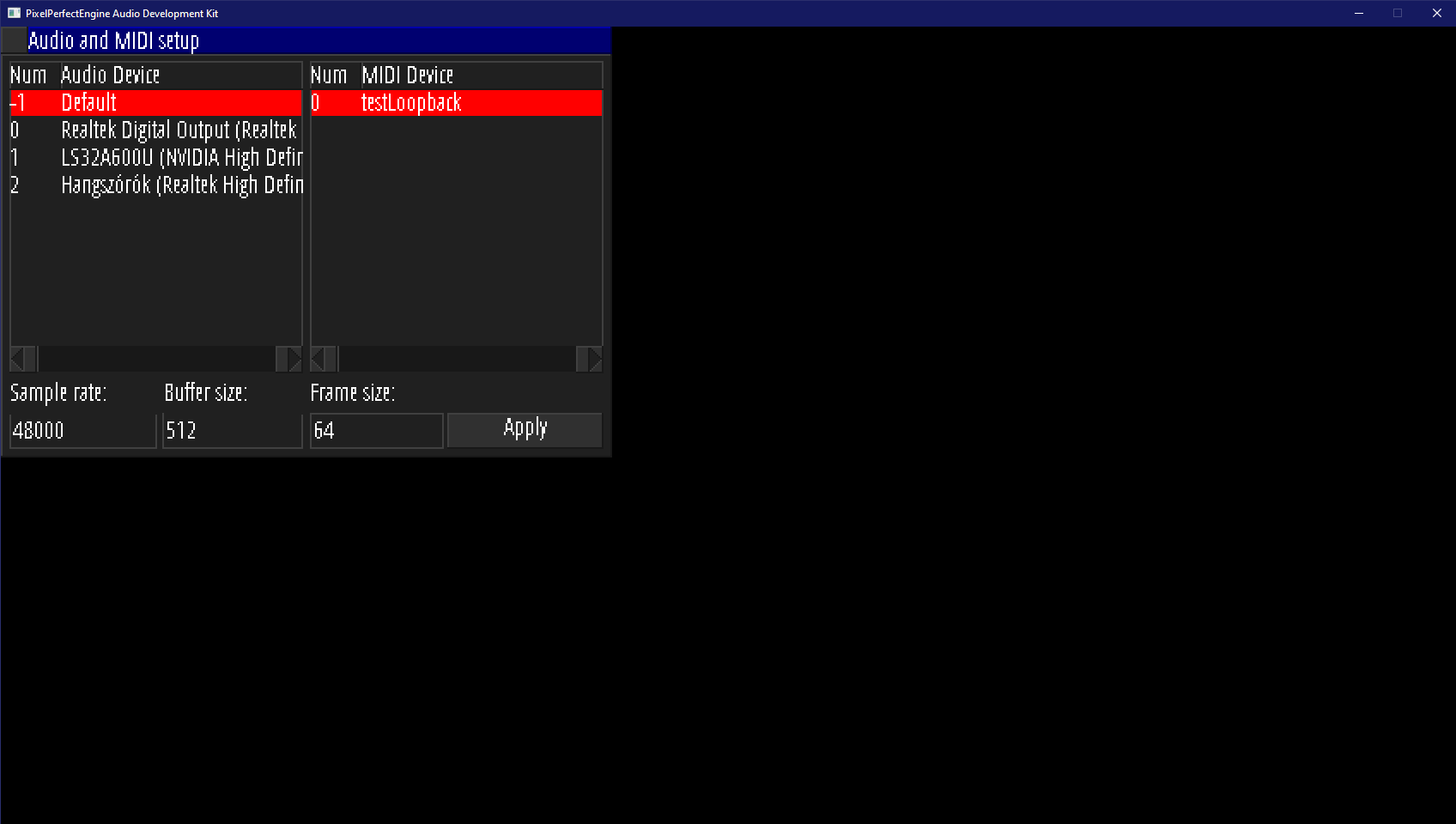
Next, on the Audio and MIDI setup page, make sure your loopback driver is selected. (Alternatively, you can select a hardware input for your hardware MIDI sequencer if you're really adventurous.)

Just in case: after loading an audio configuration file or setting up your own audio modules, make sure you first click "Compile current configuration" then "Start/Stop Audio thread".
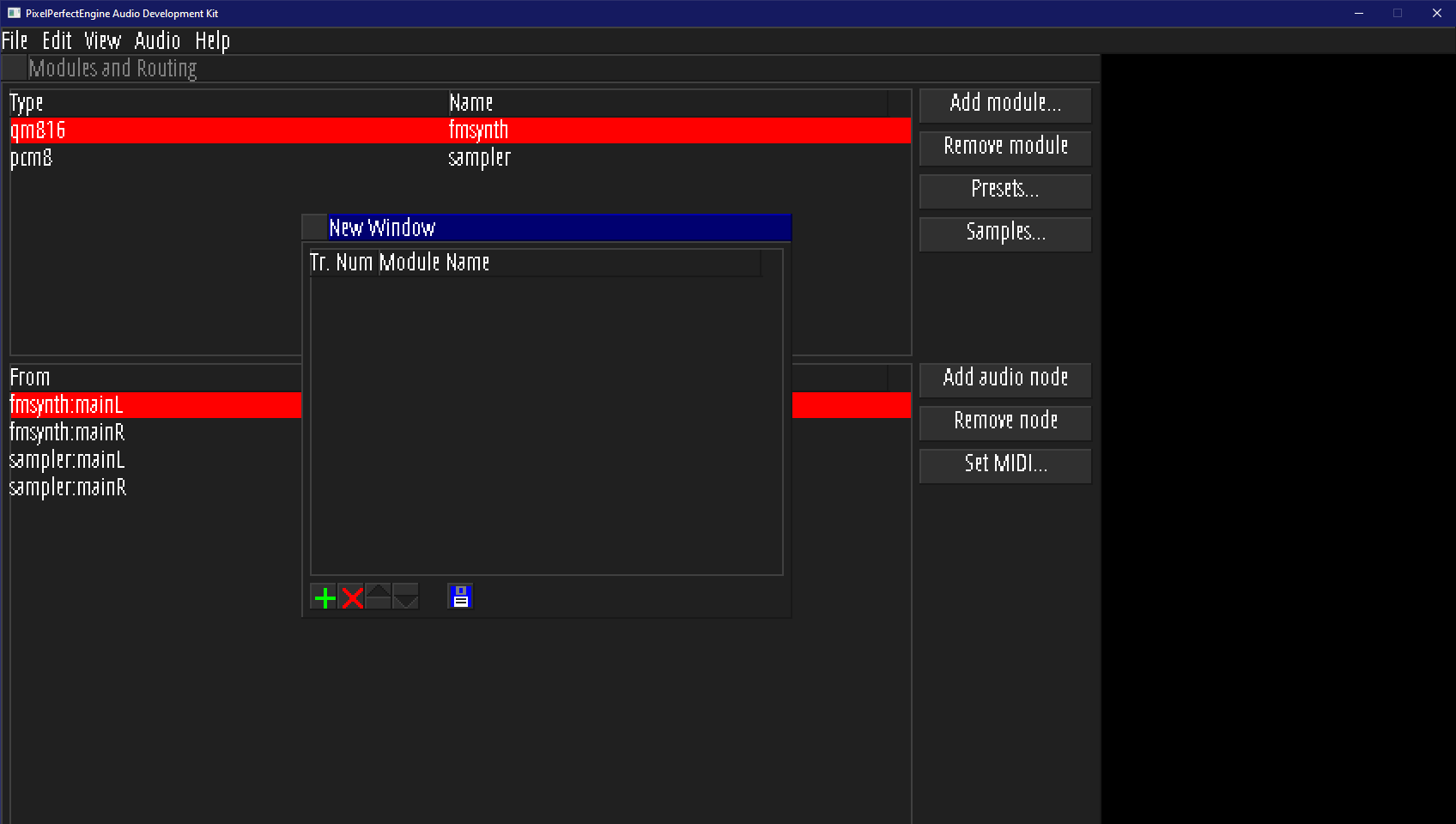
The method of using the MIDI input has limitation of redirecting the output to only a single module (likely would be easy to add in with my iota library), however the internal sequencer can use Format 1 multi-track MIDI files, and route each tracks to different audio modules, including effect modules such as the DelayLines. Click to "Set MIDI...", then add new routing nodes as you would like to use them. Tr. Num means the MIDI track as a source.
NOTE: There's a lot of bugs (such as the window itself), and probably I could have added myself a few features. But the engine is usable for production as long as you're patient enough. I have a full-time job that pays half the minimum wage thanks to the "public work program", and even worse, I have to wake up for it at 6:00 AM, except I can't really sleep before midnight, even if I'm sleep deprived. Don't want to go further into personal stuff here, maybe on my Patreon. Please support me there (https://www.patreon.com/ShapeshiftingLizard), maybe I can get away from that job and finally have sleeps at times more suitable for me.