Indie game storeFree gamesFun gamesHorror games
Game developmentAssetsComics
SalesBundles
Jobs
TagsGame Engines

Juice FX

Add animations to your images to make them juicy!. · By CodeManu

Bug in upload image

A topic by Studio Irmandade created 80 days ago Views: 144 Replies: 2
Viewing posts 1 to 2

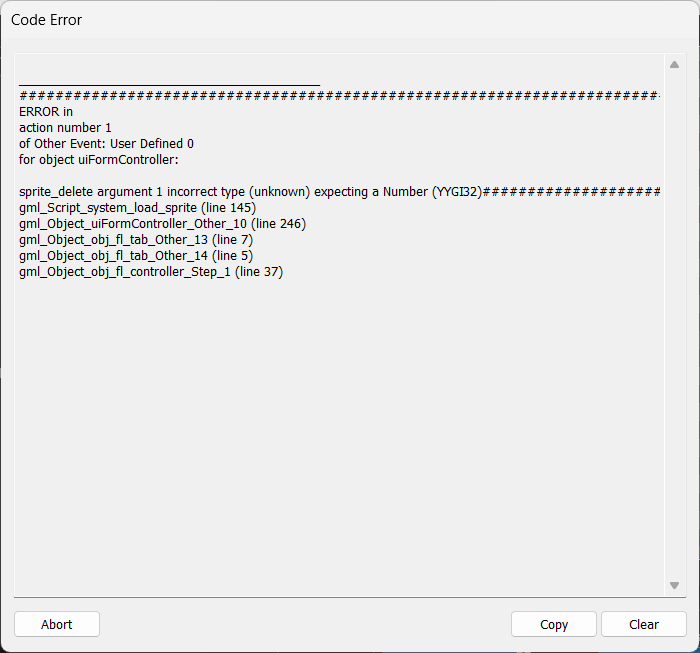
Hello CodeManu, how are you? This account represents a small game studio. We purchased your software through Steam with a lot of enthusiasm to work with it within the possibilities it offers, and it really has a lot of great features. However, we're dealing with a serious issue related to uploading images to the layers. The program simply stops working and displays a critical error message.

Apparently, you’re no longer updating the tool. I understand that you created it as a one-off project and then moved on to other work, but if you could release at least one more update addressing this issue, we’d really appreciate it. We don’t want to give up on the program.

Developer

Hi there,

Juice FX supports .png files, but you might have an image that is "weirdly" formatted (for lack of a better term), have you tried different images? In the past, other users have solved this by just simply opening the image in paint or other software that recognizes the format and re-saving the image as a .png

I created the entire composition in Krita and exported it as a PNG. In some cases, other images work even when exported from the same program, but I'll test this method anyway. I also sent an email to the address I found in the Steam support section. If you could take a look, I'd really appreciate it. I included examples of the errors I encountered.
Thank you for getting back to me.