Indie game storeFree gamesFun gamesHorror games
Game developmentAssetsComics
SalesBundles
Jobs
TagsGame Engines

Exporting Issues

A topic by Killer M. Creations created 22 days ago Views: 139 Replies: 10
Viewing posts 1 to 4
Submitted (2 edits)

First 3D game, and all my exports to HTML keep throwing a “Memory Access Out of Bounds” error. I've been trying for the past 3 hours and can't seem to resolve the issue. So, if anyone has suggestions that Google, multiple videos, or online can't suggest, I'm all ears. 

Using Godot 4.6 HTLM export

  • I have tried messing with rendering settings 
  • Modifying export
  • downgrading to Godot4.5
  • And a bunch of other toggling

Upgraded 4.7.1 and still no change...
Submitted (1 edit)

Upgrade to Godot 4.7.1!!

Submitted

Applied 4.7.1 and got a new error: "Aborted(Stack overflow! Stack cookie has been overwritten at 0x005fe910, expected hex dwords 0x89BACDFE and 0x2135467, but received 0xbea7054e 0xbe9f313e)" 

Its something I guess

Submitted

Is this happening when you're offloading or when you're going to play? 
Maybe export a desktop build with debug and see if it gives you a more specific error message?

Submitted

The Desktop build works it's just the HTML export causing issues. I tried putting some debug in for Chrome Browser but it just giving the same error as on the main screen. This is the only other error before the one i posted "

tmp_js_export.js:467 Cannot enlarge memory, requested 3408891904 bytes, but the limit is 2147483648 bytes!

Submitted

Smells like a memory leak (possibly something spawning rapidly?) .
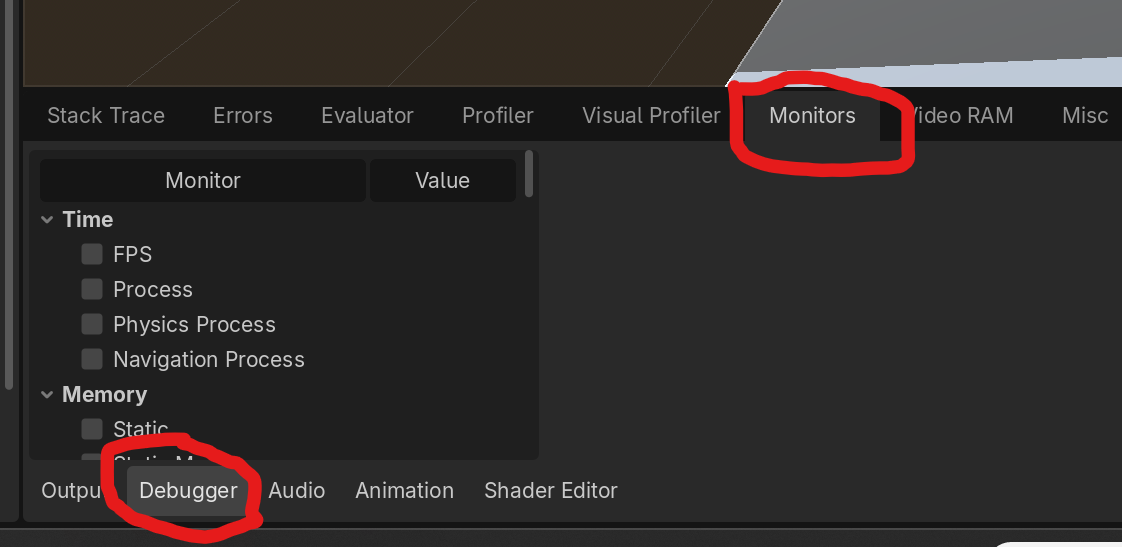
Since the desktop build is working. Load up the desktop build and watch your memory usage. If it doesn't level off/ drop etc and spikes to.. 3gb that will do it. 

Submitted

Thanks for the quick idea. Between this and using the Developer Tools in the browser, I found it was the main music, so I'm just gonna switch it to game music and call it. 

Submitted

Hell yeah! Music start playing and just didn't want to stop or did the player start stacking itself? 

I had a few music issues this go around. I learned that the way I was calling SFX and music in the animation player was wrong for a while.. I learned this because I said "screw this I'm going to hit the key frame button" ... and it worked. Verse me loading things into the animation player like I've done in projects past, which caused hell for volume control. RIP my ear drums.

Submitted

Wave files tend to be pretty large and would it being a two minute loop I think is just too big. So the desktop version was loading it fine but with the limited memory usage in HTML it wasn’t loading. Button developer tools. It was confusing because everything was failing to load so it was hard to pinpoint it.

Submitted

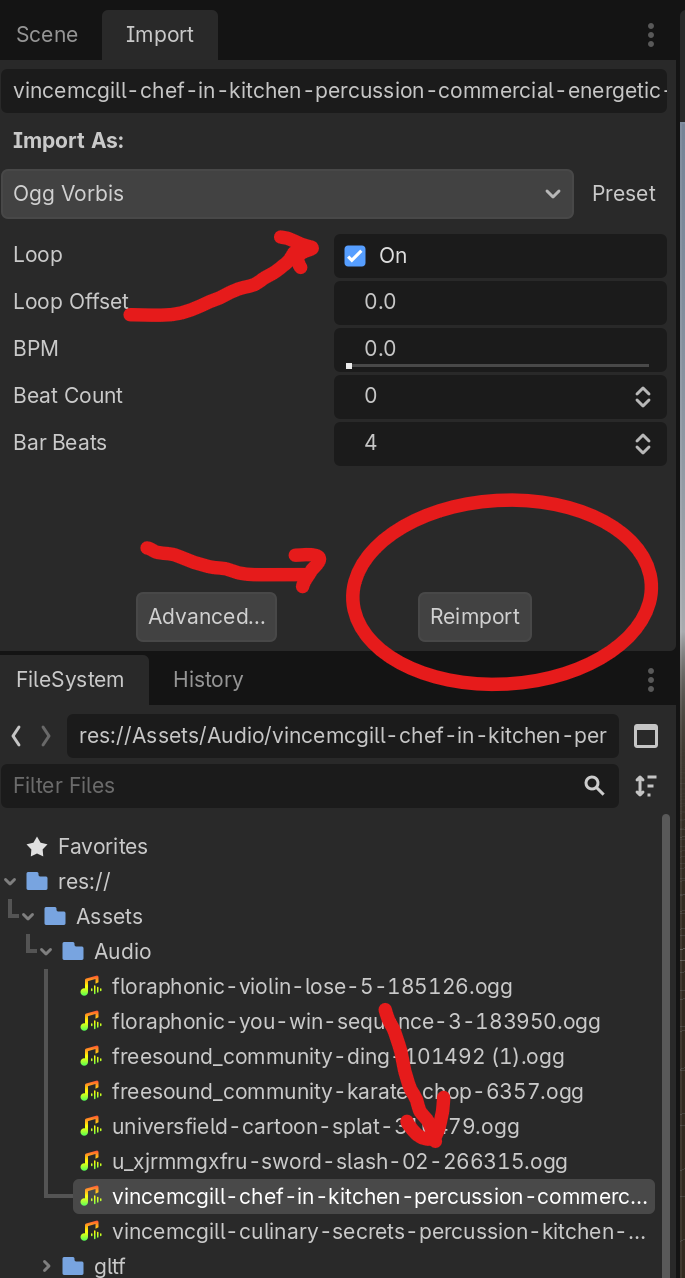
Oof. Well hopefully it got submitted in time. Convert things to OGG files in the future. Also you can set your import file to "Loop" you don't need to do it manually. This way it should not increase the file size.

Then you can call it in the editor using an "AudioStreamingPlayer" node. 

For something like a main menu, just select "Autoplay" in the inspector.  When the scene launches, the music automatically starts and will loop until that scene ends. 

Submitted

I found it. It was the main menu music... Here I thought it was Kenny's models or skybox that was causing the issues.