Indie game storeFree gamesFun gamesHorror games
Game developmentAssetsComics
SalesBundles
Jobs
TagsGame Engines
(+1)

You can use the app.render[card] function to take a "screenshot" of a card as an image. If we did this for our "map" card in the previous example, the snippet of code for compositing both images together would instead be:

card.image.paste[app.render[map].map[1 dict 36]]
card.image.paste[route.image.copy[] 0,0 1]

Make sense?

It is also possible to render widgets individually and/or programmatically walk over some subset of the widgets on a card to inspect them or render their (rich) text on a canvas, etc. Happy to expand on that with examples if you find you need it.
(+1)

I want to know how to render widget(s) individually. >:)

(1 edit) (+1)

Well, I had intended to allow an explanation to reflect a specific use-case, but I suppose I can concoct something.

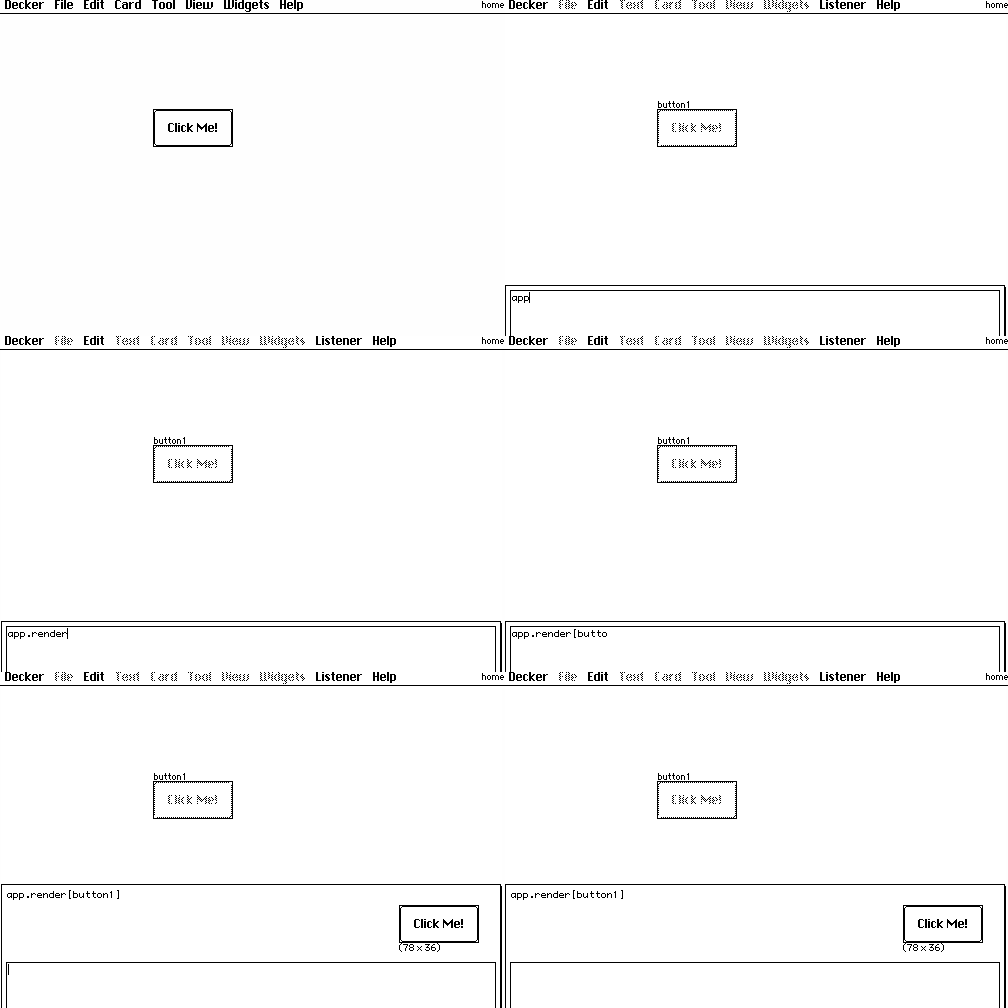
The app.render[] function can be called with a widget, as with a card:


Let's say we want to save a "screenshot" of only the widgets on a card, and ignore the background.


Create an image interface the size of the card, iterate over the widgets of the card, rendering each and pasting it (with transparency) onto the image, reflecting their position on the card, and then write[] that image, prompting the user for a location to save it:

i:image[card.size]
each wid in card.widgets
 i.paste[app.render[wid] wid.pos 1]
end
write[i]


You could also, for example, selectively avoid rendering some of the widgets, either by "drop"-ing them from card.widgets by name before iterating over them:

each wid in ("button2","the forbidden one") drop card.widgets
 # ... draw everything but those two specific ones
end

Or conditionally avoiding/permitting a certain kind of widget:

each wid in card.widgets
 if !wid.type~"field"
  # ... draw everything except for nasty fields
 end
end

You can also use Lil's query language and/or widget naming conventions to locate widgets of interest:

each wid in extract value where value..name like "fancy_*" from card.widgets
 # ... draw only the widgets which are fancy
end

Et cetera, et cetera. How's that?