Edit: We pushed out a hotfix v26.18.0 to address a MacOS crashing issue. You may need to reinstall the app from the setup program if your installation is stuck in a crash loop.
The itch.io app got two updates this month: v26.15.0 and v26.17.0. We dug through our issues tracker and addressed some of the most commonly requested problems and requests. Our latest updates make bundles a first-class part of your library, add per-game launch settings, let you install downloads that aren’t tagged for your platform, and include a revamped sidebar search. Read on to learn more!
Bundles you own now show up in your library, each with its own page listing every game inside. The bundle page can be sorted, searched by title, and filtered by platform, classification, and installed status. Games can be installed directly from the bundle page.
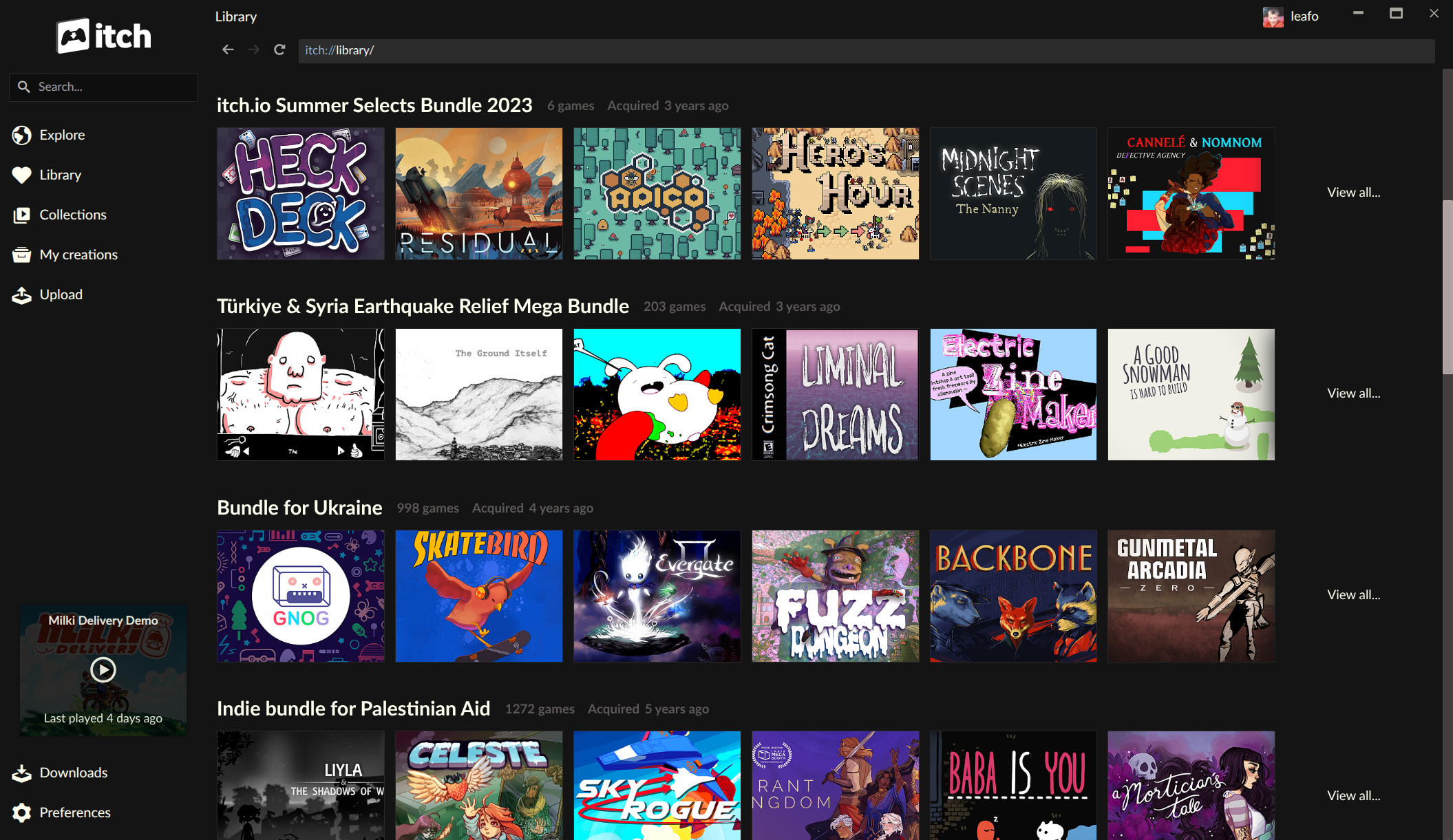
Bundle support needed some extra work on our end. itch.io has hosted some very large bundles over the years: the Bundle for Racial Justice and Equality contained 1,741 items and was purchased over 800,000 times, and the Bundle for Ukraine had nearly 1,000 items and over 400,000 buyers. Generating an individual download key for every item for every buyer would have meant over a billion rows in our database for the Racial Justice bundle alone, so ownership for these bundles is recorded differently: a single record covers the entire bundle, and download keys for individual games are only created when you claim them.
The app previously had no concept of this kind of ownership, so games from these bundles wouldn’t appear in it until you claimed each one on the website. The app now understands bundle ownership directly, meaning you can browse, search, and install anything from even the largest bundles you’ve picked up.
If you’ve purchased some of our larger bundles but had a hard time finding and playing stuff, we encourage you to try out the app.
If you’re interested in hosting a bundle yourself, we recently revamped our bundle hosting tools as well.
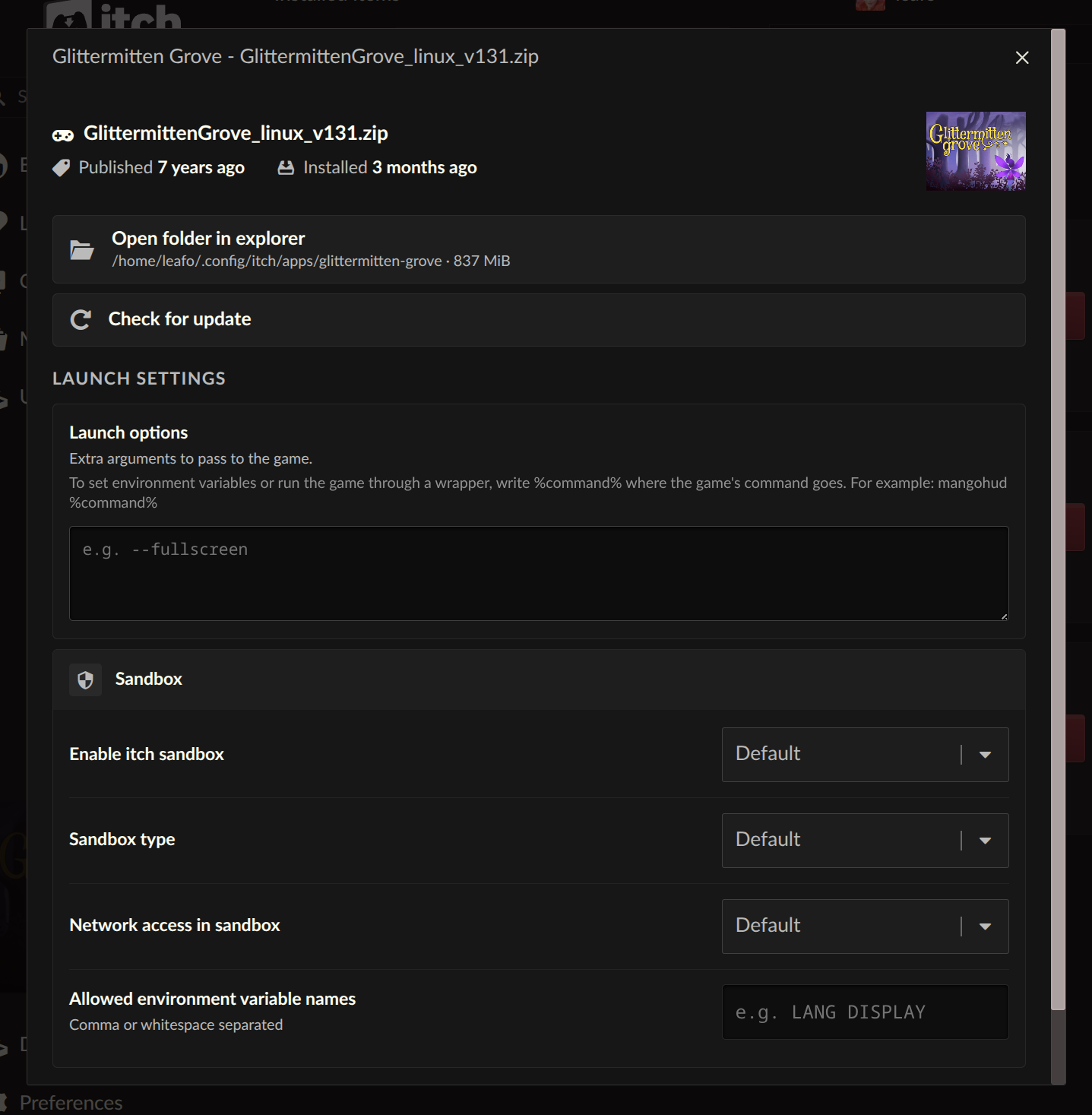
Each installed game now has a Launch settings area, reachable from the manage dialog. From there you can configure sandbox restrictions, network access, and environment variables on a per-game basis.
There’s also a new Command pattern option for launch arguments, a long-standing request. You can provide plain arguments to pass to the game, or use a %command% pattern to wrap the launch in another command, like a compatibility or debugging tool.
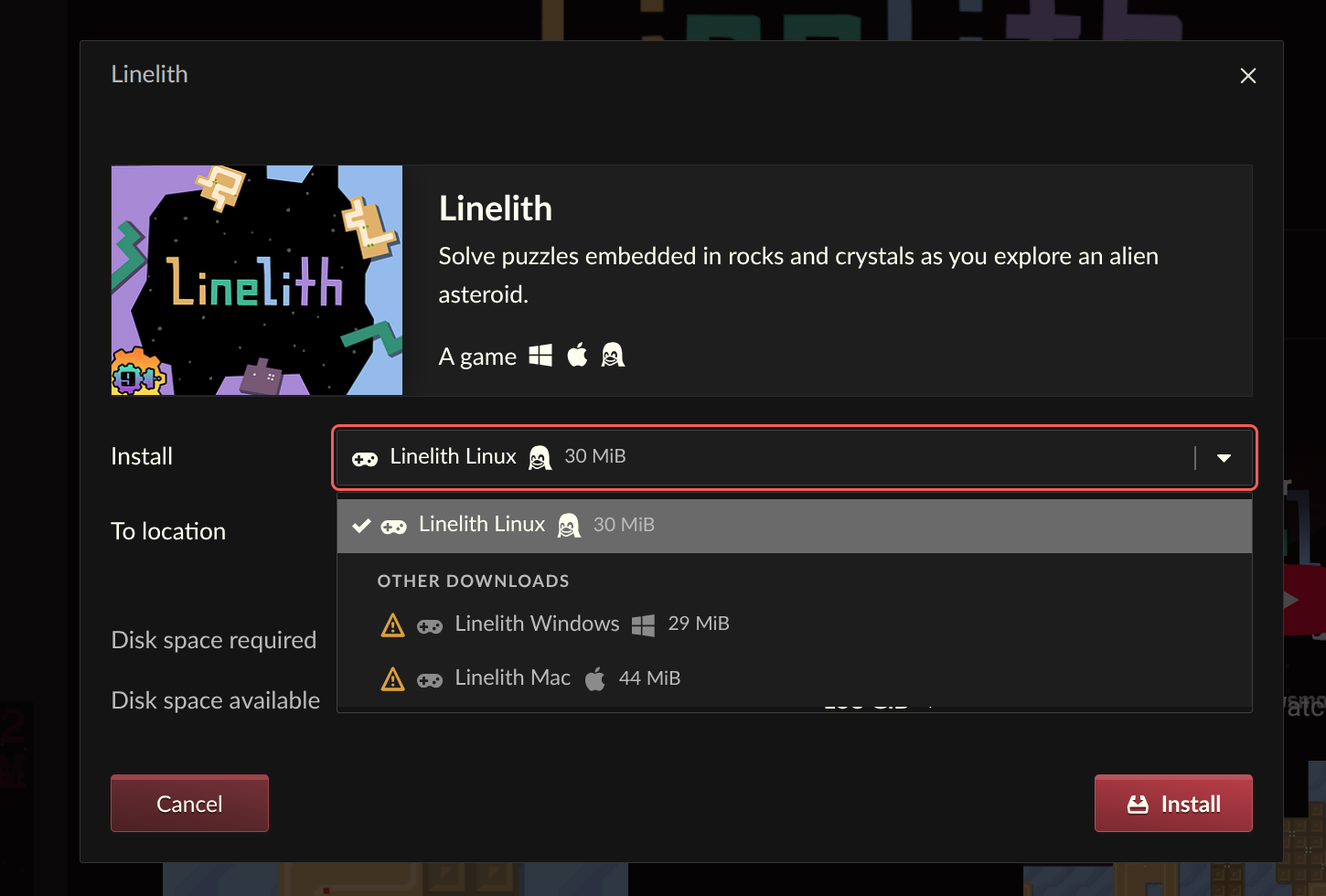
Downloads that aren’t tagged for your platform can now be revealed and installed. If a developer didn’t tag their upload for your operating system, or you want to grab a Windows build to run through a compatibility layer on Linux, you can now get at it from the install dialog.
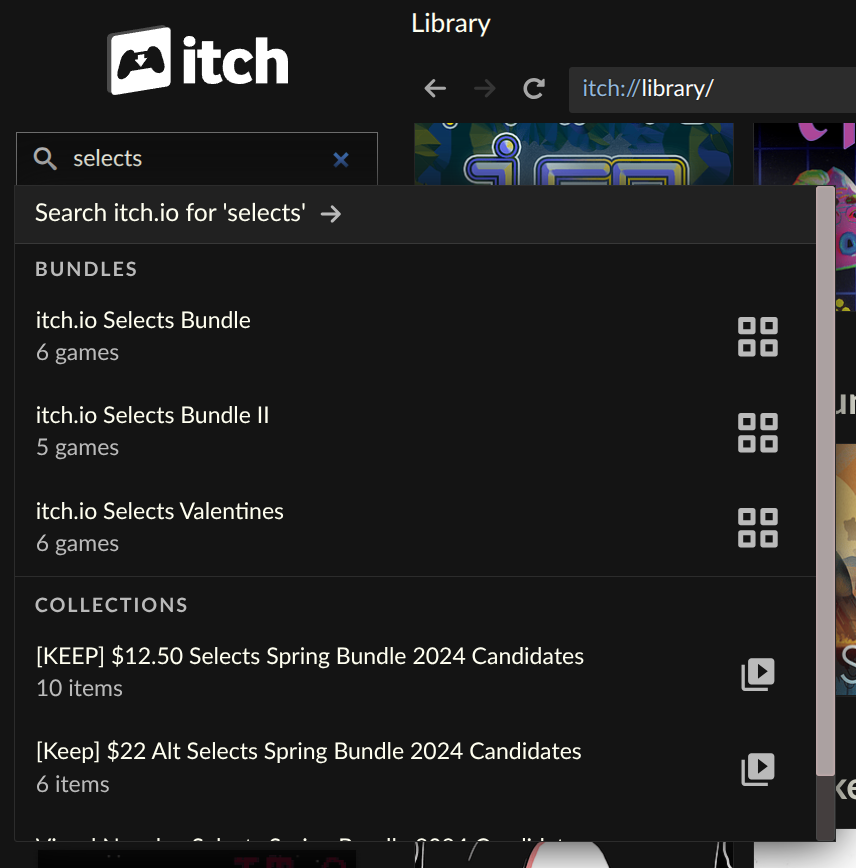
The sidebar search has been replaced:
The old search used our API’s autocomplete and presented items in a confusing order that made it hard to actually find anything. We feel autocomplete works best for things you already have, and everything else should go through the site’s full search experience.
You can get the app from /app. If you already have it installed, it will update itself. The full changelogs are on GitHub: v26.15.0 and v26.17.0.
That’s all for today, see you for the next update!
Did you like this post? Tell us
itch.io is an open marketplace for independent game creators. It's completely free to upload your content. Read more about what we're trying to accomplish and the features we provide.


Leave a comment
Log in with your itch.io account to leave a comment.
Not all of my bundles are showing up in the Library page!! - i have 8, but the in app library page is only showing 4 of them
nice
Thank you, this is great news!
hi when I updated my app it no longer lets me open it, I use Mac btw. is there a way to troubleshoot this? it keeps saying that itch quit unexpectedly. thanks :)
I am having the same issue! :(
We pushed out a hotfix v26.18.0 to address a MacOS crashing issue. You may need to reinstall the app from the setup program if you’re stuck in a crash loop: /app
same issue
We pushed out a hotfix v26.18.0 to address a MacOS crashing issue. You may need to reinstall the app from the setup program if you’re stuck in a crash loop: /app
We pushed out a hotfix v26.18.0 to address a MacOS crashing issue. You may need to reinstall the app from the setup program if you’re stuck in a crash loop: /app
these update have been very nice!! thank goodness i can finally download platform untagged games. and the bundle separation makes navigating my library much nicer