
Indie game storeFree gamesFun gamesHorror games
Game developmentAssetsComics
SalesBundles
Jobs
TagsGame Engines

The Choicer Voicer

Match your voice against your choice of audio clips in a mini-gameshow! 路 By YeahMaybe

Discuss mic issues here Sticky

A topic by YeahMaybe created 32 days ago Views: 47,347 Replies: 187
Viewing posts 1 to 20 of 114Next pageLast page
Developer (4 edits) (+4)(-3)

The most well-known and long-running issue with the game is some mics not working. This is an issue with the Godot Engine that still hasn't been fixed by the devs. Use this topic to share what your setup is that isn't working, and share any workarounds you've discovered until an actual fix is implemented. Please contact the Godot Foundation and encourage them to prioritize solving this problem in-engine.

Your mic may not work if you have a surround-sound audio output. Godot has a bug where its "record" effect does not work properly when there is more than one audio channel. The Choicer Voicer is reliant on the record effect working properly.

For people experienced with audio software, consider examining some pull requests that attempt to fix the issue. I have two from user "Buzzlord" here and here.
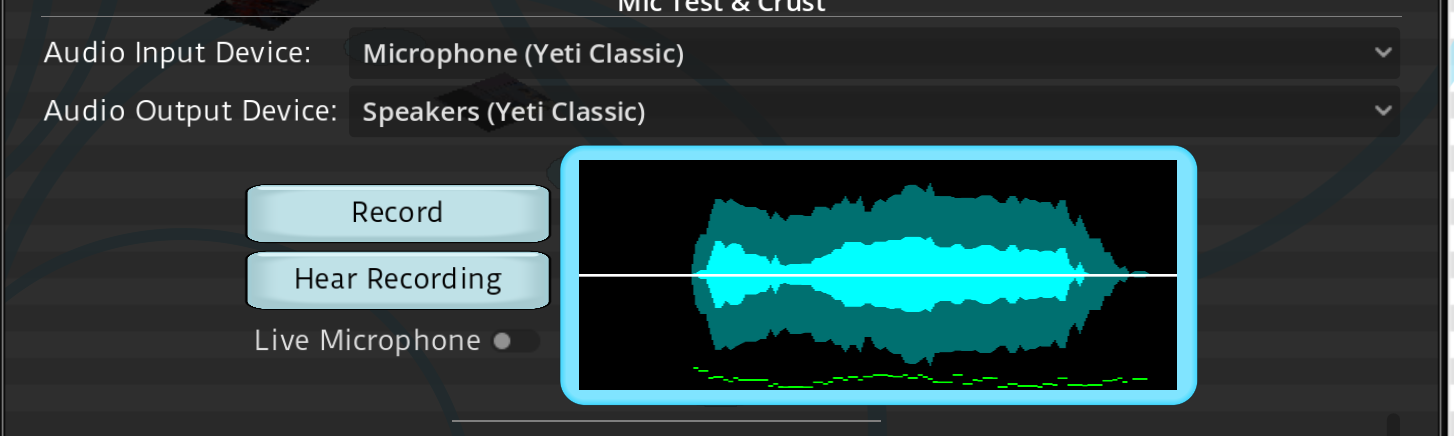
EDIT: If your mic hasn't worked in previous versions of The Choicer Voicer so far, please try the latest dev build, version 0.5.2-dev2. Let me know if your mic works for 0.5.2-dev2 if it wasn't working before.

(+9)(-1)

bro i just bought this game and my mic doesnt work :/\

(+1)

saaaameee, i have a HyperX solocast you?

(-1)

I have cloud III and having same issue I wish this one works

for me it worked when i changed my windows audio output to the default HyperX cloud III (not 8 or 12 channels)

I have it too馃槶

(-1)

try going to your sound settings (windows wise) and manually set your main mic there

how

(+2)(-3)

For Windows 11: Settings>System>Sound>Input

(+2)(-5)

same, like i just basically wasted my money and gave all of my info to the devs

(+11)(-1)

so i tried 2 mics, both record live audio but not playback audio, dont know if its windows, or cnnection problems. Need help tho

(+3)

me too there was no playbac

(+1)

same issue here

(+1)

same T-T

Hey Guys try this if ur using a headset with aux, plug it into ur pc aux (might be in the back or front) and the mic be separate, i have a Yeti blue classic and when i had it plug in there it wouldnt playback only live, but after having them be separate i could get both live and playback. 

 it works barely, but only problem is that the volume is low, even with the volume maxed out and also the volume settings inside the game i could hear myself barely. 

But still this a step forward, I just wanted to be an architect馃槗

Comment on this post if u figure out more or need help. 

I have the same problem, and I also have a Blue Yeti. I don't really understand what you're saying about fixing the problem, though. Could you elaborate a bit further?

(1 edit) (+1)

Shure MV7 with Scarlett Vocaster One not working unfortunately 馃檨
Edit: Managed to make it work by routing it through the digital channel of voice meeter 馃槉

im losing my mind, i tried all things, i just bought it just to look at it i hope it gets fixed rlly quick

(+1)

If anyone's using Steel Series GG(maybe other software like it also) then i'd recommend shutting it down, worked on my end.

I didn't think of it, but it works, thanks, man.

im going crazy bruh i just bought it and shit doesnt work for me i have an corsair h65 with an usb adapter

(+1)(-7)

That's why there's a mic test demo 馃う

(+2)

mine was working for a while then stopped

(+10)

i found a potential fix for some people, the game does NOT pick up any microphone inputs if you are using anything above 44100hz sample rate. if you're using any kind of audio interface it should be easy to change it directly within the device's settings, but if you arent, you can change it directly in windows by:

  • open settings
  • go to System - Sound
  • open more sound settings
  • select your speakers and click Properties
  • go to Advanced and set your default format to 24 bit, 44100 Hz, apply.
  • now go to Recording, select your microphone and click Properties
  • go to Advanced and set your default format to either 2 channel or 1 channel, 24 bit, 44100 Hz depending if your microphone is mono or not, apply.

this fixed it for me and i hope it fixes it for anyone else!!!! *v*

Developer

Some pull requests on the Godot Github propose that the issue is audio setups with multiple channels, ie surround sounds ones such as 5.1 or 7.1. In your instructions, you also mention changing the format to 1 or 2 channels as well as changing to 44100 Hz. Would you be able to confirm whether your mic works when using 44100 Hz but more than 2 channels? (assuming that's something your settings allow)

(+1)

unfortunately my interface doesn't allow more than two channels so i can't test this

(1 edit) (+1)

testing at 44100hz 24bit 4 channels yields no detection from the game from a brief test. lowering it back down to 44100 24bit 2 channels DOES yield detection. additionally, trying 96000hz (my usual) on 24bit 4 channels AND 96000 24bit 2 channels yields no detection either. hopefully that answers the question but if not id be happy to elaborate

Just wanting to say this fixed it for me too!! I tried literally everything, have Corsair HS80. I uninstalled/reinstalled drivers, changed a million settings, etc. and nothing worked EXCEPT THIS!! Thank you for suggesting it!!!!

Thank You, because this worked for me

this fixed it for me, good fix

Worked for me, using Samson C01U Pro 

It worked for me !! W bro

worked as of windows update 5.2 with my rode nt1 5th gen and scarlett solo 4th gen, ty! :P

I love you

Yay! it worked for me - i have a scarlett solo and tonor mic setup, it was on 48k and i brought it to 44.1 and it worked! works for me with 2 channels. 

This didn't work for me, i got like, an average laptop and an average headset, tried everything, almost had it, lost it, got it, lost it again, and now i got nothin'.

its weird, my mic works sometimes and other times it doesn't pick up any audio of me talking but will pick something up when I stop talking

it does that to me too, when i use the reset mic button after that it works

(+1)

I have a universal audio volt 2 for recording and I use my Traktor Kontrol S4 to connect my headphones and when I record something I'm not able to hear it in playback, wtf is going on?!

(+1)(-1)

For me the mic working on live and on record.. but i cant hear the result when i click on "Hear Recording". I can hear myself at the live function but not on the recorded one. When i start a game i cant hear the recorded voice... is there any fix?

Thanks.

(+1)

yup me too. have the same problem and not worked out a fix

same issue. Using a shure microhpone connected to a studio 1810c audiobox, and then my headset is a HyperX cloud 2. Game picks up my mic, but doesnt play any of the audio back to me. 

2 of my friends having this issue

latest update fixed everything for me! 

Yeah, I ran into the exact same problem. If anyone is wondering why this happens, it's a bug in the game engine itself, which struggles with audio capture when wireless devices are involved. The game picks up your voice signal, but the engine freezes up and fails to save or output the recorded audio file if Bluetooth headphones are set as the default device.

To fix it, you can set your standard motherboard audio and your microphone as the default devices in Windows, and then plug in regular 3.5mm wired headphones directly into the back of your PC. If you really want to use wireless headphones, you'll need to install a virtual audio cable program to bridge the audio stream so the game thinks it's working with a standard wired connection, and then everything will record and playback properly.

I thought my mic wasn't working. It turned out the music was just way too loud and my mic was too quiet.

I've been having an issue where my mic tends to peak very easily in the game? It doesn't have this issue anywhere else, and while it IS funny, i keep seeing videos where people can yell no problem

shure sm58 plugged in an arturia minifuse 2 doesn't work

I got a Hyperxquadcast 2 and it playsback the Live audio but once i record and play the audio i get no sound even tho it shows me the blue meter moving any fix?

me too it shows my mic coming through but i cant hear it in playback i have the same mi

samesame

fr

Yeah, I ran into the exact same problem. If anyone is wondering why this happens, it's a bug in the game engine itself, which struggles with audio capture when wireless devices are involved. The game picks up your voice signal, but the engine freezes up and fails to save or output the recorded audio file if Bluetooth headphones are set as the default device.

To fix it, you can set your standard motherboard audio and your microphone as the default devices in Windows, and then plug in regular 3.5mm wired headphones directly into the back of your PC. If you really want to use wireless headphones, you'll need to install a virtual audio cable program to bridge the audio stream so the game thinks it's working with a standard wired connection, and then everything will record and playback properly.

(+3)

my mic is delayed

(+3)

me too

using an sm7b with the focusrite and i got it work fine but there is some latency, ive tried everything from switching the sample rate and buffer and nothing can get it to work smoother, also i noticed that changing my focusrite settings isnt changing the in-game settings at all. Could there be an issue with the source code where there are some hardwired settings for the audio input? 

im using the exact same setup and im also experiencing latency. its bad enough where it becomes difficult to play.
and like you said sample rate and buffer size have no effect on latency.  
if you were able to find a workaround or solution, i'd love to know :))

Hey guys I am also using a Focusrite with a SM-5S and also had such bad input lag the game was unplayable. I switched to a USB lapel mic I had lying around and the game instantly became playable, I think unfortunately the Focusrite just adds too much input latency for a game like this sadly! One way to help resolve it would be for the dev to add a latency adjustment slider so you can push the samples of your recording back in time by a fixed quantity if you know you have input latency. Rhythm games often have an input latency adjustment tutorial for things like this.

have the same issues, they need to add a Sync Offset for mics like in OBS and StreamLabs

(5 edits) (+2)

So I did some reading and ran some diagnostics. What it comes down to is the Focusrite driver.

The problem is specifically with non-ASIO applications. Like most games, Discord, etc.
The Focusrite ASIO driver is great and has great latency. Focusrite's WDM driver however... is trash. 
I've measured the latency in a bunch of different applications and the latency can be as bad as 400+ ms. 

Now I'm not sure if this also affects older Gens but it is absolutely a problem on the 4th Gen Scarlett. 
Specifically combined with Windows 11 it seems.

I've tried a lot of things, including looking at LatencyMon, changing things in MS Interrupt Affinity Tool, messing with sample rate, buffer size and the list goes on.

The only solution I have found thus far is completely removing all Focusrite drivers, I also removed whatever left-over folders and "invisible" devices I could find in my sound settings. Also make sure to double check your Device Manager.
Once you've done that, restart your PC and plug your Scarlett back in. 


Using Window's native drivers for the interface, you'll have next to no latency. It is miles better than the Focusrite driver.
I was immediately able to play games I wasn't able to play before due to massive latency improvements and also noticed a huge improvement on Discord.

You'll miss out on Focusrite Control 2 but in turn you'll have no latency, besides most of the functions are buttons on the interface itself. You're not missing out on a whole lot, except for the loopback function and Focusrite USB ASIO (if you were using that in a DAW for example).

The next paragraph only applies to 2i2 and above due to the amount of channels, this is not an issue with the solo if you change it to 44100 kHz like another user mentioned. (Can't test this as I'm using a 2i2 with 4 channels).

Now doing this you will run into the issue a lot of other people are having trying to play The Choicer Voicer. 
Which is the game won't recognize your microphone signal at all. (Not to worry it does work in every other application I tested, seems to be isolated to the Godot engine).
There is a relatively easy workaround, though. I just route my microphone through Voicemeeter and select the Voicemeeter output in The Choicer Voicer. Sure this will add the tiniest bit of latency again but compared to what it was using the Focusrite driver, it's negligible. Took a while but I can finally play the game, and a lot of other games I wasn't able to play before.

I do hope Focusrite fixes this issue at some point, it's a seriously bad oversight. 

Quick edit: Once you're using the Windows drivers make sure to go into your sound settings and turn off any audio enhancements. Windows likes turning those on for some reason. 

(1 edit) (+1)

Thanks for the solution. I have a gen 3 solo. finding then deleting the driver files, then replugging seemed to solve this problem for me.

(+1)

Hmm great writeup but I'm using a Gen 1 2i2 with a very simple driver from 2020 that doesn't have any of the features you mentioned haha. I believe I was fine using it for quite a while with the windows driver but then I started having issues with horrible latency in my DAW which is why I installed the Focusrite driver back in 2020 and that fixed my problem so now I'm a bit stuck between both fixes. I may give what you suggest a try anyway and see if my DAW struggles again, perhaps the windows driver has caught up in the past 6 years!

(+5)(-1)

I just got a new mic and cant hear the voice playback but it picks it up idk what happened it was working fine before

 
(+2)(-1)

same thing happened to me it looks like it records and captures my voice but when it goes to play it back nothing happens

SAME

SAME! i have a hyperx Duo cast

same

same thing here, found anything yet

samee

(-1)

Yeah, I ran into the exact same problem. If anyone is wondering why this happens, it's a bug in the game engine itself, which struggles with audio capture when wireless devices are involved. The game picks up your voice signal, but the engine freezes up and fails to save or output the recorded audio file if Bluetooth headphones are set as the default device.

To fix it, you can set your standard motherboard audio and your microphone as the default devices in Windows, and then plug in regular 3.5mm wired headphones directly into the back of your PC. If you really want to use wireless headphones, you'll need to install a virtual audio cable program to bridge the audio stream so the game thinks it's working with a standard wired connection, and then everything will record and playback properly.

(+1)

It still dont work and Im on the new update

Developer

I've just uploaded a test build for Windows and Linux, version 0.5.2-dev2, that was exported with a custom Godot build that includes a pull request that ALLEGEDLY fixes the mic bug. If you're affected by the bug and your mic doesn't work on previous versions, please try this dev build and let me know if it's fixed or not.

Yep, this one fixed it for me even with 8 channel audio in windows settings for the headset

Yes this fixed it for me

Viewing posts 1 to 20 of 114Next pageLast page