Indie game storeFree gamesFun gamesHorror games
Game developmentAssetsComics
SalesBundles
Jobs
TagsGame Engines

YEX Engine

RMMZ Ultimate Main Menu Builder - Create Menus with 0 coding! · By Yexinnn

[Acknowledged] Some suggestions for the plugin

A topic by SHROOMYCHRIST created 24 days ago Views: 56 Replies: 2
Viewing posts 1 to 3
(2 edits)

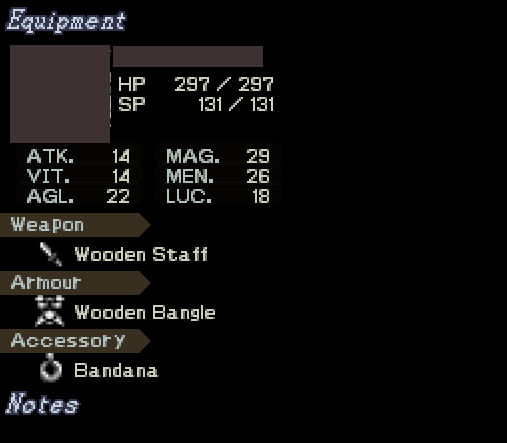
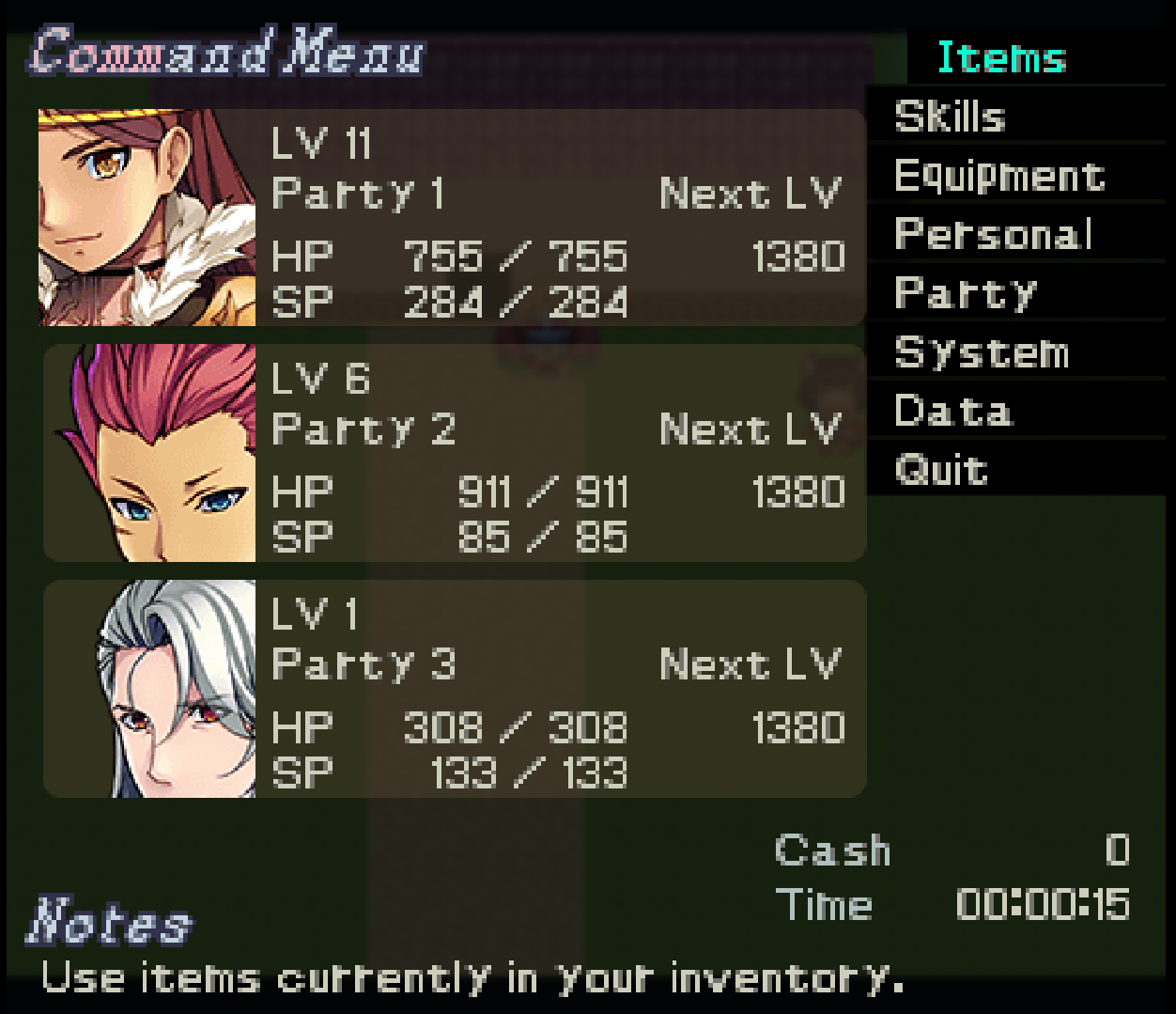
I've been making my menu and found some things I'd like to see added someday, fixed, or changed.  First, most notably. I have this Notes section that would have a command description, kinda like a help window. I made it with a text element but it won't change to the command, just there as a placeholder. I think it would be interesting to have an optional addition of this, probably specified with the Commands list. Speaking of the commands list, I'd like the ability to make the background wholly transparent, as as you can see here, there's a subtle black background to the rail that also has a sorta weird subtle blue glow around it.

Now for some bugs I've seen, one is that partyX.expNext does nothing unlike all the rest of the partyX binds. Right now, I'm using actor.expNext for all actors, which as is seen only shows the party leader's. Another thing, VisuStella's menu cursor doesn't appear. If it's not possible to make the VisuStella cursor appear, maybe one could be added to this plugin?
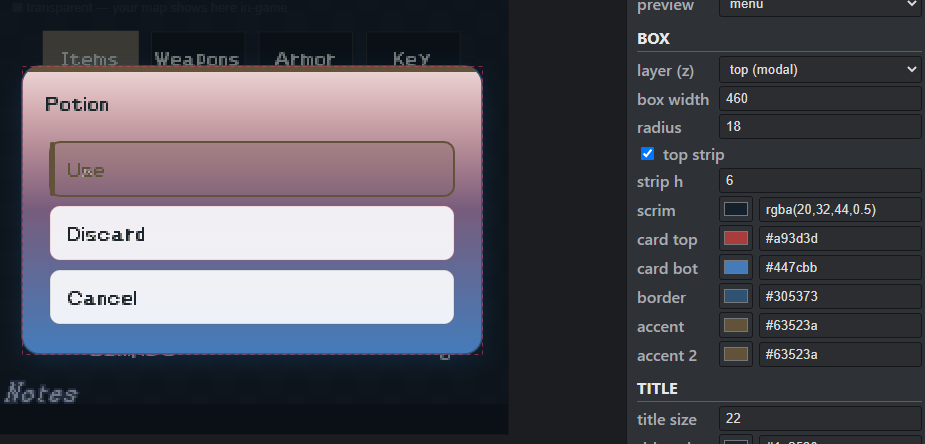
And lastly, some things about the Popup. I've noticed there isn't much way to customise this. It's a horizontal layout that can only be white cards as far as I can see. I think there should be some more customisation options for this added soon, like maybe adding a rail like the menu commands, or connecting it to the actor displays like in default MZ!


This plugin has been a huge change, I didn't think I'd be able to make menus like this in RPG Maker without hiring someone, and I think these changes would make it even better.
Developer

Hello! Thank you so much for this insight!!
I will try and implement the command description bind code in the next update. That one seems like a really good one and useful!

As for the Visustella menu cursor, its expected that it wont show as the YEX Engine draws up different class of menu and it's not technically designed to co-exist with Visustella's stuff apart from the ones i chose to patch it with.(Visu_OptionsCore). And since you mentioned a very useful feature again, I will implement the ability to add your own menu cursors! Count on it! 

For the Actor popup, I have been dreading about the way the users can customize it too rather than a simple popup like that. I will weigh my options and apply them in the future updates!

Thank you very much for buying and supporting YEX Engine!

(1 edit)

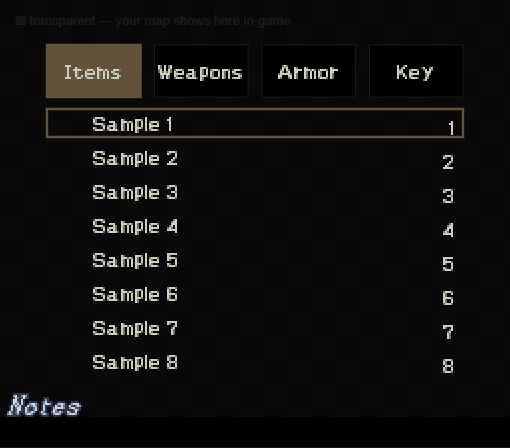
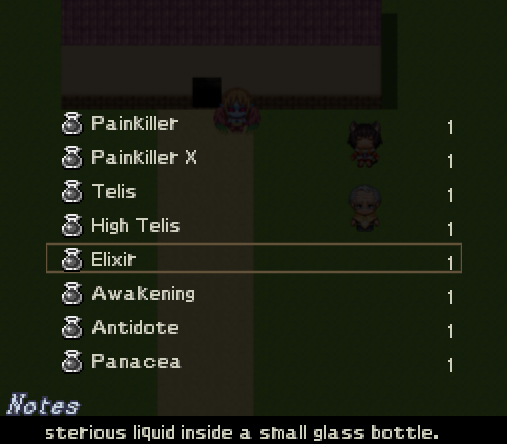
Noticed some strange things with the item menu. A lot of stuff is cut off for some reason. In editor it looks like this, but in game it looks bad.

Some more stuff I notice is that here in the items, you can't change how the categories are laid out, they're always in the horizontal pill shape. I'd like to be able to make it vertical, just like the command rail in the main menu. Something that isn't visual is, with the item and equip menus, when I press the button to go down, it goes two spaces down. For example, my cursor is on the Painkiller and I click the down arrow and it skips to Telis, then when I press up it skips back to Painkiller. When I press left or right arrows it goes down one space as normal for some reason.

Another thing with the equip menu, I can't seem to find a way to edit the optimise, clear, equip commands. When I click the Commands button, it takes me back to the main menu. It doesn't give the choice to edit the positioning of it. And a smaller thing, it also doesn't show the descriptions of selected equipment when I have the "selected.desc" bind text.


Lastly, a consistent problem is I can't seem to edit the card gradient fully. It always leaves behind a white fade from the top.