

Hi! Thank you for the screenshots.
I tested the same comic page and attached my result. The Japanese overlays are positioned over the original English text when the Lens toolbar is configured correctly.
My test used OpenRouter, but the translation provider does not control overlay positioning. The same Manga Mode layout rules apply to the built-in English → Japanese model.
I noticed that Manga Mode is not enabled in your attached screenshot. The checkbox directly next to “Manga Mode” is empty. This is separate from any Manga/OCR option found in the main settings.
Please use this exact workflow:
1. Enter Lens Mode.
2. Enable the checkbox directly next to “Manga Mode” on the Lens toolbar. Make sure a visible checkmark appears.
3. Keep Vertical Text disabled.
4. Set OCR Language to English.
5. Select English → Japanese or another provider with Japanese as the target.
6. Click Select Area and select only the comic page or relevant panels.
7. Do not zoom, resize, or move the page after selecting the area.
Please compare the toolbar in my attached screenshot with yours. In my screenshot, Manga Mode is visibly checked and Vertical Text is unchecked.
Please also check:
Windows Settings > System > Display > Scale
Your result may also indicate display scaling above 100%. Please tell me the exact value. As a diagnostic test, you can temporarily set it to 100%, restart Thaluna and YACReader, and repeat the workflow above.
If the problem remains, please send another screenshot showing Manga Mode visibly enabled together with the new overlay result and your Windows scaling value.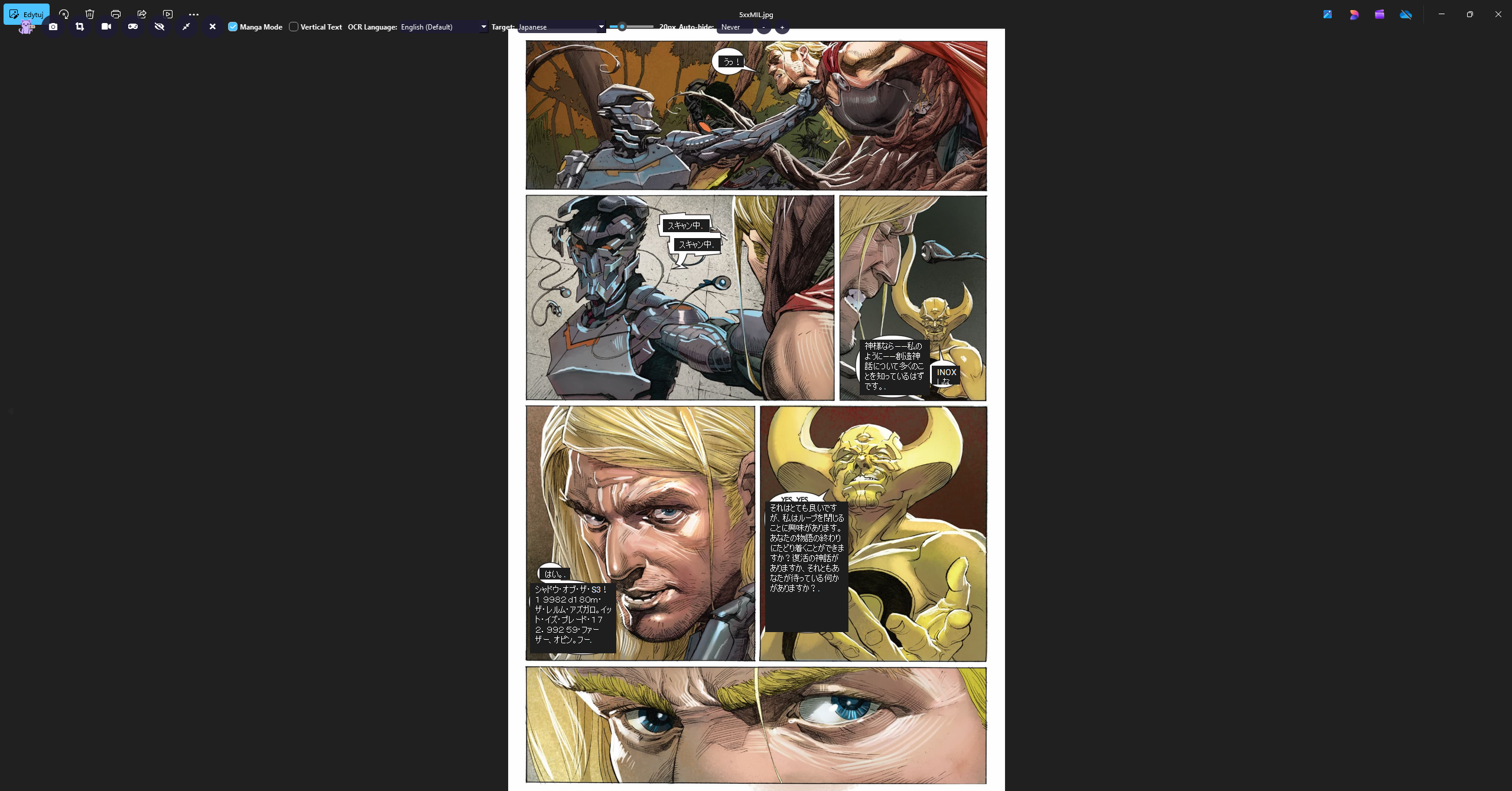
One additional note about the missing translations:
The Diagnostic logs show that you are using Thaluna’s lightweight built-in English → Japanese model. This is also why the Target Language selector is not visible on your Lens toolbar.
The built-in model is a basic offline option. With more complex comic dialogue, it may produce less accurate or mixed-language output, and in some cases it may return no translation at all. If the model returns an empty result, Thaluna does not create an overlay box for that text.
A missing box may therefore mean either:
- OCR did not detect the small or stylized comic text, or
- The built-in translation model returned an empty result.
My attached example used OpenRouter, which generally provides better and more complete Japanese translations. You can also use Ollama or a Custom OpenAI-compatible Local API.
The selected translation provider affects translation quality and whether usable text is returned, but it does not control the position of the overlay boxes.