Indie game storeFree gamesFun gamesHorror games
Game developmentAssetsComics
SalesBundles
Jobs
TagsGame Engines
(1 edit) (+1)

First off thank you so much for reaching back and second, I have a couple more questions:

1) how can i 'enlarge the playing field', as in make the program bigger on the screen? phinxel's guide is an example  I GOT THAT ONE

2) same with hiding the decker tools from the player

3) pausing audio when it comes to specific cards has been pretty tricky and i'm not finding that kind of command in tutorials

And a more specific one

I am trying to make an oracle reader, where the goal is the right half of the image below is a canvas/invisible button on top, and clicking it spawns a random card from a set of 18 on the left. Clicking on that specific 'canvas' or card leads to its own card or 'database' regarding that card in particular. Sorry if this is a lot, but I have been having a blast with a lot of the easy stuff and and I am now realizing there are some things I want to do that will be a bit harder. Thank you for reading up to this point.

(+1)

1) You can't edit the dimensions of a deck from Decker itself, but if you save a .deck file and open it in a text editor you can change the line near the top that looks like

size:[512,342]

to your desired dimensions. Note that very large deck dimensions will harm performance on slower devices and decks smaller than decker's default dimensions can cause problems for the editors; making things a little bigger or changing the aspect ratio is fine.

2) This is called locking a deck.

3) I'm not exactly sure what you mean here, but if you're trying to stop a looped background sound clip you can do something like

play[0 "loop"]

See All About Sound for more details. If you're playing a non-loop sound, there is currently no mechanism for stopping it prematurely.

4) There are many ways to approach what you're describing, if I understand correctly. Here's one approach:

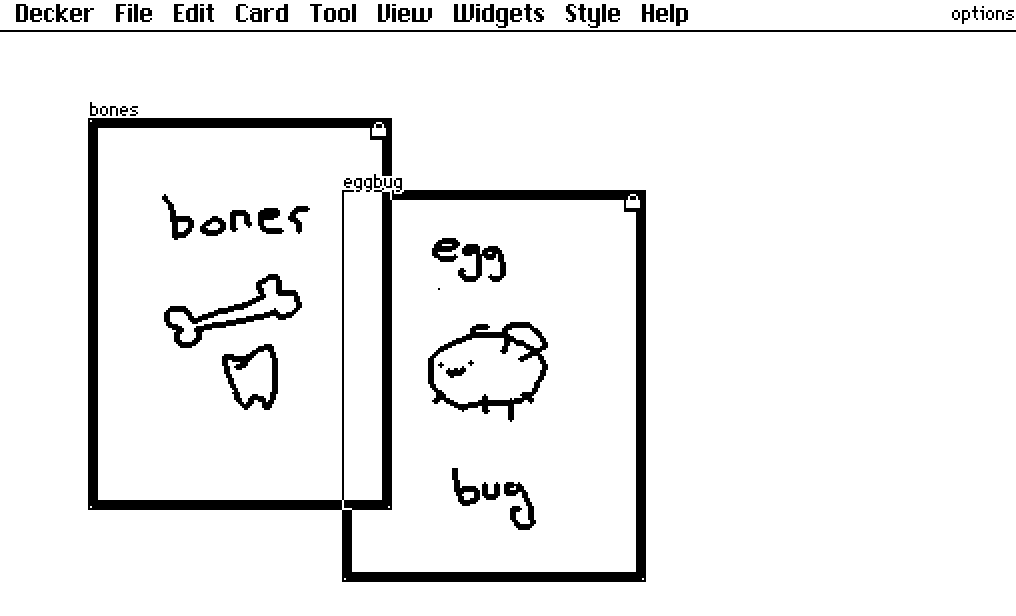
I have prepared a card named "options" which contains several canvases, each with the image of a playing card:


They each have a script which makes clicking on them go to a card with details; for this example the detail card happens to be named consistently with the canvases themselves:

on click do
 go["bones" "BoxIn"]
end

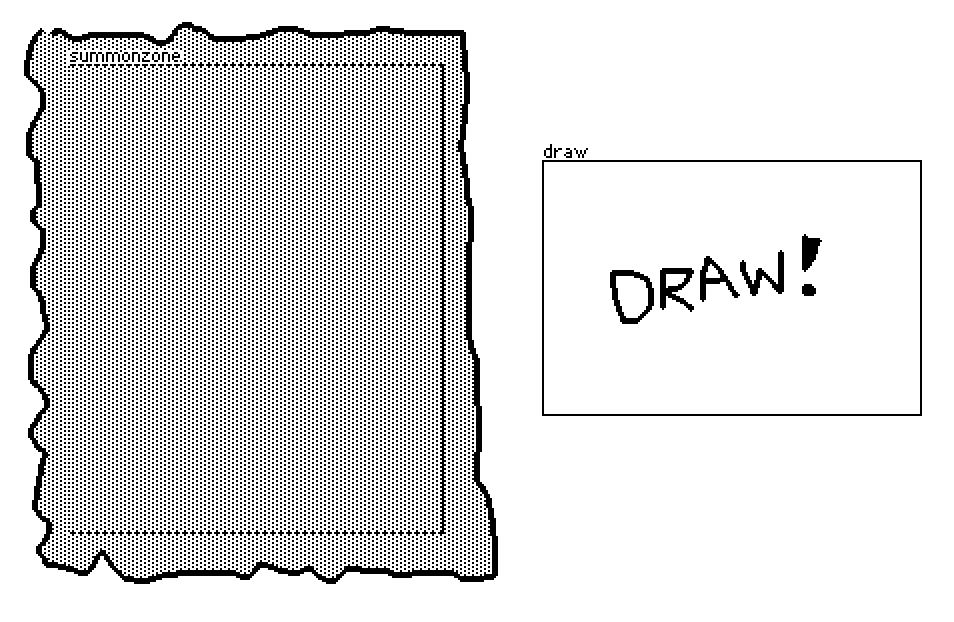
Then on the main card I have a canvas named "summonzone" and a button named "draw"


The "draw" button has a script like so:

on click do
 option:random[options.widgets]
 summonzone.clear[]
 summonzone.paste[option.copy[] .5*summonzone.size-option.size]
 summonzone.script:option.script
end

This chooses a random widget from the "options" card (one of our playing cards), erases the summonzone canvas, pastes the image from the chosen playing card onto the summonzone canvas (centered), and then also copies the script from the chosen playing card onto summonzone.

Working together:


Is that anything like what you had in mind?

(+1)

re: the card trick, yeah, that's about right!