
Indie game storeFree gamesFun gamesHorror games
Game developmentAssetsComics
SalesBundles
Jobs
TagsGame Engines
(1 edit)

did you tried the current build or an old one because we recently added tutorial level and explanations into it, hovering above platform might be a sprite problem thanks for bringing out I'll check it out :).  

I added a ledge support because player can bump into the ledges and that was breaking the flow of the game that was intentional and platforms inside the game have one side colliders so player can can get on the platforms from above easily like usually every platform does it. 

If you didn't tried to current build we have it on page please do so and as for the tutorial I wanted to explain main tools to the player and open to experiment afterwards for players to test so it was kind of a design choice but I'll think of something to make it a subtle hint. 

Thanks for playing and if you wanna support us more please conside wishlisting on Steam :)
(1 edit) (+1)

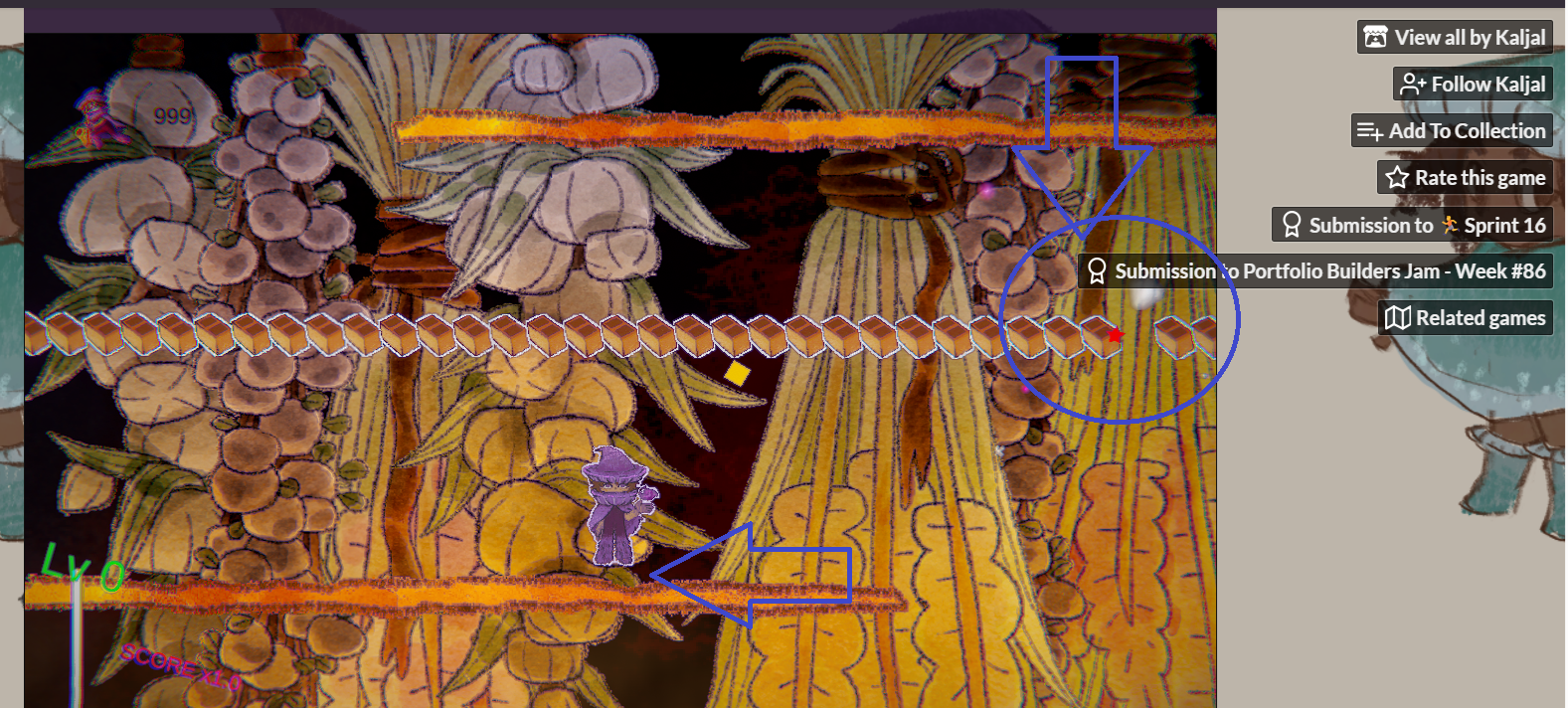
Hey, yea i played on the latest version. There was a tutorial, but it wasn't clear about the jumping. In the screenshot below, you can see the hover above the ledge I meant, and how the itch overlay is in the way during this mini-game scene. 

I clicked the "submission for portfolio jam" and obviously the browser leaves, and it stops the game, I don't think you can help it but i just wanted to clarify what i meant

rty 2

hovering and ui overlay

oohhh I see well yeah that is itch page problem, next time I'll be adding fullscreen mode for the itch as well that might fix that problem, the hovering probably sprite related or I was doing some tricks to sell that sequence to the player it might be because of that I will look into it, thanks for showing me this :)