

Base RPG System: A Brief Introduction
What's the Base RPG System?
The Base RPG System is a ready-to-use system with features found in a typical 2D RPG!
Features include: Menu (items, skills, equipment, and more), Battle System, Shop System, Leveling System, and more.
The system consists of commons events and databases. The system's “code” consists of various commands.
If you want to check how it works internally, do the following:
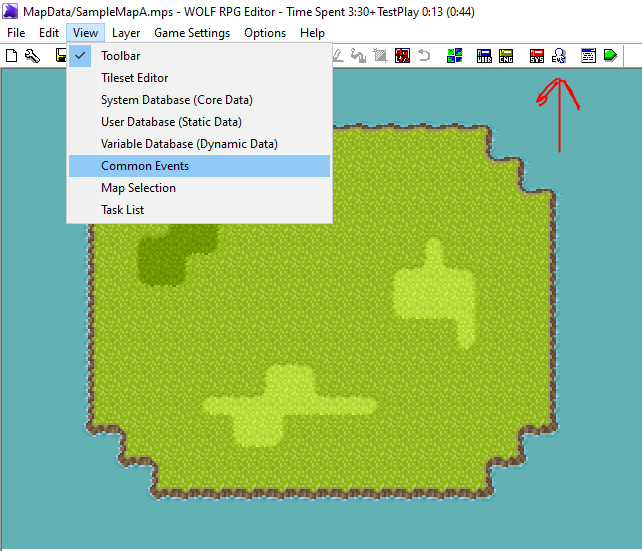
When you click, a window will appear where you can see the code. If you're a beginner, you don't need to do anything! And don't even think about in adding or removing something!
Now let's learn how to use it, as an example:
Giving a item
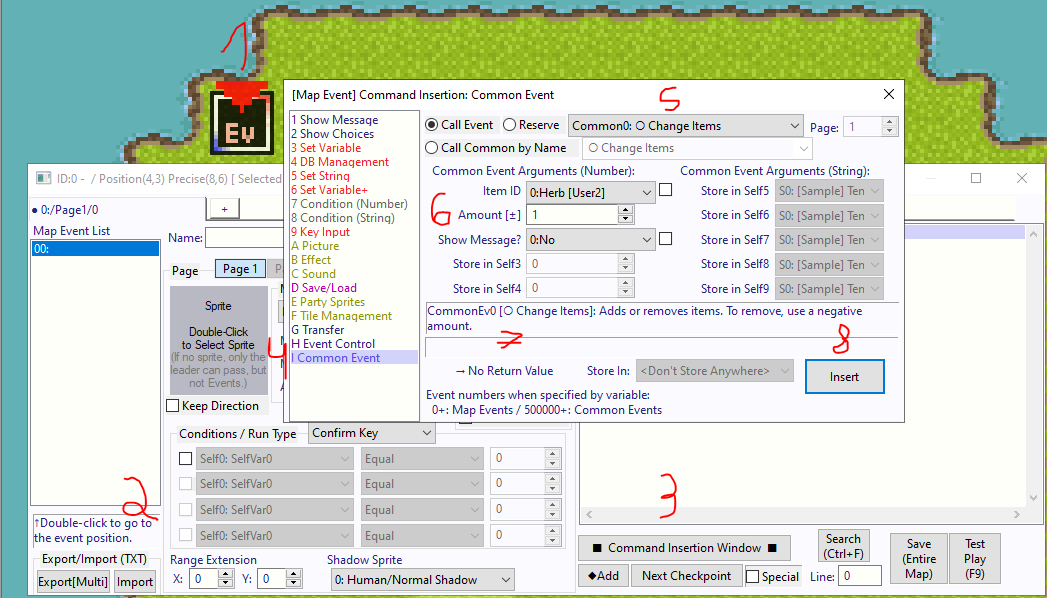
- With the events layer selected (press 4), double-click an empty space to create an event, or right-click and then create a new event.
- Now, double-click the event; this will open a window where you can set the sprite, the conditions, and, most importantly, the code
- Click the Command insertion window button.
- When you do this, you'll see a list of commands on the left. Look for the “Common Event” command (the last one on the list).
- Do you see the option with an arrow on the right? That's where you choose other commons. But we want to give an item, so choose “Common 0: O Change Items.”
- The other options below the arguments are parameters that define what will happen when the code is executed.
Item ID = Which item will be added or subtracted.
Amount +- = Value of the addition or subtraction.
Show message = Whether a message will appear.
7. Each common will have a note; please read it so you can understand them!
8. When you done, click insert!
Now set the condition to the Confirm Enter, add a sprite, and test it (F9)!
When interact with the event, you will get a item!
In some commons, you'll need to choose which variable the result will be stored in. So don't forget to look for it!
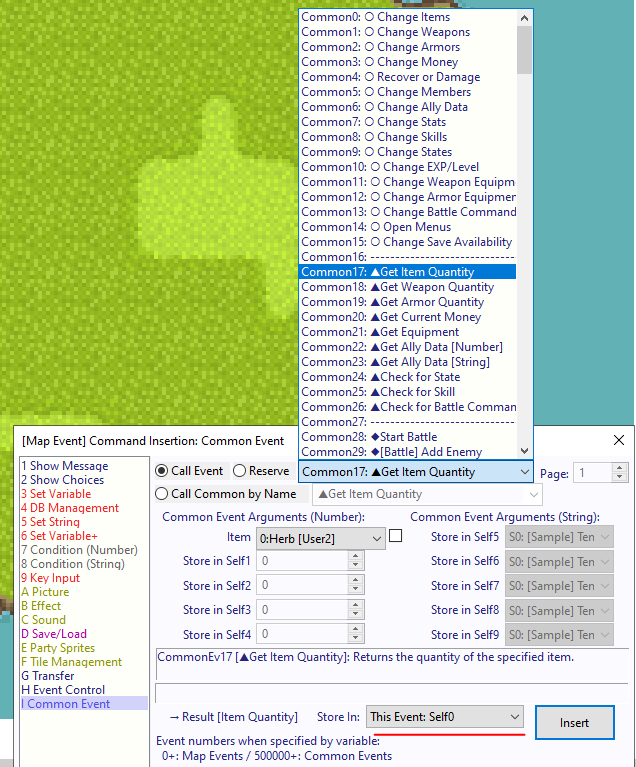
Warning! The Commons 0 through 43 are the ones for which you want to make a call event; the rest are system codes!
OK! Now let's move on to another important point!
Database
If you want to create an item or a skill, disable a command, or set a character's sprite, you'll need to do so in the database.
UserDatabase ( To set item , skill, weapons, armors and others)
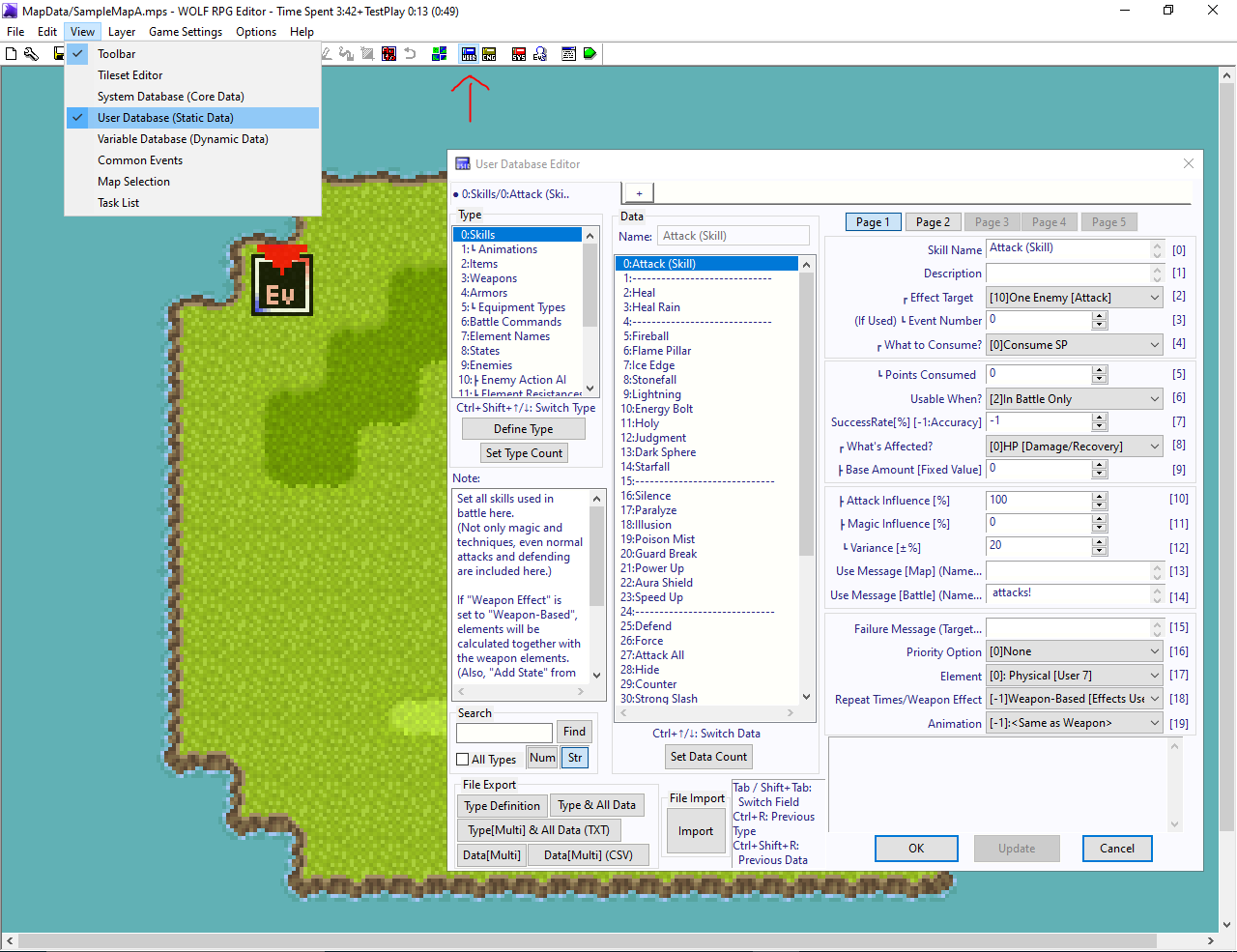
To create a new item, click the “Set Data Count” button (below the data list). Then, set the attributes on the right.
VarDatabase (To set Character sprite, title and name)
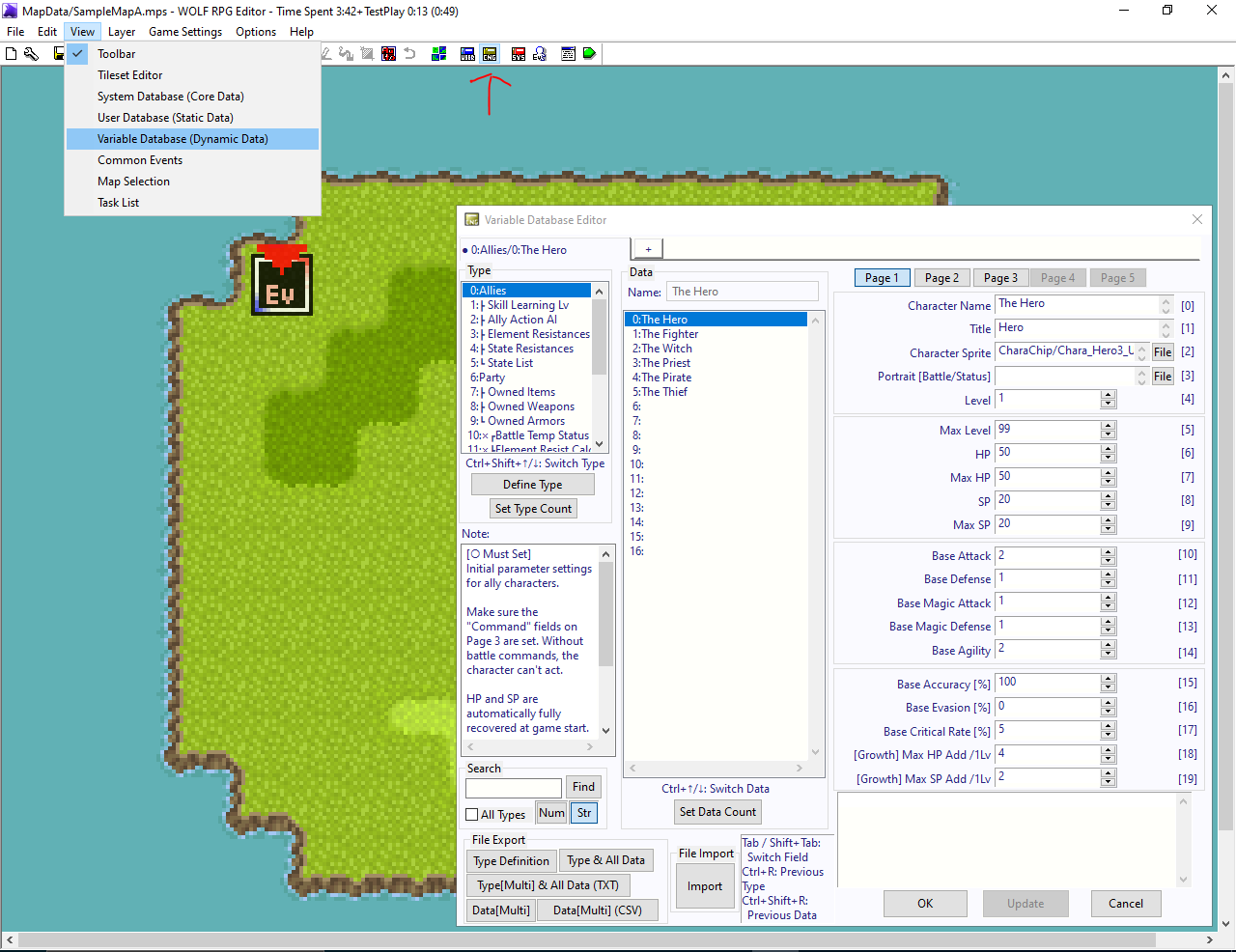
This database also stores information about HP, SP, states, owned items, and more.
There is a note for each type (below the list of types); please read it!
Oh, right, that's it! I hope this helps you understand the system, even if just briefly.