

Hi, I was just wondering, is there a way to use this contraption with a custom palette? I tried making a palette that included cyan, but it wouldn't let me use a custom mask shape no matter what I tried. Any tips?
Edit: I figured out a way, by editing the hex file for the default palette and leaving cyan as it was.
In Decker's default palette, cyan is pattern index 39. The actual visible color doesn't matter, just the pattern index:
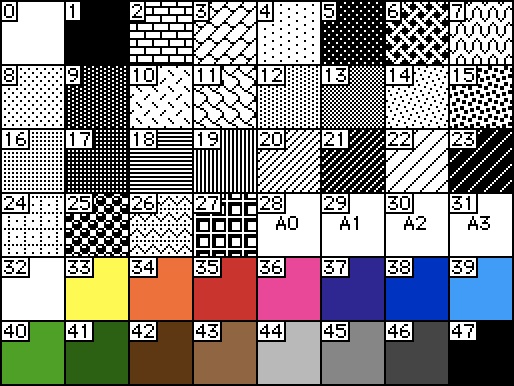
If you want to use a different index for your mask color in a custom palette, you can replace "colors.cyan" in the script of the prototype for this contraption with a different pattern index. Does that make sense?