

While I was importing pictures today, I noticed that the colors from the 'Patterns Interface' section don't -exactly- match the ones Decker comes with by default (at least the most recent version), here's the comparison between the patterns image on the documentation with the output from "%06H" format deck.patterns[...]
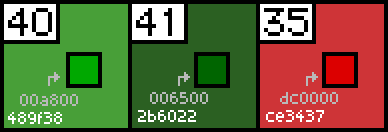
This even leads to some colors from the palette being imported as dark grey, seen here:
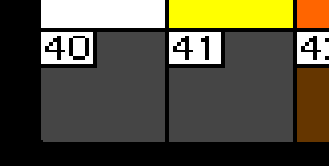
This is something I'm experiencing in both native and web environments, and I've tried a couple of different methods to save and load the image with the same result, but there's still a chance it's an issue on my end. In any case, I figured posting it here might be helpful.