
Indie game storeFree gamesFun gamesHorror games
Game developmentAssetsComics
SalesBundles
Jobs
TagsGame Engines
(+1)

I am trying to connect to my local llama.cpp server's endpoint. Entering the Local IP, keeps the "Test Connection" button disabled. I tunneled from to be a public ip, and still the "Test Connection" button is disabled, unless the link has "https". But my endpoints are "http" URLs  (both public and local). Changing the link to https, enables the "Test Connection" button, but clicking it, the error comes that "Could not reach endpoint".

Even though, it's written that app supports both, http and https endpoints. But the http case doesn't seem to be working for me.
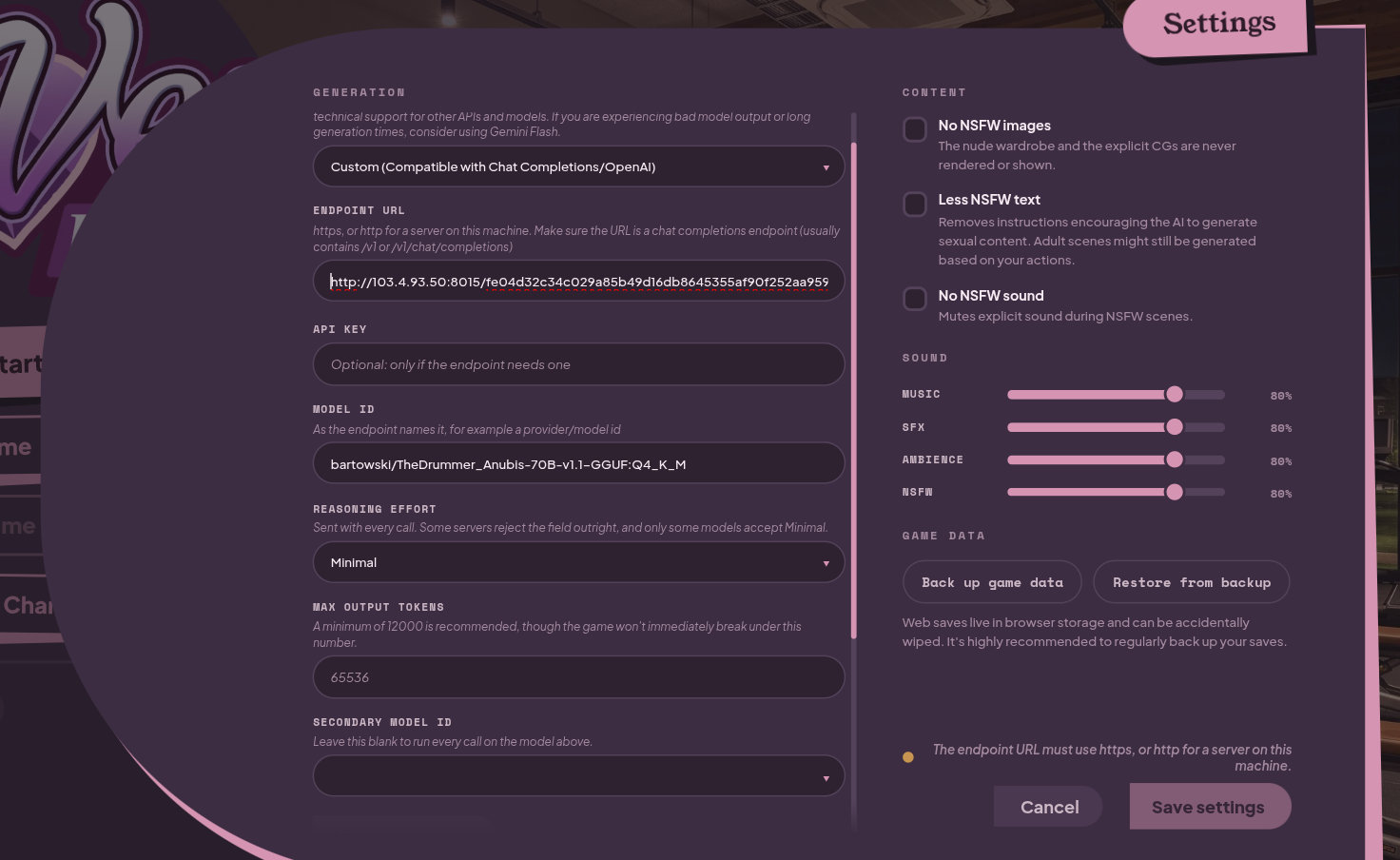
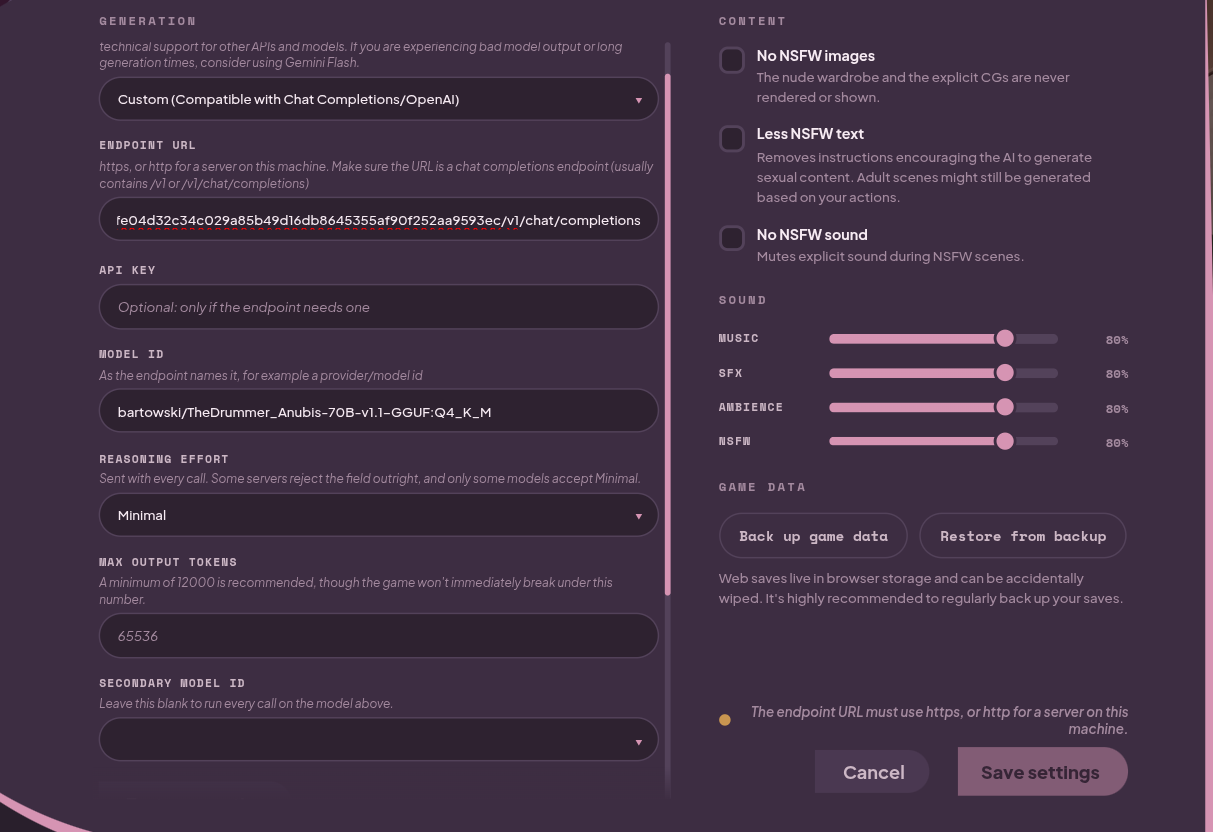
Hey shehhe, networking is definitely not my strong suit, but I believe people have gotten llama.cpp to work before. When the test connection button is disabled, what is the message at the bottom right, above save changes? 

Two things that could be going wrong are: 1. you may not be using the chat completions endpoint or 2. you haven't selected a model ID. The llama.cpp endpoint should end in /v1/chat/completions. If you have the right endpoint, clicking on the model selection box should show some models.

Here's me using it by a public IP, which is working fine on another RP (i.e SillyTavern)


Huh. Thanks for reporting this, am looking into removing that error gate in the new version. For now, can you try removing the long string and just doing 8015/v1/chat/completions?