Indie game storeFree gamesFun gamesHorror games
Game developmentAssetsComics
SalesBundles
Jobs
TagsGame Engines
(4 edits) (+2)

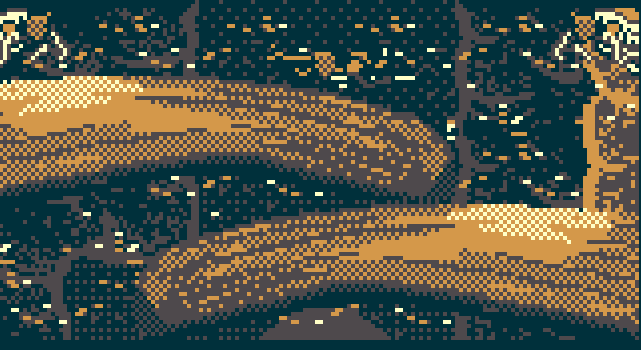
I got hooked on Aseprite's gradient tool as well. It'd be so much work to hand-dither everything (which by the way, in the attached picture this looks incredible! Really pushing the 4 color palette to its limits). I wonder if there are plugins for different gradient patterns, maybe I could try it as a side project. I don't have the drawing skills myself so I could really use something like that. (Edit: here's one on itch, and here's another plugin that specifically has blue noise)

Edit 2 (sorry): A good visual comparing ordered dithering vs blue noise
(+2)

Nice finds! I've bookmarked the tools for another day. They look pretty snazzy and fun.

I found this page that has various dithering technique comparisons (see the second lion image with drop down options). https://www.plotcaster.com/learn/blue-noise-dithering/

For those bones, I mostly used a custom brush that was just a 2x2 square with opposite corners being transparent.

(+2)

What the heck, this is an incredible website. Whoever runs it is clearly passionate about dithering, and takes on a didactic role to share it with anyone who wants to know more.

Thanks for the tip on how you made the bones. I haven't felt this inspired to work in Aseprite in a long time!

(4 edits) (+1)

i didn’t know there were different algorithms for dithering. this is interesting. i looked at them all and honestly, i don’t think blue noise looks that good. i prefer the Atkinson, Floyd-Steinberg, and a few others over blue noise. Bayer definitely looks the worst though.

personally, i avoid using dithering in general as it creates a lot of noise, but with a 4 color palette it is a useful tool. i prefer to do it by hand though. you can speed things up by copy/pasting areas, but to do a complex gradient it’s definitely a lot of tedious work. sometimes i like that though.

(9 edits) (+1)

I liked the strategy the Obra Dinn developer ended up choosing, that Plotcaster paraphrases as:

Pope’s devlog describes trying an 8×8 Bayer matrix first, then a 128×128 blue-noise field, and keeping both: Bayer for characters and objects, where the ordered grid gives a clean, deliberate look, and blue noise for environments,

My reasoning is not so much about the aesthetics of Bayer, but its tendency to create focal points that demand your attention, and cause your eye to involuntarily be drawn to them. The opening gameplay scene in Sassa'Shoom demonstrates both: the Bayer grid towards the top drew my eyes towards the sky and away from the underwater scenery, and the shading on the rocks here is "blue noise-y" in that it doesn't draw your eyes too strongly. 

Ideally, I think the focal points should be in the gameplay area, with strongest emphasis on dynamic things that you interact with (collectibles, hazards, etc), and with less emphasis for static things like boundaries - so that you can perceive their gameplay implications with minimal cognitive tax.

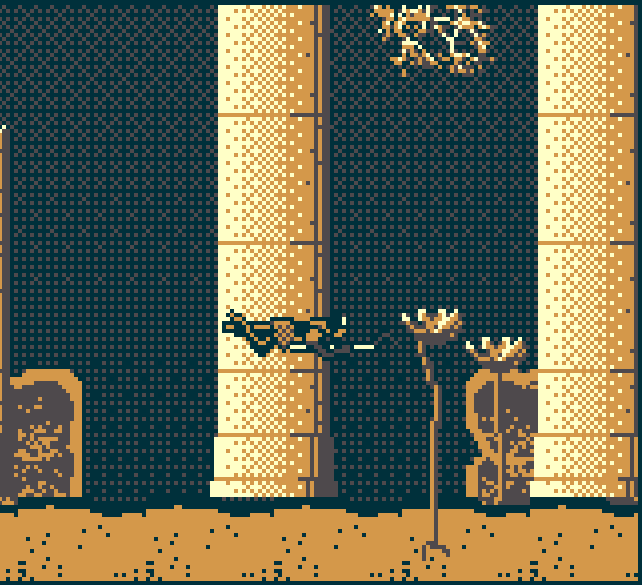
Actually, I thought Bayer looked really good here on the columns. It seems contradictory but maybe because the Bayer grid aligns with the columns, it doesn't introduce a new focal point.


I learned about blue noise because it's used to fix color banding in high res gradients, precisely because it doesn't create focal points. Blue noise seems to be best at this, and Interleaved Gradient Noise is second best but is cheaper on the GPU. (Examples of IGN here)

But I also agree with you that dithering can be really noisy, especially at Game Boy resolution, and it's honestly impressive how much PureKnix was able to use it and still have it be pleasant and beautiful. It seems to work best when used with adjacent tones in your palette, and maybe that's why the sky and ocean surface were more distracting than the columns.

(+2)

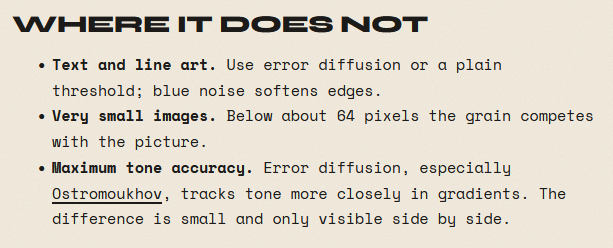
of course, if i read instead of playing around with the comparison thingie, i would see that they even point this out.
image.png

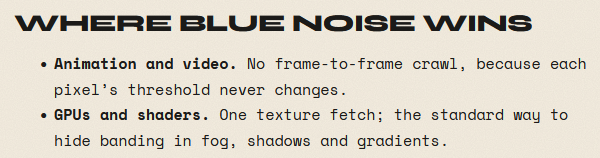
and i can see how it would be better for video
image.png