

May I ask one more question? 2. Could you provide detailed information about success and failure in the Controls section?
5 days ago(+1)
I found it pretty easy to knock opponents out using full power (more through chaotic energy than precise aiming), but it was much harder to knock out an opponent while keeping my own piece on the board.
By the way, is it just me, or have you already updated the game?
One thing that frustrated me was that simply clicking on a piece counts as a turn, even if the piece doesn't actually move. I think it would help to add a minimum drag distance threshold, so that a shot doesn't count if the player hasn't pulled back far enough.
As for the game feel, maybe you've already experimented with this, but I wonder if adjusting the weight of the pieces and the maximum shot power could make the gameplay more satisfying. Right now, the physics feel quite similar to how real physical pieces would behave, which is cool. But I'm not sure realism is necessarily the best choice here. Maybe sacrificing a bit of realism could make the game more enjoyable.
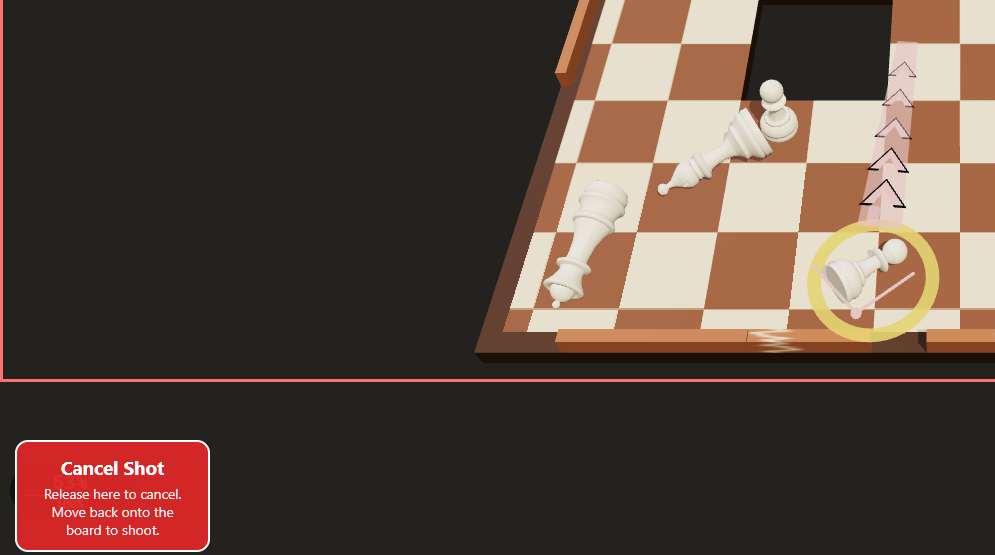
Another small issue: with pieces near the bottom of the screen, it's impossible to shoot at full power because the cursor goes beyond the edge of the screen.
screenshot
I tested this and found that, in this situation, if you aim to the left or right, the shot is fully charged; but if you aim forward, the cursor enters the "shot release" zone.
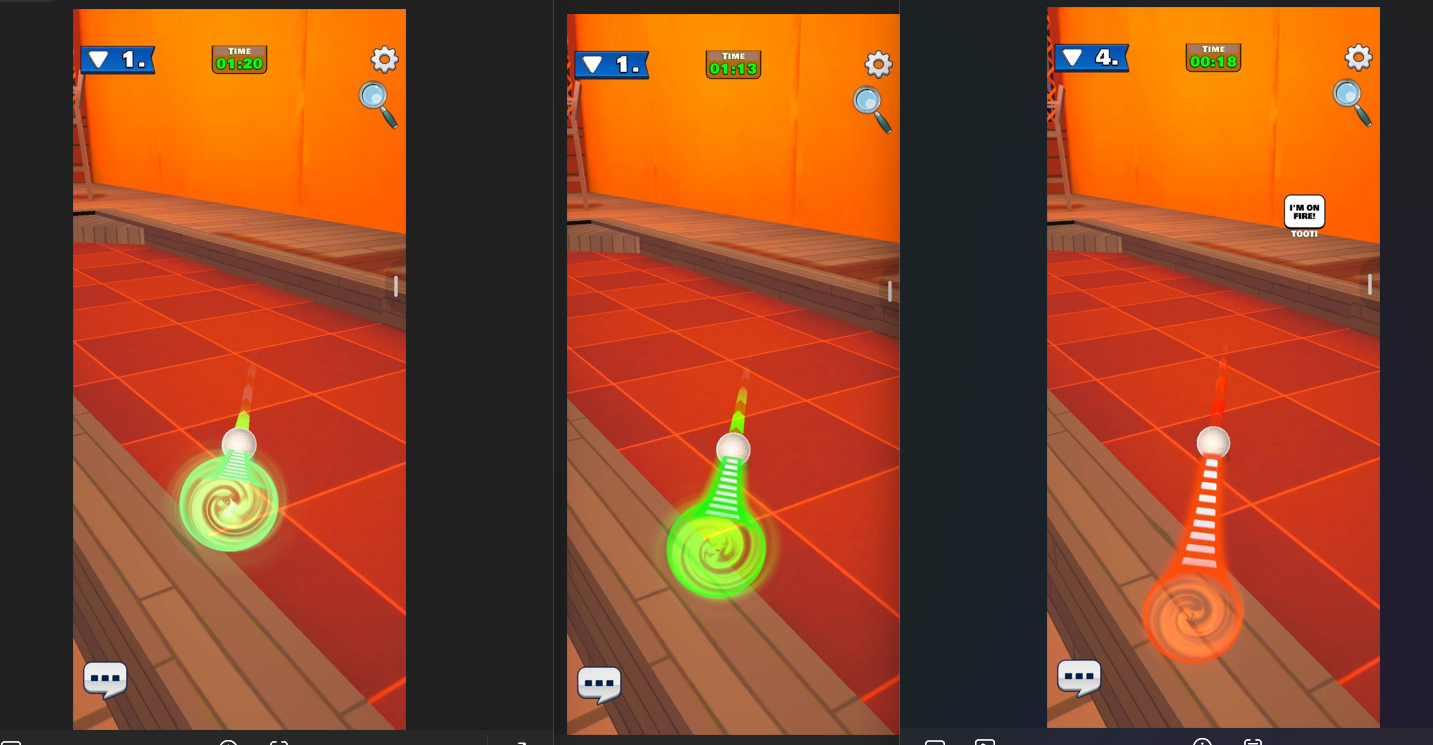
Regarding shot power feedback, maybe you could use not only color changes but also the length of the waves around the piece to indicate power, similar to the mobile game shown in the screenshots below (which I won't name here).
screenshots
(I’m referring to the line above the layer, not the one closer to us)
By the way, I'm curious: is the relationship between dragging distance and shot power currently linear? For example, does dragging 10 pixels give you 10 units of power, and 100 pixels give you 100?
If not, this might be another thing worth experimenting with. A non-linear power curve could potentially make aiming more comfortable and precise.
Another idea would be to reserve the last 20% of power for a hold mechanic. For example, dragging to the maximum distance would give you 80% power, and holding it there would gradually increase it to 100%. That way, the normal aiming range would cover 0–80%, giving players more room for precise adjustments. (But maybe I'm just projecting the physics from my own game onto yours.)
These are just some ideas, of course. I imagine a lot of this comes down to personal preference and would need quite a bit of playtesting to find what feels best.
Sorry for the late reply!! Thanks again for taking the time to test this and explain the control issues in detail! I’ve now released an update that reduces accidental shots from tiny mouse movements and adjusts the pull distance to the screen size, including near the board edges. It still uses the same pull-and-release controls. If you give it another try, I’d love to hear how aiming and power control feel now. :)
Hi! I did a bit more testing and wanted to share a few observations.
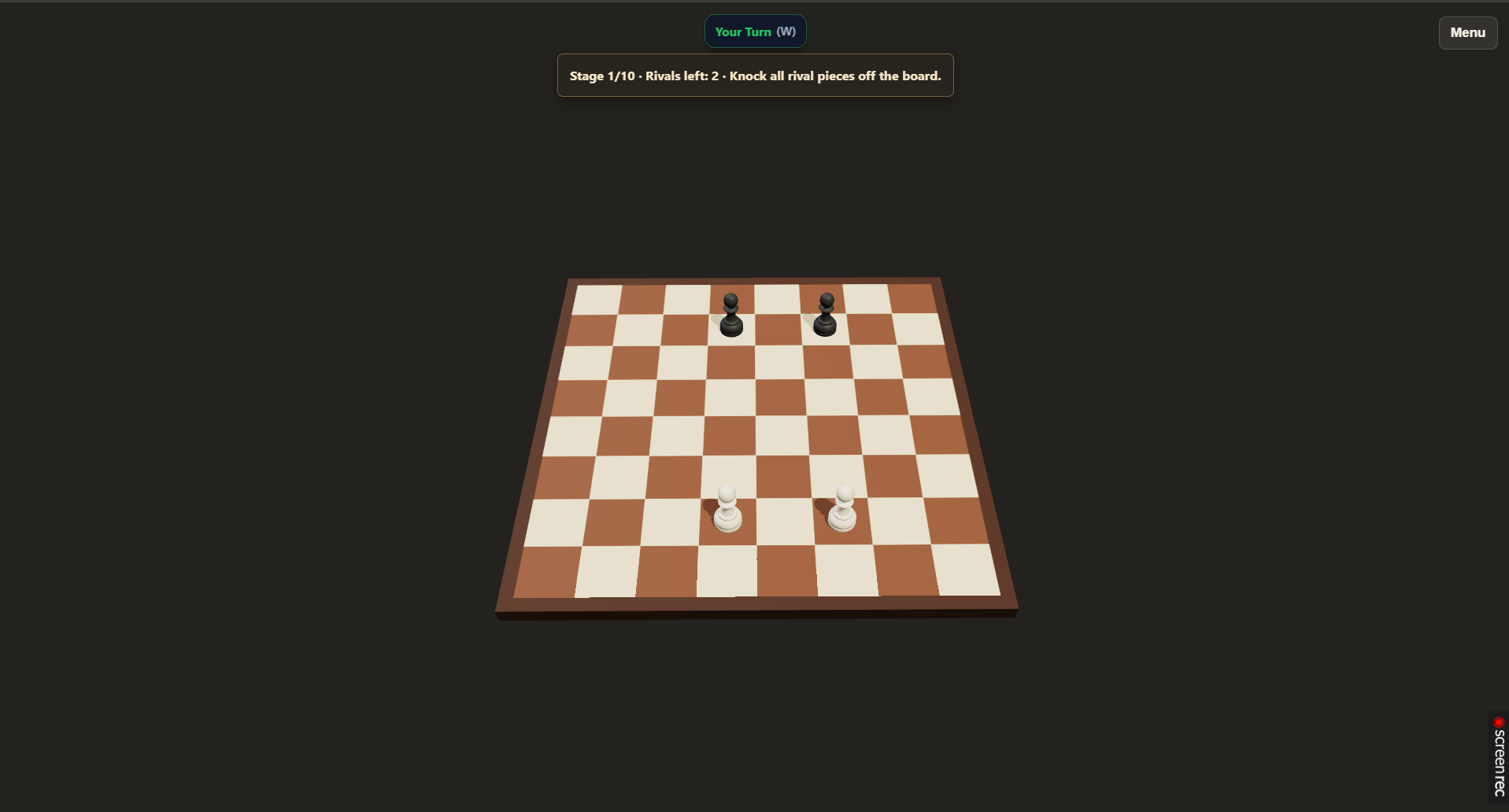
In fullscreen mode, even at maximum zoom, the board takes up less than 30% of the screen. I wish I could zoom in further.
screenshot
As for the shooting mechanics, the power percentage indicator on the left makes it easier to understand how different power levels actually feel.
And I think I've finally figured out what's been making aiming so difficult for me. Just to clarify, I'm testing the web version on a laptop, using a mouse.
The entire range of shot power, from "the piece barely moves" to "the piece flies into outer space," is covered by just 80 pixels of mouse movement.
And when aiming at around 30% power, changing the direction of the shot by 45 degrees requires moving the cursor by only about 12 pixels.
This makes aiming feel unnecessarily demanding in terms of precision, at least for me. Every single pixel has a noticeable impact on either the shot power or its direction, so even small mouse movements can significantly change the result.
I think I've finally managed to put into words, at least for myself, why the controls have felt so difficult to me.
Thanks for coming back and explaining this so clearly! The examples with the cursor distances really helped me understand what you mean. Having such a wide power range packed into a short drag distance makes small mouse movements affect the shot too much, especially when aiming at lower power.
I’m glad the percentage indicator helped. I’ll look into giving mouse aiming more room for fine adjustments while keeping the pull-and-release controls. I’ll also check the fullscreen zoom limit—the board does look too small in your screenshot.
Thanks again for sticking with it and helping me pinpoint the problem!