

Close mode7 in plugin and it's clear only problem on joiplay is slow transition encounter but if you don't mind it's ok to play
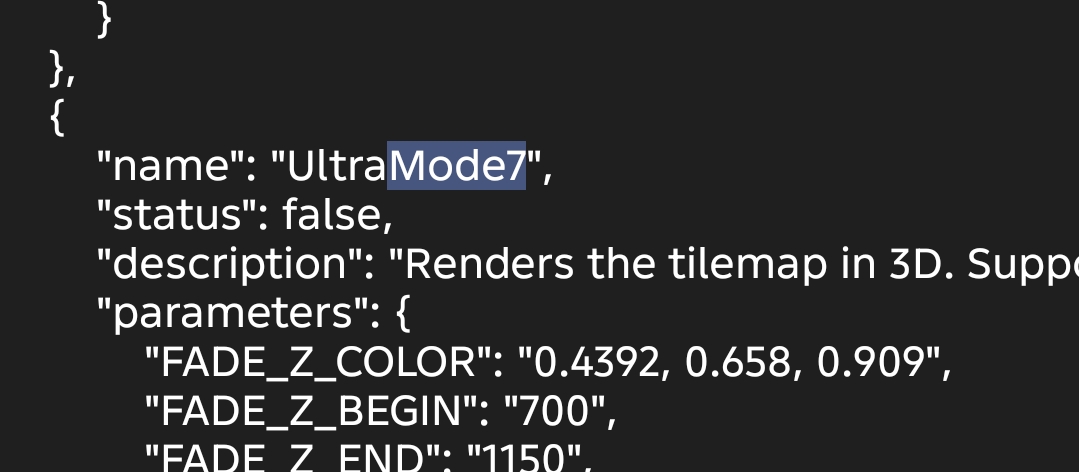
1. Open your game folder and navigate to: www/js/plugins.js (or js/plugins.js depending on your game version).
2. Open plugins.js using a text editor (e.g., QuickEdit, MT Manager, or ZArchiver).
3. Search for Mode7 (usually listed as "name":"UltraMode7").
4. In that same line, change "status":true to "status":false (make sure not to delete any commas or quotation marks).
5. Save the file and launch the game via JoiPlay. The world map will now render in standard 2D