

The game looks good but I tried playing on my phone but it didn’t even complete loading screen so I taught it was network so I exit the game page and tried again still it didn’t load so I couldn’t play Also the description doesn’t say anything about the game so atleast add that in description so og someone can’t play atleast they can read about it
A member registered May 28, 2026 · View creator page →
Creator of
Run a tiny shop. Set prices, restock, pay rent. Every decision has a consequence.
Simulation
Play in browser
63 hand-crafted pixel art guns with matching muzzle flashes, bullets & shell casings — 198 images total.
Retro-Futuristic Space Game Asset Pack for immersive sci-fi adventures and strategic gameplay.
Recent community posts
Hi, I wanted to give Forebear a proper try and I’m sorry to say it crashes on my Android phone (Chrome).
What happened:
- The first time, the game loaded, but crashed shortly after.
- I restarted it to try again, and it crashed again right after entering gameplay.
The error shown on screen:
TypeError: Cannot read properties of undefined (reading 'x')
at _handleTouchMoveDolly
at _handleTouchMoveDollyPan
It looks like a bug in the touch controls for the camera (two-finger zoom/pan), which would explain why it happens on a touchscreen. I’m attaching a screenshot of the error. The device is an Android phone in landscape, on Chrome.
A quick check that the touch gesture code handles a missing touch point might fix it. Because it happens on mobile, it may block many Android players from trying the game at all.
Thank you for entering the jam, and I hope this helps! 🙏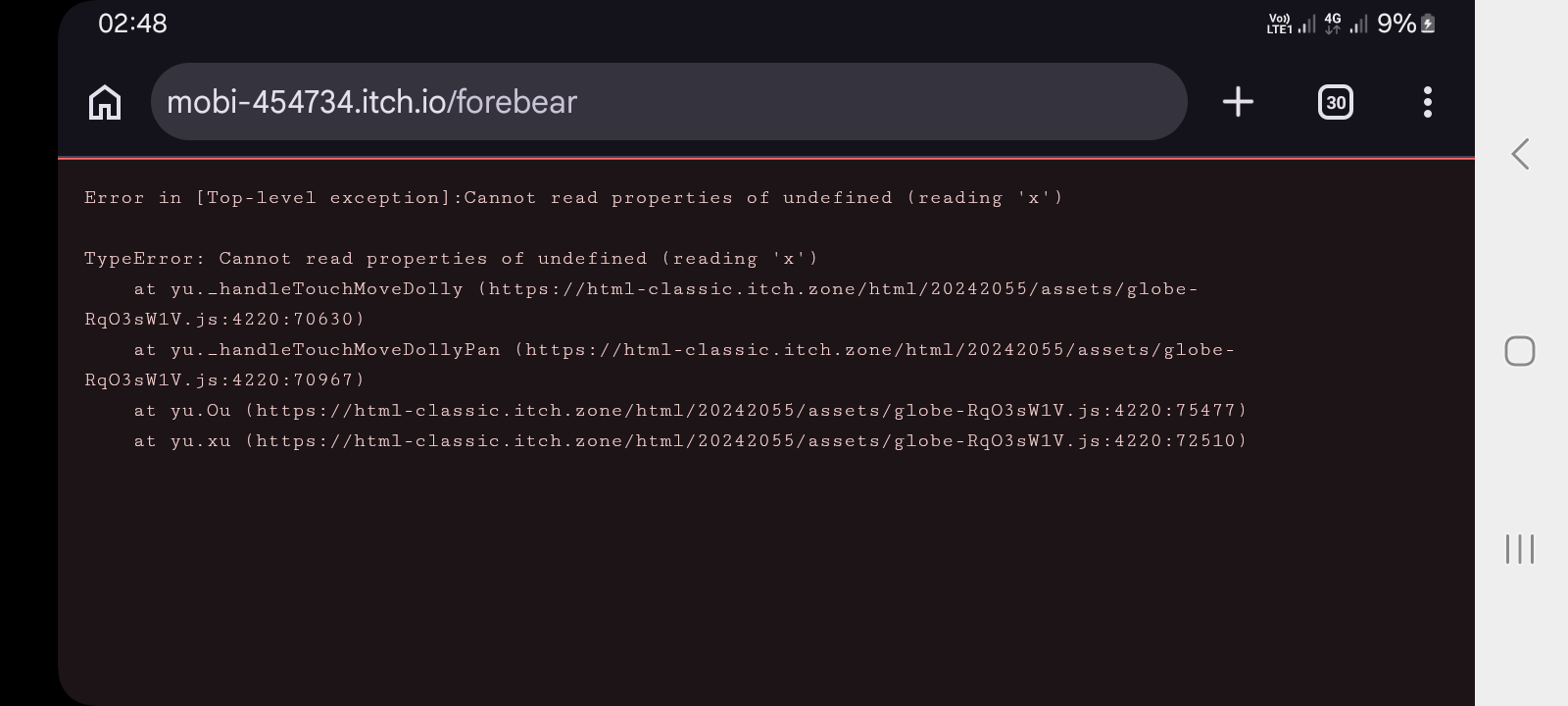
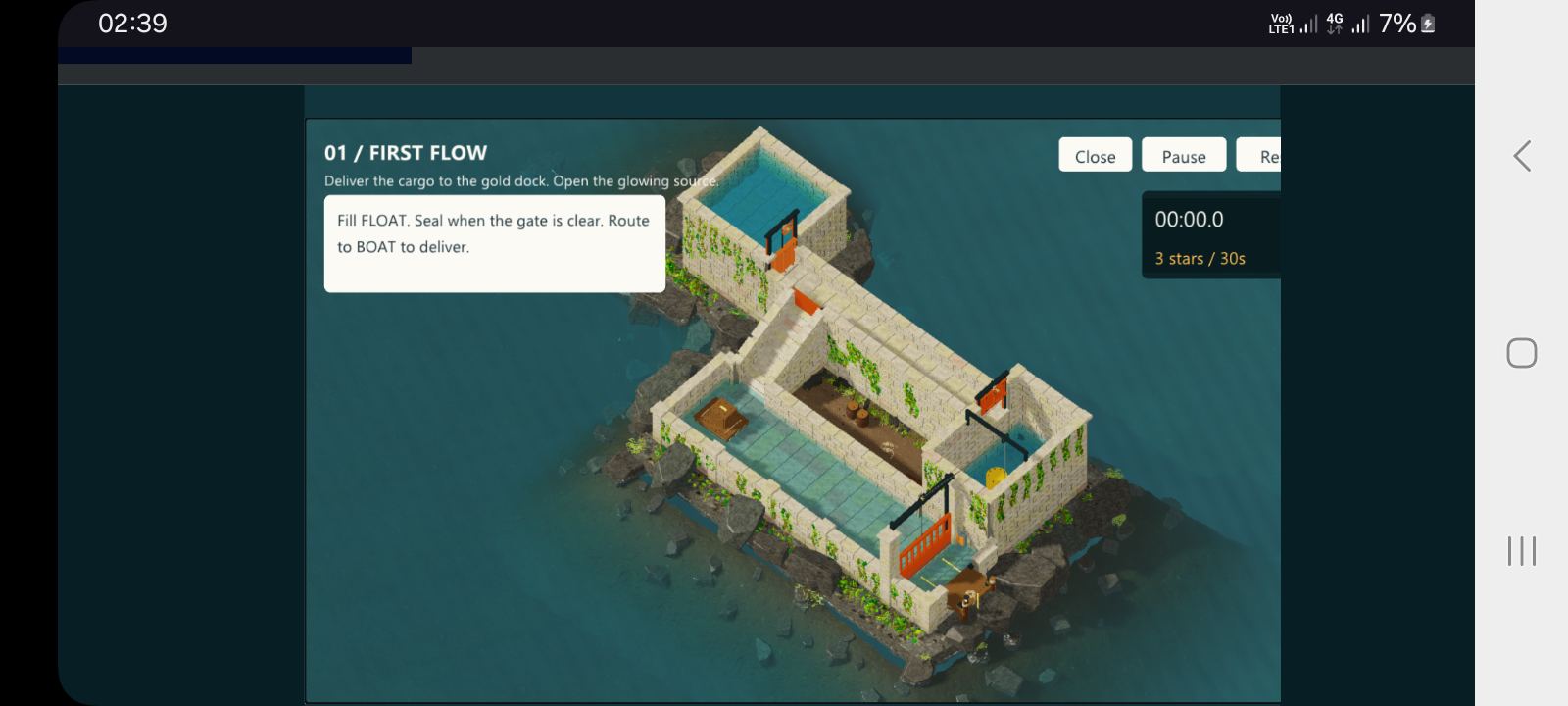
Hi, the art and atmosphere of HeadWater look great. The isometric water scene is beautiful and the idea is clever. 👏
I tested it on an Android phone (Chrome) and had trouble playing, so here is my honest feedback:
- Touch controls: I couldn’t work out how to control the game on a touchscreen. I couldn’t tell what to tap or drag, and nothing responded the way I expected. Clear touch support (or a note saying it’s desktop-only) would help a lot.
- Instructions are unclear: The hint on level 1 (“Fill FLOAT. Seal when the gate is clear. Route to BOAT to deliver.”) uses terms I couldn’t match to anything on screen. Highlighting the exact thing to tap, with an arrow or glow, would make the first level much easier to follow.
- Objects are hard to see: The gates, the float and the boat are small and blend into the scene on a phone screen, so I couldn’t identify what I was supposed to interact with. Higher contrast or outlines on interactive objects would help.
- Screen layout: On my phone in landscape the buttons at the top right are cut off (the Reset button is clipped), so part of the UI is hard to reach.
This may work fine on a computer, and I may have missed something. But since many players are on mobile, mobile support would make the game much easier to enjoy. Thank you for making it, and good luck in the jam! 🙏