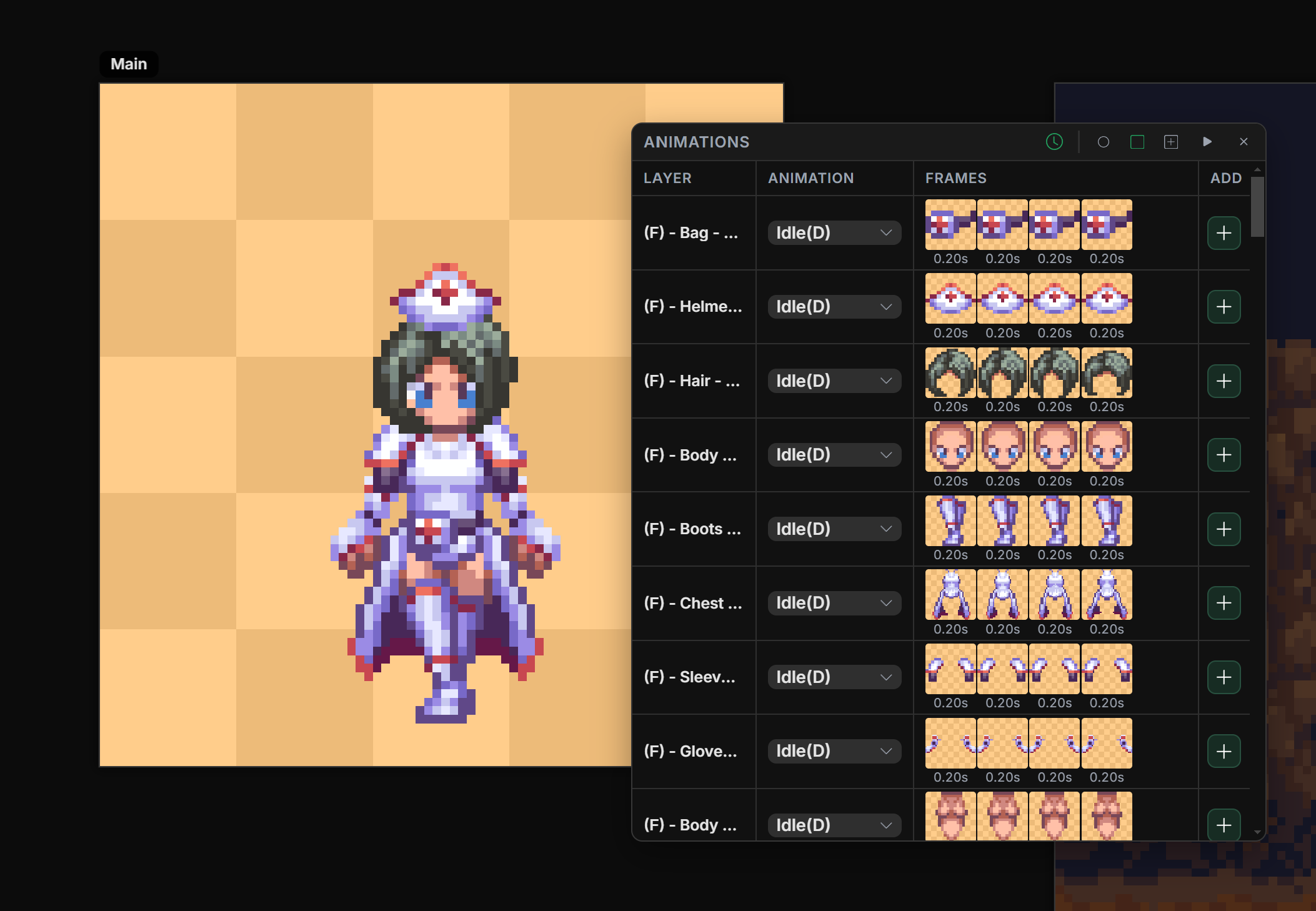
We updated our animation system. It is now more in line with what you mentioned here.
Coldfox
Creator of
Recent community posts
Yes, we're constantly improving. the isometric tiles system is quite new so expect upgrades. The Tile builder does replace tiles, the only way is to draw tiles on layer above. Although, maybe adding an option to not replace, but overlay tile on the same layer would be useful. So you might have a point there. I will add some notes to improve these. Thanks for the feedback!
hi Manukineko!! How are ya buddy?
Not at the moment. This is 100% in the road map though and updates are free.
No problem! Yes there is a Sync toggle that syncs all frames to preview them simultaneously. It may seem a little different at first but it does have it’s advantages because you can choose which animation sets you want to sync. In the case that for example, you have a player’s legs animated to run, and you want the player’s upper body to have different animations such as aim, reload, punch, etc. In aseprite you would have to copy the leg’s run frames to all upper body animations to preview them simultaneously in combination. And that would only work if you have the same amount of frames on the leg’s run animation as each upper body animations. Another issue would be editing the run animation you would have to copy the edited frames on to all upper body animation. Furthermore, if you introduced more leg and upper body animations you would have to do a lot of manual work to preview them to see if they sync well. In Manabit, you just select which animation from which layer you want to preview by selecting the animation you want to preview as the “favorite “.
Yes it’s possible but it’s different than sharing timelines. It’s designed to handle any combination of animations for game design mostly, so you can build all assets in one file and preview it all together.
I do encourage you to give it a try. It’s slightly different but infinitely more powerful. And it will only get better with updates.
I hope that clears up the differences. You can also read the docs for more info.
Yes. Manabit supports layered sprite animation: each layer can have its own frame strip with independent art per frame, and with Sync on you can preview all layers composited together (similar to Aseprite’s cels).
The difference is organizational: Manabit uses per-layer frame strips rather than one shared timeline grid. Layers can also hold multiple named animations (e.g. idle + walk on the same layer).
It's not exactly the same as Aseprite because Manabit does not have 1 timeline for all the layers. It's 1 timeline PER layer. I hope that clears it.
You are alsfo free to join the discord if you have more questions!
Hello!
Ah I see what you are saying. Automatically no, the app doesn't do that. But manually, yes:
- Switch to the Select tool (W).
- Change the Shape to Wand.
- Make sure Connected is turned off.
- Click the color you want to remove and press DELETE on your keyboard.
- It will remove that color from the image.
Note: You can also change that color instead of removing it by toggleing on "Replace with color".
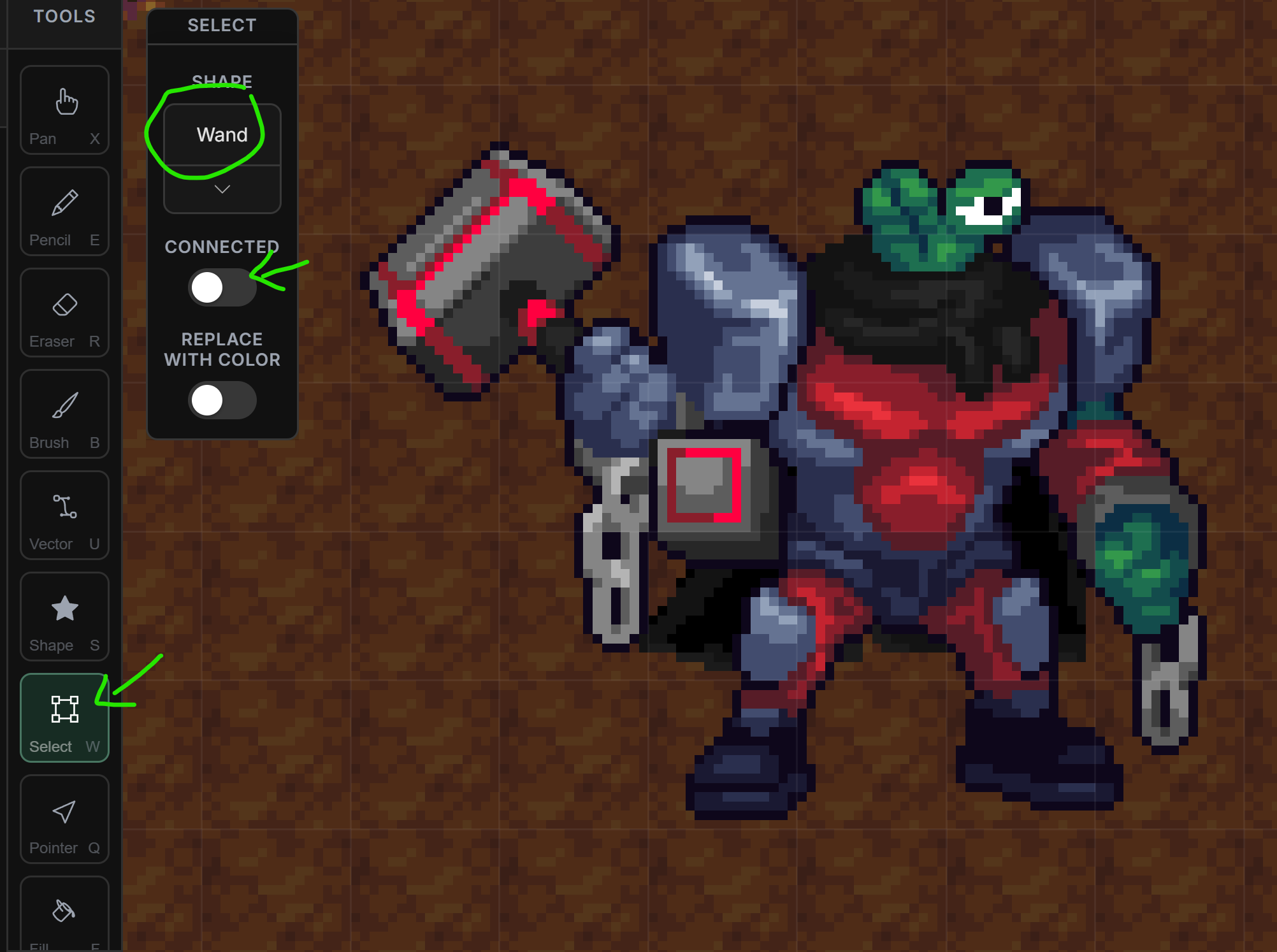
hi @Rustbox Games.
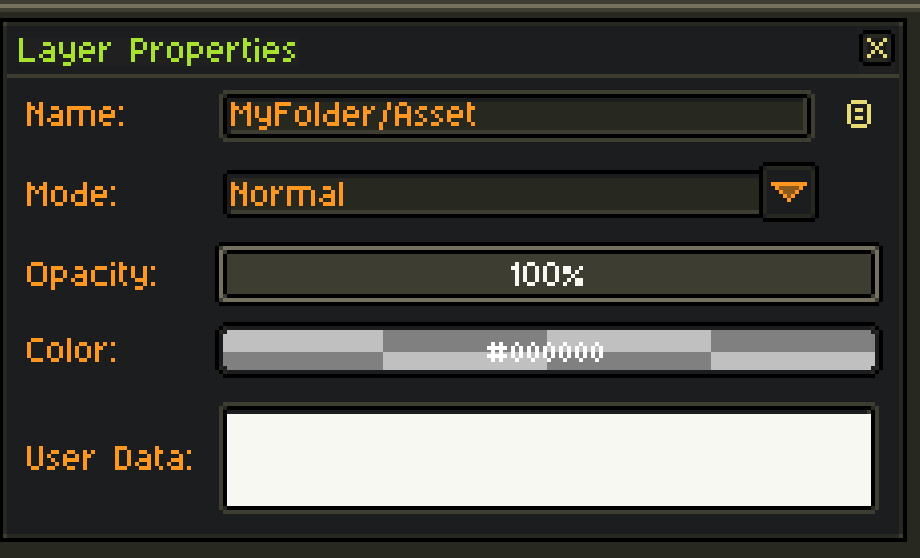
Yes just add the folder name followed by a "/" to the Layer Name and it will create folders.
Hi Manukineko!
You were right, the algorithm was ignoring all frames due to the keyword '[ignore]' on the top-most animation. I fixed this issue, please download and update your extension and try again
Hi @Spooky Squid Games. This issue has been resolved in the latest update. Please update your extension to see the changes.
v5.9.1.16 : Trim, Ignore Tags, Settings & Docs, Indexed Color Fix - Aseprite Advanced Exports by Coldfox