Indie game storeFree gamesFun gamesHorror games
Game developmentAssetsComics
SalesBundles
Jobs
TagsGame Engines

Jason Holt Digital

47
Posts
5
Topics
171
Followers
7
Following
A member registered Nov 06, 2024 · View creator page →

Creator of

Recent community posts

Hey TransientDreamer, what operating system / device are you on?

Just replying here in case others see this—right click any panel header ans swap it out with Keyed Scenes / Progress tracks

Hey Arthur, thanks for reaching out. This is a panel on desktop instead of a slide out. This means you need to right click on the header of one of the other panels and swap it out. I’m planning to add it as a slide out in the next release.

Hey there! Mythic GME Digital is only the desktop versions. You can pick up the mobile versions on Google Play and Amazon App Store!

Hey Tim! Everything is on my website now! www.jasonholtdigital.com under resources page. Let me know if you can’t find it!

Awesome. This is great to hear. Thanks for the details!

(2 edits)

Ok researching this a bit. It seems like its a Flutter engine problem. Can you try this or check this?

“…the problem is sometimes solved by disabling the virtual keyboard in the Linux Mint accessibility settings…”

Two sources so far (and still researching): https://github.com/flutter/flutter/issues/153560 https://github.com/flutter/flutter/issues/153560#issuecomment-2503660633

When you run the app from terminal, is there any logging output? Which NVIDIA drivers are you using?

Ok that’s good to hear. That’s strange that it’s still freezing. Can you tell me more about your build? I just pushed another update. I don’t know if it will help–i’m not seeing your freezing in my error reporting software (I see other devices). It could be your rig–you could see if your setup has issues with the Skia rendering engine. I’ll try to dig into this more and get to the bottom of it.

Hey Pynk, I think I just resolved this bug. Can you download todays update? Let me know if the issue is still there?

Hi Nighteye! Scenes have a dedicated page accessible on the left menu with a lot more space.

Additionally the panels are movable and if there’s enough horizontal space you can add a fourth panel or swap any of the panels for a scenes panel if you prefer.

Updates are live! Please give it a shot and let me know if you have any more issues!

I will have a new version uploaded shortly! Thank you for reporting this!

(1 edit)

Sorry to hear about this. Hey there let me test it on my end.

Hi Tetra, sorry to hear about the trouble. Could you shoot me an email with the tables file you tried to import? Let me try on my end with the debugger and see if I can figure out what’s wrong. Email is support@jasonholtdigital.com. Or you can try and share them here if Itch allows it.

I just published a short guide here for getting started with the app and prepared adventures: Setting Up a Prepared Adventure

Let me know if you have more questions!

Hey there and happy holidays!

Yes, it’s absolutely possible to play prepared adventures with Mythic! There’s actually a whole chapter in the core rulebook (starting on page 156) that explains how to do this, plus additional podcast episodes and magazine articles that go into even more depth.

Podcast: I highly recommend listening to the Solo RolePlayers Podcast episode “Playing Published Adventures with Tana Pigeon (Mythic)”. Tana (the creator of Mythic) walks through several techniques for playing published adventures solo and even demonstrates them in action.

Magazine Articles: The key articles are:

  • Mythic Magazine #3 - “Soloing Published Adventures” (one of the earliest and most popular guides on this topic)
  • Mythic Magazine #50 - “Deconstructing Prepared Adventures for Solo Play” featuring the new “Deconstruct the Known” method

The app includes prepared adventure Event Focus tables from both the core rulebook and Mythic Magazines to support multiple variations on this approach.

Help Resources: You can find more guidance on the Jason Holt Digital Resources page including:

As for adventures themselves—any published D&D, Pathfinder, Call of Cthulhu, or other TTRPG adventure works great with Mythic! The system is designed to let you play any prepared adventure solo.

Feel free to reach out if you have any other questions. Happy adventuring!


See Also:

Hi Tetra thanks for reporting this. I’ll work on it!

Hey there! I think the itch.io up should allow easy updating. I hope to add an auto-updater in the near future as well but it’s not in yet!

Thank you for your support! Absolutely, an improved journal system is definitely in the works. This is a big feature request and I can't wait to share what's happening with it. Accessibility is a super important part of development for me so I will keep striving to make this easy for everyone to use!

Released with your localization updates! Thank you for reaching out!

I'm loving it so far! 

Ok shoot me an email and I will send you a dropbox link to download the Italian translation and Ill include the english so you can figure out where it goes in case things are not clear: support@jasonholtdigital.com

Not the code! Just the language text for the UI. I can't add Italian meaning table text from the official book without a publisher agreement but we could make everything else sound great!

(1 edit)

Hey everyone, I've posted some guides to getting tables into the app via import methods like CSV and JSON! You can check everything out here. It includes templates in CSV format to get you started:


Resources - Jason Holt Digital

(1 edit)

Hey I'd love help with the Italian translation! Would you like me to send you the file? I should have a fix for the translation bug soon. 

I just found your reverse typing bug. Let me see what I can do. 

Hey there Faber, try to update to 1.5.3. I just posted it. Let me know if that works! 

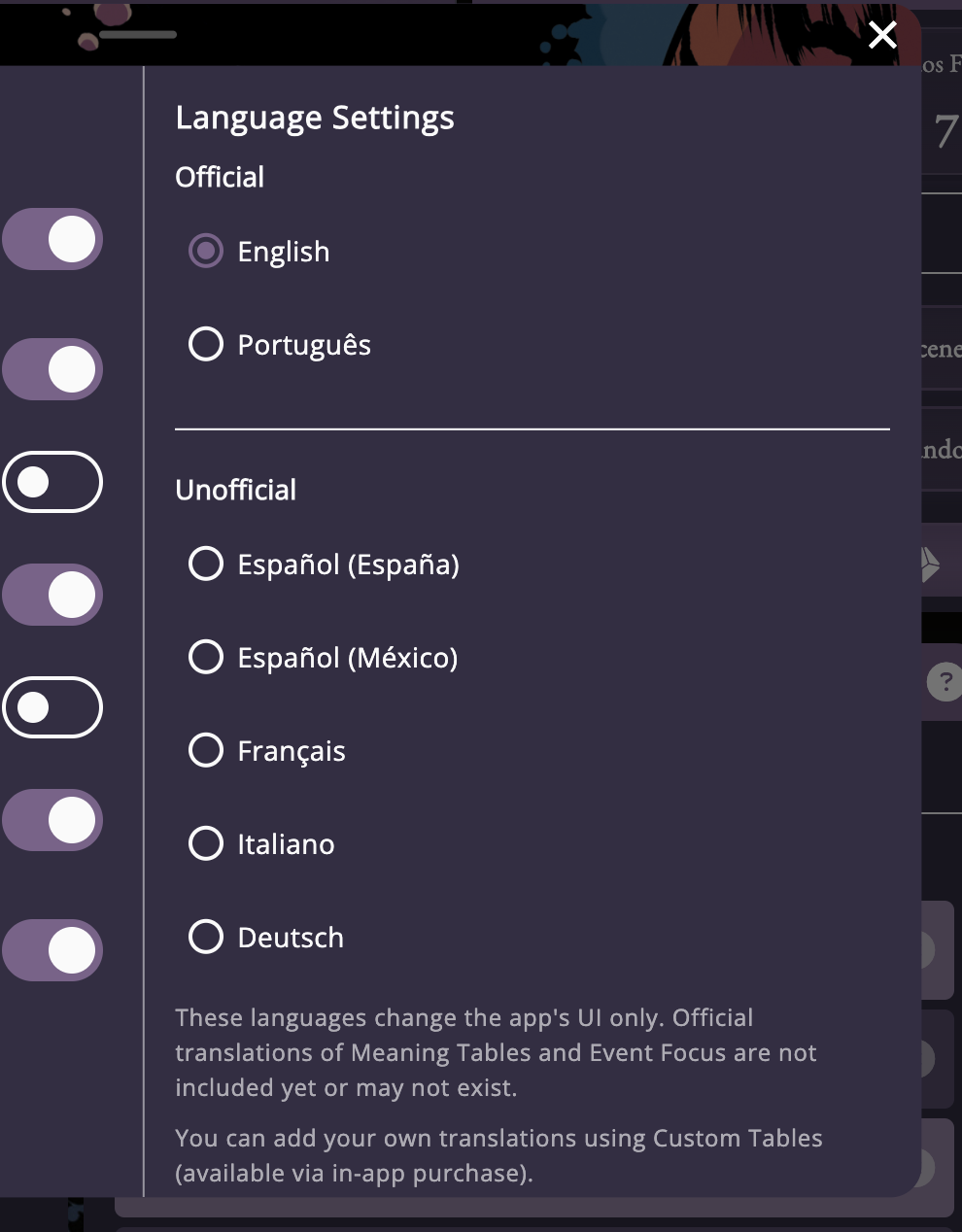
Hey there, thanks for the feedback. Can you tell me which version of the app you are having trouble in? I just released a couple of updates (v1.5.3) which addresses some of the issues. The language selector is in the settings. I responded to another post about this so maybe this is the same issue? I'll post a screenshot. You have to open settings and scroll over. 
Regarding the text field issue, please let me know which version of the app you are running (tap the i and it should show you) so I can see if this a recent problem. I addresses a bug like this a while back. I've been working with a number of publishers around the Mythic brand in different languages and hope to be able to add official tables and language content. I was able to do this with Portuguese but unfortunately for Italian and Spanish, we have not been able to work it out yet. Hope this helps! Please let me know what I can do for you and your friend. 
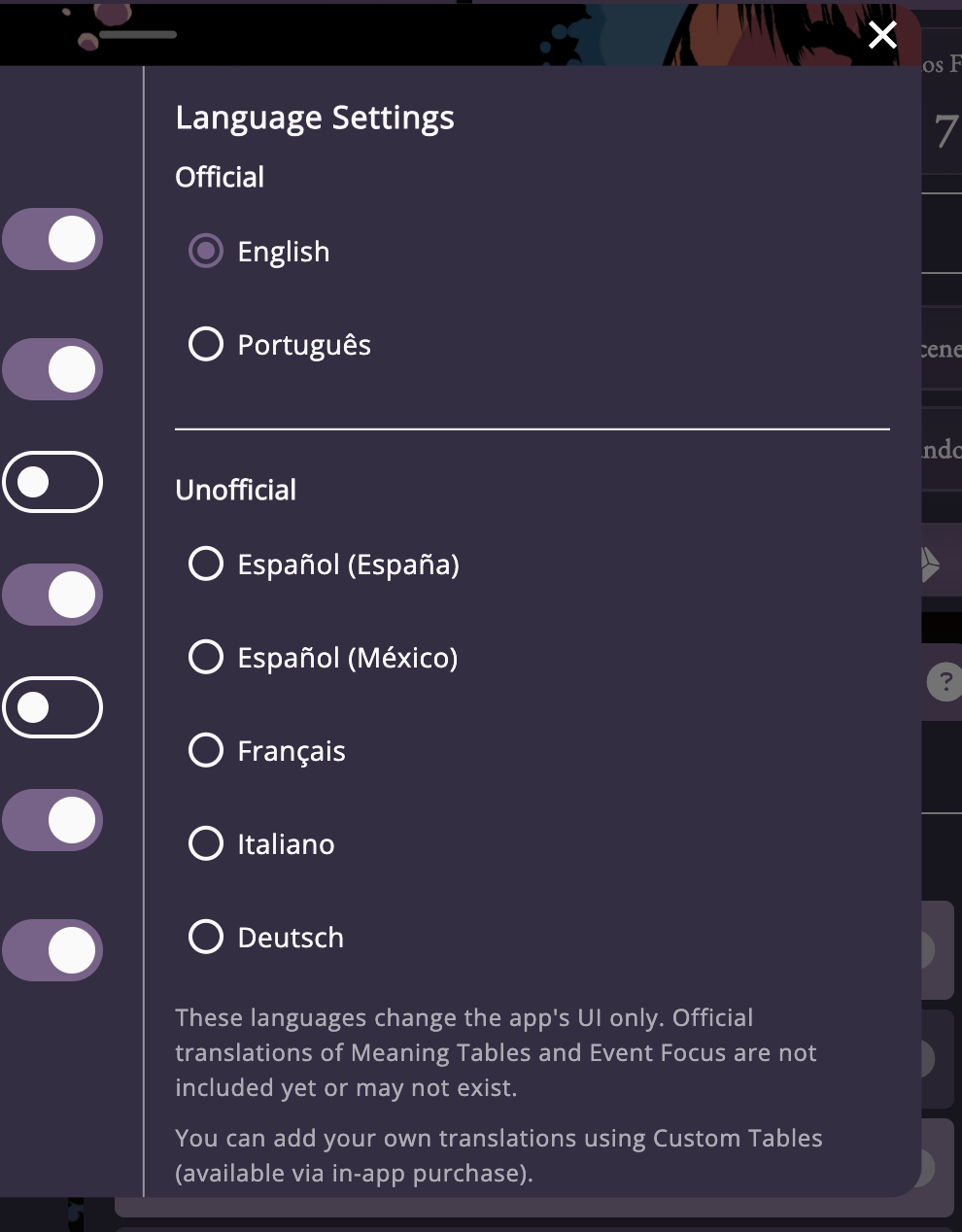
Hey Faber! Thank's so much for purchasing the app. Not sure which version of the app you downloaded---on version 1.5.0+ you should see these options in the settings if you scroll right (click and drag or grab the scroll bar). 

(7 edits)

Flatpak Install Guide (Linux)

Follow the steps for your distro, then install the .flatpak file (e.g., mythicgmedigital.flatpak). Careful with copying and pasting links here--Itch forces the use of HTML tags on links it detects and I can't figure out how to turn it off. 

Ubuntu 22.04 / 24.04 / Debian 12 / 11

sudo apt update 
sudo apt install -y flatpak 
flatpak remote-add --if-not-exists flathub https://flathub.org/repo/flathub.flatpakrepo

Arch Linux / Manjaro / EndeavourOS

sudo pacman -S --noconfirm flatpak 
flatpak remote-add --if-not-exists flathub https://flathub.org/repo/flathub.flatpakrepo

openSUSE Leap / Tumbleweed

sudo zypper install -y flatpak 
flatpak remote-add --if-not-exists flathub https://flathub.org/repo/flathub.flatpakrepo

Fedora 40 / 41 / 42

sudo dnf install -y flatpak 
flatpak remote-add --if-not-exists flathub https://flathub.org/repo/flathub.flatpakrepo

RHEL 9 / CentOS Stream 9 / Rocky 9 / AlmaLinux 9

sudo dnf install -y flatpak 
flatpak remote-add --if-not-exists flathub https://flathub.org/repo/flathub.flatpakrepo

Install the .flatpak file (all distros)

Assumes you downloaded mythicgmedigital.flatpak to your current folder. The file name my be different as well.
# Install for your user (recommended) flatpak install --user ./mythicgmedigital.flatpak 

(Flatpak will fetch the required runtime from Flathub if needed.)

Run the app

# Option A: from your desktop menu (after install)  
# Option B: from the terminal 
# Find the app ID (replace "mythic" with part of the app's name if needed) 
flatpak list --app | grep -i mythic  
# Then run it (replace <APP_ID> with the exact ID shown above) 
flatpak run <APP_ID> 

Update / Uninstall (optional)

# Update all Flatpak apps and runtimes 
flatpak update  
# Uninstall the app (replace <APP_ID> as above) 
flatpak uninstall <APP_ID>  
# Remove unused runtimes 
flatpak uninstall --unused 

Quick checks (troubleshooting)

# Confirm Flatpak is installed 
flatpak --version  
# Confirm Flathub is added 
flatpak remotes 

Reference links

Hey everyone!  v1.5 is here!

This should be more fully supported in v1.5.0+. If you had issues with it in the past, give it another chance!

I'm archiving this topic because it's no longer an issue. 

TL;DR

  • AppImage: discontinued for now.

  • DEB/RPM: I’m considering ending support. Please share feedback.

  • Flatpak: will be the primary way to install on Linux.

  • Steam/SteamOS: native Linux build on Steam; Steam handles the runtime for Deck/SteamOS.

Hi all—quick update on Linux support.

What’s changing

  • AppImage is dropped. Recent builds have been unreliable, and I don’t want to ship something that breaks. v. 1.4.7 will stay up as a legacy version for awhile. 

  • DEB and RPM are under review. These formats often break across distro versions and take extra time to maintain. I’m leaning toward stopping them.

  • Flatpak is the focus. It runs on Ubuntu/Debian, Fedora/openSUSE/RHEL, Arch, and SteamOS with fewer dependency issues.

Steam

When the game lands on Steam, it’ll ship as a native Linux build. Steam runs it in their Linux runtime so it works cleanly on SteamOS/Deck.

If you’re new to Flatpak

Some distros already have it. On others (like Ubuntu), there’s a simple one-time setup. I’ll keep clear install steps on the game page.

I want your input

If you rely on .deb or .rpm, please reply with:

  • Your distro + version

  • Which format you use

  • Why Flatpak wouldn’t work for you

This shift should reduce weird breakages and let updates roll out faster. Thanks for the patience and for all the Linux testing and feedback—keep it coming!

Let me know how it goes!

Ok thanks for reporting this! It's probably a stale state bug. I'll get it fixed!

Hey there! There's not a way to set the number of tables to roll on yet. This could probably be accomplished by linking the current table to itself. But the linked table's maximum linked rolls are 10 (it won't roll again after this number.) I made a modification to support rolling once on a single table and then of course Mythic's default is roll twice but I can look at setting the value to specifically set a roll number on a table for a future update! Feel free to flesh out your request more if there are more details to include. 

Hey there Senkusha! Chaind rolls are possible now with the custom tables creator. When creating tables you can link both the table and each individual entry to another table so that every time you roll on a table, it rolls on the linked tables (or if you land on a specific entry during a table roll it will roll on the linked entry.) Have you got to play with the custom table editor in 1.5 yet? I thought you had. 

Hey super cool! Glad you found it! I'm a big Japan-fan too. I'm planning my next adventure in L5R to catch some of those vibes but even a slice of life style Japan-RPG would be cool. Let me know if you can think of anything that can be improved or added!

Olá, obrigado por entrar em contato. Sim, por favor, me informe o que eu deixei passar e eu corrigirei o mais rápido possível. Também vou procurar o texto que está faltando e ver se consigo encontrá-lo! Obrigado por me avisar. 

Translated with DeepL (https://dee.pl/app)