Indie game storeFree gamesFun gamesHorror games
Game developmentAssetsComics
SalesBundles
Jobs
TagsGame Engines

mai

10
Posts
4
Topics
2
Following
A member registered May 03, 2026

Recent community posts

no problem! i'll see if i can get a log sent after my next play session (unless i forget)

(1 edit)

that's a lot of stuff to do! i'll see what i can do bit by bit, but i'll start with a fully fresh clean install!

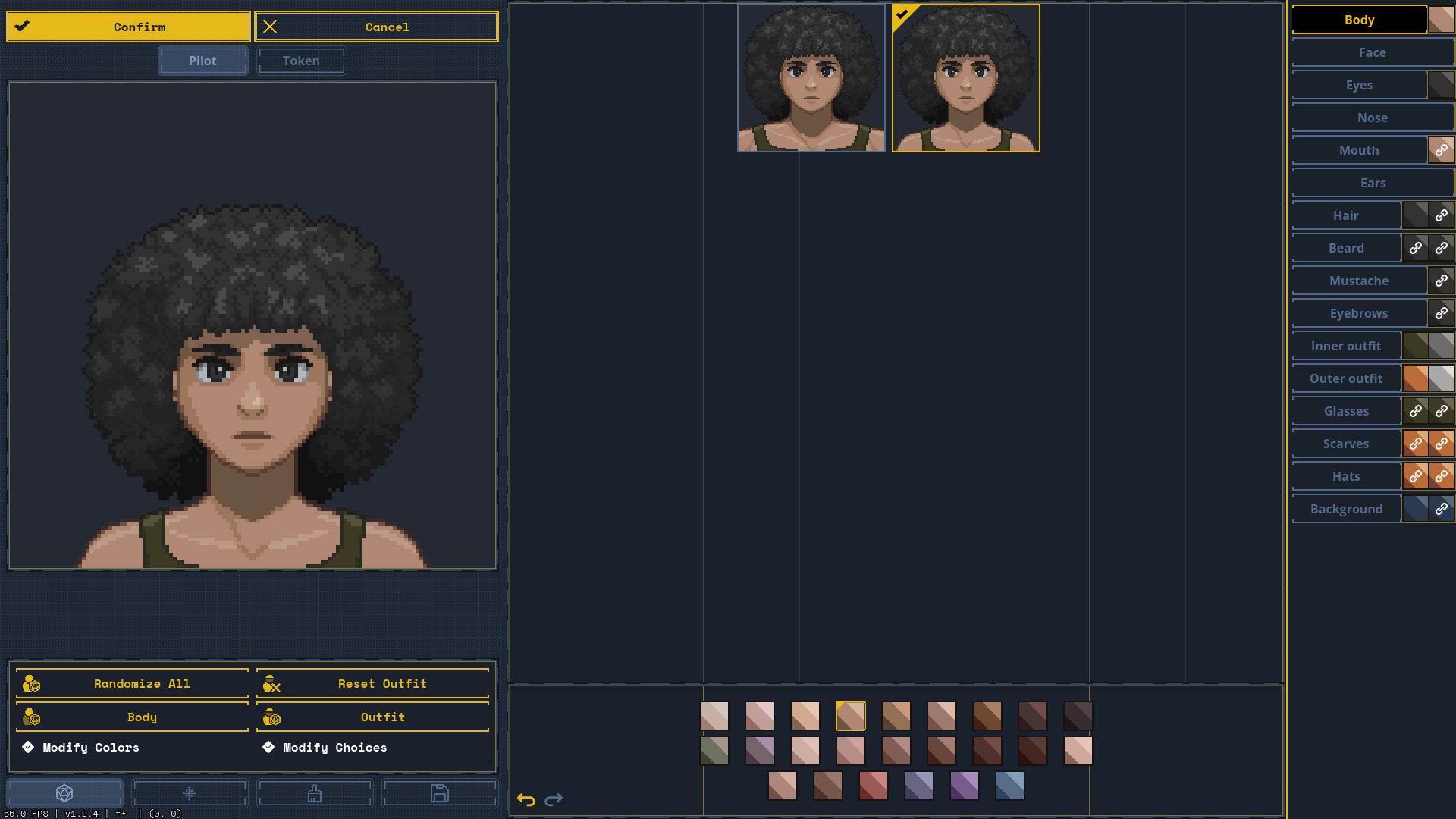
so, turns out, even with a 100% fresh install, the system logs still seem to be mega borked, as can be seen by the colors in the body section. i will send the logs i have per e-mail. thank you for your time!

p.s. the itch.io downloadable client allows you to change the versions of your games to previous releases

at least for me, at least. i use itch.io and i've tried everything from repairing the files in itch.io to turning on compatibility mode on the graphics to disabling and even uninstalling my mods to removing all my player data to even returning to an older version. turns out, only returning to an older version fixed it (#31 was the newest one that wasn't broken). I am on Windows 10 and have experienced the following issues (among others I have probably forgotten):
- Extremely sluggish performance at random points, with frame drops and whole seconds of input lag.

- Colors in the portrait editor are broken. The colors for skin are all shuffled up (as seen in the image) and when importing a profile from a file, it shuffles up the colors and gets them all wrong.

- I straight up cannot download or update 90% of modules and maps. With some, the screen flashes and nothing happens, or it just doesn't download or update at all. A lot of the maps affected are older but even new ones are.

- I have been unable to use custom mech frame assets without them resetting to the frame default after exiting the mech menu (see this thread).

This all started happening after I downloaded a small handful of mods, specifically the Sunzi, wallflower NPC rebake, rainstorm weather and Ace 2 Jump Jets mods. I fear that one of them might have carelessly edited a core file of the game that is not being replaced when I press the redownload button on itch-io, since these persist even after all but Sunzi was deleted, and even that was disabled when i purged all my mods. I know that its maybe impossible to diagnose things from mods, but I'd at least like to know how I can get a 100% clean install if nothing else works. Or maybe it's a glitch for Windows 10? I have no idea, I'm not a game developer.

Thank you for your time,

mai <3

(2 edits)

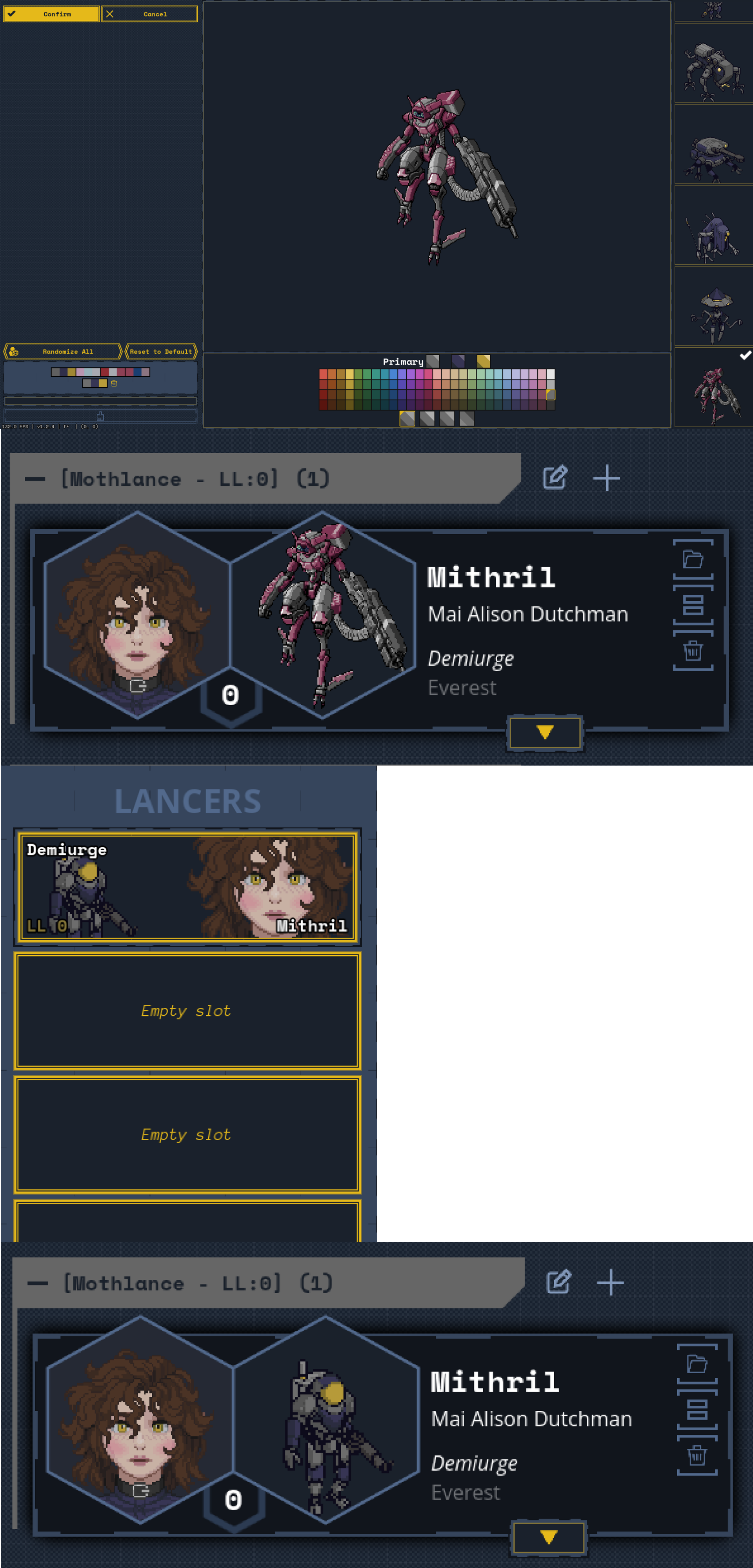
maybe it has something to do with a lack of separate front and back sprites, but when i tried to designate front and back, it just showed as two separate images in the editor :(
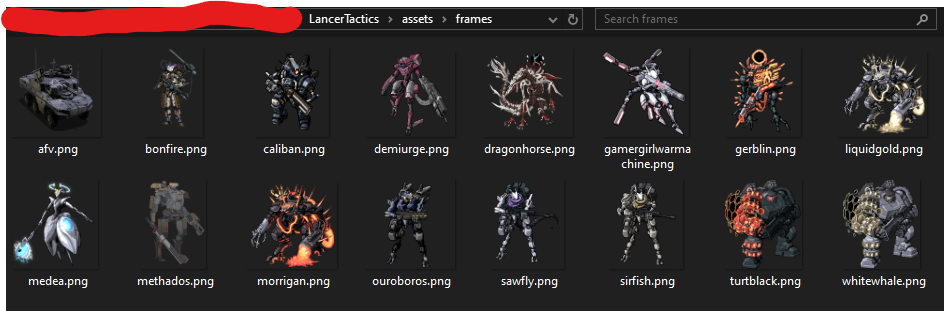
could also be a resolution issue, i didnt compress my images. this is how they're stored

the main issue is that once i leave the pilots menu, it resets to the basic frame portrait 9 times out of 10 :(

that's lovely to hear! best wishes from Germany <3

I was originally really excited for the custom mech assets, but so far they have not saved properly. Admittedly, I just put em under assets/frames, but they show up either way, but just don't stick when i close the pilot interface. I wanted to know if it has something to do with the godot files that mods need to accompany them or if that is exclusively for mods. It may also be because I do not give them a color map because they are literally the sprites of my tabletop mechs, but older versions saw some temporary sprites without coloring features, so I am unsure on that too.

Also, I was wondering if there is some way to finagle pilot portraits so it only shows a custom image, or if there is some degree of inherent animation I haven't realized that prevents that. Super sorry if this is a dumb question, but I've truly searched everywhere I can, and not really found a direct answer, so this is my last resort so to say.

Thanks for your time (and for making such an awesome game),

mai <3

I've been really enjoying Lancer Tactics, and it's become one of my favorite games, especially with the lovely modding scene. One thing that has been annoying me is that if a mech has an NHP, the NHP's lines usually take priority over the pilot. I know that the NHP lines are currently bugged, so I felt it was a good time to ask for an ability to have a per-pilot value from 0-1 (0% to 100%) of how often the NHP will speak instead of the pilot. My friends share pilots with custom dossiers constantly, and I've been having to remove NHPs from my mechs so that they can properly be appreciated. But if there was only a universal NHP dialogue switch, it'd probably be bad for those characters where the NHPs have custom lines. Thanks for reading my ramblings, good luck with fixing the system, and I hope my suggestion isn't too difficult or tedious to maybe implement <3

Glad to see my idea's been considered for a while! Will be looking forward to seeing it implemented. Wishing you a relaxing weekend from Germany!

I've been enjoying the game a lot, but the need to re-select a whole new mission set after every scene is a bit of a pacekiller. I'd love an option to randomize the mission out of all the maps you have downloaded, maybe with an addendum that you can choose to use map settings by default if they have them. I don't know if this is already in the game, but I'd love to see it as I assume it wouldn't take all that long to add, and could vastly increase the scene-to-scene flow!