Thanks!
pixel-boy
Creator of
Recent community posts
Yes, I am also the creator of these packs, they are available for free here: https://github.com/sparklinlabs/superpowers-asset-packs
Ninja Adventure is the only one we continued working on and released on itch.io.
Thanks! As it stands, we don't really offer a solution for that with this bundle, though it might be included in future packs.
The Ninja Adventure pack was designed independently of those other packs, but it would be technically feasible to "adapt" them quite easily, the main steps would be adding a 2px outline (it's currently 1px) and adjusting the color palette.
The ninja assets are generally smaller, but I imagine it's possible to find a workable combination.
These are sprite sheets, I assume they can be used in Unity, though to be honest, I'm not familiar with its specific limitations.
I've added some FX to the free pack if you want to try them: https://pixel-boy.itch.io/free-mix , let me know if you encounter any problems using them in Unity.
Thanks! That's possible, but it depends a lot on the quantity needed. You should be able to contact me via one of these links: https://linktr.ee/pixel_archipel
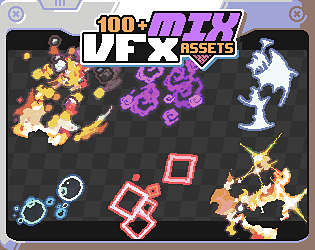
Hey! Yes, VFX files have an outline because they're designed to work with the other assets in the bundle. On the other hand , raw FX don't have one and are designed to recreate all sorts of effects from scratch.
I could consider versions without borders, but in the meantime you could probably remove them manually (Aseprite makes this quite easy).
I've added a shader in this pack that should be what you're looking for: https://pixel-boy.itch.io/patternmix, for the pixelated rendering, I use a SubViewport in the demo, but I have also includes the pixelation option in the shader.
Alternatively, I found this one which looks quite similar but without the pixelation effect: https://godotshaders.com/shader/sine-morphing/
Thanks for your feedback! I've just added them to the free pack https://pixel-boy.itch.io/free-mix (at "ui/bonus/nine_patch_white.png" + some additional elements)
I haven't share the shaders I used for the demo, but I could (at least for Godot), In the meantime you can find plenty of shaders online (for Godot: https://godotshaders.com/).
For Godot, I recommend using a "TextureRect" node, with stretch_mode set to "tile".


