













sorry for the delayed response, I've put another couple of years on the jam time :)
Sophie Houlden
Creator of
Recent community posts
Sorry for the delayed response!
What you want is to change the “Result Order” option in “Settings” > “Results”. You will want to change it to “Strings Hide Numbers”.
Do keep in mind that this applies to all results, if a result has both strings and number values, only the string results will be displayed.
Honestly moving from unity has been super pleasant. I’ve been using godot for a couple of years now and it always feels like a chore when I have to go back to unity to update an older project. Godot to me as a solo dev feels like unity felt about 15+ years ago, with all the advantages of a modern engine but none of the obstacles/friction of unity’s bloat. I don’t need to spend weeks studying a specialty to use a new feature, it’ll usually just be one or two skims of the relevant docs and I’ll know what to do.
It definitely doesn’t hurt that opening a project doesn’t take 5-15 minutes anymore. Iterative development is so much faster! All that said, learning GDscript was a bit of a hurdle to starting out (it’s not complex it’s just a new language) but also I was down for the challenge at the time so I found it fun.
Overall I’d say give it a try if you have a couple of free afternoons or a game jam coming up :)
Sorry for the delayed response, and also sorry for my answer - the app probably isn't going to run on a modern mac at all. There was a thing you could in the terminal to make it work, but I don't know if it is still viable.
The truth is I can't make builds using my older macbook that can be notarized and code-signed. Unless I get a bunch of money for a new mac, or apple stop being so hostile to solo-devs that aren't mac-focused there's not much I can do. My next game won't even have a mac version on itch because of this...
Anyway I'll make the notice about macOS issues on the store page more bold and noticeable.
I wish I knew why the app was getting confused about those inputs, but I'm very glad we found a fix!
And using dice to make a schedule more interesting isn't weird at all! I'm AuDHD myself and can definitely see the appeal (though the "Au" part definitely makes me terrified of a completely unpredictable schedule lol). Anyway if you ever have any more issues just let me know! :)
I've put some older versions up on my site here, please let me know once you have them as I'd rather not leave them out in the open on my webhost right now. If one does work I can make it available on itch.
As for what is causing the issue, it sounds like it's actually an input problem - as if the app thinks you're holding the esc and tab keys down. You might be able to get around it by disconnecting your keyboard (and/or gamepad, if the keyboard isn't the issue). If the flashing stops when the UI is visible, you should be able to go to Settings > Control > Configure Inputs and unbind "Cancel" and "Toggle UI". You should be able to do this with just the mouse.
that is weird, I have no idea what could cause that but here are my best guesses:
- If you're on macOS, the app might not have permission to read the documents folder. If you've declined that permission manually this might be the issue, it would have been a popup when first opening the app.
- Perhaps the "/SophiesDice/CustomDice" folder in your documents is actually in the documents folder for a different user profile than where the app is looking?
To check that the app is trying to load from the place you want, go to the folder that has the app itself, there will be a data folder there (if you're on macOS it will be inside the app so you'll have to right-click and select "show package contents"). Inside the data folder should be file called "settings.set".
This is a text file that lists all the app's settings, including where it looks for the custom dice folder. For me it's on the third line of the file:
CustomDiceDirectory=C:\Users\Sophie\Documents/SophiesDice/CustomDice/
Once you know where the app is looking you can make sure that your dice are in the right place, or change the path in the settings.set file itself (make sure the document format is plain text if you do this!)
sorry, I’m not sure I understand exactly - roll conditions are a part of dice expressions so to view them you should just be able to enter an expression and roll it:
https://sophiehoulden.com/dice/documentation/notation.html#rc_params
If you’re looking for new example dice rolls, create a new dice bag and check the option to include example dice, the new rolls will be included in a sub-dice-bag called “tutorial expressions” and you can edit and experiment with those.
If you want actual settings related to how dice expressions are displayed in the results, go to “Settings > Results”. This page explains what those settings do:
https://sophiehoulden.com/dice/documentation/settings.html#results
Hi Bez, you should be able to update without losing your existing dice - but it’s reasonable to make a backup of them that can be copied back in after the update (this is definitely a good idea if you are updating from an apk on android).
You can find the location of your dice and bags by checking the documentation for the app here:
https://sophiehoulden.com/dice/documentation/customising_dice.html#custom_dice_folder
Hopefully that answers your question but if you need anything else just ask! :)
You’re correct up until the very last line, the exploding die remains a d4, it doesn’t become a d6 (Rogue’s Agile Motion skill is specifically explosion, and not inflation).
You can increase the size of the rogue’s dice by levelling up more, or purchasing “Surpass Limit” from the Dojo of the Flame, or by using an inflation scroll before rolling the dice pool.
But Agile motion alone does not increase the size of the dice that the rogue rolls.
Looking at it now, it is a little confusing at just level 2 with d4s, since mechanically it’s the same as just “the dice now explode instead of pop”, but obviously the values for explosions change if the size of the rogue dice is different - so that’s why it is the way it is.
Your instincts are correct, yes you can own all of the indulgences, but their effects are not independent. If you can “keep up to 5%” and “keep up to 20%”, 20% is as much as you can keep.
tbh the stacking rule was a necessary addition for other purchases to work how I wanted, and the cathedral purchases have been a little confusing ever since. Saying “up to X%” was my best way of simply saying “you get this much and no more, regardless of which other indulgences you have.”
I didn’t include a rule to prevent buying ahead with indulgences, so you can do it if you like. As you say, I did try to be explicit about stating when another purchase is a prerequisite but I also understand that there is a bit of ambiguity here. Ultimately though, it’s your game and you can play however feels right for you :)
edit: oh and as for the level up purchases, it was my intent to buy them in order but I can see now that I was not as clear in that case. That said, with the cost increases being what they are it’s pretty fair to play it either way I suppose.
You can use the sheets however feels best for you, but your current approach might become overwhelming after playing for a bit.
What I’d recommend is using a row for each dice pool (or parts of a pool even, if the pool has a lot of different dice).
So currently you would have one row for your class (Knight, d10) and one for your allies (Mouse, d3). Tomorrow you can roll each and write their results in the “Drops Drawn” column before totalling them and adding that sum to your Blood Drops. Then erasing everything from the “Drops Drawn” column ready for the next day.
This way you’re only adding new rows when you acquire new dice pools, and only changing their details as you upgrade the pools.
Hi sorry about that, those are both my bad! I wanted to make this page public even though the game isn't released. I'll change the page to make that clearer!
It shouldn't be too long though, hopefully next week (or maybe the one after) I'll be able to release it. There's just been an issue with DriveThruRPG that has hindered getting a final print proof, but it's being worked on.
websocket stuff is probably a little out of my way, buuuuuuut depending on how binding for streamdeck works - this might already be possible!
If you save a roll expression, you can then edit it (right-click/long press and then click the wrench icon) and give it a hotkey (which can be a keyboard or gamepad input). Pressing that input will trigger the expression to roll, so if the streamdeck can trigger inputs like that - it may already work?
tbh though I don't know myself for sure how a streamdeck works and I don't have one to test, so I'm mostly just typing this and hoping for the best for you!
maybe you didn’t realise I was this community’s moderator when you reported my own post as:
“blatantly attacked another user though a comment, insulting what they assume is their personal life at am attempt to force them off the platform”
which it clearly isn’t. Obviously. You’re wasting my time, I told you not to do that. So you’re banned here. (And again, this isn’t censorship: you’re free to go be annoying elsewhere, but not here. I’m not even going to delete your posts, but frankly you shouldn’t consider this a favour- they make you look very foolish. I advise you find something else to invest your time in.)
okay so first of all, this is not censorship. If they deleted your comment then you can post it elsewhere. You are not endangered by doing this, nobody is threatening you or anyone you care about, there are no consequences for your critique except maybe it getting deleted, and nothing is stopping you posting it again elsewhere.
secondly, I have to assume that since you are putting so much energy to an issue so trivial that either having your comment deleted is the worst thing that has ever happened in your life and you have nothing else to be concerned about… Or (and, to give you some credit, I think this is much more likely) you actually have some shit you’re facing IRL and feel you have no control, escape, or way to deal with it. And instead you’re doing this.
If you need actual help, I beg of you to seek it out. There ARE people that will look out for you, even if it doesn’t seem like it.
otherwise, don’t waste my time. I genuinely do not care that your comment on a game got deleted.
I thought I had implemented this feature already, but it turns out I haven't. I'll try to make it work in the next version.
For now, I think dice expressions are the closest thing. When you create a new expression it will by default match whatever roll is currently out, so that might save a little time but obviously this is probably not ideal for you. Sorry!
the images that the app loads are all from a single folder, so you can just put your images there, but when you’re editing the die faces you’ll still have to apply them one at a time.
Detailed docs are here: https://sophiehoulden.com/dice/documentation/customising_dice.html
I don't know of any automated way to do it and I haven't implemented that myself, sorry. You'll need to do it manually by copying the files betweein the dice folders:
https://sophiehoulden.com/dice/documentation/customising_dice.html#custom_dice_f...
This is a bug, sorry! If you test the die after closing and opening the app it should work properly.
The bug is that edited dice have several hundred faces (that don't get used), and loaded dice have the right number of faces. So any time you make or change a die, it will do this when testing (until the app reloads). I keep meaning to fix this issue but I've not been able to get round to it yet, sorry!
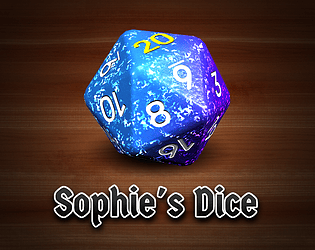
After running the app, there should be a "Sophie's Dice" folder in your documents directory, put the divination dice in there and they will be loaded the next time you run the app.
There's a little more detail in the app documentation here:
https://sophiehoulden.com/dice/documentation/customising_dice.html#custom_dice_f...