Indie game storeFree gamesFun gamesHorror games
Game developmentAssetsComics
SalesBundles
Jobs
TagsGame Engines

UltraDrone

21
Posts
15
Followers
A member registered Nov 13, 2023 · View creator page →

Creator of

Recent community posts

Which Cubism version was your model exported with? Which version of my API renders it correctly? Also, what kind of clipping or masking do those hair parts use? I’ll use that information to investigate the rendering bug.

If you want to update the model once every two or three game steps without changing the animation speed, you can try this:

Create event:

updateModel = 0;
time_begin = current_time;

Step event:

if (updateModel == 0) {
    UltraModelUpdate(model, (current_time - time_begin) / 1000);
    time_begin = current_time;
}

updateModel += 1;
if (updateModel == 2) { // Change 2 to 3 to update every three steps
    updateModel = 0;
}

This passes the time elapsed since the previous update, so the animation should keep roughly the same playback speed while updating less often.

Sorry, I misunderstood your request. Could you clarify what you mean by reducing memory usage? Are you asking me to optimize the extension’s memory usage, or do you need to use UltraDestroyModel to unload models you aren’t currently using? Keeping multiple models loaded at once can use quite a lot of memory, especially when they have a large number of vertices.

In the Step event of the object that controls Live2D playback, there should be a line of code like this:

UltraModelUpdate(model, delta_time / 1000000);

If you feel that the Live2D animations are playing too fast, you can adjust the update delta time value to slow them down.

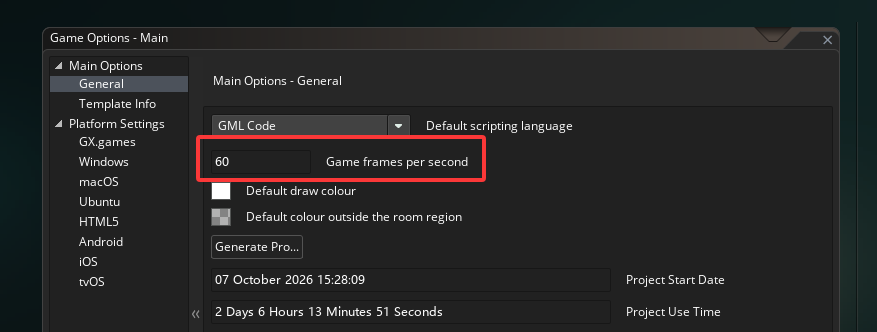
fps_real is merely the maximum frame rate that could theoretically be achieved based on the running time of each event. In reality, games usually do not maintain such a high frame rate. The actual frame rate can be referred to : game_get_speed

Sorry, I haven't opened itch for a long time. It wasn't until now that I saw your comment.


For the first question, you only need to set the parameters after updating the model parameters.

for example:

//update model

UltraModelUpdate(model, delta_time / 1000000);

if(mouse_check_button(mb_right)){

// If you want to set the parameters manually, you need to call UltraModelSetParameter after UltraModelUpdate.

// After setting, you need to call UltraModelUpdateParameter to apply the updates.

var dis = point_distance(room_width / 2, room_height / 2, mouse_x, mouse_y);

var dir = point_direction(room_width / 2, room_height / 2, mouse_x, mouse_y);

UltraModelSetParameter(model, "ParamAngleX", dis / 10 * dcos(dir), 1);

UltraModelSetParameter(model, "ParamAngleY", dis / 10 * dsin(dir), 1);

UltraModelUpdateParameter(model);

}


For the second question, you only need to set the xscl parameter to -1 when drawing the surface of the character.

for example:

surface_set_target(surface);

draw_clear_alpha(c_white, 0.0);

UltraModelDraw(model, mat_trans);

surface_reset_target();

draw_surface_ext(surface, 0, 0, -1, 1, 0, c_white, 1);


Hope this can clear up your confusion.

This SDK currently only works on the Windows platform.
Also, I used GMS Runtime's API to call GameMaker functions from within the DLL.
It's possible that changes in the new version's architecture are causing crashes due to this approach, but I'm not entirely sure.
I'll update GM in the next few days to try adapting to the changes.

(1 edit)

GameMaker has a version convert tool, located under the Tools menu in the menu bar.

I’ve updated the YYZ version — see if you can import it.

The old version of the SDK was using Live2D's core DLL, so I exported all the low-level interfaces such as manually setting parameters.

The new version of the SDK was modified based on the official Native Framework, and I only connected some of the wrapped functions provided in the Native Framework — the APIs for setting parameters were not exported before.

I’ve updated to version 1.0.4. You can now manually set parameters by using UltraModelSetParameter(index, parameterName, value, weight);

I didn't do this feature, I will update it this week or next week.

I rewrote the entire API. It should now be able to load physics and expressions. You can give it a try.

No, but I might update this content these few days.

gml treats a member function as an implicitly defined member variable, so the code cannot change color properly

yes, model.set_param_index or model.set_param_name

The SDK I access is officially released "Cubism 5 SDK R1", which should be the latest official native version of the SDK. You should have no problem displaying the latest version of the Live2D model.

I am trying to call the official rendering SDK of Live2D, but I am currently facing a lot of problems. You can wait for the next update.

I'll try.

I updated the extension to support Multiply Color/Screen Color, you can try it.

Is the colour tinting feature something about "Multiply Color/Screen Color" in the official manual?