
Indie game storeFree gamesFun gamesHorror games
Game developmentAssetsComics
SalesBundles
Jobs
TagsGame Engines
0

⚙️ UI Kit UNITY Setup Preferences ⚙️

A topic by Neuri created 1 day ago Views: 33 Replies: 2
Viewing posts 1 to 2

UPDATE v/2.1.1. - New file - a Unity UI package

Unity Setup

• All existing PNG files
• Organized folders for easy navigation and customization
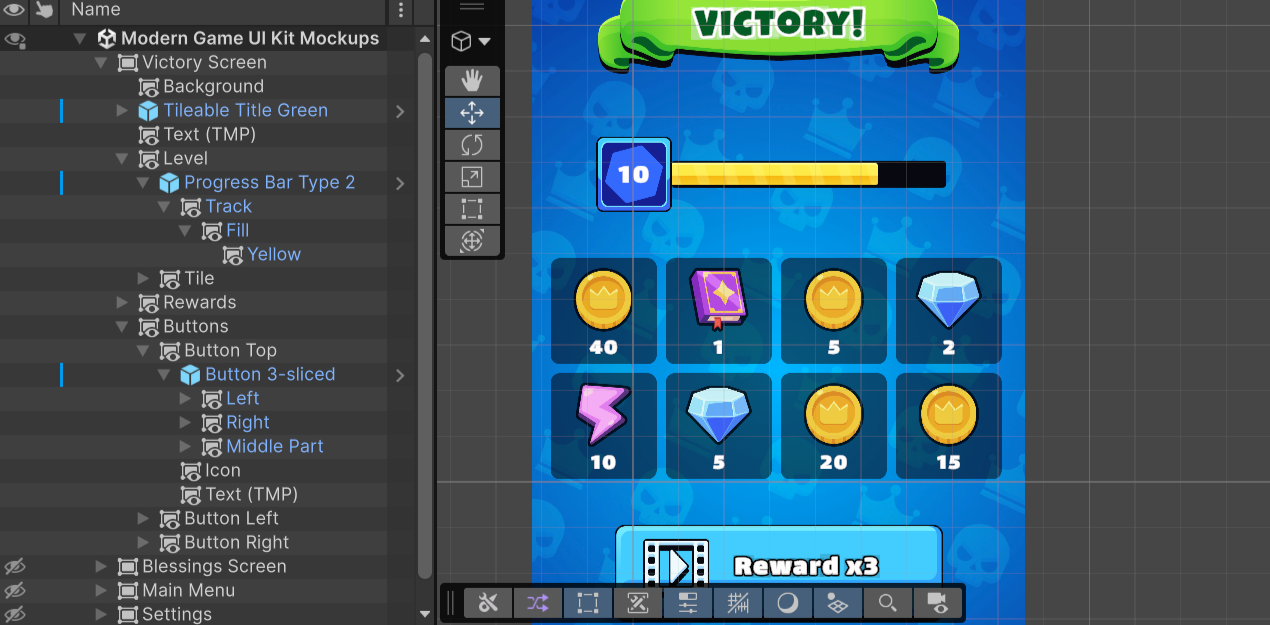
• Sprites configured for use with Unity
• Reusable prefabs made for modular titles, buttons, progress bars, info and booster/blessing cards, toggles and switches, stats panels
• Free for commercial use fonts (Lalezar & Luckiest Guy) in SDF, TTF, OFL.txt, LICENSE.txt and Third-Party Notices.txt files with modified material files
• 4 demo scenes and 1 pop-up showcasing the included assets

Do you prefer when asset pack gives you raw files or when a ready-to-use package for an engine is also included?
To answer your question: having a ready-to-use Unity package with prefabs pre-wired to canvases is an absolute lifesaver compared to raw PNG folders! It easily saves developers a couple of hours of manual anchor and sprite slicing setup. One thing that pairs really nicely with modern Unity UI kits is modular 3D UI display meshes — things like 3D inventory item preview models, reward chest badges, or level-up medallions rendered inside UI Camera textures. I work in Blender creating optimized 3D assets and icons tailored for Unity. If you ever want to expand your kit with matching 3D preview props or need a custom 3D asset crafted, I'd happily model 1 free test asset to show you how clean the topology and materials integrate with your prefabs. Feel free to connect on Discord (antinarrys) or drop a line at roman.zbor.uk@gmail.com!

Thanks for the answer Roman! I'll consider your offer!