


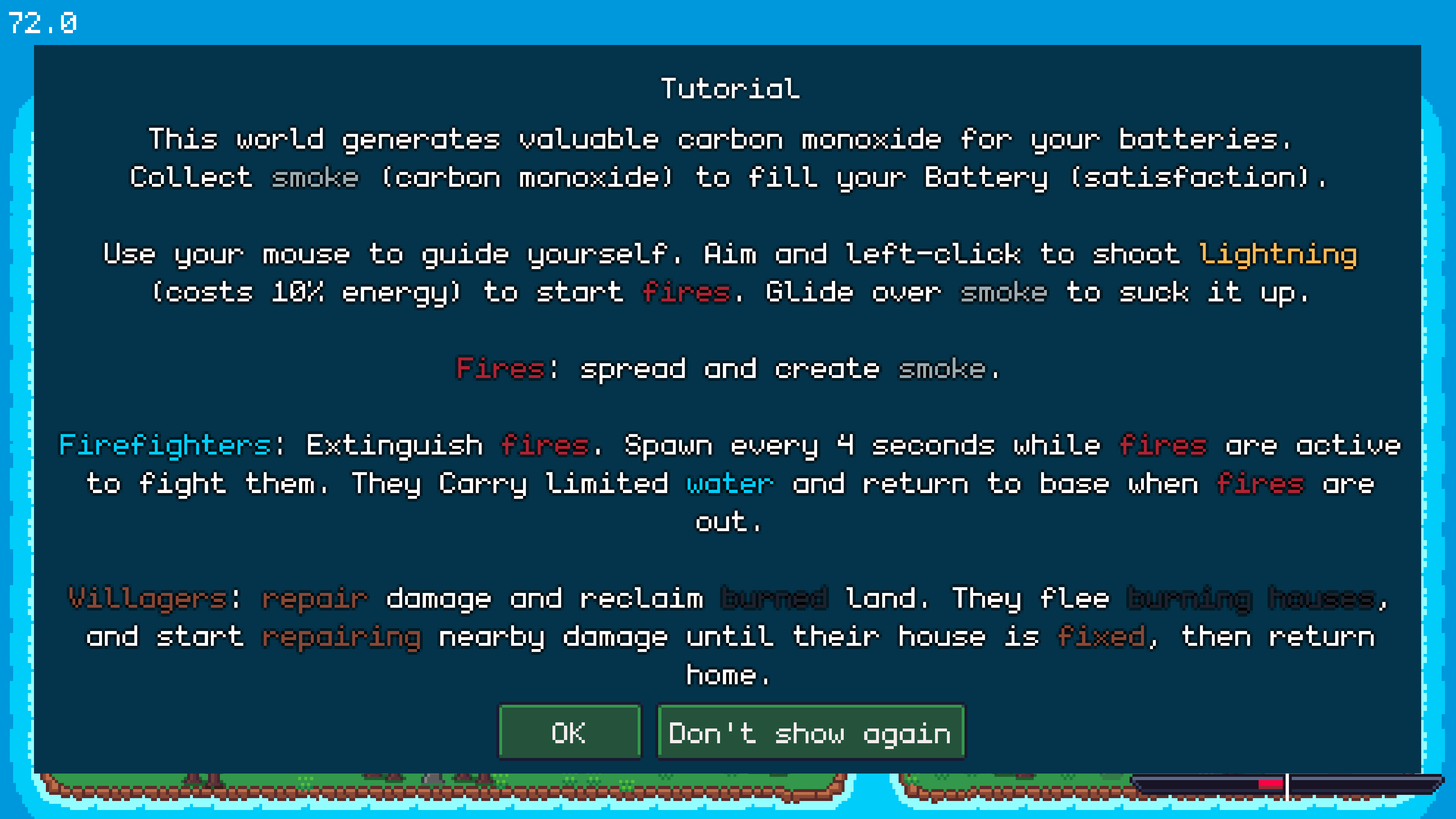
Play game
Soot 'em up's itch.io pageResults
| Criteria | Rank | Score* | Raw Score |
| Originality | #31 | 3.886 | 3.886 |
| Audio | #42 | 3.457 | 3.457 |
| Overall | #45 | 3.494 | 3.494 |
| Theme | #49 | 3.686 | 3.686 |
| Accessibility | #55 | 3.171 | 3.171 |
| Fun | #57 | 3.257 | 3.257 |
| Graphics | #61 | 3.686 | 3.686 |
| Controls | #62 | 3.314 | 3.314 |
Ranked from 35 ratings. Score is adjusted from raw score by the median number of ratings per game in the jam.
Godot Version
4.4
Wildcards Used
Twinkle Star
Decorate your world with particles
Game Description
a pixel simulator god game with fire water and smoke
How does your game tie into the theme?
fire consumes earth, water consumes fire, roomba consumes smoke
Source(s)
N/A
Discord Username(s)
iLLe
Participation Level (GWJ Only)
5
Leave a comment
Log in with itch.io to leave a comment.
Comments
I had a pretty fun time and i really like games with a bunch of little guys running around and doing stuff automatically.
Nice work, love the title! I’m still a little unsure about how energy works, sometimes when clicking nothing happened, even when I turned on infinite energy. I might just be really bad, it took 4 tries, eventually going to easy, before I won, but the big smile was definitely worth it.
It seemed like sometimes when I clicked nothing would happen. I like the idea a lot, I was trying to find places that the firetrucks couldn't get to easily. Good job!
That was a lot of fun, I tried first the web version, which was basically unplayable (The machine I am playing is a bit older / weaker, and because of the lag I barely was able to get slightly into the blue). But the downloaded version did a huge difference, I almost managed to finish it on hard (got around 2/3 - 3/4 of the blue full)
Glad you liked it :) The smoke collection has its problems when fps drop :D but glad you tried the desktop version . I am actually super suprised that its even running in the browser :D
it was barely running - with some lag, but not winnable (or if then much harder probably)
I really enjoyed this. The concept is original and fits the theme well, the mechanics are great and the graphics are appealing. Great job!
Thank you :)
Really fun execution and concept. I did experience a lot of frame rate loss when the firefighters were a plenty, but the game was still really fun and I loved the vibes.
Thanks for playing :) It was very hard to get this game running smoothly so sorry about that.
I'm very happy it even runs in the browser :D
I really enjoyed setting everything in sight alight! I'm impressed with the per-pixel simulation going on. I'm curious how you achieved that in Godot and got it to run well in the browser. The music fit the atmosphere really well. Can't wait to see more!
Thank you. I'll try my best to explain it.
The easy but very laggy way to do pixel manipulation in Godot is usually by iterating through every pixel in two nested for loops and then reading or setting its new color value with get_pixel() or set_pixel(). These built-in functions are extremely slow because they run on a single CPU thread, processing each pixel sequentially.
This consumes a lot of CPU cycles and takes a significant amount of time.
In my game, which runs at a resolution of just 480×270, that's already 129600 iterations per frame. This is a heavy load and takes too long to compute. For example, here's a laggy check to see if a pixel has been completely burnt by fire. Calling this in _process() takes a lot of compute.
func check_for_burnt_out_pixels(current_image: Image, last_frame_image: Image, burnt_mask_image: Image) -> Image:
    for y: int in range(current_image.get_height()):
        for x: int in range(current_image.get_width()):
            var last_pixel: Color = last_frame_image.get_pixel(x, y)
            var curr_pixel: Color = current_image.get_pixel(x, y)
            var already_emitted: bool = burnt_mask_image.get_pixel(x, y).r > 0.1
            var just_burnt_out: bool = (last_pixel.g > 0.0 and curr_pixel.g < 1.0 and curr_pixel.g > 0.998047 and curr_pixel.a > 0.0)
            if just_burnt_out and not already_emitted:
                burnt_mask_image.set_pixel(x, y, Color(1.0, 0.0, 0.0))
    return burnt_mask_image
And these kinds of checks also need to be done to determine if a pixel is wet, burning, repairable, or producing smoke. Running this at 60 FPS on a CPU with current hardware is practically impossible. Using threads makes it a bit better but still not ideal.
The alternative is to leverage the power of the GPU through shaders.
The GPU can run thousands of threads in parallel, each handling a single pixel (fragment). In a shader (like a fragment shader), each pixel is processed independently. This means that if you’re rendering a 480×270 texture, the GPU can compute 129,600 pixels with ease in a fraction of the time a CPU would.
In Godot, these are called canvas shaders, which you apply to materials via ShaderMaterial. Godot uses a shading language based on GLSL. shaders are not written in GDScript.
I accidentally left my debug tools in. You can set something on fire and then press Q to see the debug.
I do almost all heavy pixel manipulation in shaders, leaving only a minimal amount in GDScript when there’s no alternative. Shaders are essentially a one-way street: you can feed them variables at runtime, but you can’t read their internal variables back. Only the computed results can be written back into textures. This adds complexity and a few headaches, but the performance gain is worth the trade-off.
I have shaders that handle the calculations for fire, water, fuel, repair, avoidance areas, and smoke, along with their rule-based interactions and propagation. These are written into and fed by several texture masks representing fire, fuel, and water as RGBA values.
For example, burnable pixels must still have some green channel value to be considered ignitable. The green value gradually decreases to 0 as the fire consumes the pixel, and repairing restores the green channel back to 1. Water uses the blue channel, which slowly decreases when it touches fire (eventually evaporating). Fire uses the red channel.
In the end, I get a texture where each RGBA channel shows how much fire, fuel, and water each pixel holds. I then pass this into another shader that combines the final RGBA values with the pixel art, applying visual rules depending on how much fire, fuel, or water a pixel has. Pixels with low green and red values appear darker; those with both green and red show varying fire intensities; and pixels with blue appear wet.
With this method, I achieve around 120 FPS on desktop, and even in browsers performance stays acceptable at around 30–50 FPS.
There’s more to it, but this is already a super long explanation. Hope this helps!
Fantastic project ! I really liked the gameplay and the fire effects, firefighting games are always awesome. The firefighters seem way too plenty, as I’m sure all arsonists think, and the roomba was a bit large. The music fit really well and gave me awesome arcade vibes. Great job!
Thank you for the kind words :) I agree that some aspects like the balance and the whole smoke absorption need some rework ^^ I’m actually thinking about completely removing the Roomba and reduce the smoke. maybe turning it into a left-village vs right-village autobattler,
maybe even with a catapult shooting burning boulders that the player can control.
Its still a prototype but i think i want to build on it :D
The music for the fire is excellent! The strategy that I found worked was settings multiple fires at once, some near the fire station and some in the forest. While the firetrucks deal with the local fires, the distant fires in the forest have more of a chance to spread. Even then, it seems like a delicate balance to not use too much energy.
Thank you man :) Normally I mute the music while developing because it gets repetitive to listen to it through the whole dev cycle,
but this time I just let it play and loved it so much :D
Also I think the tactic you described is the best one too. I posted a cheese strat image a bit further down in another comment if you want to check it out.
cool and original idea for a game
Thank you :D
This game was lots of fun! I really enjoyed setting fire to everything while listening to the music that fit sooo well with the game!
Thank you so much, glad you had fun! I’m happy to hear it fit the vibe while you were setting everything on fire :D
super fun to set fires! Although there was way too many firetrucks to even win on easy for me!
Glad you had fun :D currently every 4 sec a firefighter is spawned until all fires are gone and then they return to base and the number resets. It was not easy to balance fire vs water. The fire grows exponentially so it starts very slow and overwhelms very quickly, but the firefighters grow lineary. slower spreading fire didnt look that cool in my opinion so i opted for more firetrucks because they simply couldnt handle the firestorm :D
Very unique game! I had fun trying to find the optimal strategy. It seemed like it was to light a bunch of roads on fire. Would love to hear alternatives.
Thank you for playing :) For easy mode I would say the best strategy to speedrun is: set 2 roads on fire, let the firefighters work on that and then light a tree area and just cover it with the roomba to absorb all the smoke directly.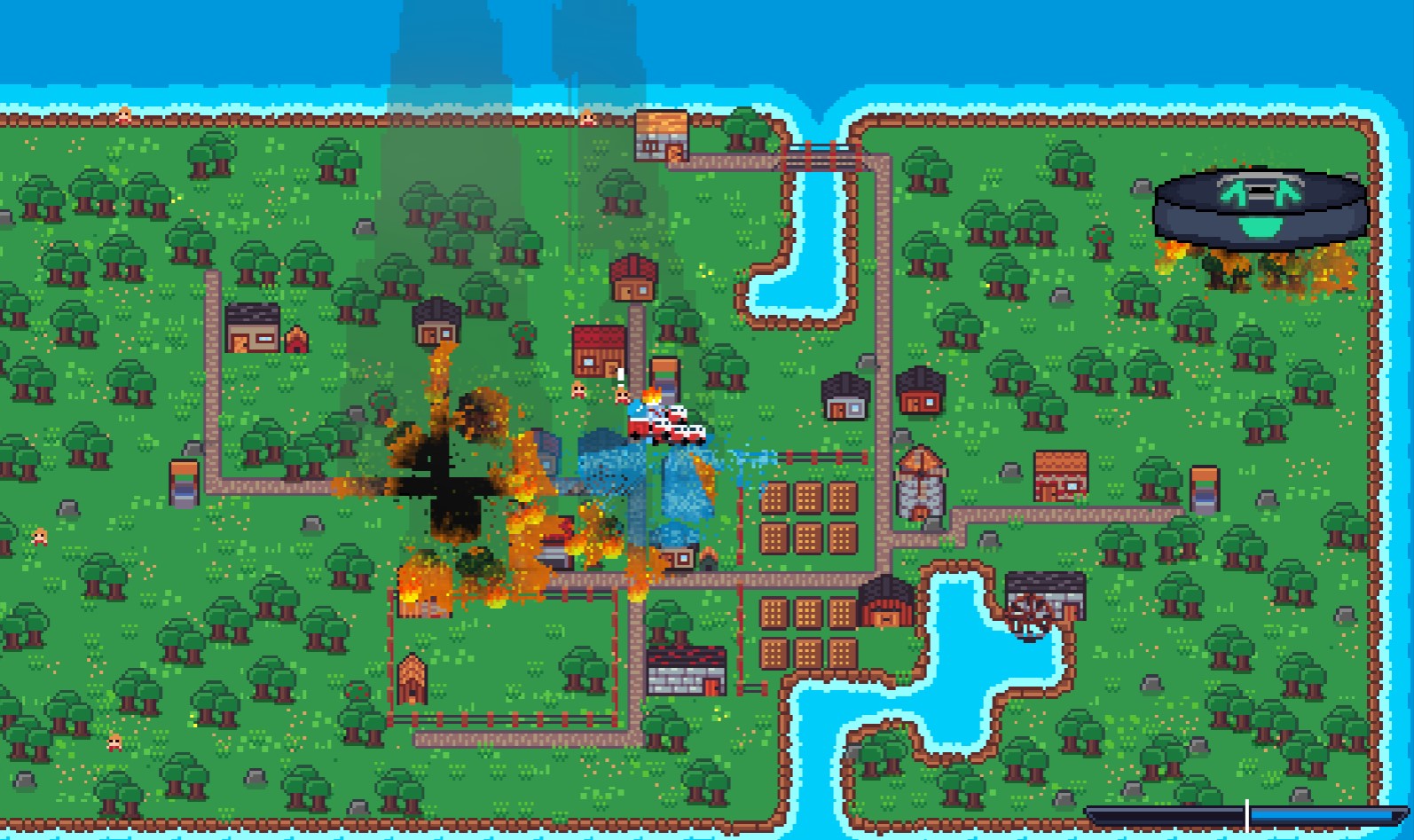
like that :D
I very much enjoyed setting fire to everything hahah. Although I struggled to recharge through the smoke, I don;t know why but it was hardly working. Either way it was really fun good job!
Thank you :). Yes something is definatelly not right in the browser version I think and its somehow tied to the fps. I will have to debug that, sorry about that.
Aaah - i dont know how your project works, but usually when theres issues with varying framerates i just multiply random bahoova by the 'delta' parameter in _process, it's meant to represent the time since last frame.
If thats not the problem and you already knew all that then ignore me hehe
It’s a bit special because most of the pixel manipulations, like the smoke, are done in shaders on the GPU so it computes very quickly, and then applied to a TextureRect inside a SubViewport. Sadly, I can’t apply Areas or any collision detection nodes because it’s just a TextureRect.
I can use texturerect like a mask. every colored pixel is a smoke pixel.
I wrote my own collision detection and didnt put enough thought into it ^^
If you’re curious, that’s my solution.
func consume_smoke(image: Image) -> void:
    var roomba_pos: Vector2 = roomba.global_position
    var viewport_pos: Vector2 = $SubViewportContainer3.global_position
    var viewport_size: Vector2 = $SubViewportContainer3.size
    var local_pos: Vector2 = roomba_pos - viewport_pos
    var px: int = int(local_pos.x * sim_size.x / viewport_size.x)
    var py: int = int(local_pos.y * sim_size.y / viewport_size.y)
    var range: int = 35
    var collected: float = 0.0
    for y: int in range(py - range, py + 10):
        for x: int in range(px - range, px + range):
            if x >= 0 and y >= 0 and x < int(sim_size.x) and y < int(sim_size.y):
                var v: float = image.get_pixel(x, y).r
                if v > 0.01:
                    collected += v
                    image.set_pixel(x, y, Color(0.0, 0.0, 0.0, 0.0))
    if collected > 0.0:
        change_satisfaction(collected * SMOKE_GAIN)
I go through every pixel occupied by the roomba and check against the TextureRect (2 for loops) to see if it has some color. This happens entirely on the CPU, which makes it super laggy because the function is called every frame. The shader that provides the image runs asynchronously, so sometimes the full image isn’t even written yet, leading to all kinds of race conditions.
In process i do
but it doesnt seem to be helping
In hindsight, it’s a very bad implementation, and now I know I shouldn’t do something like this again :D
Art's good and the game is fun to play! I enjoyed starting fires >:) mwa ha ha
Thank you :D
As soon as I saw there was another game about spreading fires, I knew I had to try it out. I loved the art and music in particular, well done. I didn't fully understand some of the UI elements until I came back and read the comments on this page and then had to give it another go
Haha yes. Thanks so much. I think I made a good score in your game. it was fun too :D
Well, didnt expect most chill and relaxing game I found in this jam so far be about burning down small vilage :D
Gameplay is fun, sprites are nice and sounds are on-point. Music sometimes changes before it should and firefighters panic around with chill music :D
Managed to win on normal difficulty and got to see mostly default credit scene :D
Thanks for the kind words :D Thats really cool that you liked the vibe. I was way in over my head with doing everything in shaders and there was once again too little time to make other parts like the music crossfading work well sadly. But i gave it my best and I really wanted both song to be in the game because i liked them so much :D
same with the endcredits (of course real men test in production /s). at least the main menu credits are valid :D
The burning mechanisms impressed me, good job on that. I kept losing though, probably because I didn't really knew how to get the smoke, I didn't clearly understand what the bar at the bottom right hand side means. The village is also well done.
Thank you :) The whole smoke mechanic is a bit wacky sorry about that. when you touch a smoke pixel with the side of the roomba its not counted as consumed but still despawns i think. its some buggy behaviour that makes wiping the screen with the roomba a worse strategy than just hovering directly over a burning area.
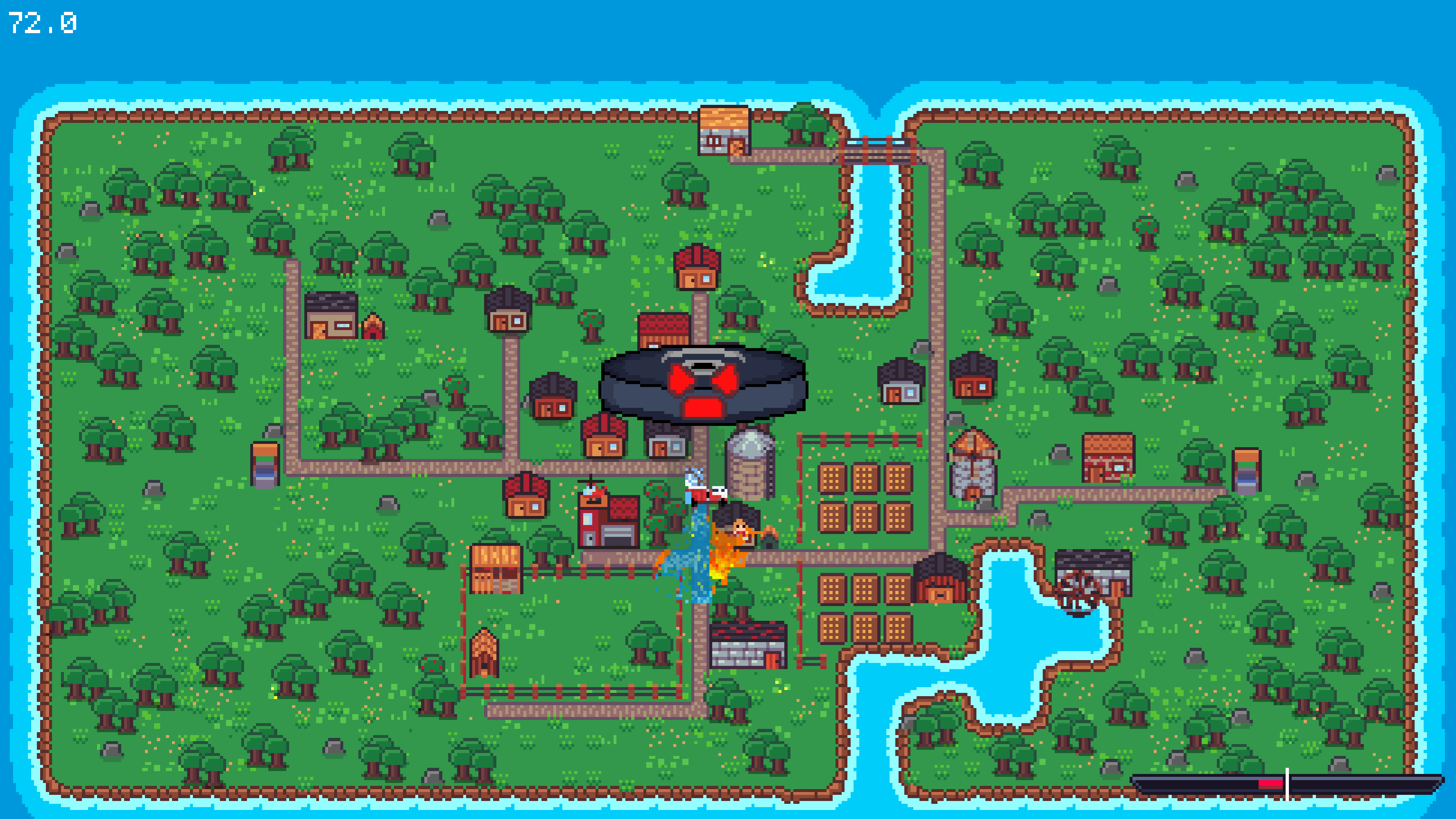
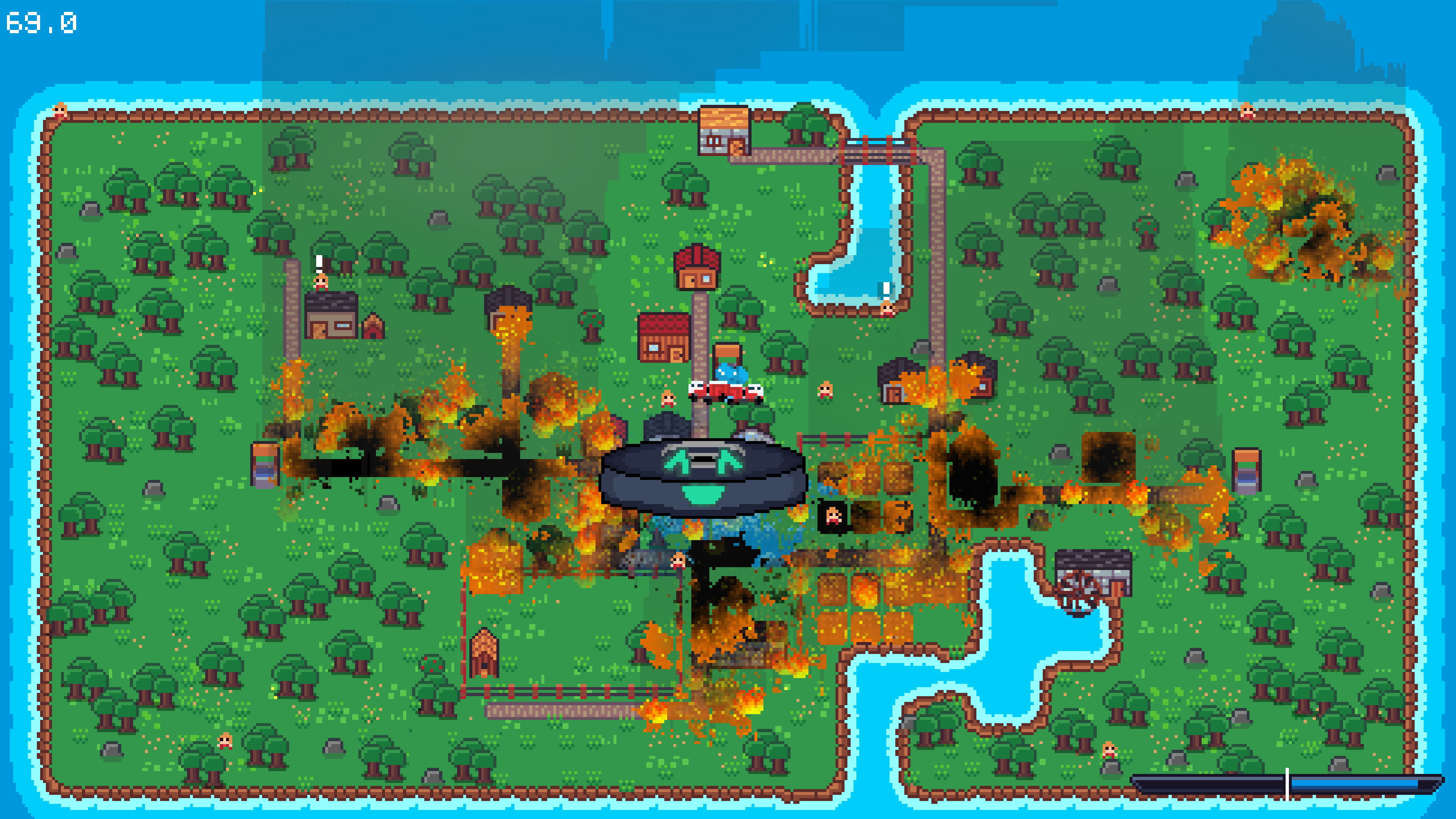
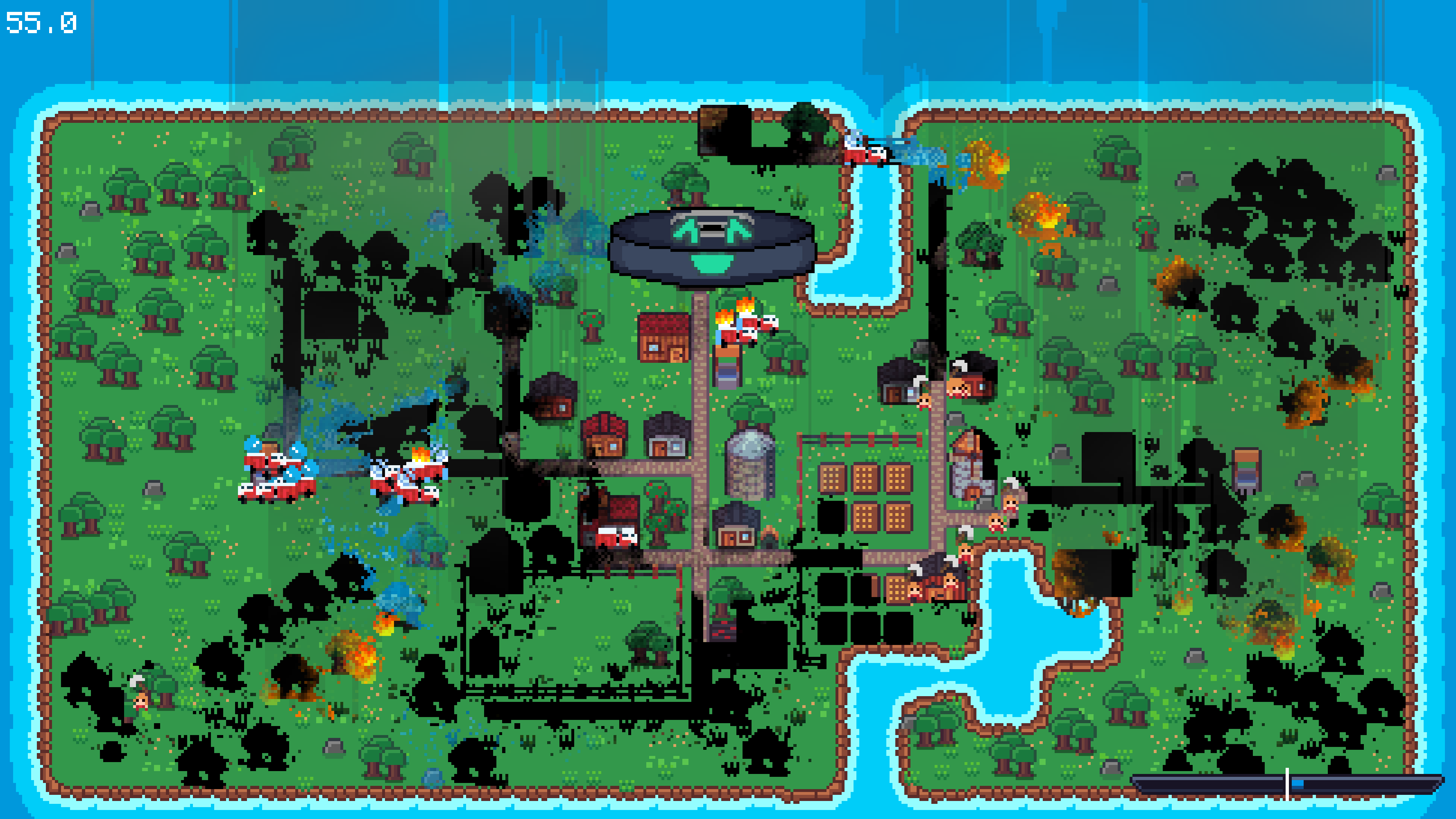
The bar at the bottom right grows either left or right, with the middle being neutral. Shooting uses up some energy, and hovering over burning areas to absorb smoke gives you energy back.
When the bar goes full red you lose, and when it goes full blue you win. That’s all :D
Thanks for playing.
Great take at this theme it's actually really funny to burn this village ahahaha I like how the fire expand too!
I tried to make the fire spread organically using cellular automata logic. Then I spawned some Sprite2D flames on top of it and added a GPUParticles2D node for sparks and embers. I think it turned out really pretty :D
Thank you for playing :)
It took a little bit to master the mechanics after reading the details in the description, but I'm proud to say I beat the game in hard mode! Frantic fun game. I thought the number in the top left was something important since it changed as I started more fires, but it turned out it was just my framerate dropping LOL
Thanks for playing! :D
Haha, yeah, that number in the top left is just the framerate. I accidentally left my debug info in the game, and the fps was part of it.
Since I mentioned debug, there’s a secret debug screen you can open by pressing Q. It shows some of the shader computations under the hood as rough visualized textures (it cant be disabled until the scene reloads).