

Thanks for playing and for letting me know where the language made things harder to follow! I’m glad you enjoyed the relaxed atmosphere. I’ve added a Russian option in the new build. It covers the main screens and the first-run tutorial, and I’m still working on some later content. If you have time, I’d love for you to try another run in Russian and let me know if it’s easier to get started.
I played again, thanks for the translation — where it’s available, it’s good. The downsides are that not everything is translated and there are layers of text. This time I played on my phone because I didn’t have a computer handy; I played via the browser on my phone. The downside is that the top panel is too wide. It would be better to combine the buttons (how to play, language, etc.) into a single menu button, which would allow narrowing the top panel (at least for phones). Why is this needed? When I’m on a hike, the exit button or the option to use an egg or other boosts are behind the screen, so I can’t use them. I took a couple of screenshots.
Otherwise, it’s easier to play, but it’s unclear what to do with the announcement board. I took an announcement for a shaman’s mask — I found it, went to the board with it, but it’s not clear what to do to get the reward, so I just had to sell it. I also bought a shield — I clicked, and it was purchased right away. I’d like a confirmation window for purchases, because on a phone it’s easy to accidentally click and waste resources on something unnecessary.
If there weren’t any problems, I’d even like to play on the phone more than on the computer. I think this game is very suitable for touch screens, if the interface is improved.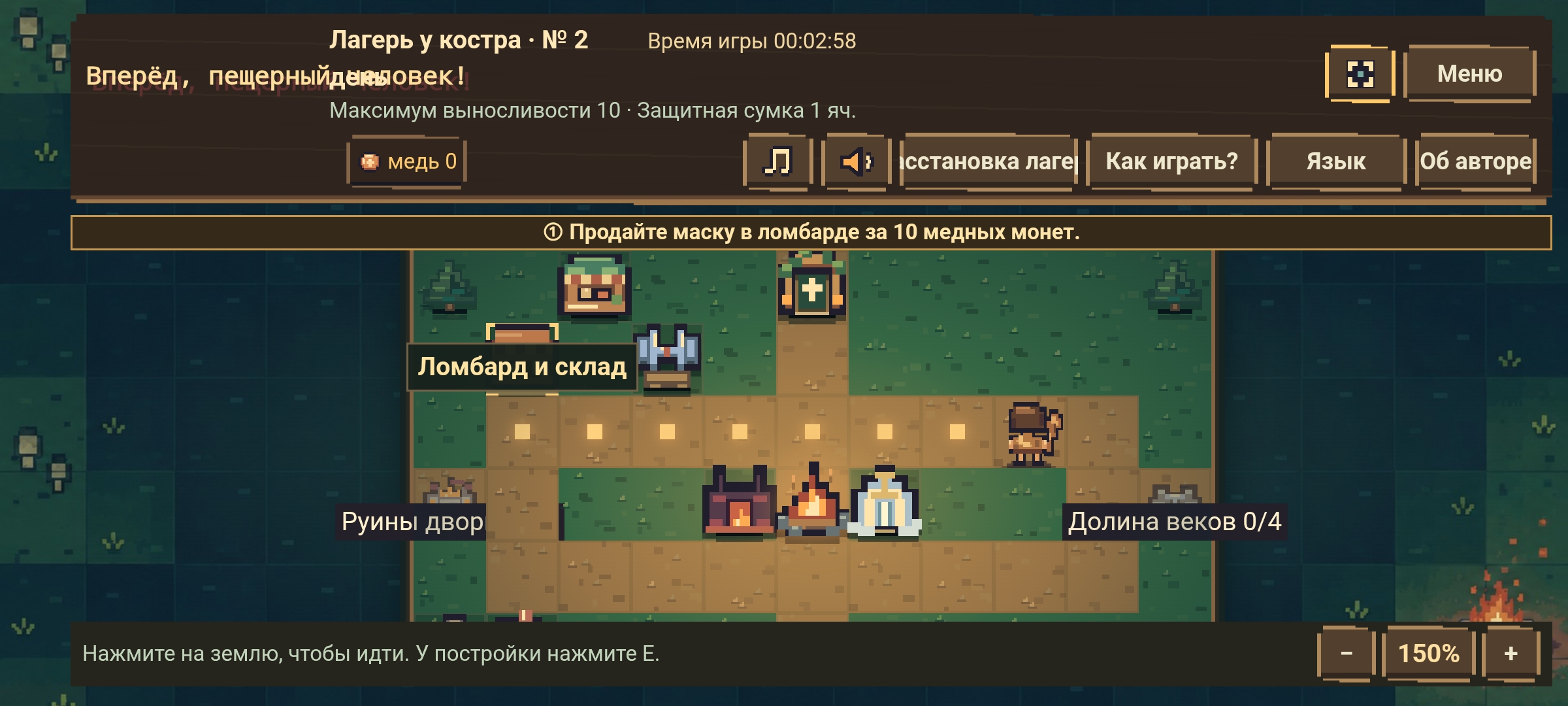
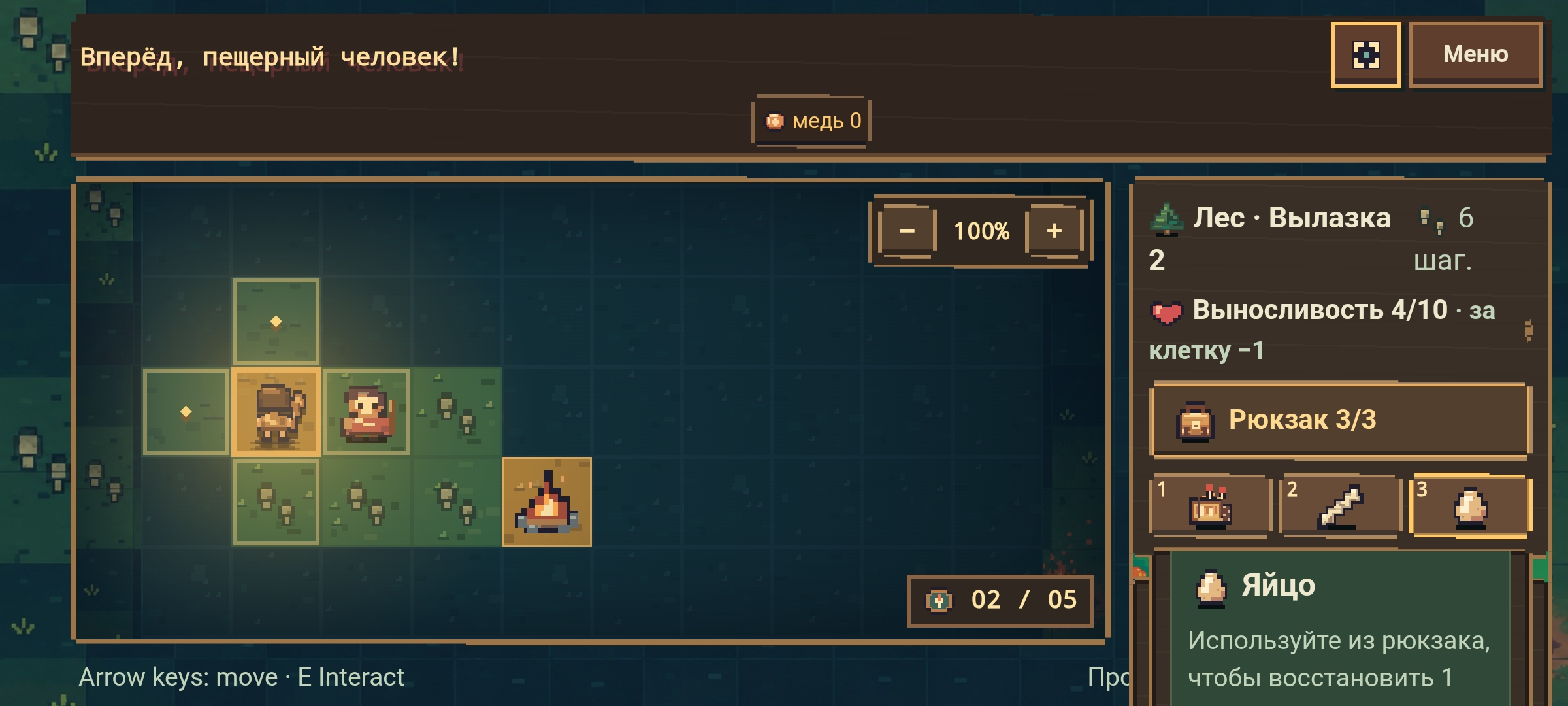
Thank you so much for playing Go! Caveman! again, especially for testing it in your phone’s browser and taking screenshots. That helped me a lot. I’ve read through your feedback, and I’ll keep working on the mobile experience.
I’ve moved language, help, and sound controls into a single menu, and the return-to-camp button is now in the exploration status bar. The backpack opens in a scrollable panel so you can reach the item buttons on smaller screens. There’s also a rotation option in the menu. If your browser can’t switch orientation directly, you can turn off your phone’s rotation lock and rotate the device.
I’ve also added a confirmation step for purchases like the shield. You’ll see the cost before spending anything. I fixed the mixed Russian, English, and Chinese text in the forge, and I’m continuing to translate some of the later content.
For the shaman mask commission, accept it first, then find the mask during a run and bring it back to camp. Once the mask is in storage, open the Forest section on the commission board and select Claim reward. I’ve added those steps to the board itself.
If you have time, I’d love for you to try another run on your phone. If any buttons are still hard to reach, knowing your phone model and browser would help me reproduce it. Thanks again for coming back and taking the time to explain what you ran into!
I continued playing, and now everything is great with the bulletin board.
I found Venus, and there was an option to sell and put it up for sale. When I clicked “Put up for sale,” it disappeared, and I felt hurt. I thought I had thrown it away and it couldn’t be returned. But then I found the exhibition and realized it was still there and I could get money for it.
It’s still a bit hard to figure things out because not everything is translated, but where there is a translation, it’s correct and clear (in Russian).
I was playing on my phone again in the browser, and at the bottom there are buttons for zooming in and out. I wish you could zoom in using your fingers (gestures) on the touchscreen. I’m not sure if it’s a lag or not, but during one of the trips, a chicken started chasing me.
I really liked the item “Firewood.” It could be used not only for lighting but also for resting to restore energy — this dual purpose and the choice really pleased me.
As for the rest, I haven’t really figured it out yet.
Overall, the game has become more comfortable and convenient. If there’s anything specific you need to check, just write — I’ll be happy to help in my free time.
And I have a request: if you know English well as your native language, could you please listen to two audio clips? I want to do voice‑over in English for my project, but I’m having trouble with it, and I don’t have anyone who could help me with this. The topic is available here in the jam. Thank you in advance!
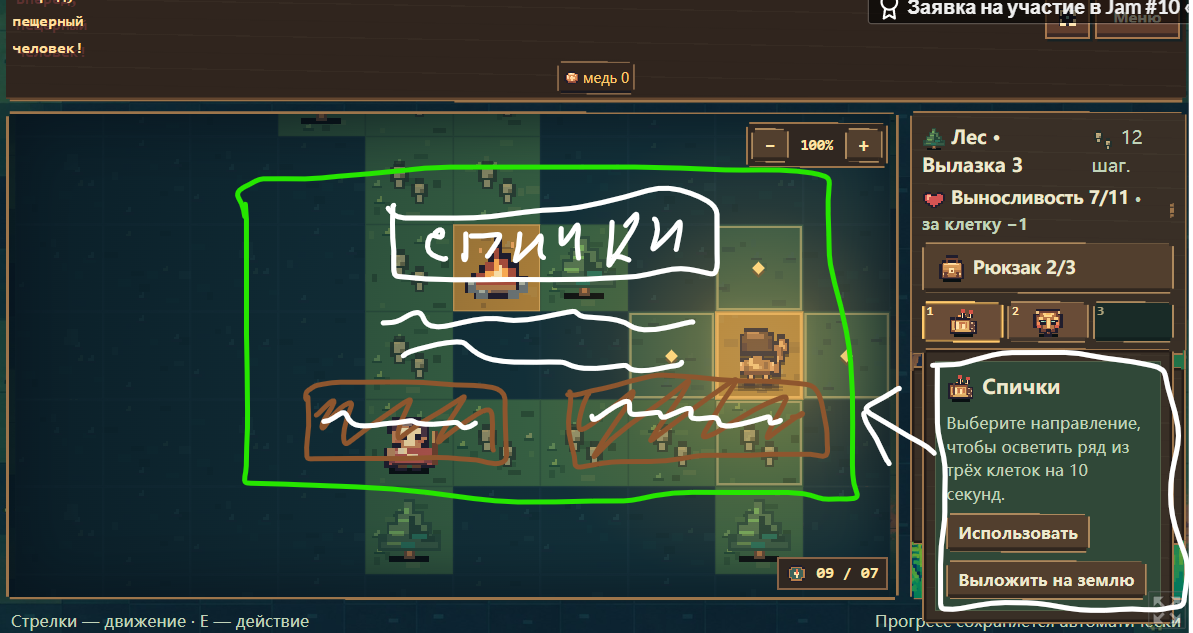
what if we make an animation of the campfire both in the campaign and in the opening scene?
What if you make the item selection window in the campaign not as a drop-down list on the right, which is not so convenient because you need to scroll and it still looks crumpled, but as a notification in the center of the screen?
The drop‑down menu is convenient on a computer, I won’t argue about that, but the implementation on mobile devices isn’t as nice. Overall, I’d think about refining the interface layout concept — it’s great, but it’s not always convenient across all platforms. To avoid having to make a bunch of exceptions, it’s better to think about mechanisms that will make everything visible and convenient on any screen.
This isn’t a call to action or a negative review — it’s a direction for thought.
Sorry if I’m coming across as too negative. I really liked the game; otherwise, I wouldn’t have come back to it so many times.✨
I’m glad this run went smoothly and that the commission board worked for you! Thanks for coming back to play and for explaining what you ran into in so much detail. I wish the Russian translation were more complete. I’ll take a closer look at labels like “Sell” and “Exhibit,” since it’s important to know what will happen before tapping either one.
Since you found the Venus figurine in the museum later, it sounds like it went into an exhibit. Selling it gives you currency right away. Exhibiting it lets you collect income from the museum on in-game days. If you decide to sell it later, you can take it out of the exhibit and bring it to the pawnshop.
And don’t worry about the chicken following you around. It’s a friendly companion! As you spend stamina while exploring, it lays eggs you can eat to recover some stamina.
Thank you for offering to help with testing! I’d be happy to get to know you and help each other out, too. My English is limited, so I may have trouble judging which voiceover sounds more natural. If you ever need feedback on Chinese text or voice acting for your project, I’d be happy to help.
I’ve made a note of your suggestions about pinch-to-zoom, campfire animation, and making item selection easier to use on a phone. I’ll give them some thought. And thank you for being honest about what felt awkward. Hearing those specifics from someone who’s played several times really helps me.