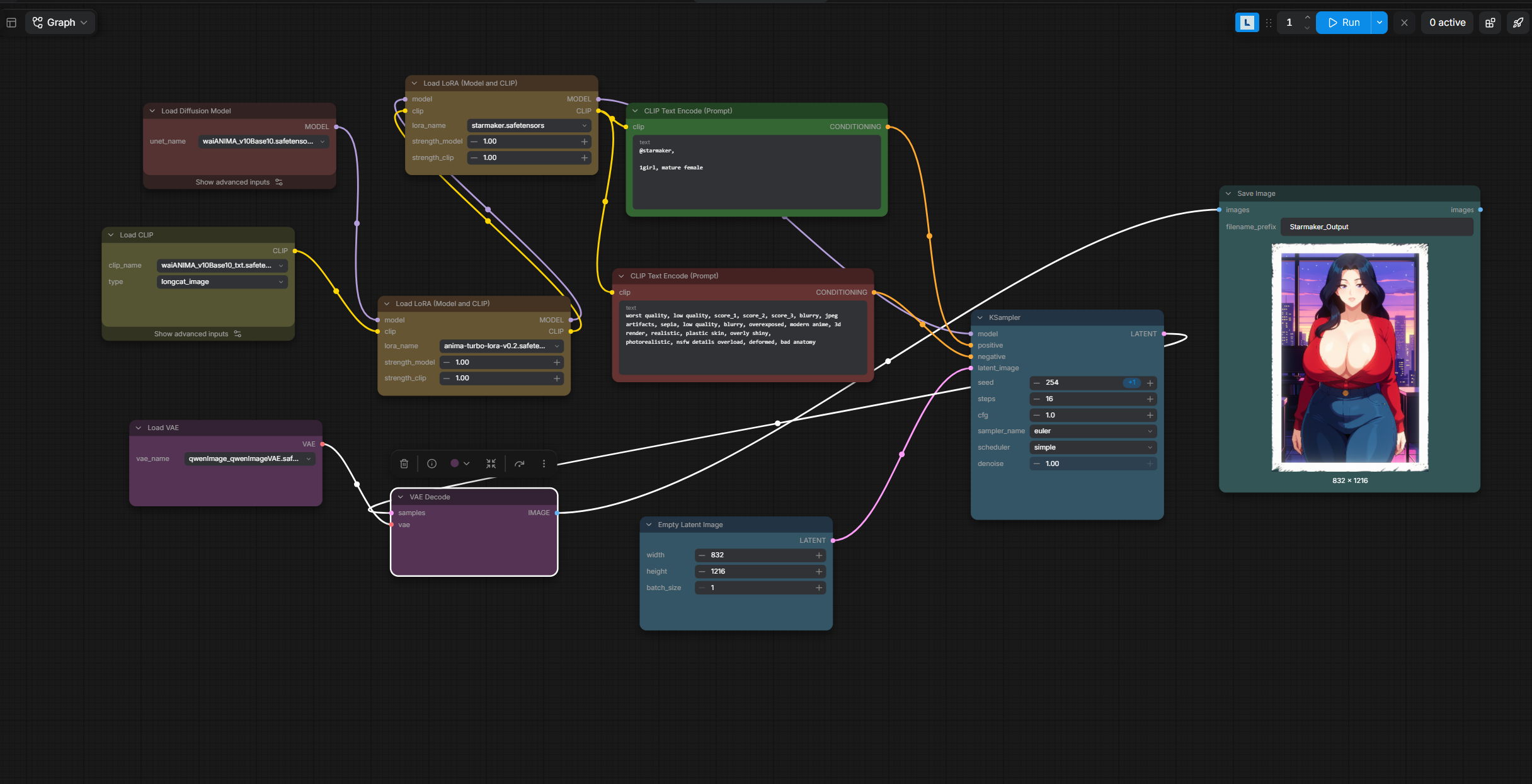
Hey! I can drop a somewhat clean setup guide for you right here. I use ComfyUI Desktop, and on my setup (RTX 4090) it takes like 2-3 seconds to generate an image. Just keep in mind you'll need a decent GPU with at least 8GB to 12GB of VRAM for this to run smoothly.
I'm kinda new to this so others might have better alternatives, but at least this is working extremely well for me.
1. Where to get the files
Go to civitai.red (make sure it’s the .red domain because that's the one that allows NSFW). Search for starmaker story and click on the Starmaker Story Style - Anima page.
You will see a showcase image with Himari. Click on that image (or any other image you like there) and look at the right side of the screen. It will show you the exact Prompt, settings (Steps, Sampler, etc.), and the resources used to make it.
2. Downloading & placing the files in ComfyUI
You need to download the resources listed there and put them in the right folders:
- Main Model: Download WAI-ANIMA (v1.0). Put it in: Comfy-Desktop\ComfyUI-Shared\models\checkpoints
- Required Components for WAI-ANIMA: On the WAI-ANIMA page, look to the right and you'll see it requires a specific VAE and Text Encoder to work. Download both:
- Qwen Image VAE -> Put it in: Comfy-Desktop\ComfyUI-Shared\models\vae
- qwen_3_06b_base.safetensors (Text Encoder) -> Put it in: Comfy-Desktop\ComfyUI-Shared\models\clip (or text_encoders).
- LoRAs: Download Anima Turbo LoRA (v0.2) and Starmaker Story Style - Anima. Put both in: Comfy-Desktop\ComfyUI-Shared\models\loras
3. Setting up the Workflow
Instead of wasting hours trying to learn how ComfyUI nodes work from scratch, do this:
A) Take whichever photo you like from Civitai, drag and drop it straight into Comfy Desktop and boom, it will load the workflow for you. Warning: people's workflows can be a huge mess and ask you to install a bunch of extensions. So I recommend doing B instead:
B) Ask an AI to make a simple (but really effective) workflow for you, or just use mine! I'll reply to this comment with my JSON code below. Just make a new .txt file with notepad, paste the code inside, change the file extension from .txt to .json, and drag and drop that .json file into Comfy Desktop. (Just make sure to click the nodes and select the files you downloaded).